See the flow
  Litres: Audio
Header with back button and profile image, followed by a form with input fields, a bio text area, privacy settings, and a bottom navigation bar.
 See the flow
  Vrbo Vacation Rentals
Further down, there is a dropdown for 'Country code', a 'Phone number' field, and a large multi-line text area labeled 'Leave a message' with a character counter (0/1500).
 See the flow
  FLYP - Fashion Design Studio
Further down, there is an 'Enter Your Bio' section with a text area containing the phrase 'lez do it'.
 See the flow
  Layout for Instagram・Inpreview
Below this, the main body consists of four input fields for 'Name', 'Subject', 'Email address', and a multi-line text area for 'Add your message here...'.
 See the flow
  Map My Run GPS Running Tracker
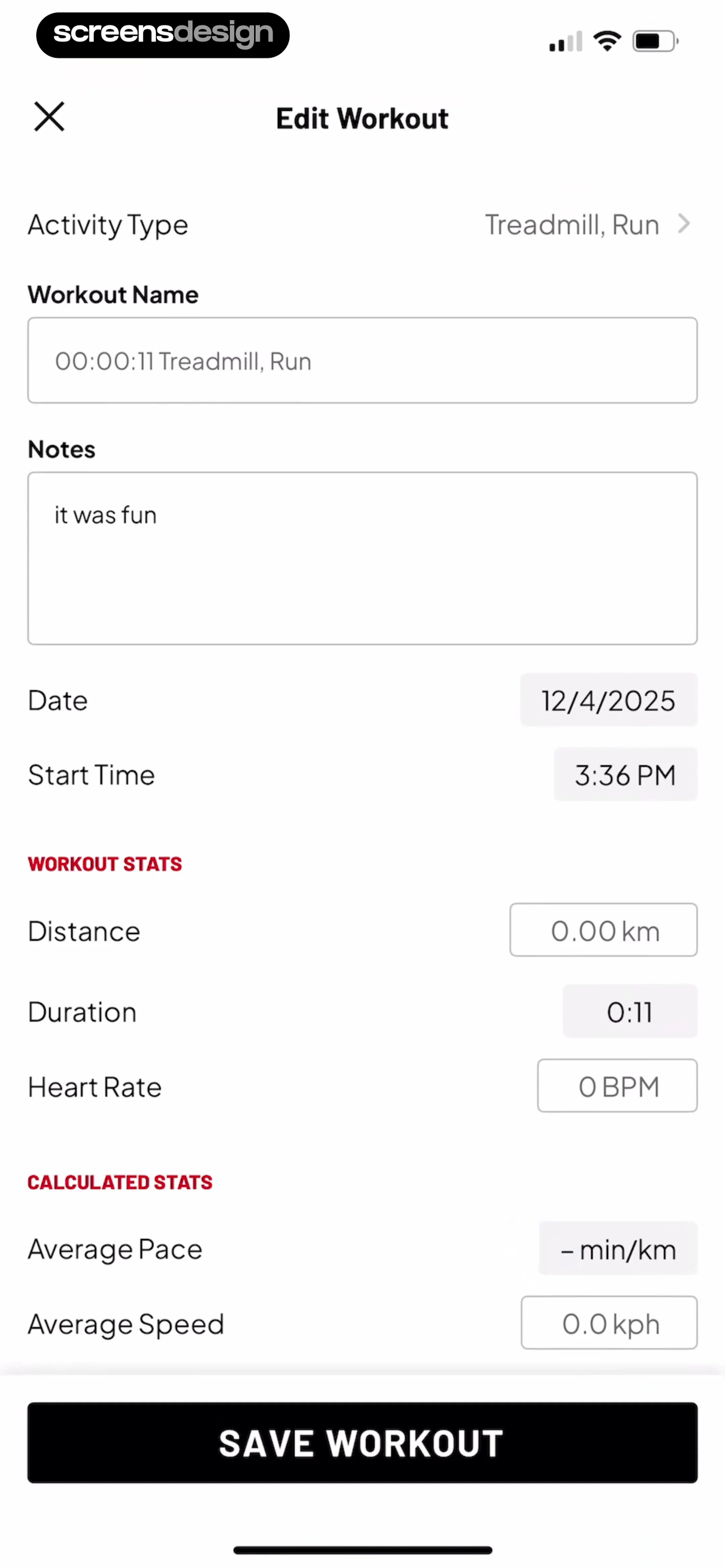
Below this, the user can modify the 'Activity Type' (currently set to 'Treadmill, Run'), a 'Workout Name' text input field, and a 'Notes' text area containing the text 'it was fun'.
 See the flow
  1.1.1.1: Faster Internet
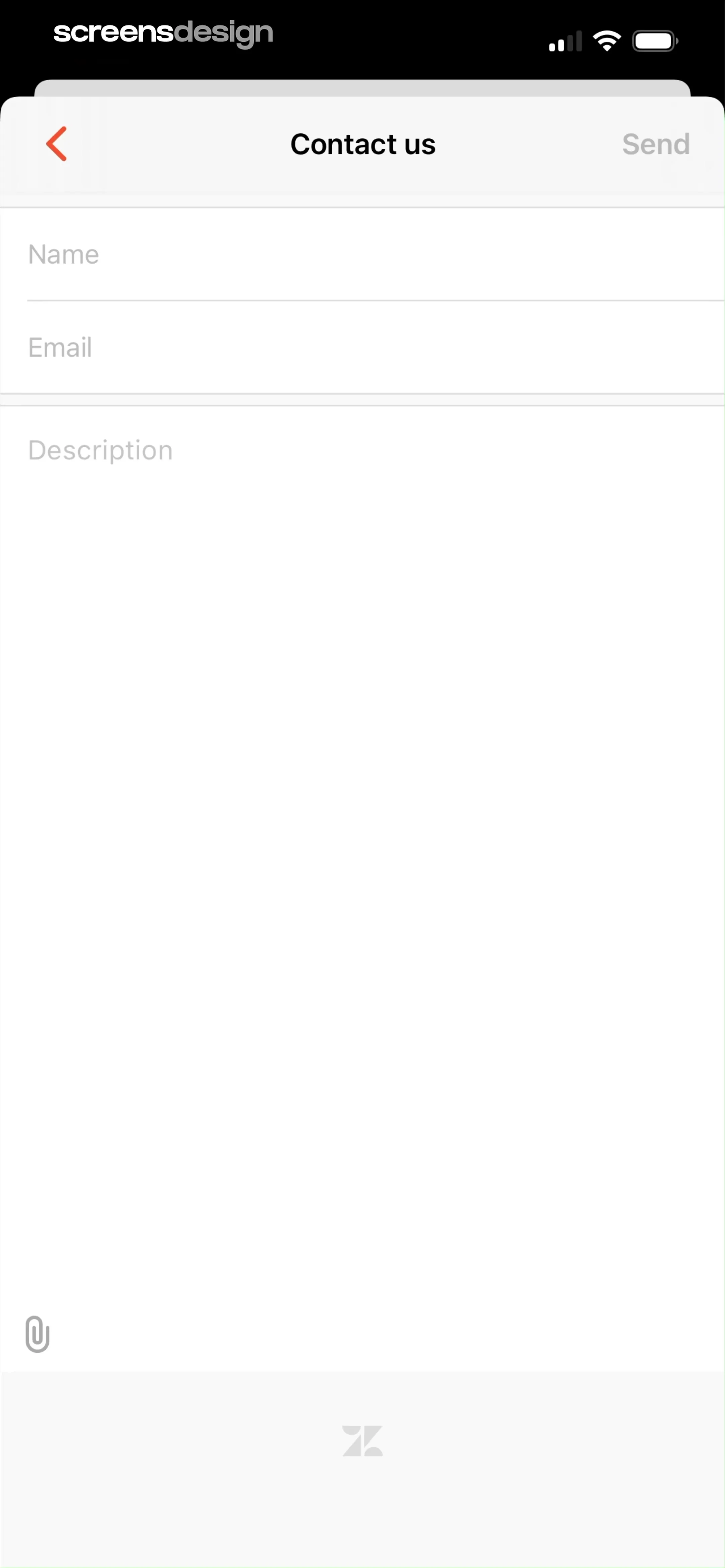
Below the header, there are three input fields: 'Name', 'Email', and a large 'Description' text area for the user's message.
 See the flow
  Heyyyy: Stories that text back
A large, multi-line text input field with the placeholder 'Tell them about you...' occupies the middle section, with a character counter '0/500' in the bottom right corner.
 See the flow Vrbo Vacation Rentals
A section titled 'Include a message for the host' provides a text area for optional comments or special requests.
 See the flow
  Ascend: Bible Game
Header with back button and title, followed by a vertical stack of input cards, ending with a footer disclaimer and a primary action button.
 See the flow
  Hypelist: Create & Share Lists
Top navigation, centered profile image, vertical list of labeled input fields, bottom fixed action button.
 See the flow
  Claude by Anthropic
Top navigation bar followed by two distinct sections for profile details and preferences, ending with a destructive action at the bottom.
 See the flow
  PDF Scanner AI: Scan Documents
Below the text area, a horizontal toolbar provides four primary actions: 'Copy all', 'To Word', 'Re-Recognize', and 'Translate'.
 See the flow
  AI Song Generator: Mozart
Top navigation with progress bar, followed by a series of labeled input fields and toggles, ending with a large bottom-aligned primary button.
 See the flow Layout for Instagram・Inpreview
Below the text area, there is a 'GENERATE WITH AI' button with a sparkle icon.
 See the flow
  invideo AI: AI Video Generator
Top-down form with dropdowns, text inputs, and a settings list, ending with a dual-button footer.
 See the flow
  Fishbrain - Fishing App
Below this, there are two input fields for 'Start' and 'End' times or dates, followed by a text area prompt: 'Tell others about your trip and tag @friends'.
 See the flow
  calimoto Motorcycle Navigation
At the bottom, a large text area contains the address '12751 Kiamesha Lake, New York, United States' with a character count indicator '44/200'.
 See the flow
  GoPhoto:AI Photo & Video Maker
A large, multi-line text input field is provided, currently containing the text 'dancing banana' with a character counter showing '14/200'.
 See the flow
  Vivino: Drink The Right Wine
Below the text area, there are two pill-shaped buttons: 'Add flavors' (with a remove icon) and 'Mention someone' (with a dropdown arrow).
 See the flow
  TCG Card Scanner & Value-Foloy
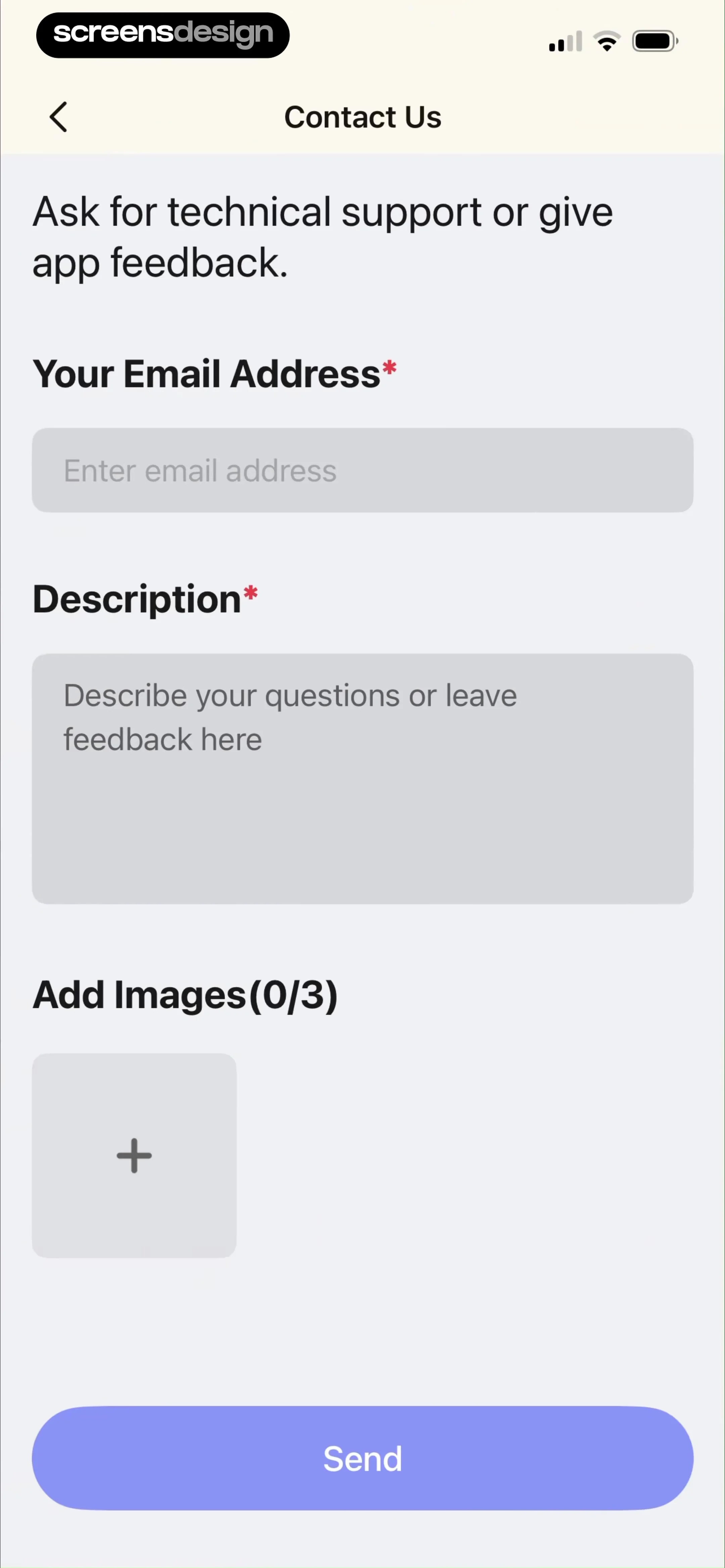
Top navigation bar followed by a descriptive header, three input fields, and a bottom action button.