Language learning research
14 Language Learning Onboarding Examples
Language onboarding should connect current ability and motivation to content the learner can inspect, attempt, and adjust.
A language app must make an early placement decision with imperfect information. Self-reported levels are fast but inconsistent. A placement test can be more informative but adds friction and may intimidate beginners. Goals and daily commitment affect the plan, yet neither reveals whether someone can read, listen, speak, or write at the assumed level. Good onboarding combines a lightweight starting estimate with an easy way to correct it through real learning activity.
This review uses fourteen recorded screens from Eppika, LyricFluent, Easy Speak, iStoria, Busuu, Ling, and Babbel. Every example comes from a language-learning product and opens its exact recorded moment. The interfaces show how current products handle placement, motivation, plans, lessons, and feedback, but they do not prove proficiency gains, lesson quality, retention, or conversion.
Use the app onboarding screens guide for shared sequence rules. Compare personalized questioning with the personalized app onboarding review.
01. Language and level
Separate interface language from learning level.
Native language helps comprehension; proficiency determines content difficulty.
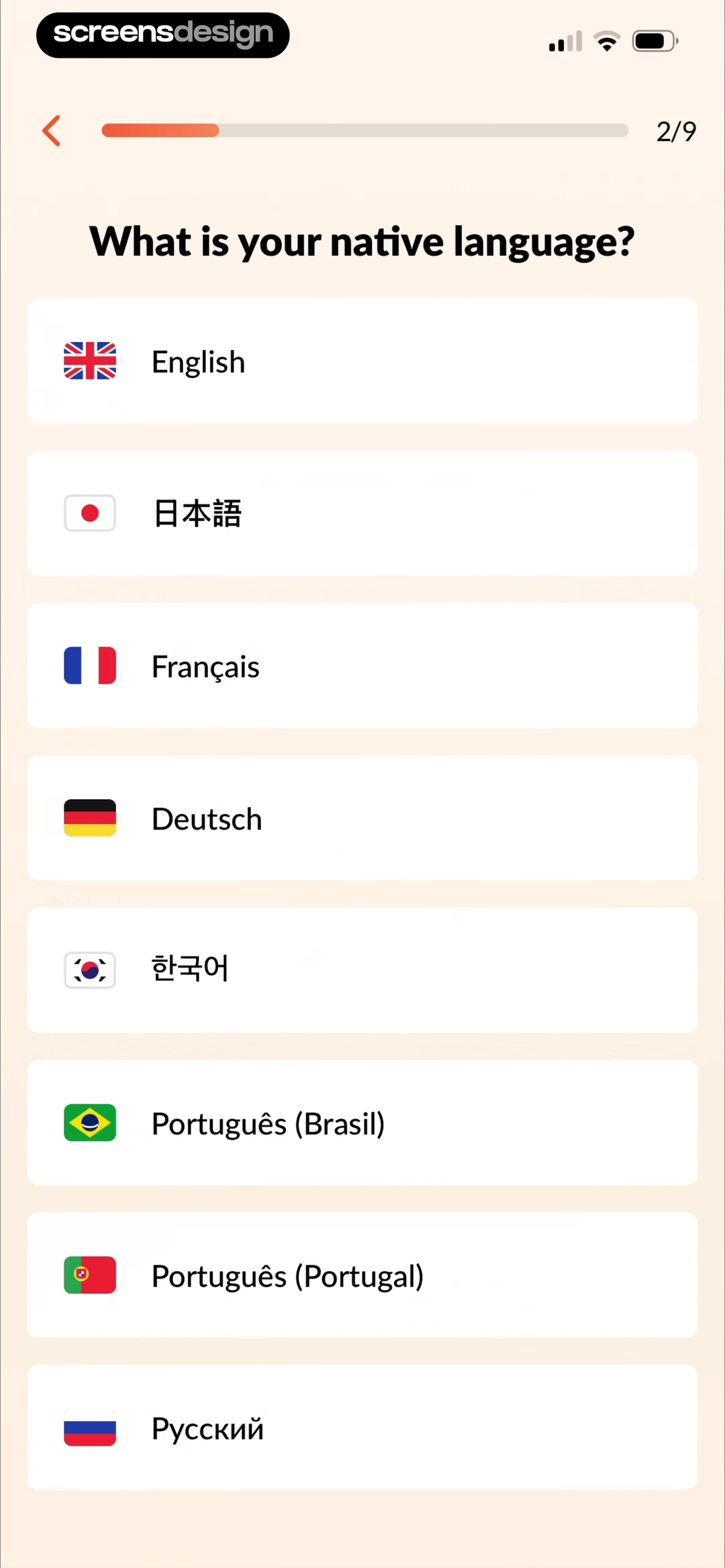
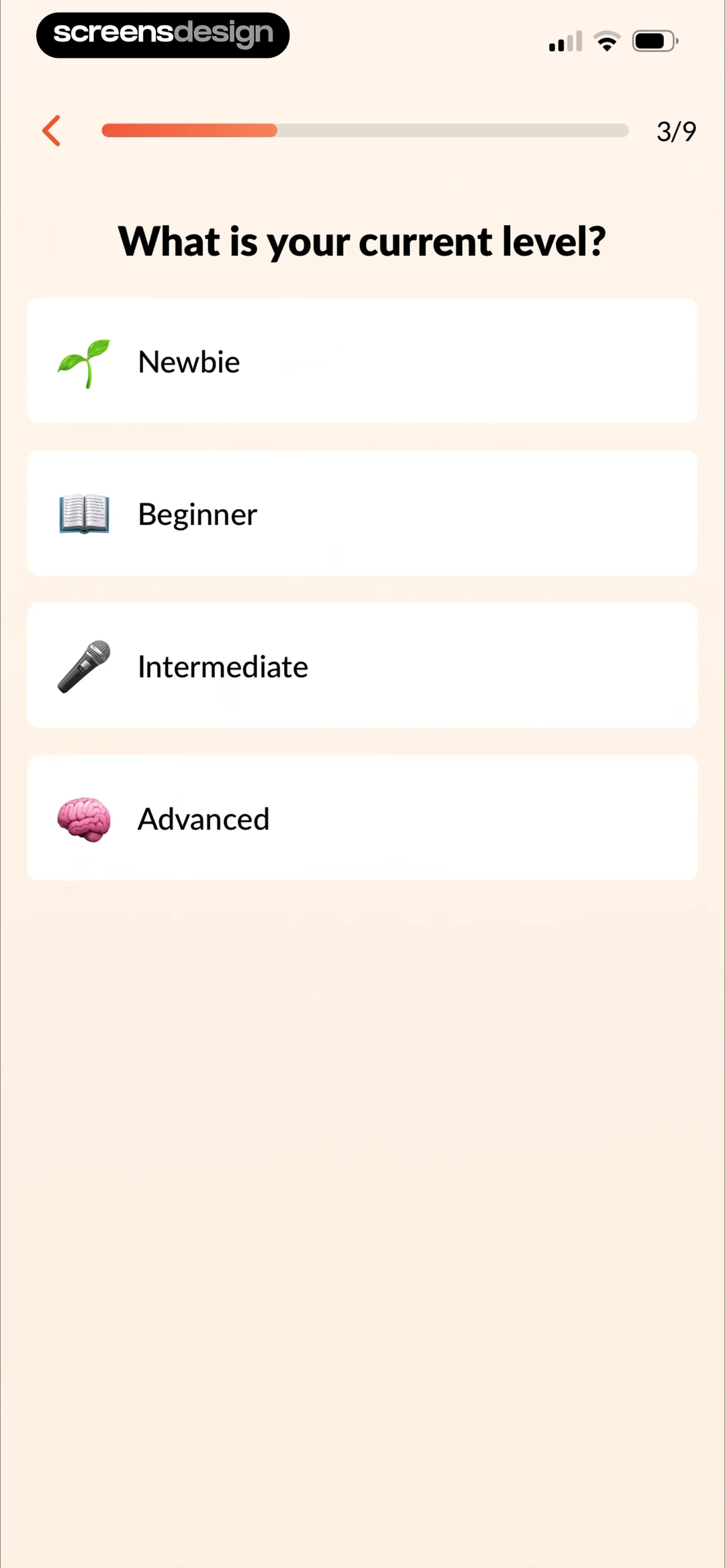
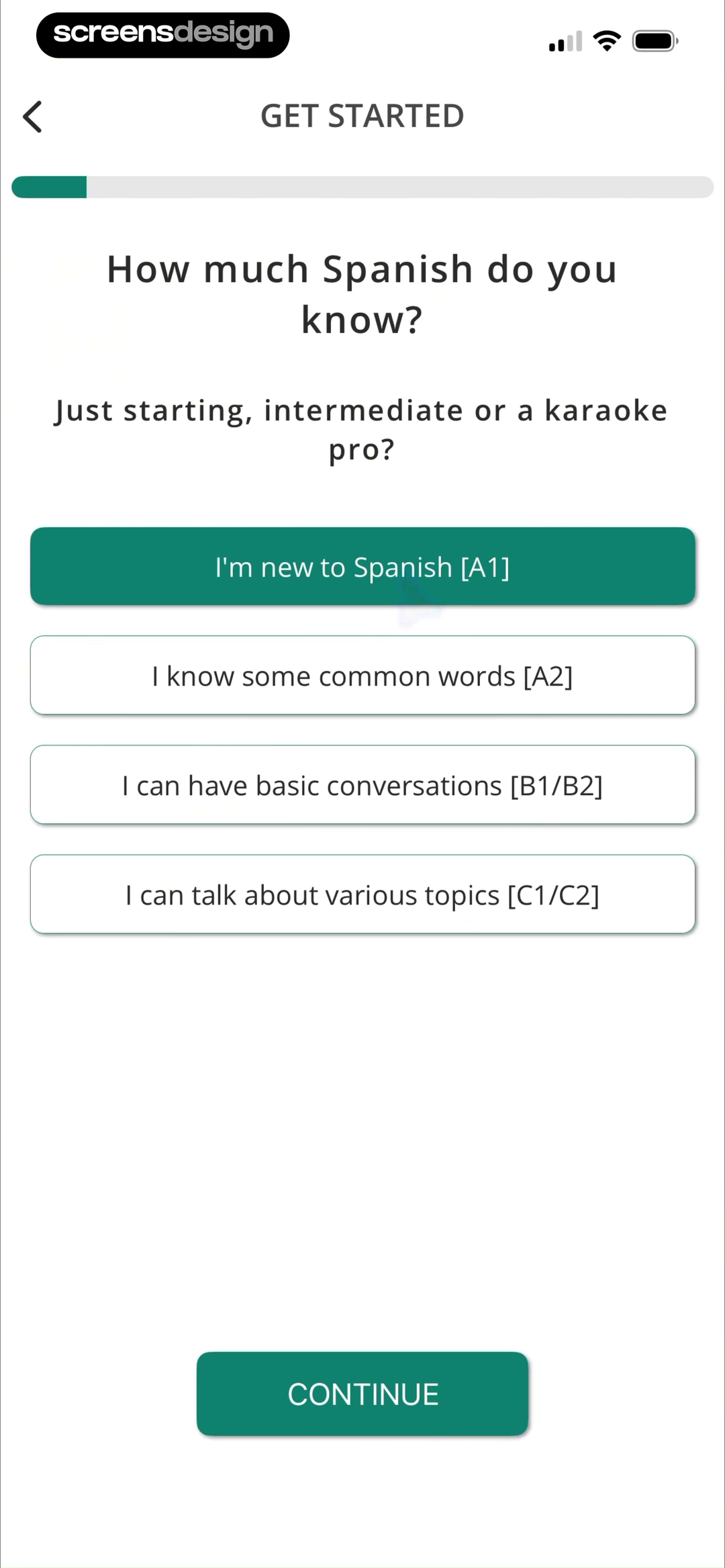
Eppika first asks for a native language, then asks the learner to choose Newbie, Beginner, Intermediate, or Advanced. LyricFluent connects its Spanish levels to recognizable stages from a new learner to someone who can discuss varied topics. Keeping these decisions separate avoids treating interface translation as proof of subject ability.
Level labels need examples. Beginner can mean no exposure, basic phrases, or limited reading. Add a sample sentence, listening clip, or can-do statement. Offer I am not sure and a short placement activity. If users can skip assessment, tell them that the level can be changed later without losing progress.
Do not make confident self-placement irreversible. An advanced selection may come from one strong skill while another is weaker. Track reading, listening, speaking, and writing separately when the course actually adapts across them. Otherwise use one coarse starting level and refine it from lesson behavior.
02. Motivation and destination
Ask why the language matters in observable terms.
Career, travel, family, reading, and conversation imply different practice and vocabulary.
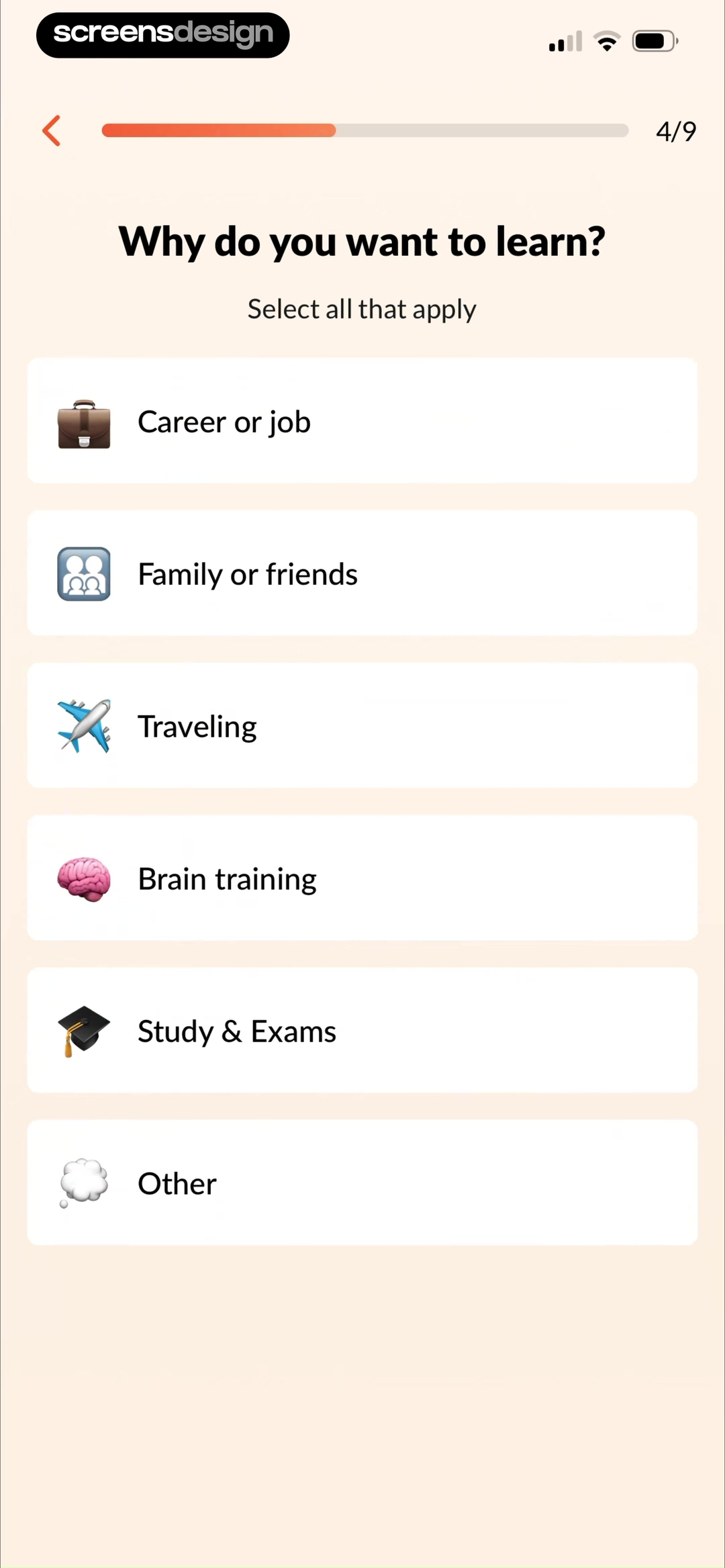
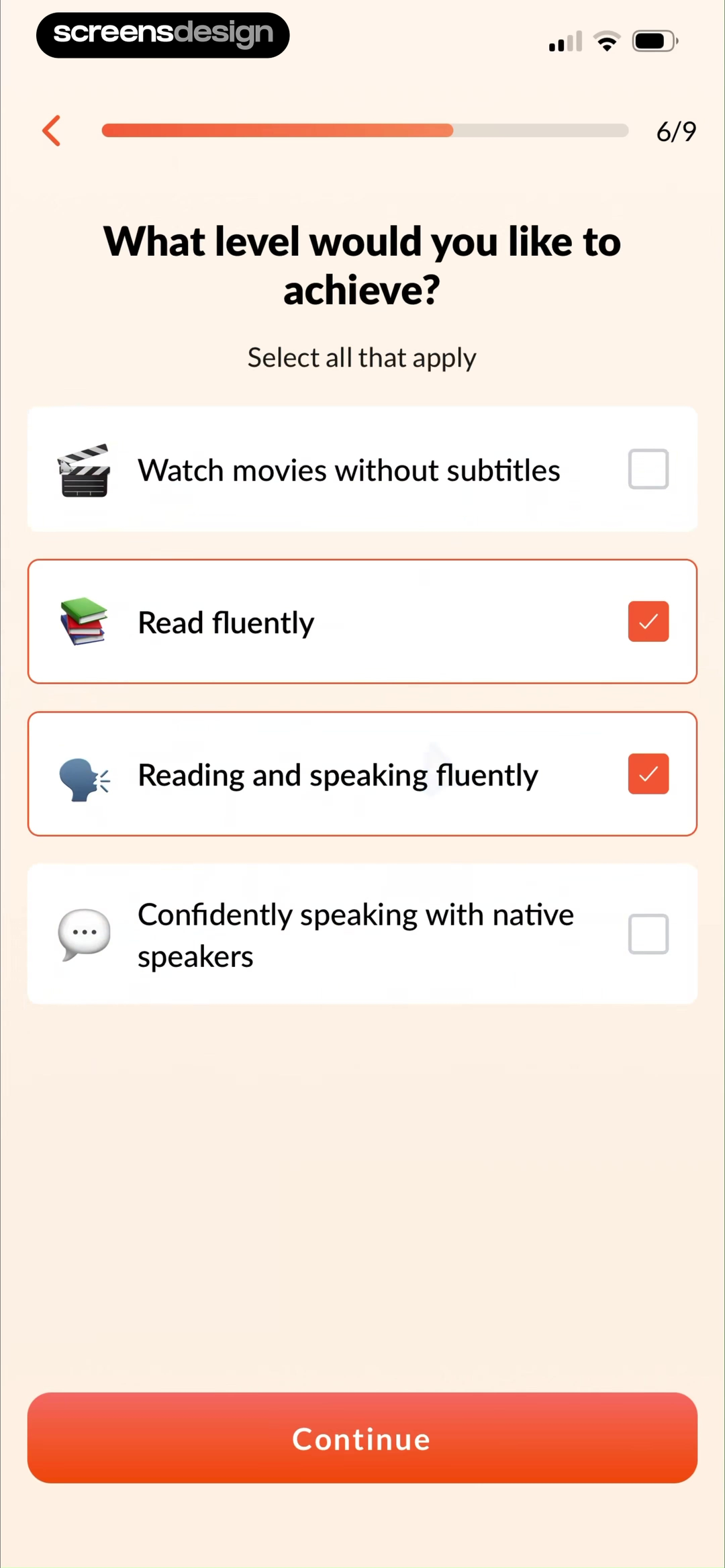
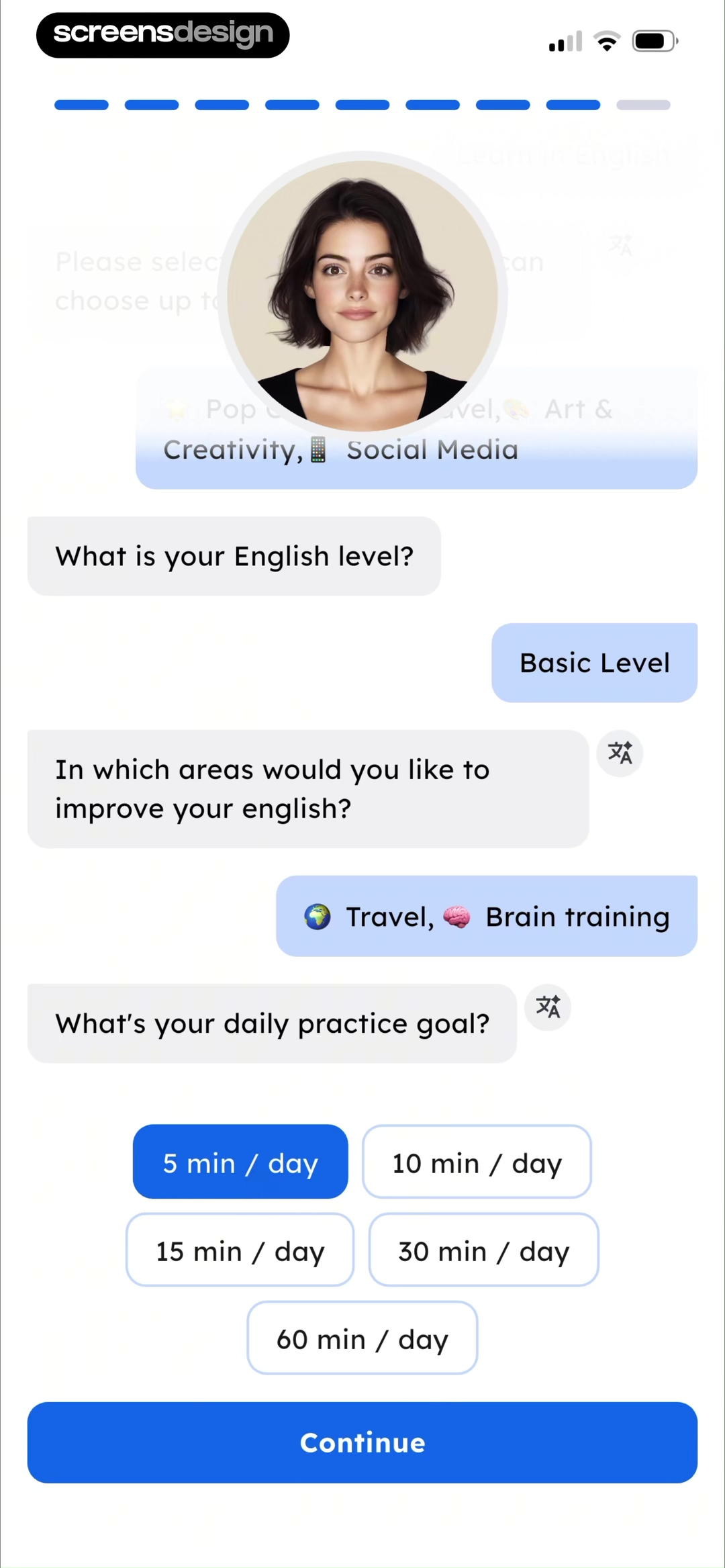
Eppika asks why the learner wants to learn, then separately asks what level of outcome they want, with destinations such as watching movies without subtitles, reading fluently, and speaking with native speakers. Easy Speak connects interests, current English level, improvement areas, and a daily practice goal. The distinction is useful: motivation describes context, while a desired capability describes what the plan should eventually support.
Allow multiple motivations only when the course can balance them. If travel and career are selected, explain how content will be prioritized. Avoid goals such as become fluent fast without defining fluent, measuring current ability, or stating the practice involved. Treat projected timelines as estimates, not promises.
A destination should influence the first week. Conversation goals can introduce listening and speaking early. Reading goals can prioritize vocabulary in context. Exam goals can foreground test format. Show one example of the changed plan so the question does not feel like marketing segmentation.
03. Placement assessment
Test one representative skill before extending the questionnaire.
A short authentic task can reveal more than several confidence questions.
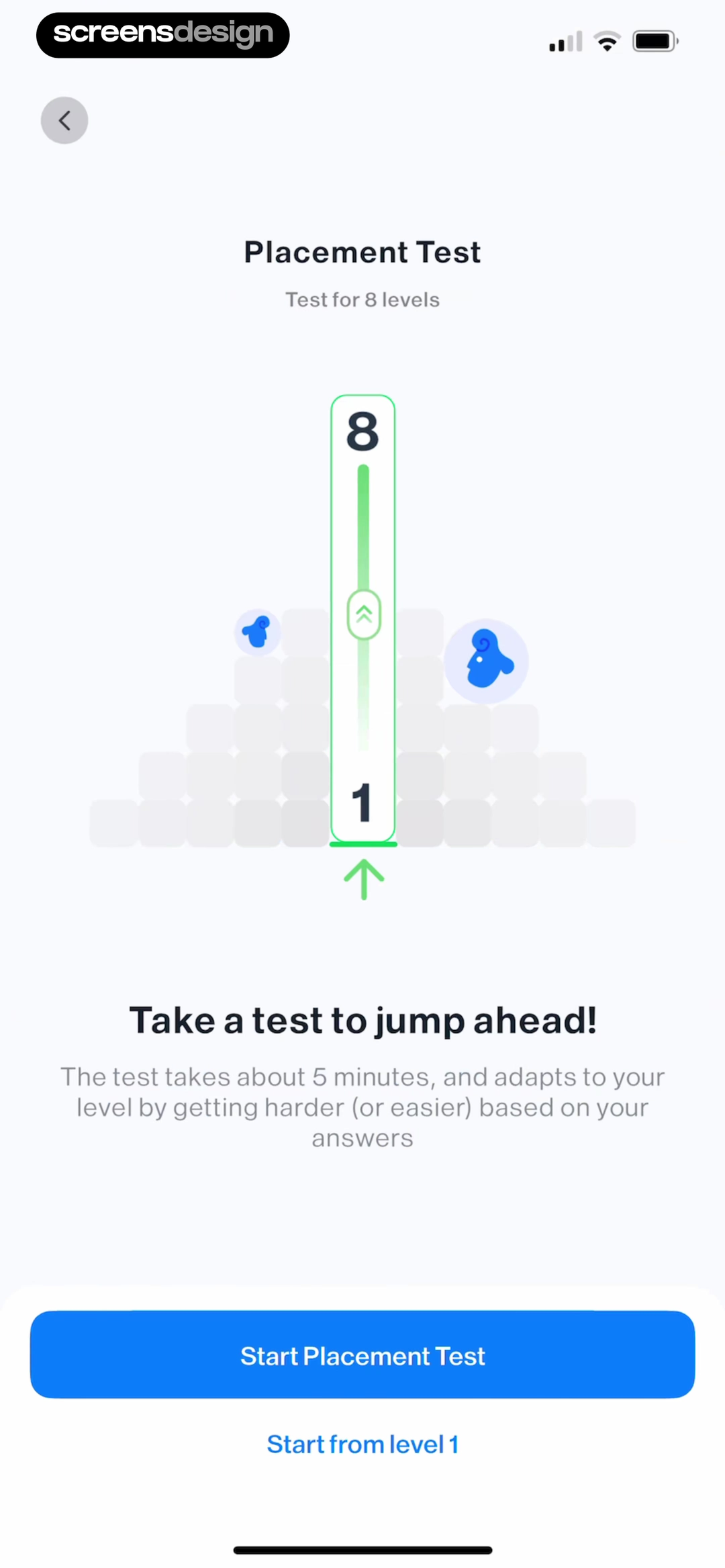
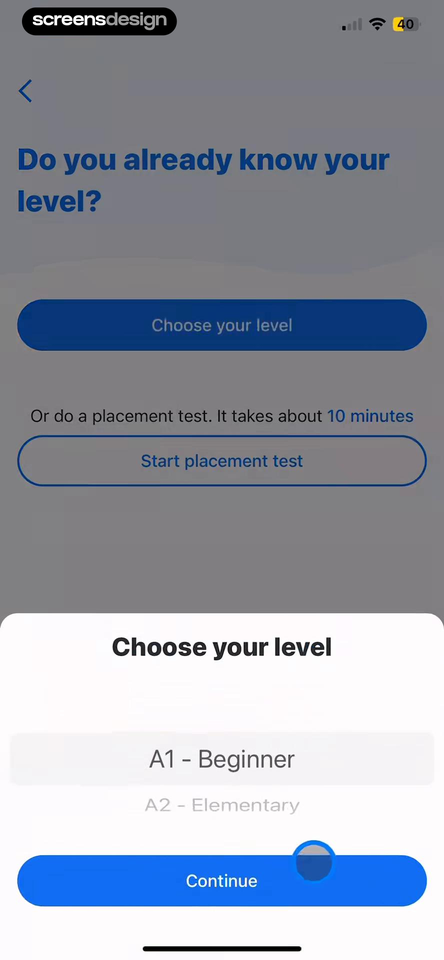
iStoria explains that its placement test spans eight levels, takes about five minutes, and adapts as answers become easier or harder. Busuu offers both a ten-minute placement test and direct level selection. The two screens make the tradeoff explicit and give learners a lower-friction route when they already know their level.
Assessment should be skippable, explain its purpose, and avoid punitive failure language. Use adaptive stopping so a beginner is not forced through advanced questions. Show progress without promising an exact length if the path changes. At completion, present the recommended level and let the learner move it.
Do not use a paywall to withhold the placement result after collecting substantial effort. If the course is paid, show the recommended path and sample lesson before the offer. Save responses so a person can return, but disclose account and data requirements before the assessment begins.
04. Learning plan
Return setup answers as a visible sequence of work.
The plan should show what happens today, not only where the learner might be months from now.
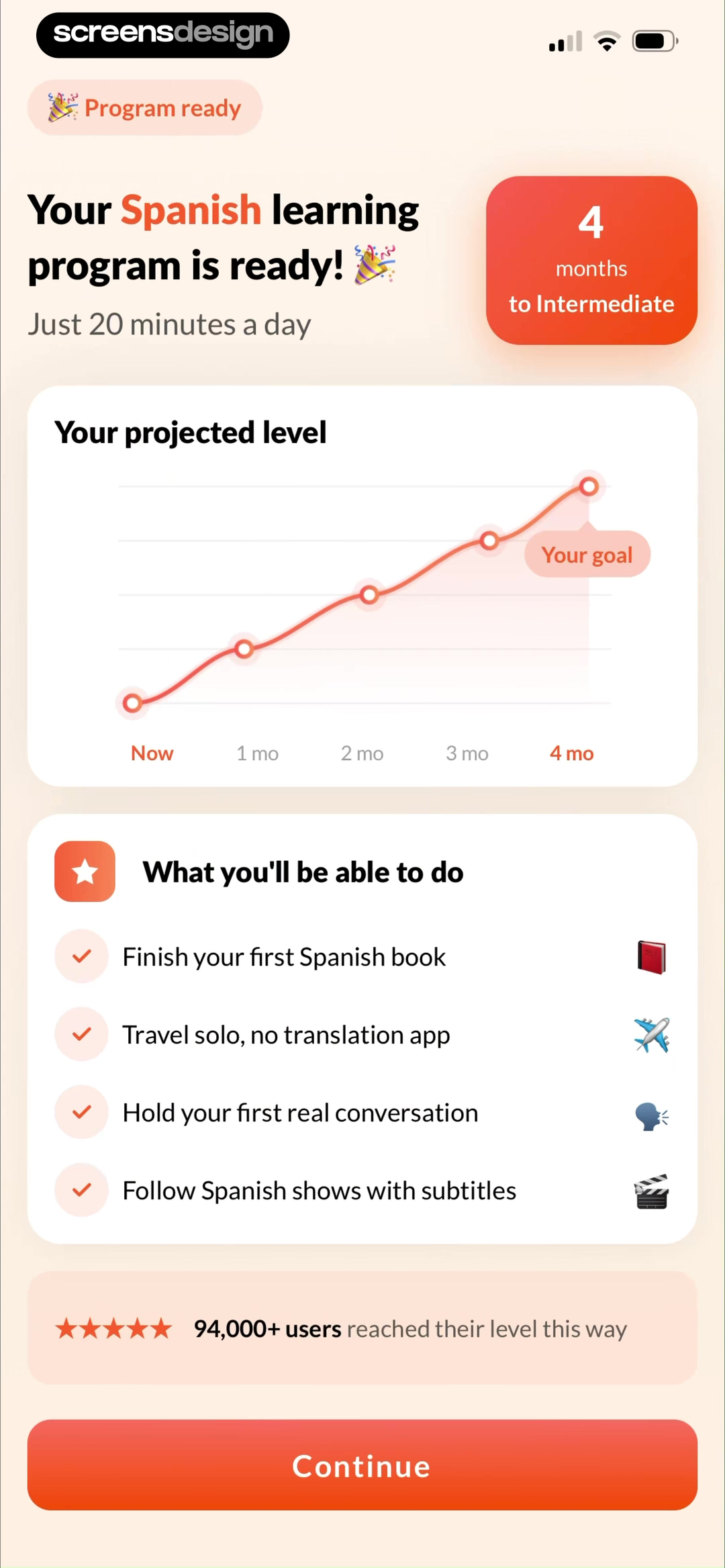
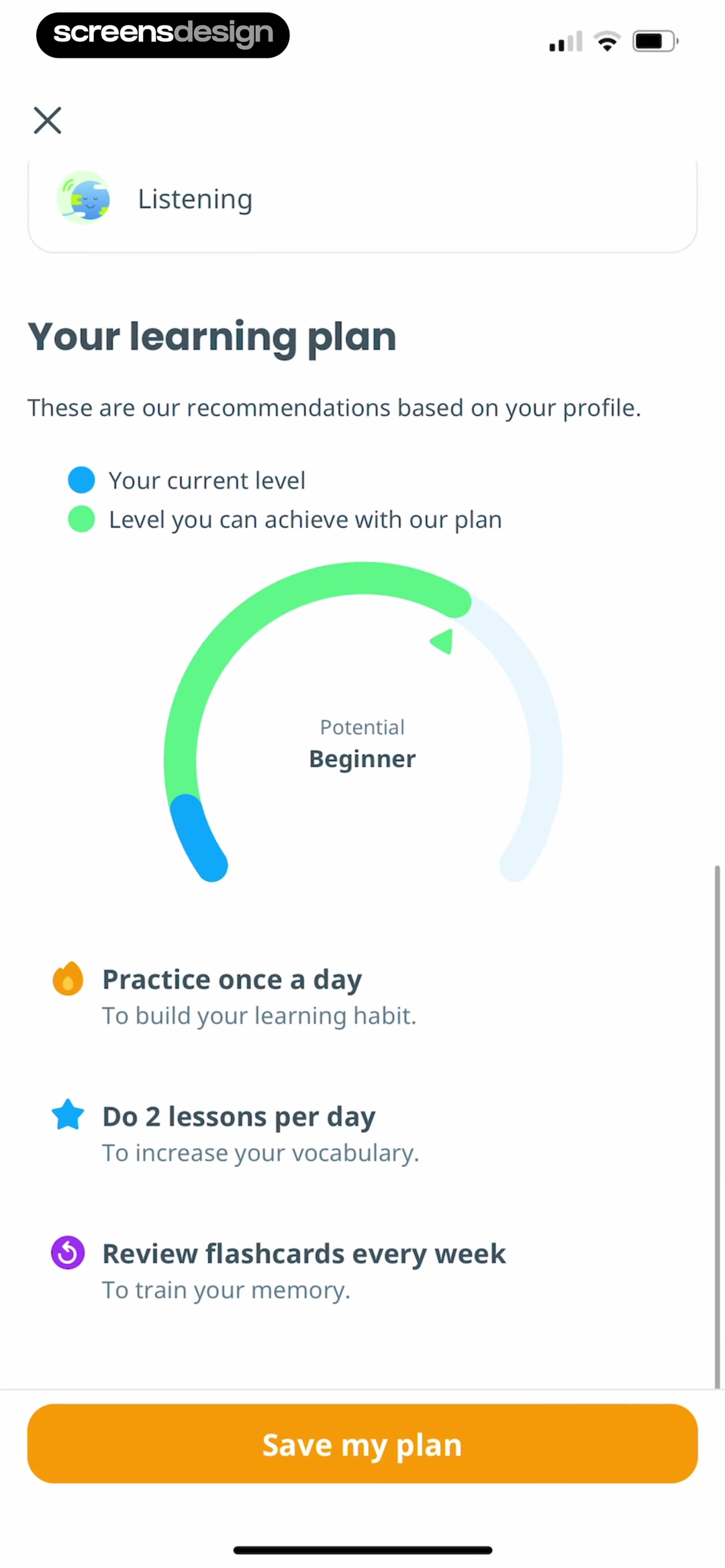
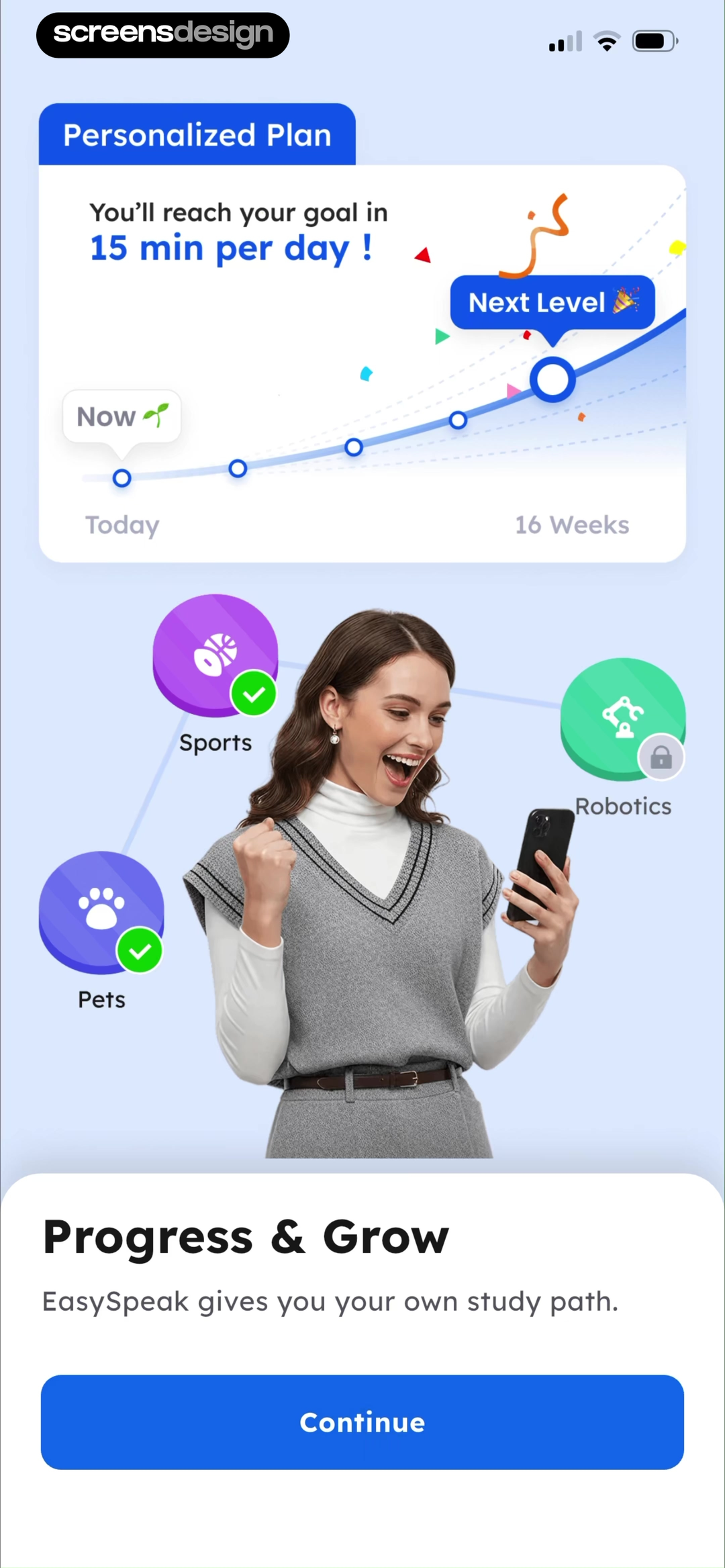
Eppika presents a program with daily time, a projected level, and a month-by-month path. Ling returns the current and potential level with daily lessons, habit practice, and weekly flashcard review. Easy Speak adds a fifteen-minute daily commitment, a sixteen-week estimate, and the learner's selected topics. Each plan turns setup answers into visible work rather than a generic success message.
Show lesson type, estimated duration, weekly frequency, review behavior, and the input choices that shaped the plan. If twenty minutes a day is a default rather than a commitment the user selected, say so. A projected level after four months must be framed as an estimate dependent on activity, not a guaranteed outcome.
Let learners change pace, skip familiar material, repeat difficult lessons, and switch goals. Preserve completed work when the plan changes. A Pro reminder can explain access to a full course, offline lessons, conversation practice, or advanced feedback, but should not obscure what the free plan contains or discard placement answers.
05. First lesson and progress
Teach the lesson loop before introducing the dashboard.
Attempt, feedback, explanation, retry, and completion are the core navigation of learning.
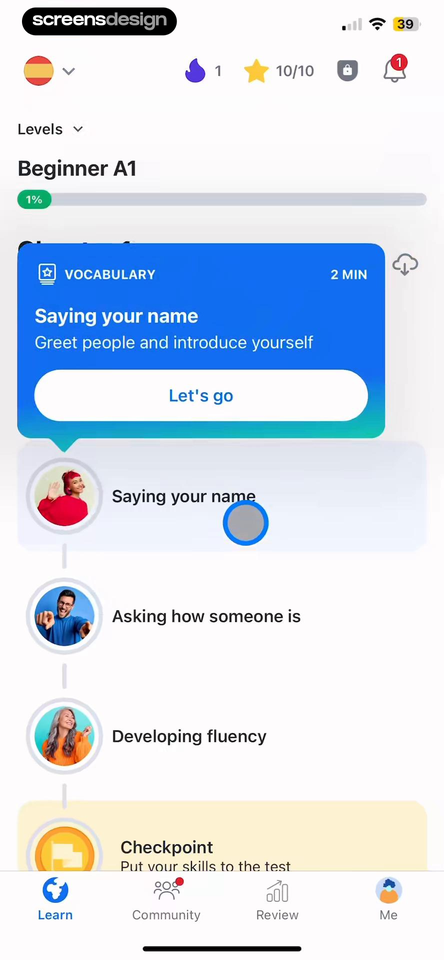
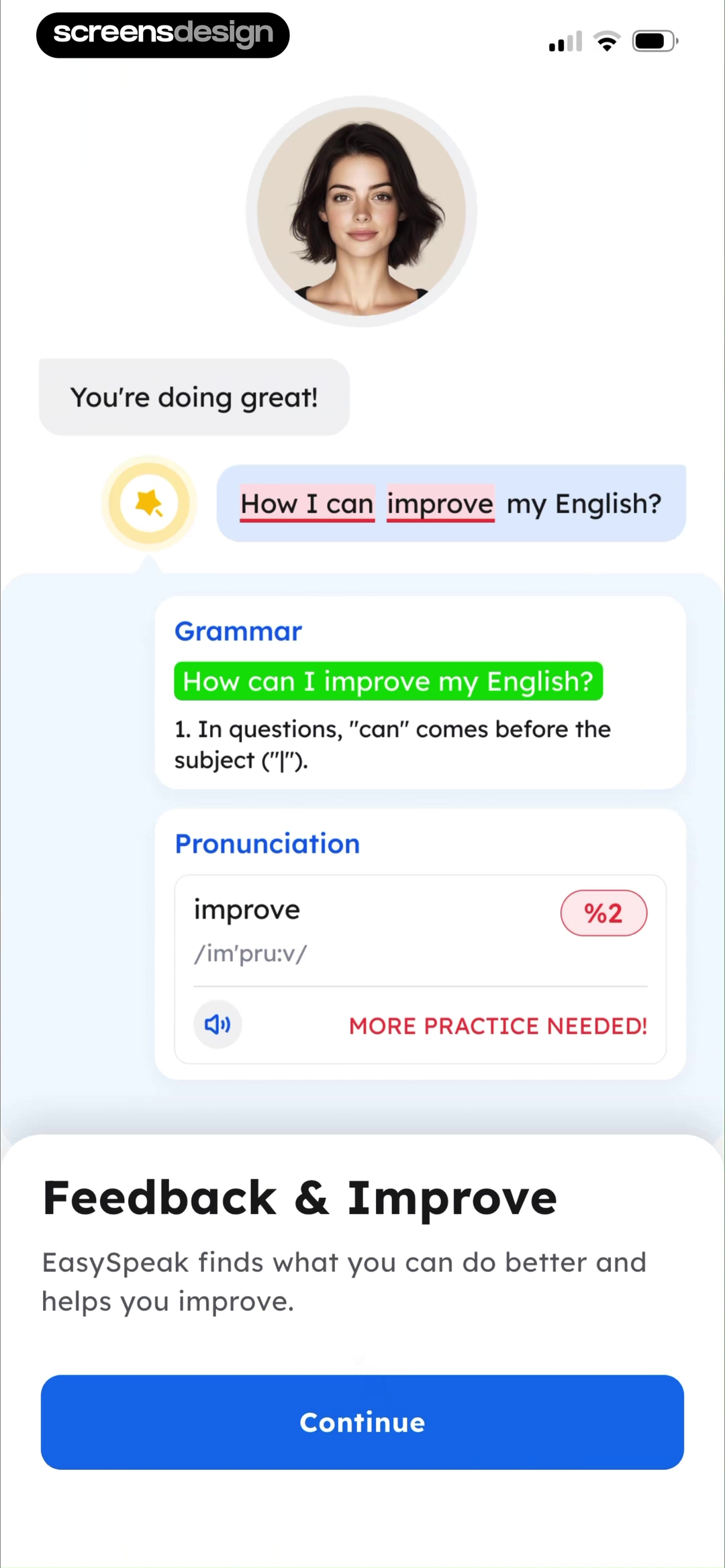
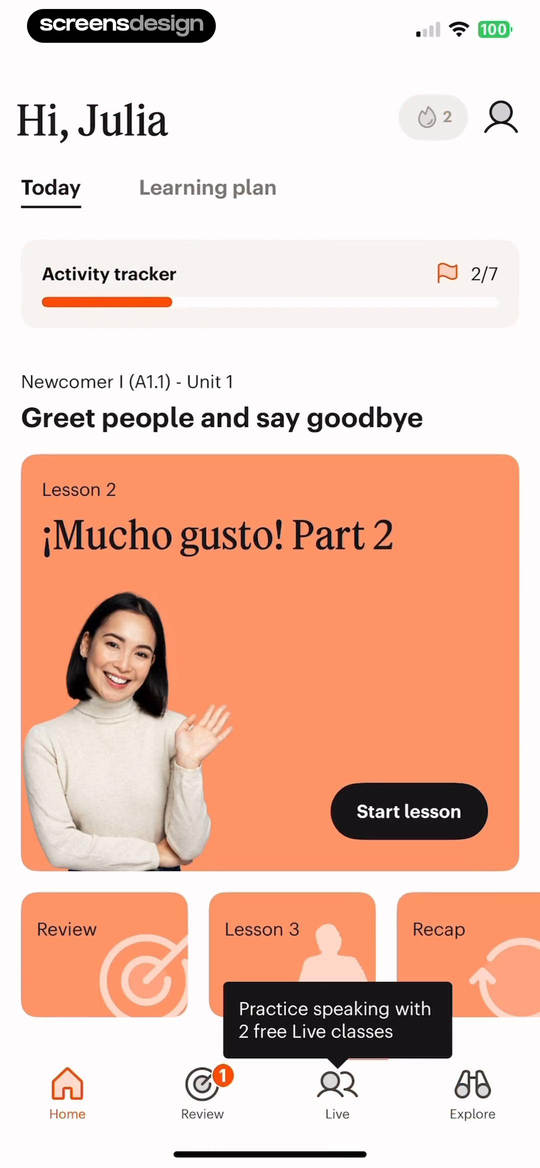
Busuu gives the next two-minute vocabulary lesson the strongest action while preserving the wider course path and checkpoint. Easy Speak turns a spoken attempt into separate grammar and pronunciation feedback. Babbel combines today's lesson, activity progress, review, recap, and access to speaking practice. These examples show how a learning home can point to one next task while preserving the broader loop.
The first language lesson should use the selected level and goal, then teach how to hear or read the prompt, submit an answer, reveal a correction, inspect an explanation, and try again. Feedback must distinguish a wrong answer from a technical speech-recognition failure. Allow replay at a slower speed and preserve captions or transliteration as controllable supports.
Progress should count meaningful learning objects, not taps. Name the period and unit, show review due, and let learners understand why content repeats. Use streaks as an optional reflection of routine, not a threat that makes returning after a missed day feel like starting over. ScreensDesign Pro can help teams compare complete lesson and return flows rather than only polished progress screens.
Review checklist
Test placement against the first three lessons.
Complete onboarding as a true beginner, uncertain learner, returning learner, advanced self-placement, skipped assessment, changed goal, and declined subscription. Verify that each path reaches content at a plausible starting level and that changing placement does not erase completed work.
Review projections, fluency language, feedback, and reminders with learning specialists. Test text expansion in every supported interface language and provide accessible alternatives for audio, speech, and color-coded correctness.
- Interface language, target language, and proficiency are separate decisions.
- Level choices include examples, an unsure path, and a later edit control.
- Motivations and target capabilities visibly alter content or practice mode.
- Placement tests are skippable, adaptive, supportive, and use authentic tasks.
- The plan names today's lesson, daily time, frequency, progression, and assumptions.
- The first lesson teaches attempt, feedback, explanation, retry, and completion.
- Progress uses meaningful learning units and supports return after a missed day.
- Pro offers explain paid access without withholding the placement result.
Questions and answers
Language learning onboarding questions
What should a language learning app ask during onboarding?
Ask the interface language, target language, current ability, learning context, desired capability, and realistic practice time only when those answers alter the initial course.
Should a language app use self-placement or a placement test?
Use self-placement as a fast estimate, then offer a short authentic assessment and an easy way to change level. Refine placement from real lesson behavior.
How long should language learning onboarding be?
Keep every question tied to a visible course decision, show progress, allow back navigation, and reach a representative first lesson before collecting optional profile details.
How should a language app show a personalized plan?
Show the starting level, target capability, today's lesson, practice time, weekly rhythm, review behavior, and editable assumptions. Treat long-term projections as estimates.
How can a language app improve retention ethically?
Use appropriately difficult lessons, useful feedback, adjustable routines, spaced review, and respectful return states. Avoid threatening streak loss or making cancellation difficult.
When should a language app show a paywall?
Show it after the learner can understand the recommended course or sample lesson. Explain paid capabilities, the free path, renewal, and what happens to progress if they decline.
Apps referenced in this page
Open the products behind the examples.




2,715 apps in the top charts.Ask them anything.
Search recorded language and learning screens, inspect the complete placement-to-lesson sequence, and ask ScreensDesign Pro how leading education apps handle the exact level, plan, progress, or upgrade moment you are designing.