Learning app re-engagement
10 Learning App Re-Engagement Screen Examples
The home screen should identify the course, exact lesson state, progress, and safest next action without asking the learner to start over.
Re-engagement is not a push notification or a celebratory message. It is the product state a learner reaches after returning. The interface must reconstruct what they were learning, where they stopped, what needs review, and whether Continue, Resume, Restart, or Start next lesson is the honest action.
This review examines ten exact recorded screens from ten learning apps. The evidence covers welcome-back copy, lesson level, progress, elapsed work, resume and restart choices, checkpoints, ongoing lessons, course structure, and personalized return paths. It does not prove completion or retention.
For first-use placement before the return state, compare the language learning onboarding examples.
01. Welcome back
Use return copy to restore the task, not flatter the learner.
The message should immediately point to a recognizable lesson.
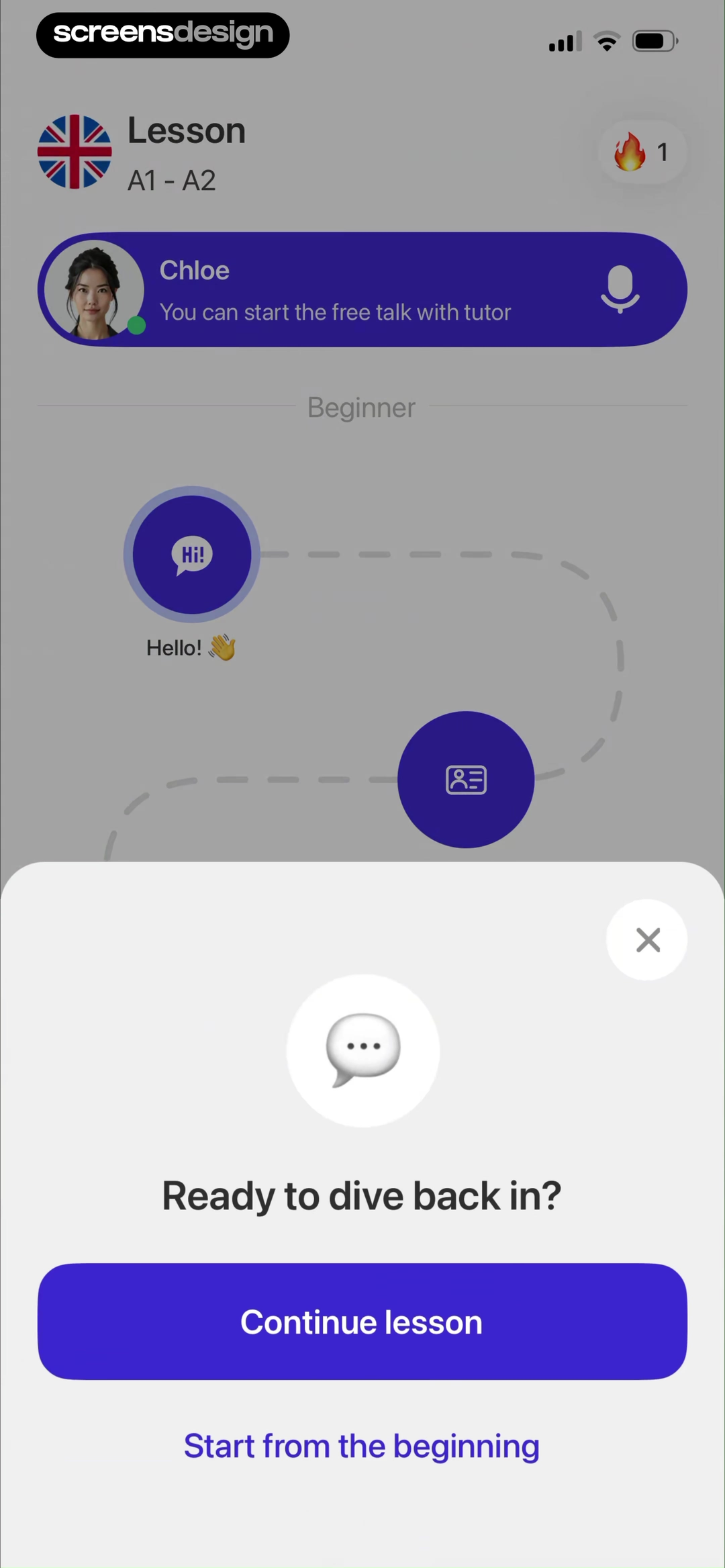
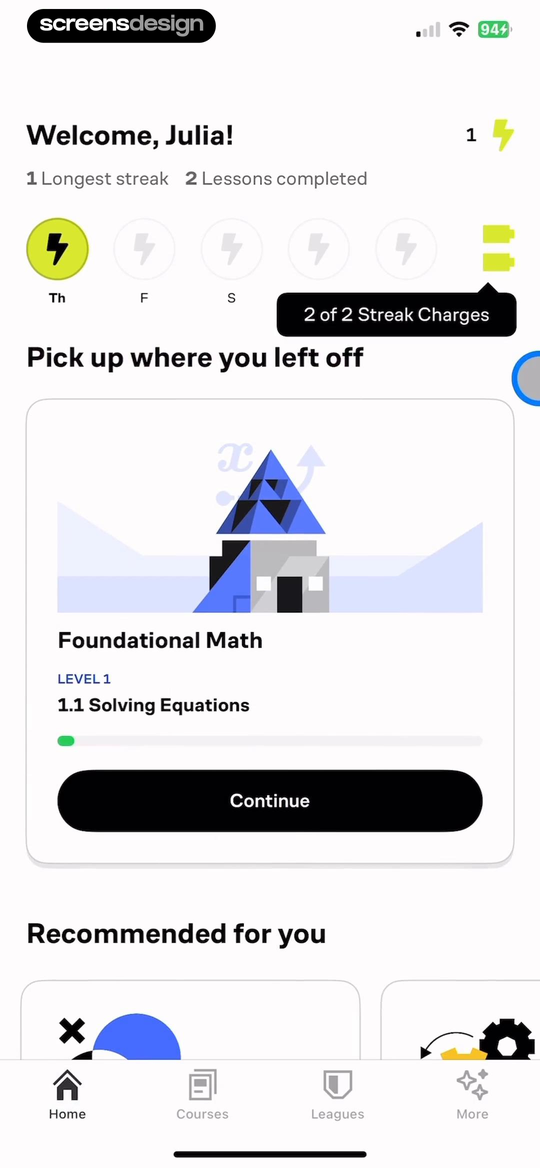
BetterSpeak says Ready to dive back in and offers Continue lesson or Start from the beginning for a named beginner tutor session. Brilliant says Pick up where you left off and identifies Foundational Math, level, lesson, and progress.
Prefer the object and position over a generic welcome. Show the exact course, lesson, level, and last meaningful state. If the gap was long, provide a short recap or review route without forcing repetition.
Do not infer absence length or emotional state unless the product has reliable data and a useful reason. Avoid guilt about missed streaks. Let the learner choose a fresh start when context is genuinely lost.
02. Exact lesson context
Make Continue reopen the promised position.
A continuation label is credible only when the destination matches.
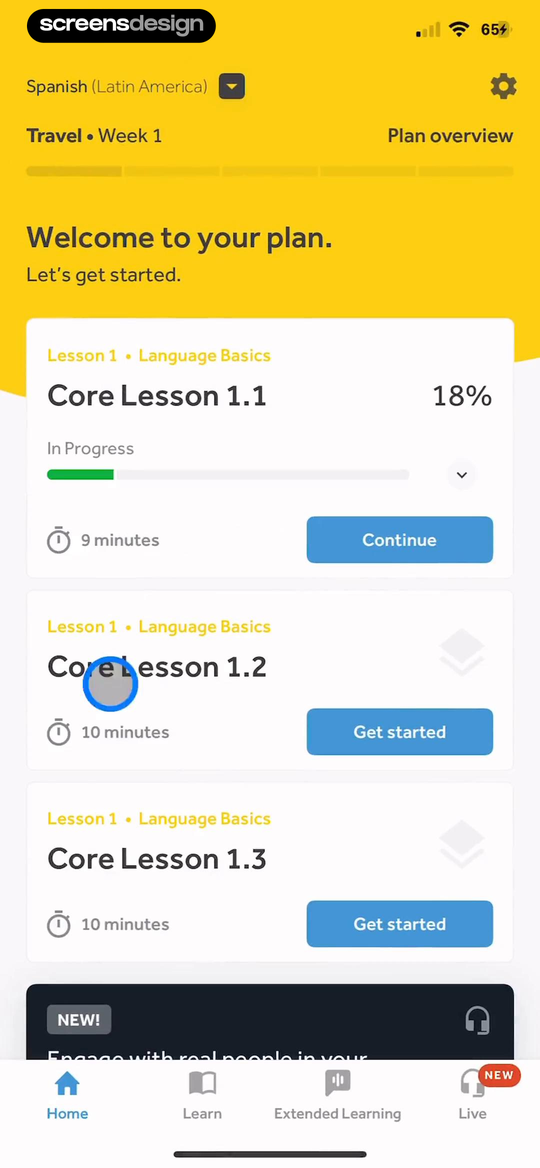
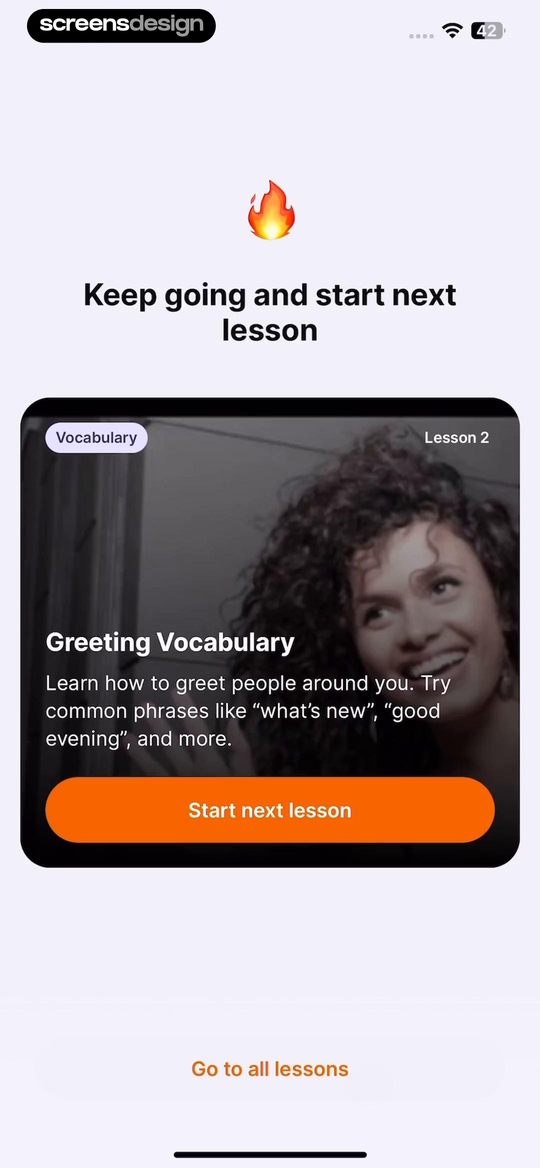
Rosetta Stone shows an 18 percent in-progress Core Lesson with nine minutes and Continue. JustSpeak names Greeting Vocabulary, Lesson 2, its learning purpose, Start next lesson, and a route to all lessons.
Include title, unit, progress, estimated remaining time where accurate, and the continuation verb. The action should reopen the saved position or clearly state that the lesson restarts.
Test content revisions, deleted courses, changed subscriptions, offline progress, and a lesson completed on another device. If the saved point is unavailable, explain the nearest safe fallback.
03. Resume or restart
Separate recovery choices and their consequences.
Resume, previous step, restart, and exit should not compete without explanation.
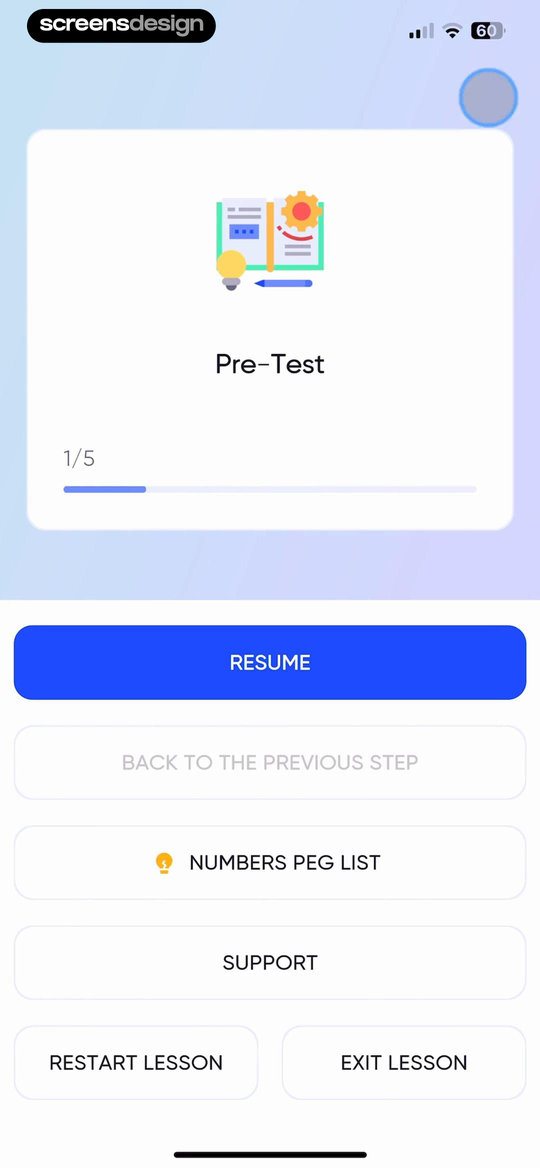
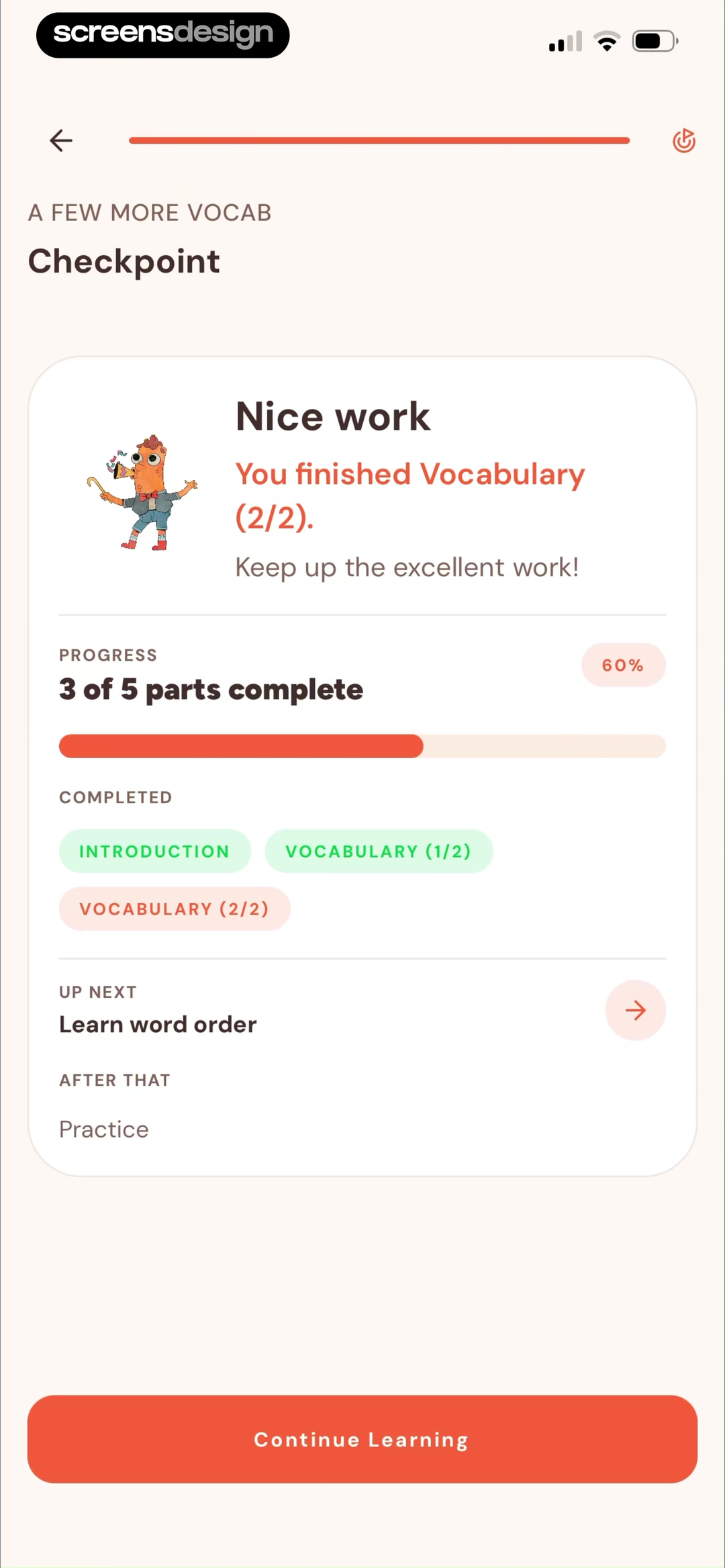
memoryOS places Resume beside Back to the previous step, Support, Restart lesson, and Exit lesson. Tahanan shows a checkpoint with three of five parts complete, completed vocabulary, the next word-order task, and Continue Learning.
Make Resume primary when the saved state is valid. Put restart behind a confirmation that states what resets and what history remains. Use a checkpoint or recap when prior knowledge affects the next task.
Avoid accidental restarts from a nearby destructive button. Preserve assessment, accessibility, playback, and language settings. Confirm that analytics distinguish resume from repeat.
04. Plan and progress
Keep the next action inside the broader path.
Returning learners need both today's task and evidence of where it belongs.
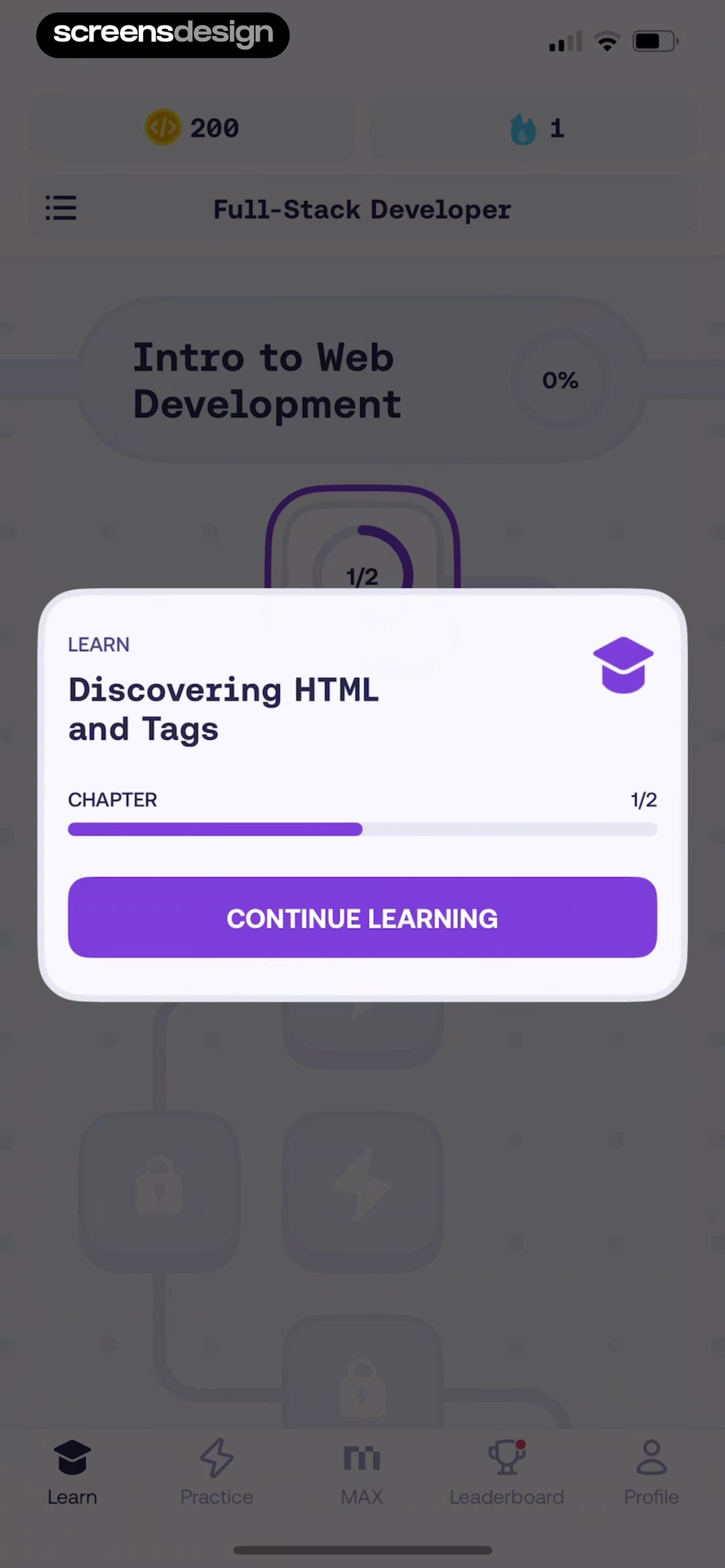
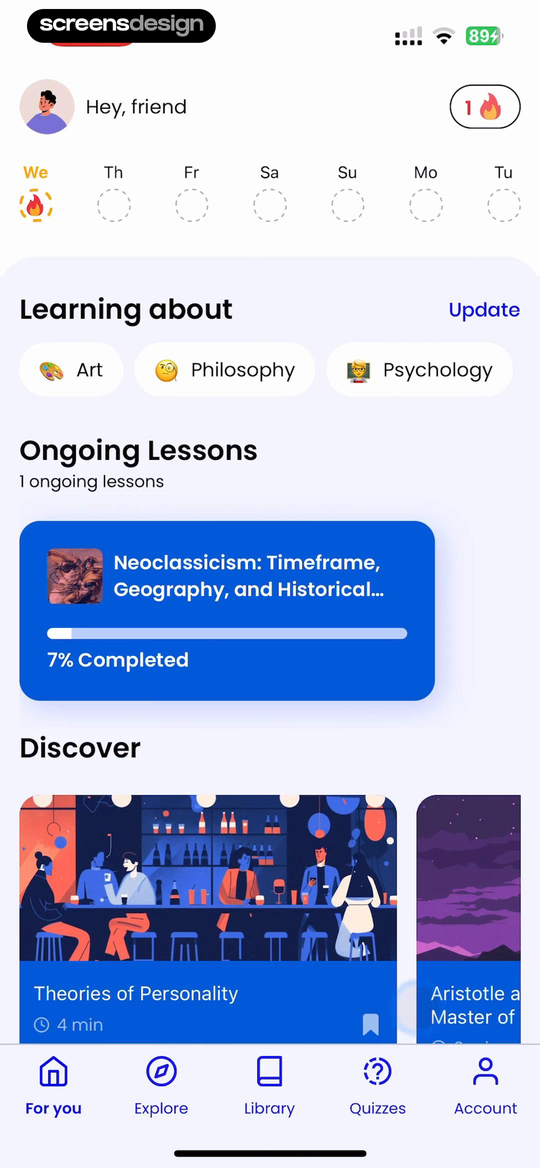
Mimo shows Full-Stack Developer, Intro to Web Development, chapter progress, and Continue Learning inside stable navigation. Mindsnap exposes one ongoing lesson at seven percent beside current interests and discovery routes.
Show the current object first, then progress and alternate destinations. Recommendations should not displace unfinished work unless the learner explicitly abandons it. Keep review due and practice routes visible but secondary.
Handle multiple ongoing courses, no recent activity, fully completed content, and a changed goal. Let the learner archive or leave a course so an obsolete item does not dominate forever.
05. Familiar route
Preserve the navigation and vocabulary the learner already knows.
Re-engagement should feel like returning to a place, not entering another onboarding funnel.
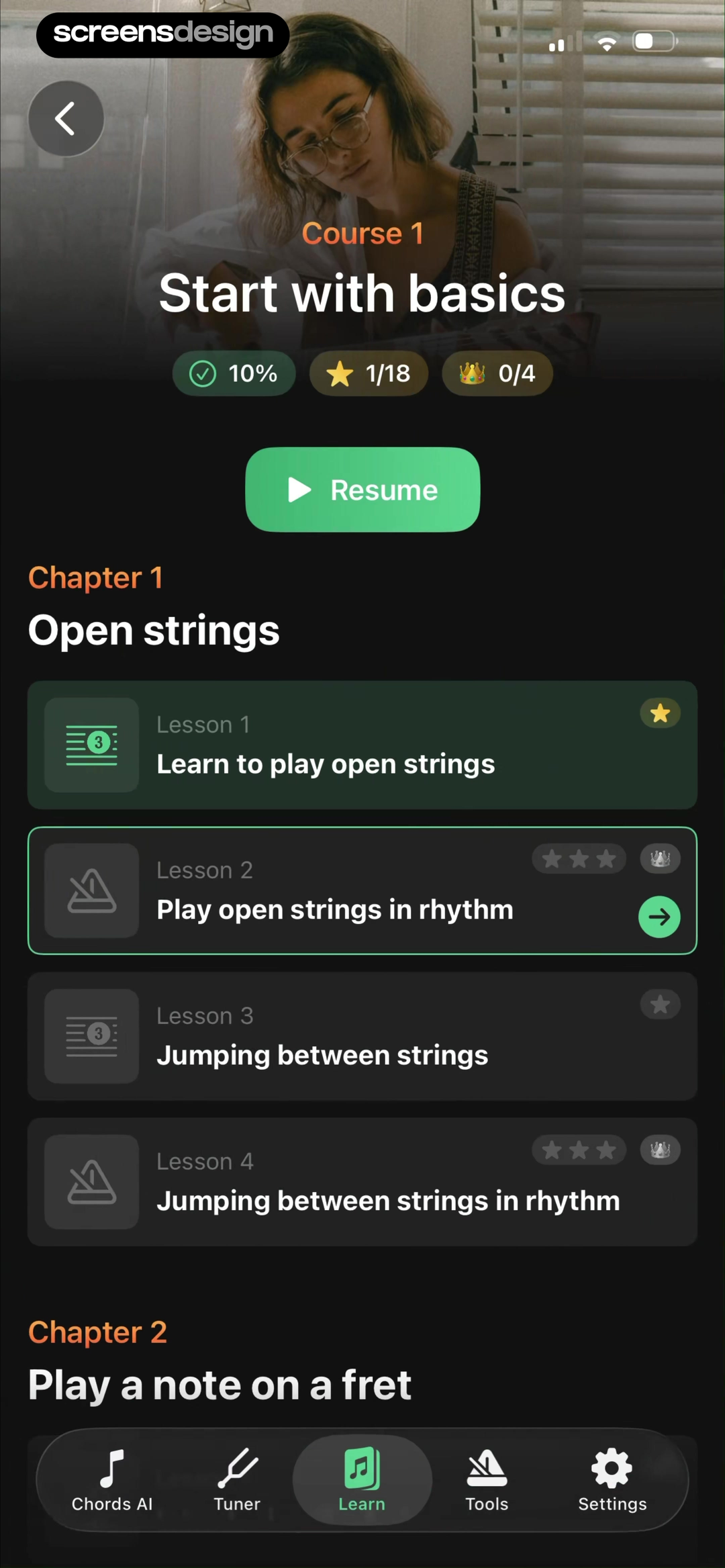
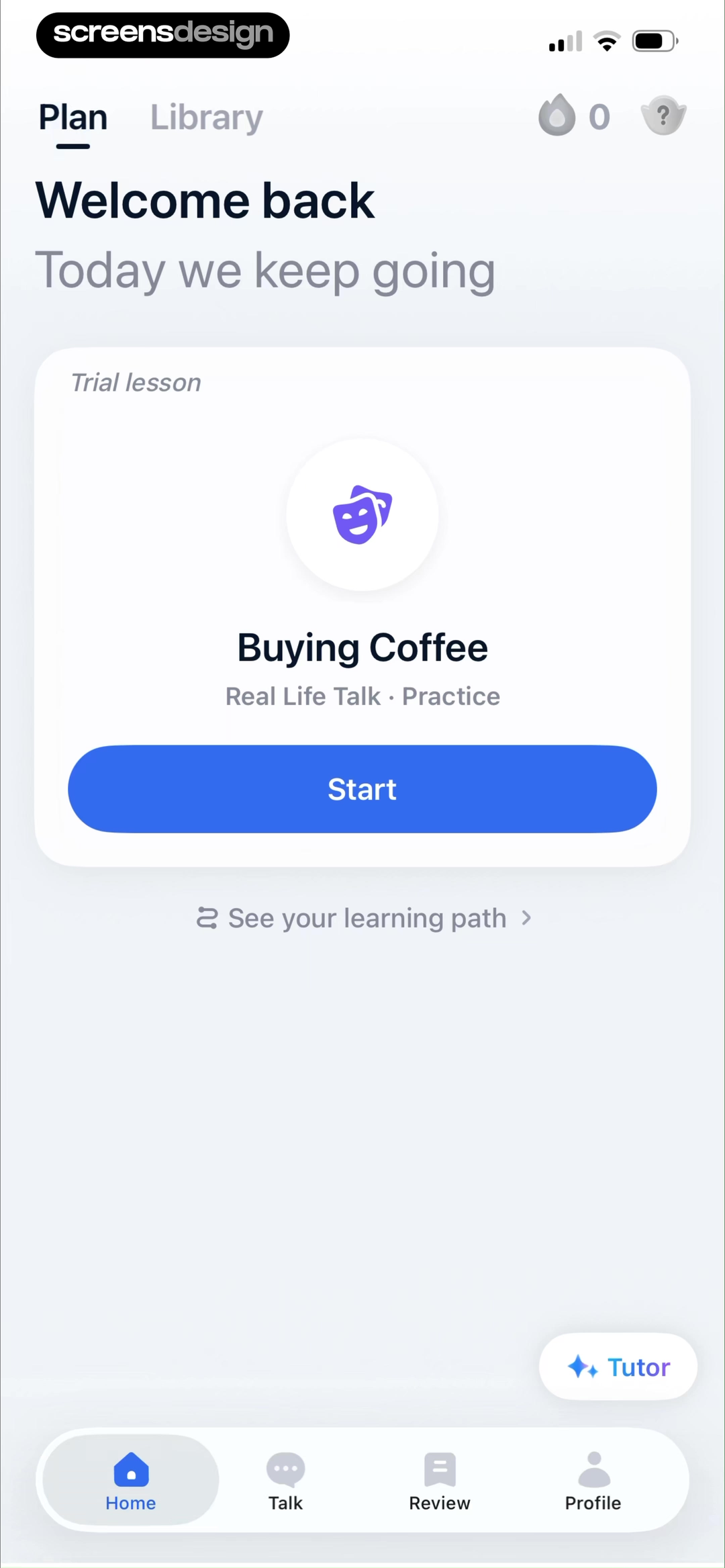
Tuner Pro keeps course progress, Resume, chapter structure, and stable Learn and Tools navigation. TalkMe says Welcome back, Today we keep going, identifies the Buying Coffee practice, and keeps the learning path and tutor routes available.
Reuse the same course names, tabs, and object hierarchy from the active-learning state. Keep the primary continuation action stable across home, notification deep links, and course detail.
ScreensDesign Pro can help teams compare return, resume, review, restart, and completion across complete recorded learning flows. Test localization, renamed courses, expired entitlements, and a learner returning from an external notification.
Return states
Model the learner's return state before designing the home card.
The next useful action depends on saved progress, knowledge decay, course changes, review obligations, and whether the learner still wants the same goal.
Define states for no started course, one active lesson, several active courses, due review, interrupted assessment, completed course, abandoned goal, expired access, changed curriculum, and progress from another device. Decide which object deserves priority and why. Recency alone can be misleading when a short exploration displaces the learner's main course.
Make the continuation promise testable. Continue should open the saved position; Resume should preserve completed work; Restart should state what resets. If content changed or the saved point no longer exists, explain the fallback and offer a short recap. Keep review available when it helps recall, but do not force every returning learner through remedial content.
Use absence length carefully. A long gap may justify more context, but it does not prove lost motivation or forgotten knowledge. Let learners adjust the goal, archive a course, choose a different lesson, or leave without guilt. Test localization, accessibility settings, downloaded lessons, offline completion, renamed content, expired plans, and notification deep links.
The initial goals and course vocabulary come from language-learning onboarding. Keep habit recovery separate by comparing the streak design examples.
- The active course, exact lesson, saved position, and next action agree.
- Continue, resume, review, restart, and leave have distinct consequences.
- Multiple courses and obsolete goals do not create permanent home-screen clutter.
- Changed content, expired access, cross-device progress, and offline completion have safe fallbacks.
- Return, successful resume, review use, restart, course removal, and support outcomes are reviewed together.
Measurement
Measure whether learners recover context and continue.
Opening the app again is only the start; the return state succeeds when the learner understands where they are and completes a useful next step.
Track return source, active course selected, resume, review, restart, archive, goal change, successful lesson open, completion, and support. Measure how often Continue lands at the expected position and how frequently learners back out to search for another lesson. This distinguishes a motivational problem from broken state recovery.
Segment by gap length, saved progress, number of active courses, due review, subscription state, and cross-device activity. Avoid treating absence length as a diagnosis. A returning learner with one nearly complete lesson needs a different interface from someone whose course was removed or whose goal changed months ago.
Review repeat learning over several sessions, not only the first return click. Include restart regret, course removal, reminder disable, expired-access confusion, and support contacts as guardrails. When testing recommendations, confirm that they do not displace unfinished work or make the learner reconstruct a path the product already knows.
Review checklist
Test return states with real gaps and real progress.
Create new, one-step, mid-lesson, due-review, completed, abandoned, multi-course, expired, and cross-device accounts. Verify the first card and destination for each.
Return after hours, days, and weeks. Follow notifications and home routes, then test resume, restart, previous step, review, course removal, renamed content, and expired access.
- The course or lesson being resumed is named.
- Saved position and progress are visible.
- Continue opens the promised state.
- Resume and restart have distinct consequences.
- Restart requires deliberate confirmation.
- Review is available without blocking continuation.
- Unfinished work outranks generic recommendations.
- Stable navigation preserves the learner's mental model.
Questions and answers
Learning app re-engagement questions
What is a learning app re-engagement screen?
It is the return state that restores course, lesson, progress, review needs, and the next useful action after a learner comes back.
What should Continue lesson show?
Show the course, unit, exact lesson, saved position or progress, and estimated remaining time when reliable. Continue should open that state.
When should an app offer Restart?
Offer restart when prior context is invalid or the learner requests it. Explain what progress resets and what history remains before confirmation.
Should missed streaks dominate the return screen?
No. A streak can be contextual, but the main job is helping the learner resume, review, or choose a realistic next task without shame.
How should an app handle several unfinished courses?
Use recency, explicit pinning, due review, or learner choice to prioritize. Let people archive or leave an obsolete course instead of showing every item equally.
Apps referenced in this page
Open the products behind the examples.
 BetterSpeakLearn New Language, Practice
 BrilliantYour personal tutor
 Rosetta Stone Classic (2024)Spanish, Korean, French & More
 JustSpeakLanguage Speaking Practice App
 memoryOSBrain & Cognitive Training
 TahananFilipino language learning
 MimoPython, HTML, JavaScript Code
 MindsnapBite-sized Knowledge & Quizzes
 Tuner ProChords, Metronome, Bass, Uke
 TalkMeLanguage Learning & Practice
2,715 apps in the top charts.Ask them anything.
Search real app flows, compare the screens around each decision, and turn stronger references into your own product.