Trading card scanner research
Trading Card Scanner App Design: 13 Screen Examples
A card scanner should help the user frame one item, understand recognition, verify the match, interpret price context, and decide where the card belongs.
Trading card recognition appears to be a camera task, but the product job continues after capture. The app must distinguish set, variation, language, condition, and grading context; show how confident the match is; explain the source and age of a price; and prevent an uncertain result from entering a collection as fact. Each handoff needs a correction path.
This review uses thirteen recorded screens from Foloy, Collectr, Pokechart, HoloDex, MonPrice, FoilSnap, and Scanémon. Every example comes from a trading card scanner or collector with a visible scanning workflow. The screens show current approaches to capture, matching, correction, valuation, and collection, but they do not prove recognition accuracy, price accuracy, collection growth, or conversion.
For contextual camera access, use the mobile app permission screen examples. For the state hierarchy after a card is saved, compare the mobile app home screen design article, then use the app screens guide to review how each screen supports the surrounding task.
01. Entry and camera access
Ask for camera access after the user chooses to scan.
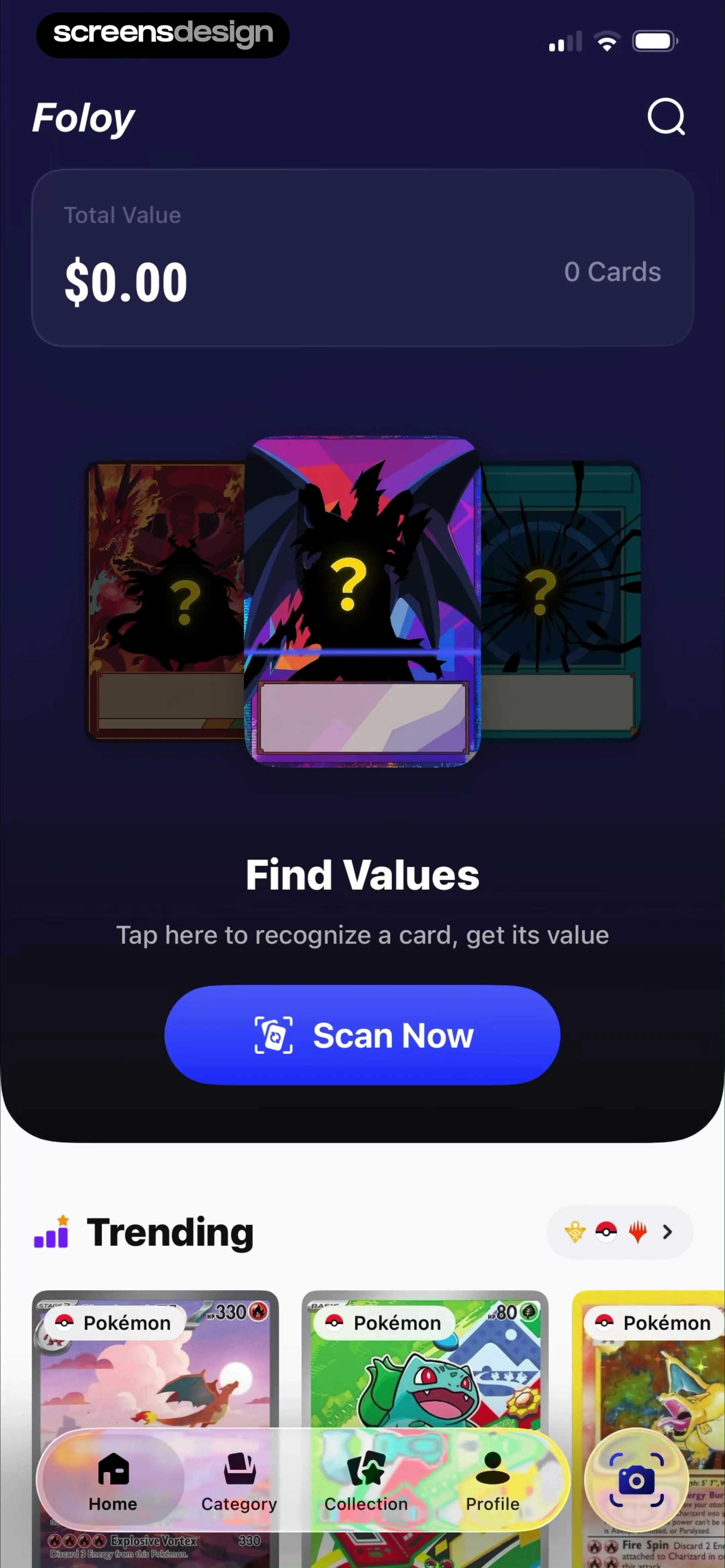
The empty collection can explain the outcome before the permission request appears.
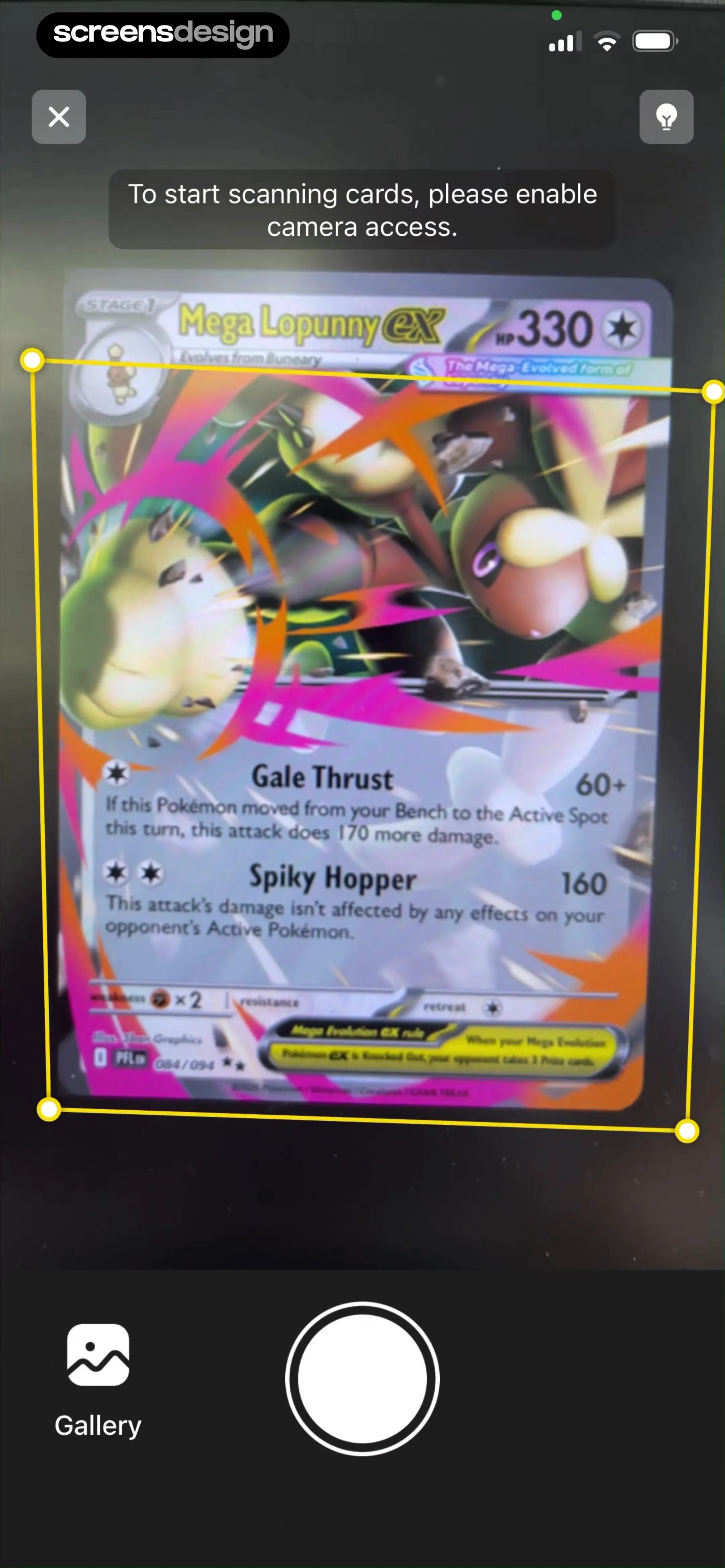
Foloy's home screen names Total Value, card count, Find Values, and Scan Now. The camera request then states that access is needed to start scanning and keeps a Gallery route visible. The sequence connects permission to a chosen job and preserves an alternative source for someone who declines live capture.
A first-use home should show what a saved card becomes: identity, current reference price, collection total, history, or wishlist. Do not promise instant value without explaining that recognition and valuation require verification. Keep manual search available for damaged cards, unusual variants, or camera failure.
The permission pre-prompt should explain whether images are processed on device or uploaded, how long they remain, and what works with limited or denied access. Trigger the system prompt from Scan Now, not at launch. If access is revoked, return to the same source choice and explain the affected function.
02. Framing and source quality
Teach the capture failures the model can actually detect.
Distance, blur, multiple items, glare, and darkness should be corrected before recognition.
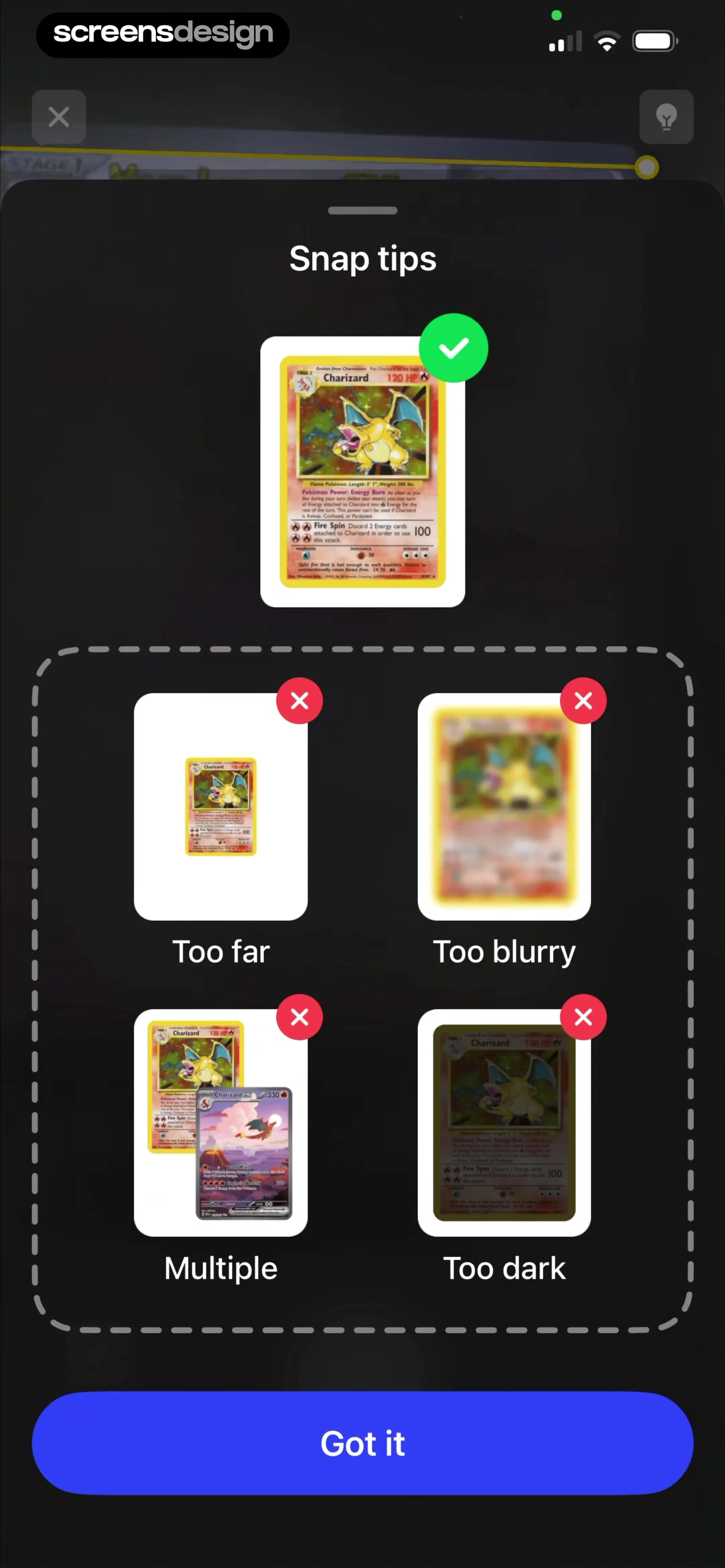
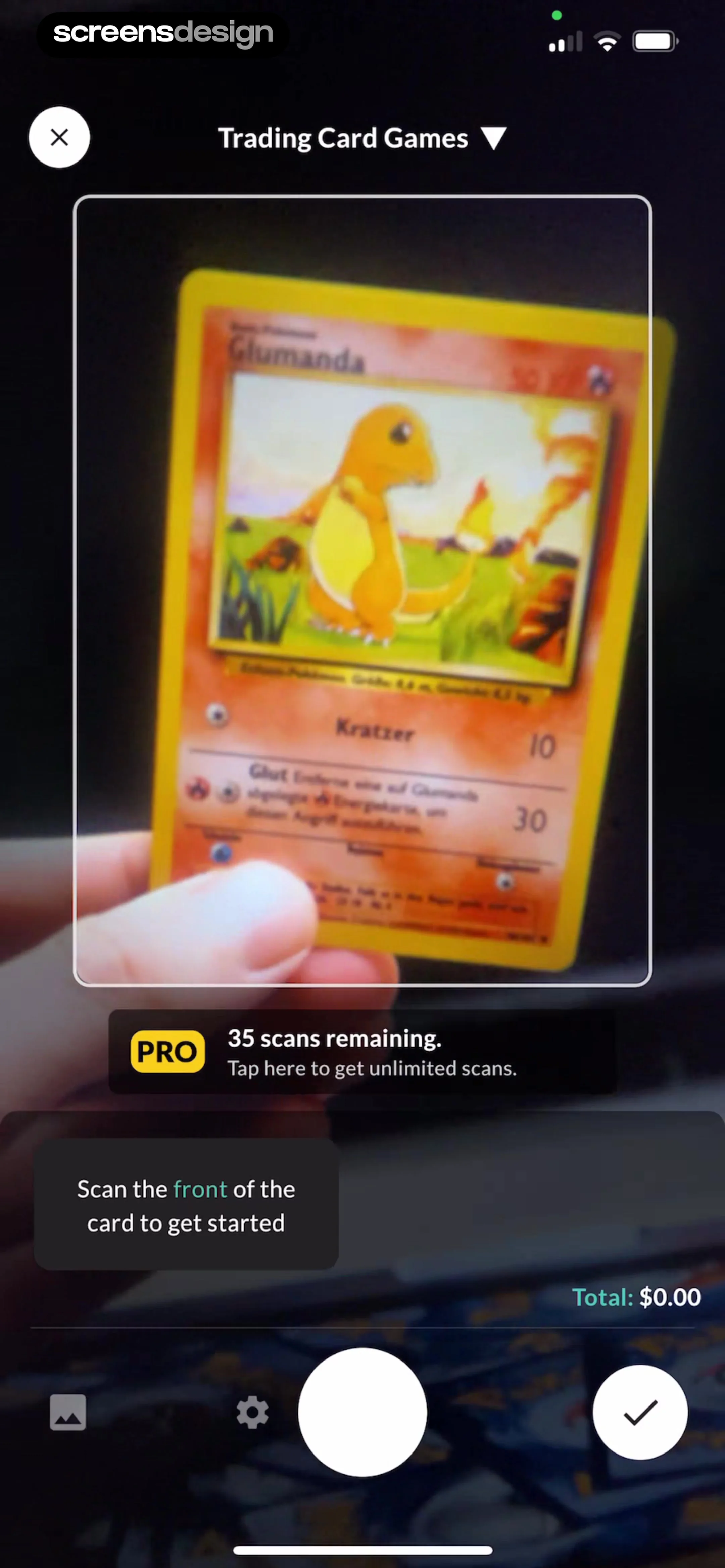
Foloy's Snap tips identify too far, too blurry, multiple, and too dark with visual examples. Collectr says to scan the front of the card and shows the remaining scan allowance before capture. Pokechart places the card inside a live frame and gives a short Hold still countdown. Each instruction is specific to the object and recognition target.
Use a live guide only when it reflects the actual crop or detector. Give feedback in place: move closer, reduce glare, show the full card, or use one card at a time. Do not animate a successful border before a usable frame exists. If both front and back are required, label the sequence and preserve the first image.
Support gallery import and manual search for collectors who already have card photos. Validate resolution and crop after selection. When recognition depends on small collector numbers or set symbols, consider an optional detail capture rather than asking users to hold the entire card farther from the camera.

03. Scanning state
Distinguish capture from recognition.
The shutter may be instant while matching still requires time, network access, or another view.
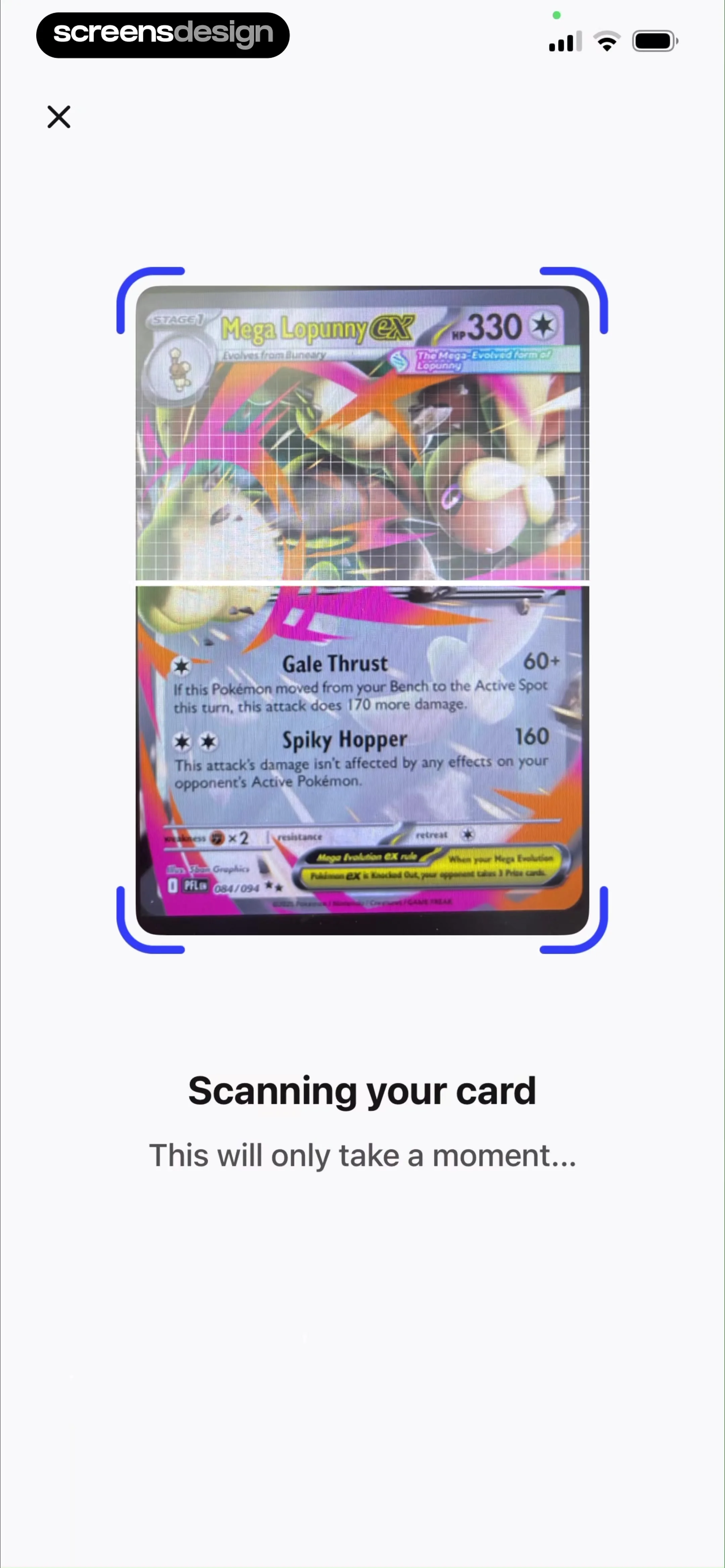
Foloy shows Scanning your card and keeps recognizable card content visible underneath. Collectr follows with Your Picture, Our Match, and a manual-search escape. HoloDex uses the same comparison before Collect this card. MonPrice makes the scanned-card record editable through name, set, number, finish, and quantity before Add to collection. These states clarify that capture, recognition, verification, and saving are separate jobs.
After capture, freeze the submitted image and state that recognition is in progress. Offer retake before a long upload where possible. If the user leaves, say whether processing continues and where the result will appear. A progress percentage should reflect real work; otherwise use named stages.
Handle no match, several matches, unsupported game, poor network, and service failure separately. Preserve the image and recommend the next action. A collector should be able to search by set number or title without repeating the scan. If a failed recognition consumed a paid scan, state the refund or retry behavior.


04. Verification and value
Make identity certain before making value prominent.
A plausible image match is not enough to choose a market price.
A result should show card name, game, set, collector number, variant, language, artwork, and confidence or alternatives. Let users compare nearby matches and correct the result before it enters collection totals. Separate identity confidence from condition and grading, which often require user judgment or a different process.
Price needs source, market, sale type, condition or grade assumption, currency, and timestamp. Use ranges when appropriate and do not present an estimate as a guaranteed sale value. If several marketplaces disagree, expose the comparison or explain which source the default uses.
FoilSnap shows the recognized card, set, collector number, rarity, finish, language, reference price, and Add to Collection action. Scanémon shows a different result with title, set number, card artwork, market price, and the same decision to save. Both make the scanned identity inspectable before value becomes part of a collection.


05. Collection and history
Store the card, the estimate, and the user's context separately.
A collection remains useful when market data changes and recognition can be corrected.
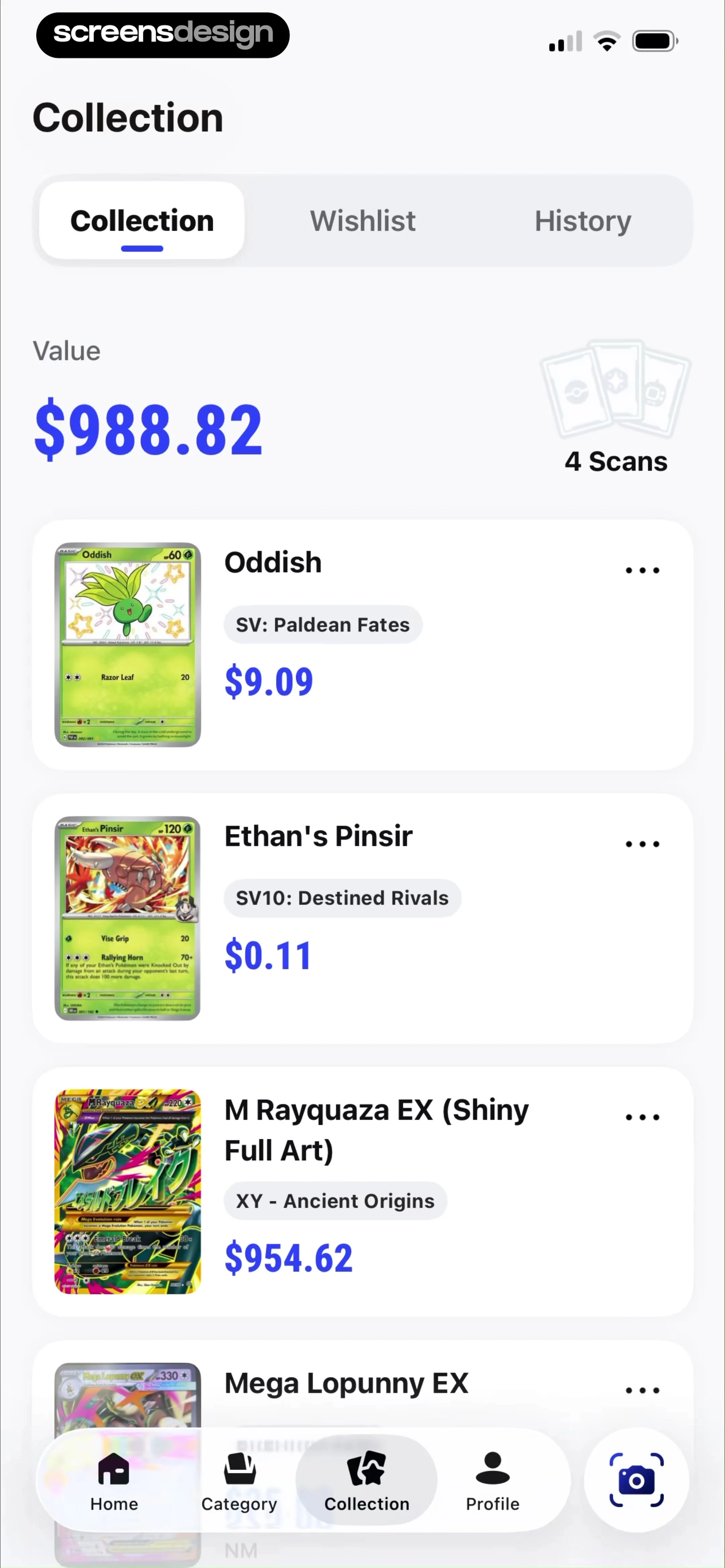
Foloy's direct TCG collection shows Collection, Wishlist, History, total value, scan count, and card rows with set and price. The hierarchy supports several return jobs: inspect holdings, review scans, watch value, and separate owned cards from wanted ones. A strong detail screen should also expose quantity, condition, grading, acquisition cost, notes, and price history.
Do not rewrite the user's historical record when a price source updates. Keep acquisition and current reference value distinct. Show when totals were last refreshed and allow currency selection. If the user corrects a match, explain which totals and history entries will change.
Paid features might include unlimited scans, price alerts, export, multi-collection support, deeper history, or marketplace comparisons. Show the limit before a scan that would exceed it and preserve existing records if the user declines. ScreensDesign Pro can help teams compare complete scanner, result, collection, and upgrade sequences rather than copying only the camera overlay.

Review checklist
Test one card through capture, correction, and a later price refresh.
Use a clear card, glare, dark frame, multiple cards, damaged card, rare variation, denied camera, gallery image, no match, several matches, offline recognition, corrected result, duplicate card, and subscription limit. Verify that the source and manual path survive every recoverable failure.
Review price copy with data specialists and legal counsel where needed. Test currencies, old prices, unavailable marketplaces, ungraded and graded conditions, and a corrected set. Never describe an estimate as an appraisal unless the product genuinely provides one.
- Camera permission follows Scan Now and gallery or manual search remains available.
- Capture guidance reflects detectable failures such as blur, glare, distance, and multiple items.
- Capture, upload, recognition, ambiguity, and failure are distinct states.
- No-match and multi-match results preserve the image and support manual correction.
- Identity is verified before condition and value are treated as relevant.
- Prices include source, market, currency, condition assumption, and timestamp.
- Collections separate acquisition data, current estimate, quantity, and user notes.
- Paid scan limits and retry behavior are visible before credits are consumed.
Questions and answers
Trading card scanner app design questions
What should a trading card scanner result show?
Show card name, game, set, collector number, variant, language, image, match confidence or alternatives, condition input, price source, currency, and timestamp before saving.
How can a card scanner improve recognition?
Guide distance, glare, blur, darkness, crop, and one-card framing before capture, then support additional detail capture, gallery import, and manual search.
How should a scanner handle multiple possible matches?
Keep the captured image visible, compare the distinguishing fields and artwork, let the user choose or search, and avoid adding an uncertain result to collection totals automatically.
How should a card scanner display prices?
Use a source, market, sale type, condition or grade assumption, currency, timestamp, and range where appropriate. Make clear that an estimate is not a guaranteed sale price.
What card scanner features can belong to Pro?
Unlimited scans, price alerts, export, multiple collections, longer price history, and marketplace comparison can be paid. Existing records and manual correction should remain safe and understandable.
How can a card scanner app improve retention?
Make recognition correctable, collections reliable, prices transparent, and return jobs useful through alerts, history, wishlist, and new scans. Avoid manipulating urgency around uncertain price changes.
Apps referenced in this page
Open the products behind the examples.







2,730 apps in the top charts.Ask them anything.
Search recorded scanner and collection screens, inspect the complete capture-to-value flow, and ask ScreensDesign Pro how leading apps handle the exact permission, framing, recognition, collection, or upgrade state you are designing.