Restore purchase UX
10 Restore Purchase UX Examples
The app should verify a previous purchase, explain the result, and return the customer to unlocked access.
Restore Purchase exists for a specific customer problem: the store recognizes a previous purchase, but the app does not currently reflect the entitlement. That can happen after reinstalling, changing devices, signing in with a different account, restoring a phone, or receiving a delayed store response. The action should recover access, not create another charge.
These ten recorded examples place restore in subscription settings, empty states, active-plan views, and help-oriented account pages. They also show successful restoration, no-active-subscription states, renewal context, and adjacent manage-subscription controls. The best versions make restore discoverable before a customer reaches support.
A complete restore flow needs more than a button. Confirm the store account requirement, verify the receipt or transaction history, reconcile the app account, state what was recovered, refresh all entitled features, and provide a useful result when nothing is found.
Read failed payment recovery screen examples for the adjacent product state and its handoff into this decision.
01. Settings placement
Put restore where customers manage paid access.
Subscription and account settings are the natural home for recovery.
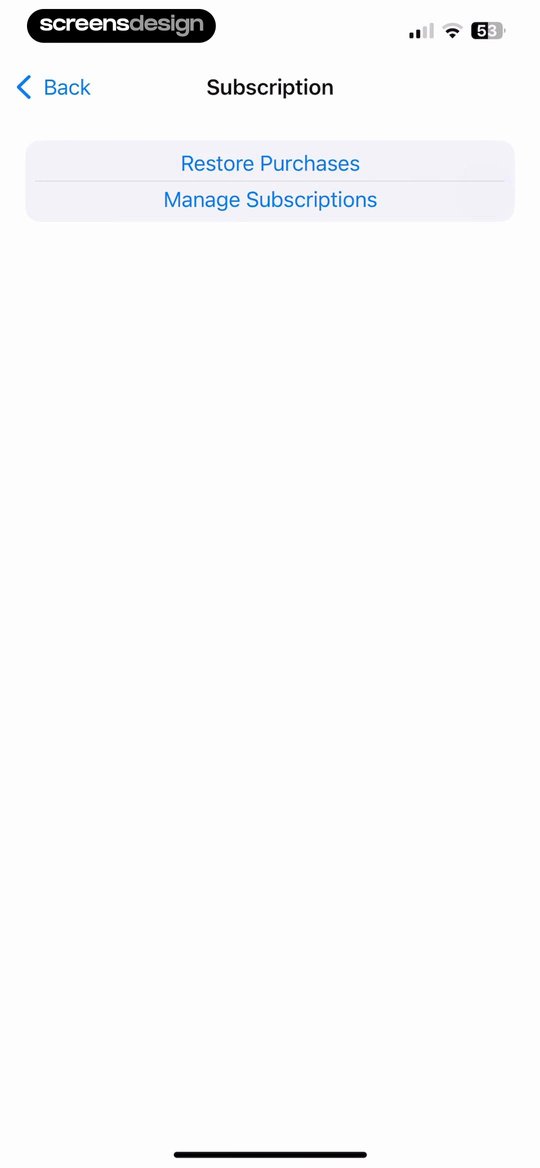
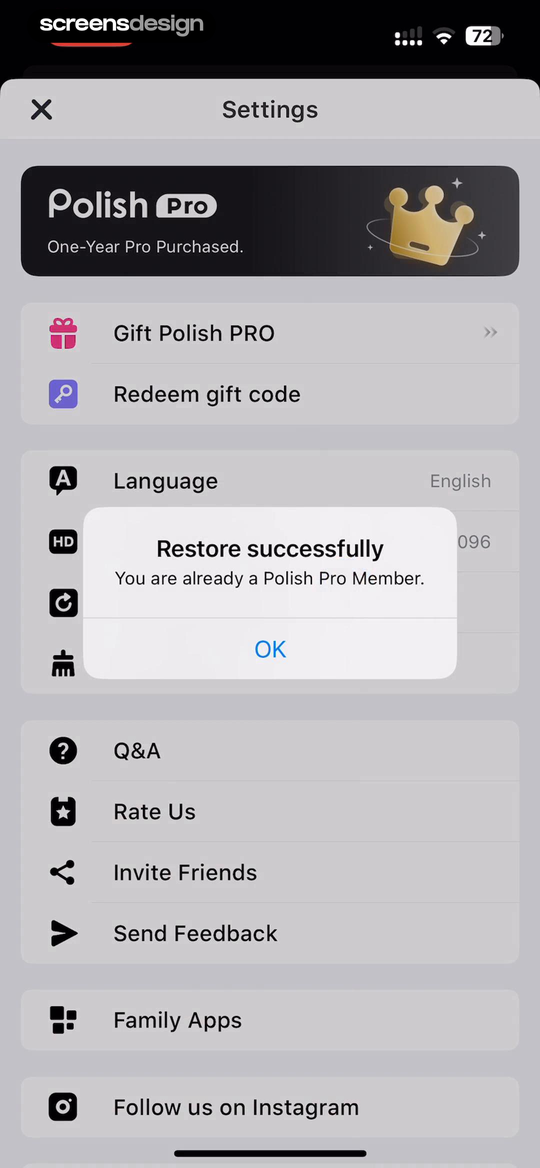
Flownote - AI Note Taker shows that restore Purchases and Manage Subscriptions appear together inside a dedicated subscription settings screen. Polish - AI Photo Editor takes a different but compatible approach: a Restore successfully confirmation is paired with the recognized one-year Pro purchase. Together, the examples reveal which details must stay visible at the decision point rather than being deferred to support or legal copy.
Keep Restore Purchases near plan status and Manage Subscription. Also expose it from a paywall error when an existing customer may otherwise purchase again.
Test the normal path, dismissal, back navigation, interruption, app relaunch, slow network, stale account data, and the state after completion. The primary label, confirmation, saved data, and next destination should describe the same outcome. Check large text, screen readers, keyboard focus, translated copy, and reduced motion so the decision remains understandable without relying on layout or color alone.
02. Empty and active states
Keep restore available when the local list is empty.
An empty app state can be exactly why the customer needs recovery.
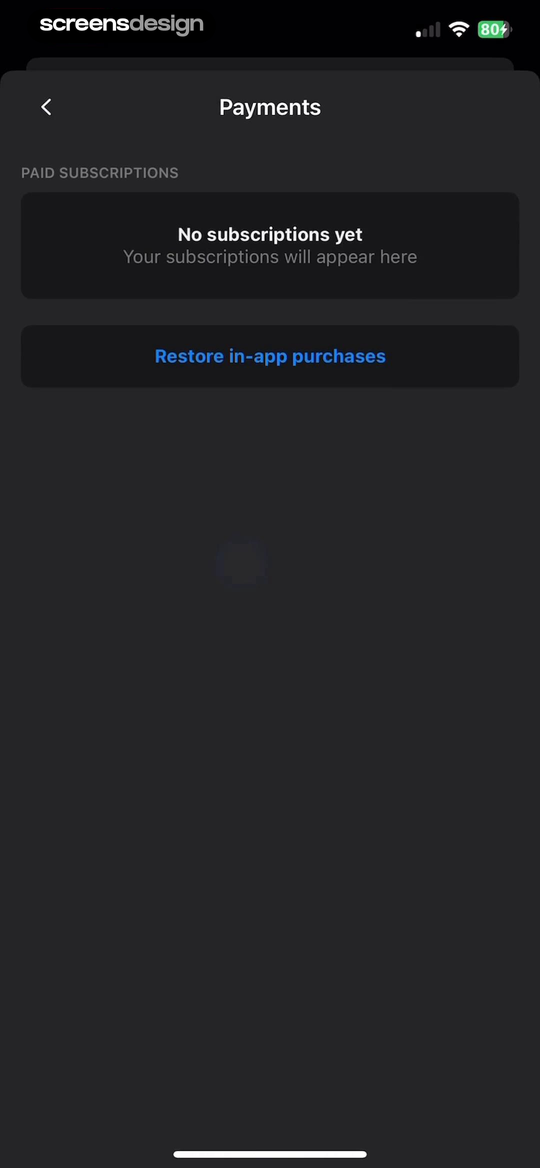
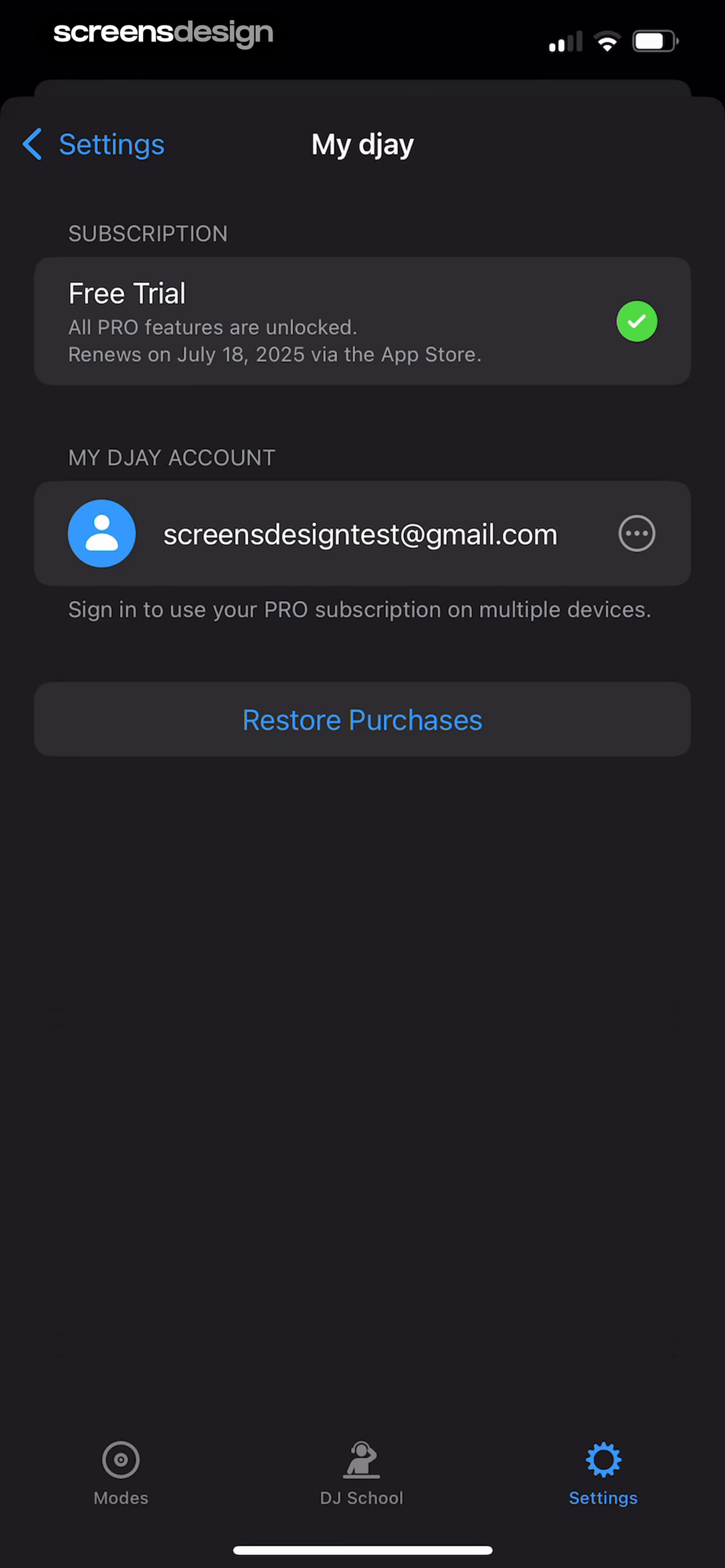
Substack shows that the empty paid-subscriptions state keeps Restore in-app purchases available instead of treating empty as final. djay - DJ App & AI Mixer takes a different but compatible approach: unlocked Pro features, renewal date, account identity, and restore controls provide context before recovery. Together, the examples reveal which details must stay visible at the decision point rather than being deferred to support or legal copy.
Do not hide the action because no local subscription appears. In an active state, show the recognized product, renewal date, and store source so restoration has context.
Test the normal path, dismissal, back navigation, interruption, app relaunch, slow network, stale account data, and the state after completion. The primary label, confirmation, saved data, and next destination should describe the same outcome. Check large text, screen readers, keyboard focus, translated copy, and reduced motion so the decision remains understandable without relying on layout or color alone.
03. Plan context
Show what access should return.
Customers need to know whether the restored object matches their expectation.
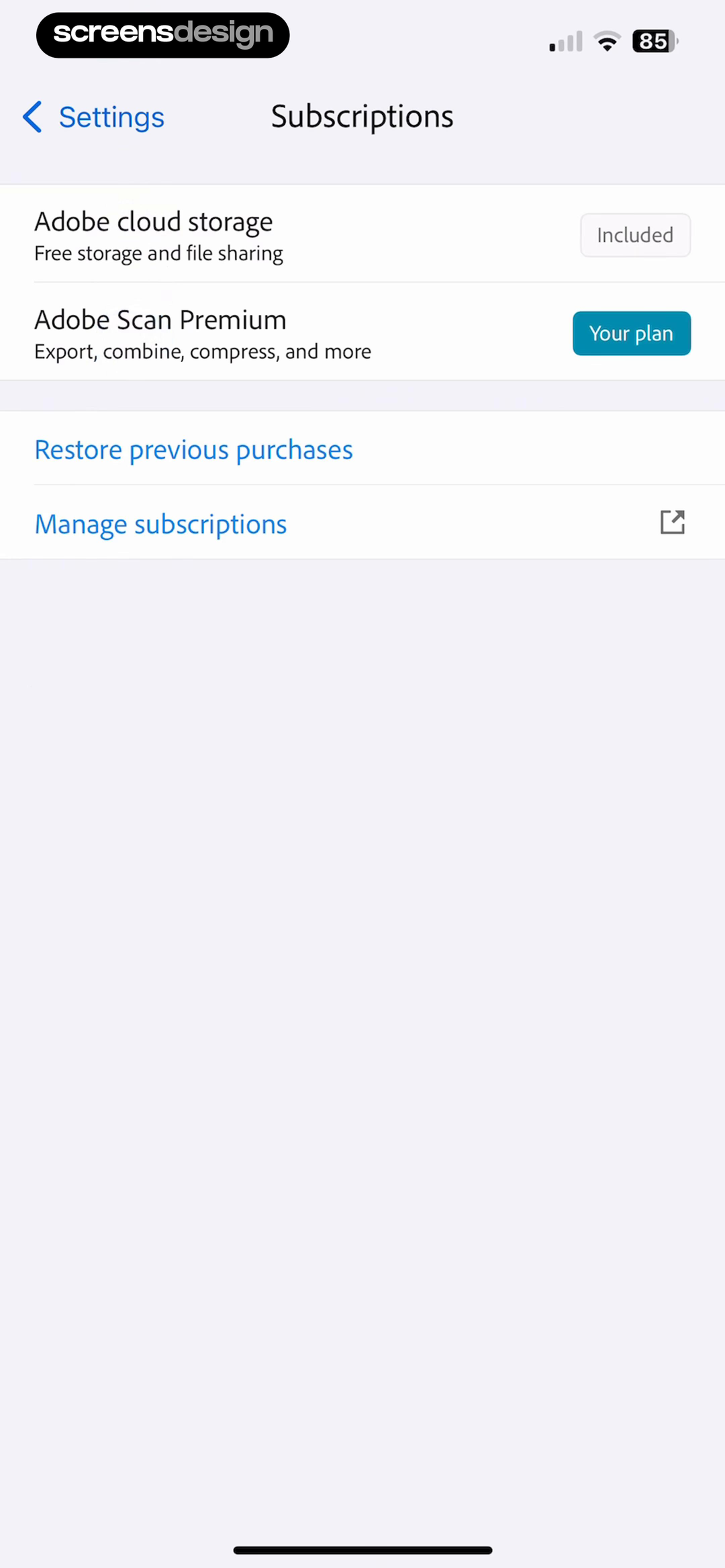
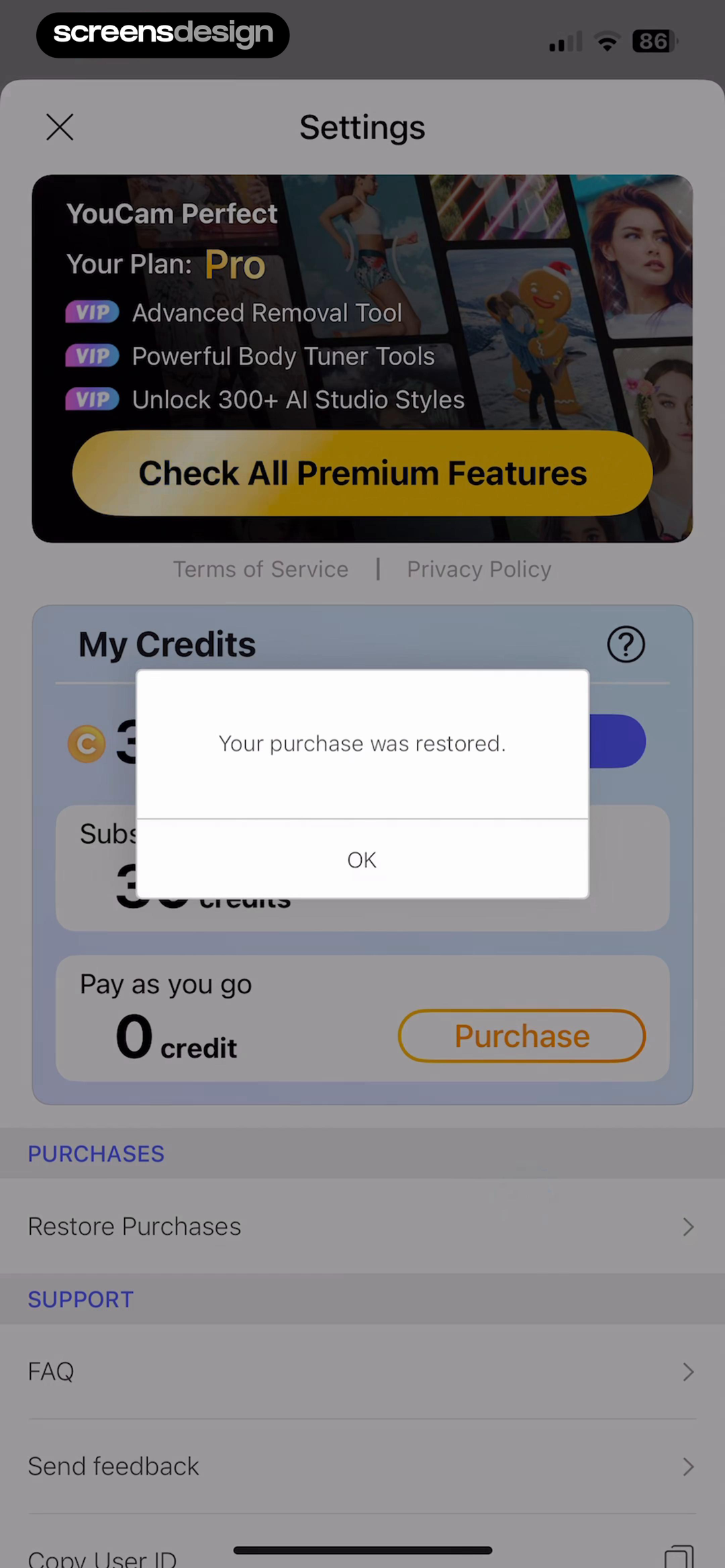
Adobe Scan: PDF & OCR Scanner shows that free cloud storage and Scan Premium are distinguished before Restore previous purchases and Manage subscriptions. YouCam Perfect:AI Photo Editor takes a different but compatible approach: the recovered Pro plan is confirmed alongside the premium capabilities that should now be available. Together, the examples reveal which details must stay visible at the decision point rather than being deferred to support or legal copy.
Name the plan and its capabilities after verification. If only some products are recoverable, distinguish subscriptions, non-consumables, credits, and account-based purchases.
Test the normal path, dismissal, back navigation, interruption, app relaunch, slow network, stale account data, and the state after completion. The primary label, confirmation, saved data, and next destination should describe the same outcome. Check large text, screen readers, keyboard focus, translated copy, and reduced motion so the decision remains understandable without relying on layout or color alone.
04. Discoverability
Use plain language and a stable location.
Restore should not be hidden in legal copy or behind another purchase.
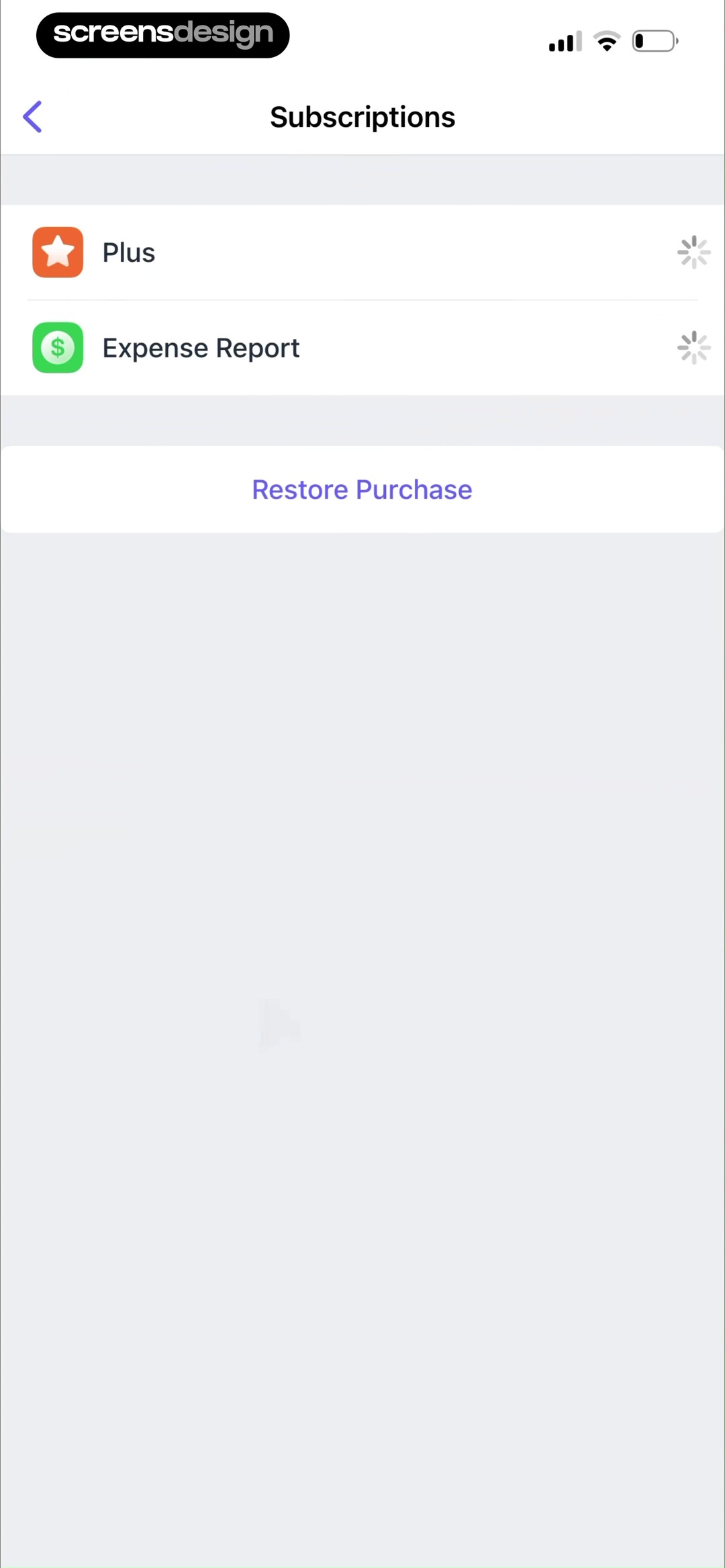
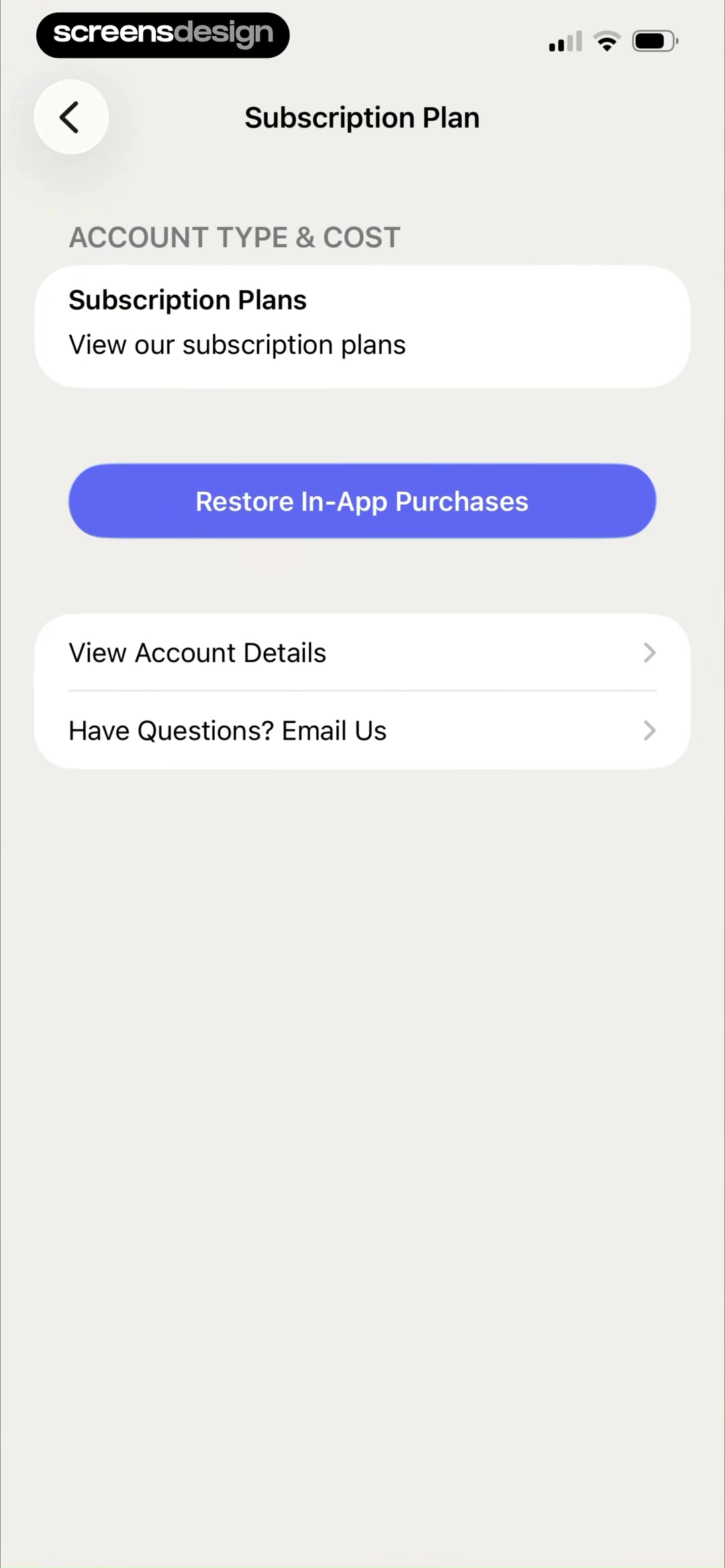
Scanner Pro・Scan PDF Documents shows that restore Purchase remains a direct action in the subscriptions area with no paywall detour. Backstage - Casting Calls takes a different but compatible approach: restore In-App Purchases is grouped with account type, cost, plan browsing, account details, and support. Together, the examples reveal which details must stay visible at the decision point rather than being deferred to support or legal copy.
Use Restore Purchases or Restore Subscription consistently. Keep account details and support nearby for store-account mismatch or unsupported billing sources.
Test the normal path, dismissal, back navigation, interruption, app relaunch, slow network, stale account data, and the state after completion. The primary label, confirmation, saved data, and next destination should describe the same outcome. Check large text, screen readers, keyboard focus, translated copy, and reduced motion so the decision remains understandable without relying on layout or color alone.
05. Result state
Explain success, nothing found, and conflict.
Every restore attempt needs a visible end state.
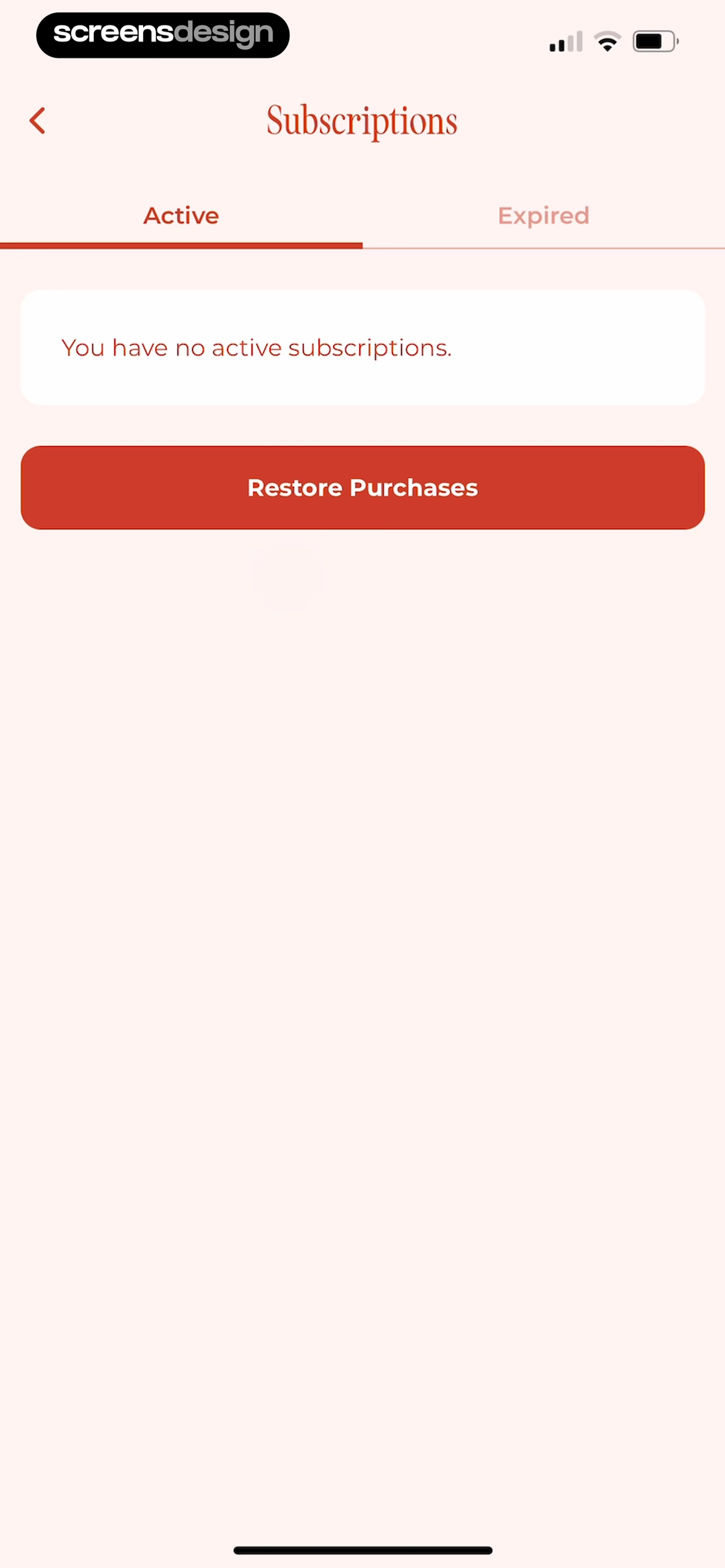
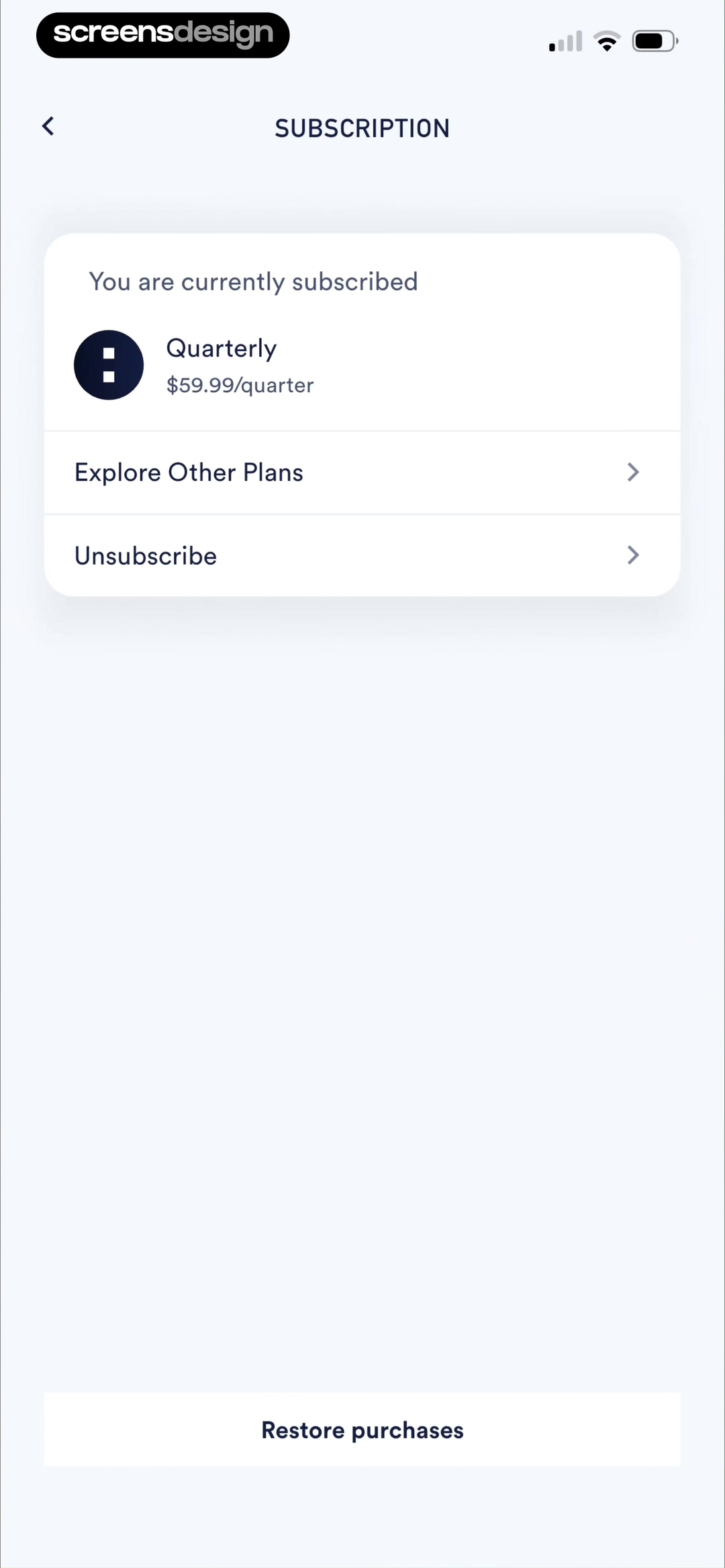
WeGLOW: Home Workout for Women shows that no active subscriptions does not block recovery; Restore Purchases remains visible under Active and Expired tabs. Coopah: The Run Coaching App takes a different but compatible approach: the active quarterly price, alternative plans, unsubscribe, and restore controls share the same management state. Together, the examples reveal which details must stay visible at the decision point rather than being deferred to support or legal copy.
On success, name the recovered plan and refresh access. If nothing is found, explain the required store account and next steps. If another app account owns the entitlement, guide the customer without exposing private account data.
Test the normal path, dismissal, back navigation, interruption, app relaunch, slow network, stale account data, and the state after completion. The primary label, confirmation, saved data, and next destination should describe the same outcome. Check large text, screen readers, keyboard focus, translated copy, and reduced motion so the decision remains understandable without relying on layout or color alone.
Implementation
Build the state model before polishing the screen.
Interface quality depends on entitlement, account, billing, content, and analytics state agreeing.
Start restore through the platform-supported purchase API, then verify transactions or receipts on the server where possible. Reconcile product identifiers, original transaction identifiers, app accounts, family-sharing rules, expiration, revocation, refund, grace period, and billing retry state before granting access.
Make the operation repeatable and idempotent. A second restore should refresh the same entitlement rather than duplicate it. Keep progress visible during network work, support cancellation, and avoid a success message until the unlocked state is available across the app.
Test reinstall, new device, signed-out app account, wrong store account, active subscription, expired subscription, refunded purchase, family sharing, consumable product, offline mode, delayed store response, and a purchase already linked elsewhere. Support should receive product and transaction context with sensitive values protected.
- Restore is visible in subscription settings and relevant error states.
- The action never initiates a new charge.
- Store and app account requirements are explained.
- Success names the recovered plan and refreshes access.
- Nothing found has specific next steps.
- Repeated restore attempts are safe and idempotent.
Measurement
Measure the completed outcome, not only the first tap.
A visible control is useful only when the customer reaches the expected state and can continue.
Track restore start, verified restore success, nothing-found result, time to unlocked access, and support after restore. Define the successful product state before launch and verify it from server or platform truth where possible. A button tap without the promised entitlement, schedule, reward, survey result, or recovered access should be counted as an error, not conversion.
Segment by entry point, customer state, current plan or program, platform, app version, locale, accessibility settings, prior failures, and whether the person returned after leaving the flow. Compare immediate completion with what happens during the next relevant session so a short-term click does not hide confusion or regret.
Review guardrails alongside the primary metric: repeated attempts, backtracking, support contact, refund, cancellation, incorrect access, disabled reminders, abandoned tasks, and manual corrections. Read open feedback and replay representative failures with sensitive information protected. The goal is a trustworthy customer outcome, not a higher number produced by obscuring alternatives.
Review checklist
Test the content, the control, and the resulting account state.
Create accounts for the new, active, returning, expired, interrupted, unsupported, and already-completed states. Verify copy, available actions, confirmation, account data, navigation, and the destination for each one.
Run the flow with slow and failed network calls, app relaunch, another device, large text, screen reader, localization, denied permissions where relevant, and a customer who changes their mind. Every path should preserve data and provide a clear way forward.
- Restore is visible in subscription settings and relevant error states.
- The action never initiates a new charge.
- Store and app account requirements are explained.
- Success names the recovered plan and refreshes access.
- Nothing found has specific next steps.
- Repeated restore attempts are safe and idempotent.
Questions and answers
Restore purchase UX questions
What does Restore Purchases do?
It asks the platform for eligible previous purchases and lets the app verify and recover the corresponding entitlement without another charge.
Where should Restore Purchases appear?
Place it in subscription or account settings and expose it from paywall errors where an existing customer might otherwise buy again.
What should happen when no purchase is found?
Explain the required store account, supported product types, and next steps such as signing into the original account or contacting support.
Can consumable purchases be restored?
Usually not through the standard restore mechanism. Explain which products are recoverable and preserve server-backed consumable balances separately.
How should a successful restore be confirmed?
Name the recovered plan, state that access is available, refresh entitled features, and provide a route back to the intended task.
Apps referenced in this page
Open the products behind the examples.
 Flownote - AI Note TakerTranscribe, Record Voice Audio
 Polish - AI Photo EditorEdit,Retouch,Enhance,Filters
 SubstackVideos, writing & podcasts
 djay - DJ App & AI MixerMix Music & Remix Songs
 Adobe Scan: PDF & OCR ScannerText Document, Photo Converter
 YouCam Perfect:AI Photo EditorPhoto Edit, Filter, Beauty Cam
 Scanner Pro・Scan PDF DocumentsSign, Convert & Send Documents
 Backstage - Casting CallsActing Jobs and Auditions
 WeGLOW: Home Workout for WomenGym Exercises. Pilates. Yoga
 Coopah: The Run Coaching App5K, 10K, Half & Marathon Coach
2,715 apps in the top charts.Ask them anything.
Search real app flows, compare the screens around each decision, and turn stronger references into your own product.