Promo code UX
10 Promo Code Redemption UX Examples
Customers need to know which code is accepted, what it changes, and whether the benefit is now applied.
A promo code field looks simple, but the state model is not. Codes may unlock a subscription, discount a cart, activate an offer, credit a referral, require account creation, exclude products, expire by date, or conflict with another promotion. A field and Apply button cover only the first moment.
These ten recorded examples include dedicated code screens, checkout sheets, referral helper copy, store offer redemption, eligibility explanations, terms acknowledgement, applied-offer details, and removal. The strongest pattern is confirmation in context: the customer sees the resulting price, product, or entitlement rather than a success message detached from the order.
Treat code entry as a reversible transaction. Normalize input, validate on the server, preserve the cart or selected plan, show a pending state, name the applied benefit, recalculate totals, and let the customer remove or replace the code when policy allows.
Read mobile app pricing plan comparison examples for the adjacent product state and its handoff into this decision.
01. Minimal entry
Keep the field focused and easy to leave.
A dedicated entry task needs a label, action, and exit.
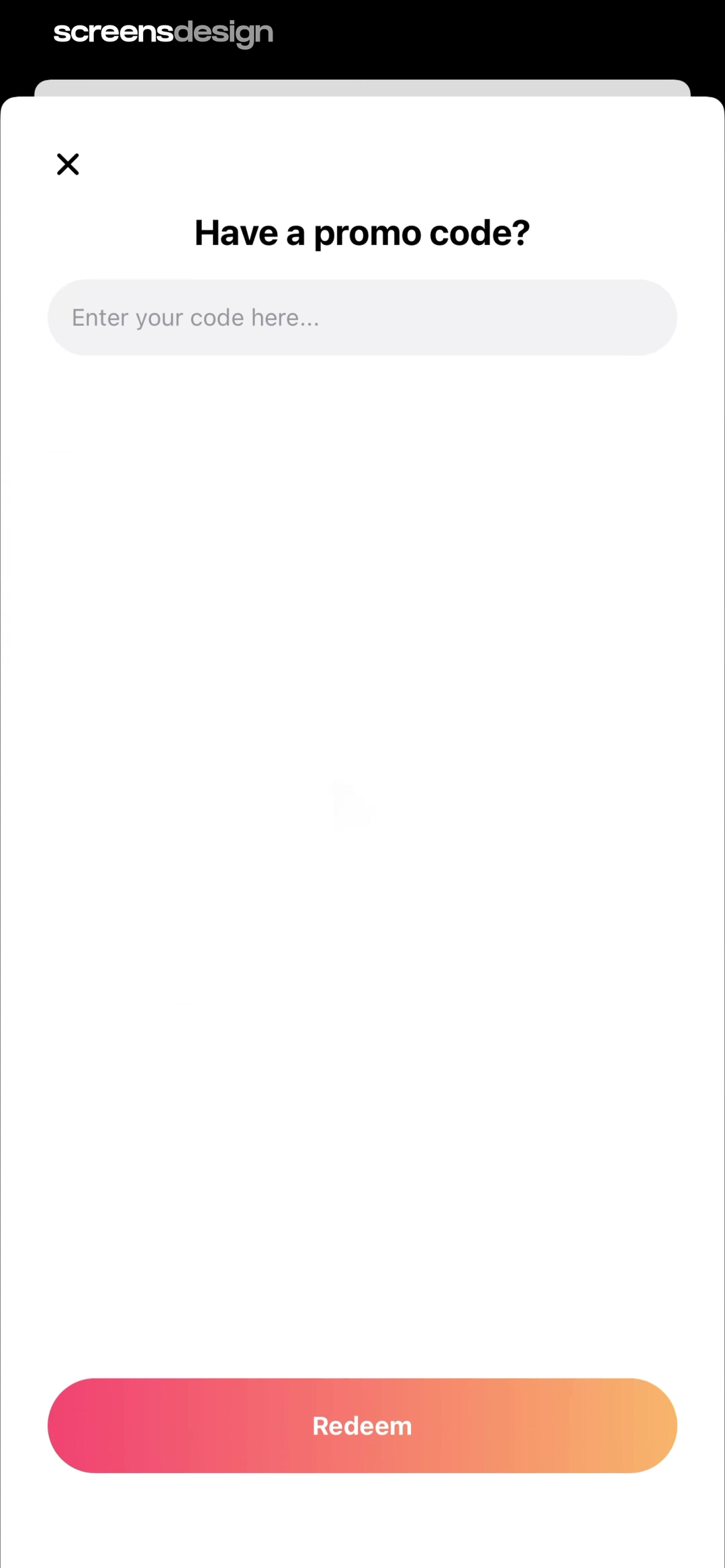
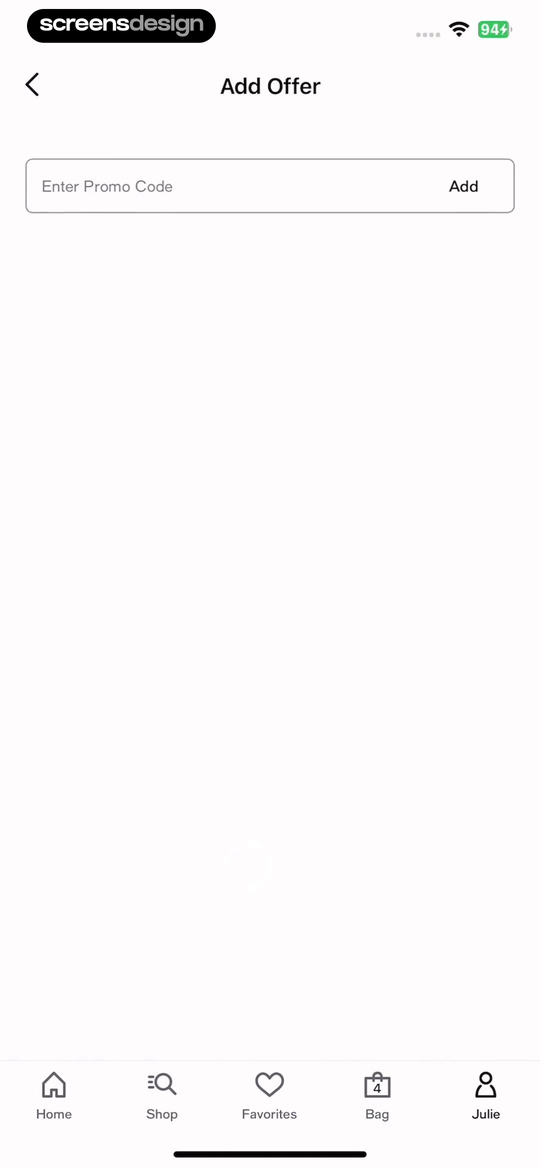
Parody AI - Funny Video Maker shows that a single field and Redeem action keep code entry focused, though eligibility and result states must follow. Macy's: Shop, Save, and Earn takes a different but compatible approach: add Offer places the promo field inside a familiar shopping account route rather than hiding it at payment. Together, the examples reveal which details must stay visible at the decision point rather than being deferred to support or legal copy.
Support paste, capitalization differences, trimming, and accessible error focus. Do not clear the code after a recoverable error, and do not disable the whole checkout while the field is empty.
Test the normal path, dismissal, back navigation, interruption, app relaunch, slow network, stale account data, and the state after completion. The primary label, confirmation, saved data, and next destination should describe the same outcome. Check large text, screen readers, keyboard focus, translated copy, and reduced motion so the decision remains understandable without relying on layout or color alone.
02. Benefit context
Say what kind of benefit the code can unlock.
People may not know whether they have a discount, referral, gift, or premium-access code.
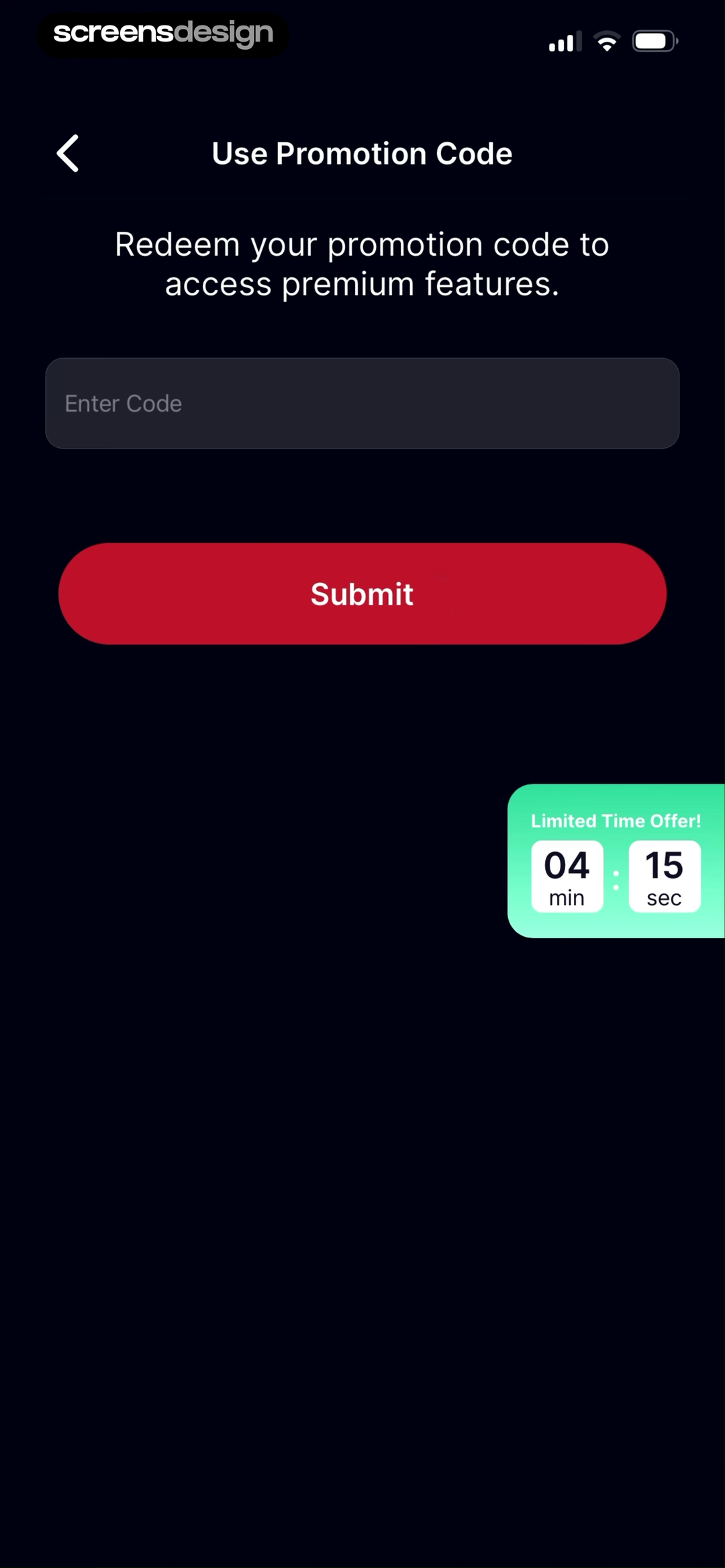
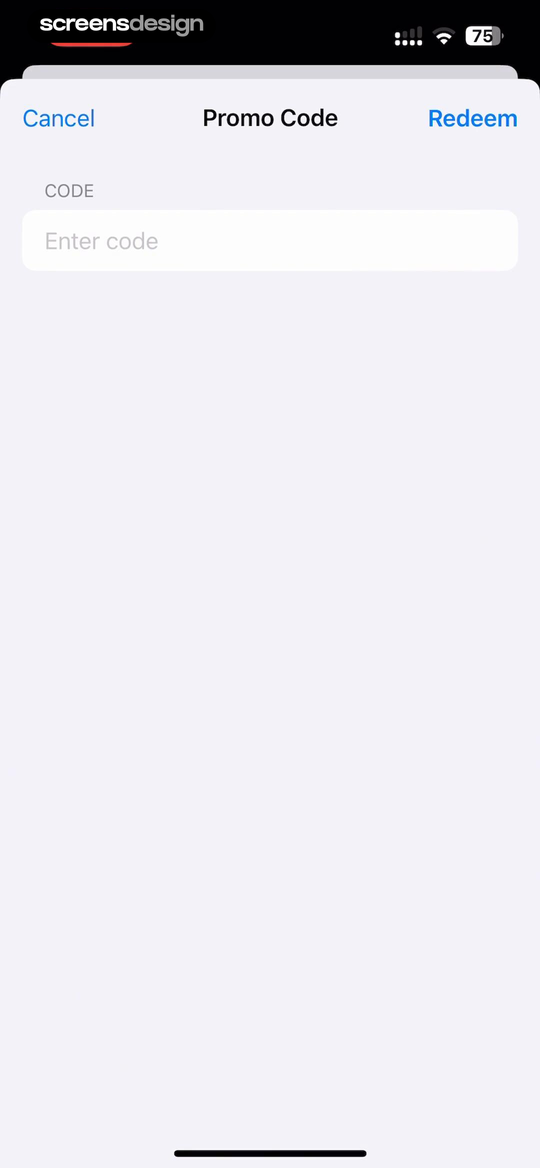
Kegel Men: Men's Health shows that the screen says the promotion unlocks premium features before asking for the code. AI Emojis Keyboard takes a different but compatible approach: cancel, Promo Code, Redeem, and the labeled field create a small, reversible task. Together, the examples reveal which details must stay visible at the decision point rather than being deferred to support or legal copy.
Use helper copy to identify supported code types and where the benefit appears. Avoid promising premium access before eligibility is confirmed.
Test the normal path, dismissal, back navigation, interruption, app relaunch, slow network, stale account data, and the state after completion. The primary label, confirmation, saved data, and next destination should describe the same outcome. Check large text, screen readers, keyboard focus, translated copy, and reduced motion so the decision remains understandable without relying on layout or color alone.
03. Application timing
Explain when and where the code is applied.
Activation and checkout application are different states.
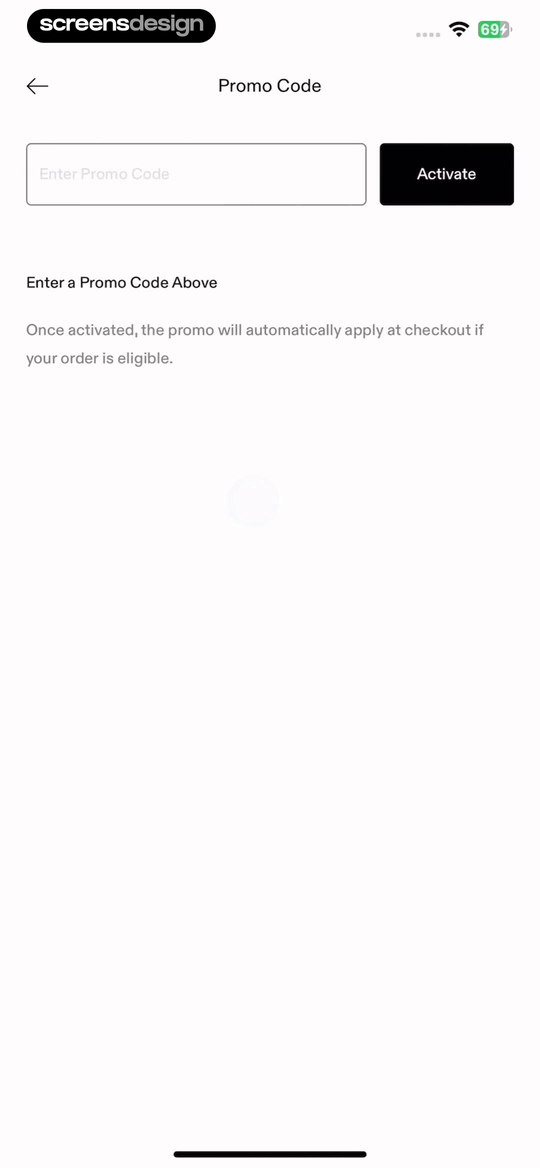
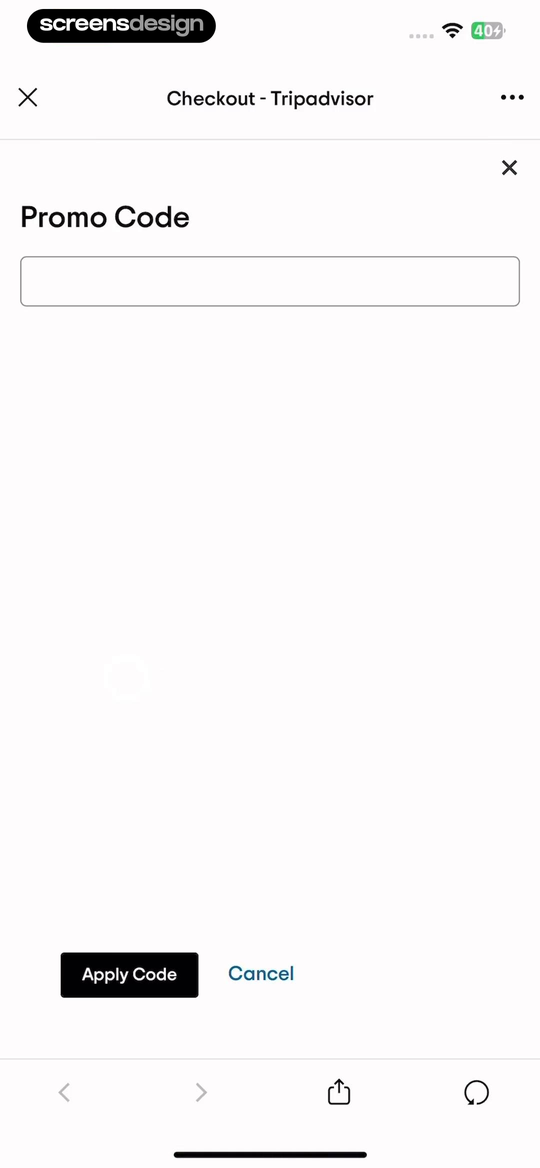
GOAT - Sneakers & Apparel shows that the explanation says an activated code applies automatically at checkout only when the order is eligible. Tripadvisor: Plan & Book Trips takes a different but compatible approach: promo Code appears inside checkout with Apply Code and Cancel, keeping the booking context intact. Together, the examples reveal which details must stay visible at the decision point rather than being deferred to support or legal copy.
Tell the customer whether a validated code applies immediately, at purchase, on the next renewal, or only to eligible items. Keep the order or booking context visible.
Test the normal path, dismissal, back navigation, interruption, app relaunch, slow network, stale account data, and the state after completion. The primary label, confirmation, saved data, and next destination should describe the same outcome. Check large text, screen readers, keyboard focus, translated copy, and reduced motion so the decision remains understandable without relying on layout or color alone.
04. Code types
Distinguish referral, gift, offer, and discount codes.
Different code types may affect accounts and analytics differently.
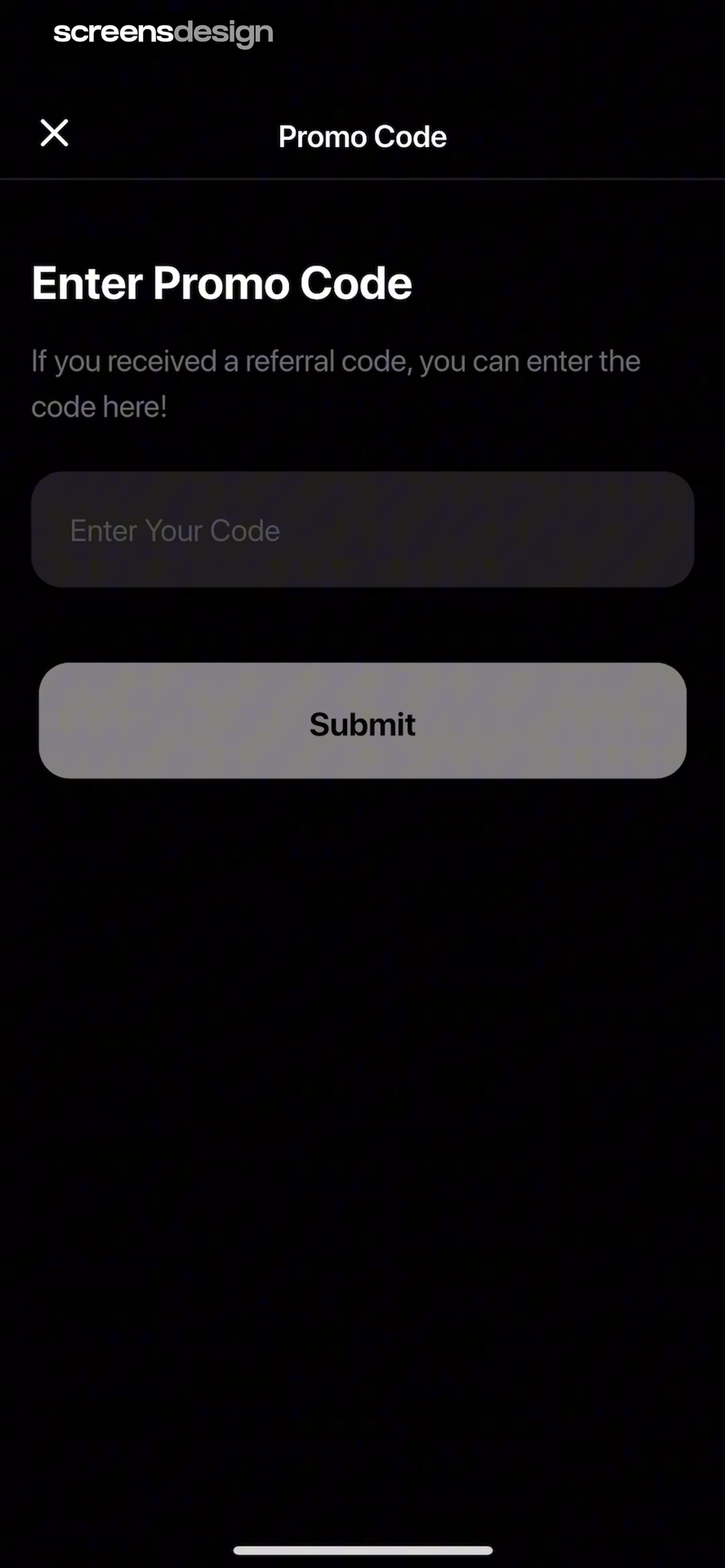
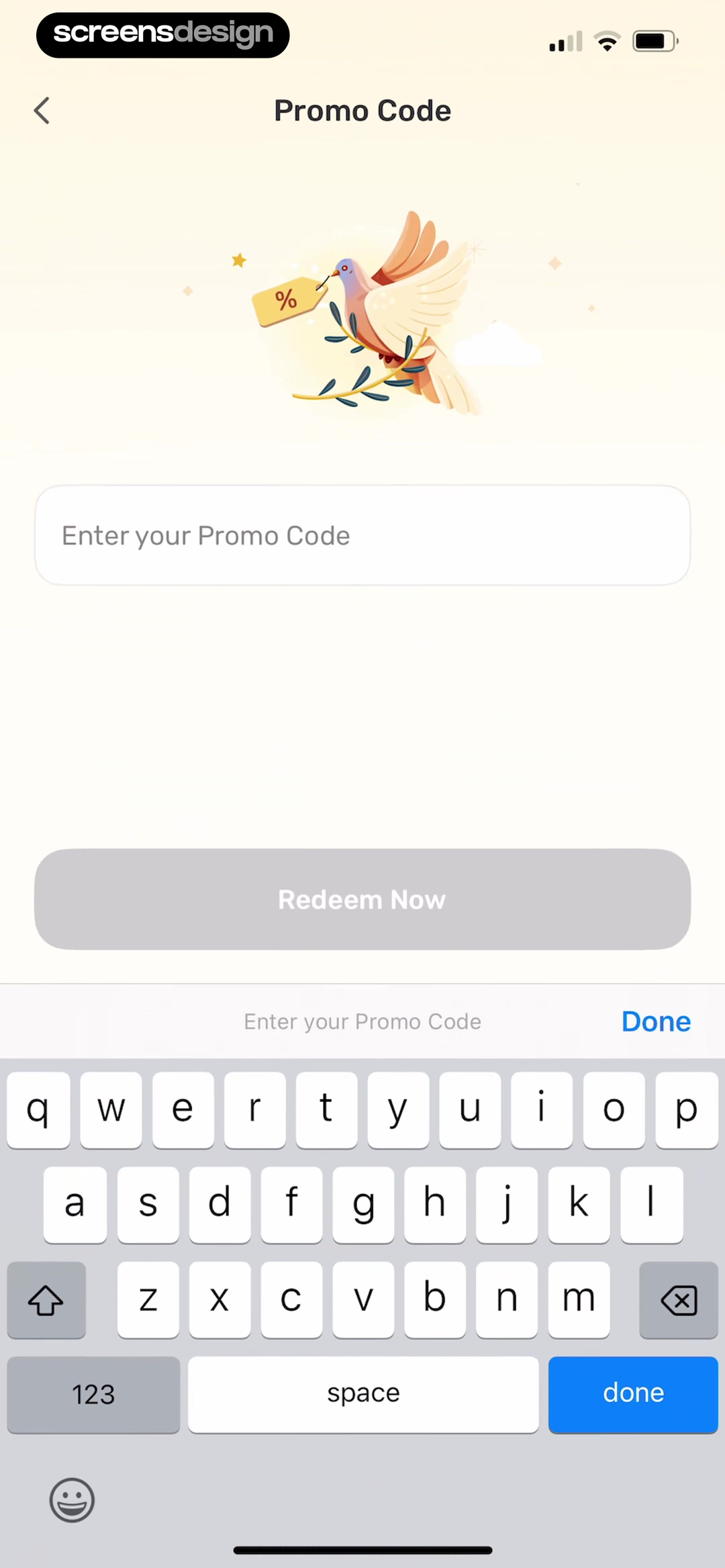
Chat AI: Ask Agent Anything shows that the helper copy explicitly accepts referral codes, preventing a valid acquisition code from looking unsupported. Bible Study - Manna takes a different but compatible approach: enter your Promo Code and Redeem Now use direct language with Done as a clear exit. Together, the examples reveal which details must stay visible at the decision point rather than being deferred to support or legal copy.
Use one field only when the backend can route the code safely. Otherwise label separate paths and explain account, region, product, or platform requirements.
Test the normal path, dismissal, back navigation, interruption, app relaunch, slow network, stale account data, and the state after completion. The primary label, confirmation, saved data, and next destination should describe the same outcome. Check large text, screen readers, keyboard focus, translated copy, and reduced motion so the decision remains understandable without relying on layout or color alone.
05. Applied state
Show the result and make removal predictable.
Success means the benefit is visible in the final state.
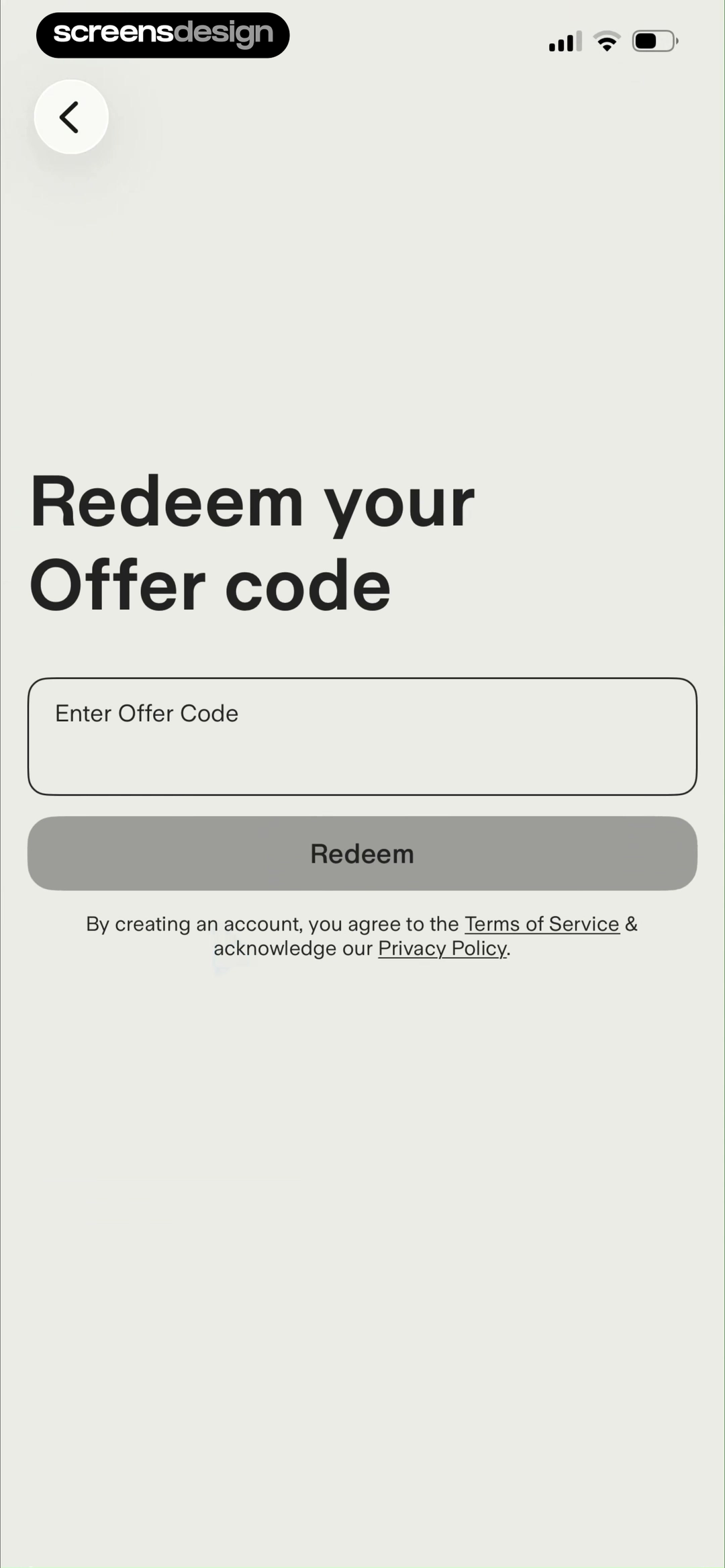
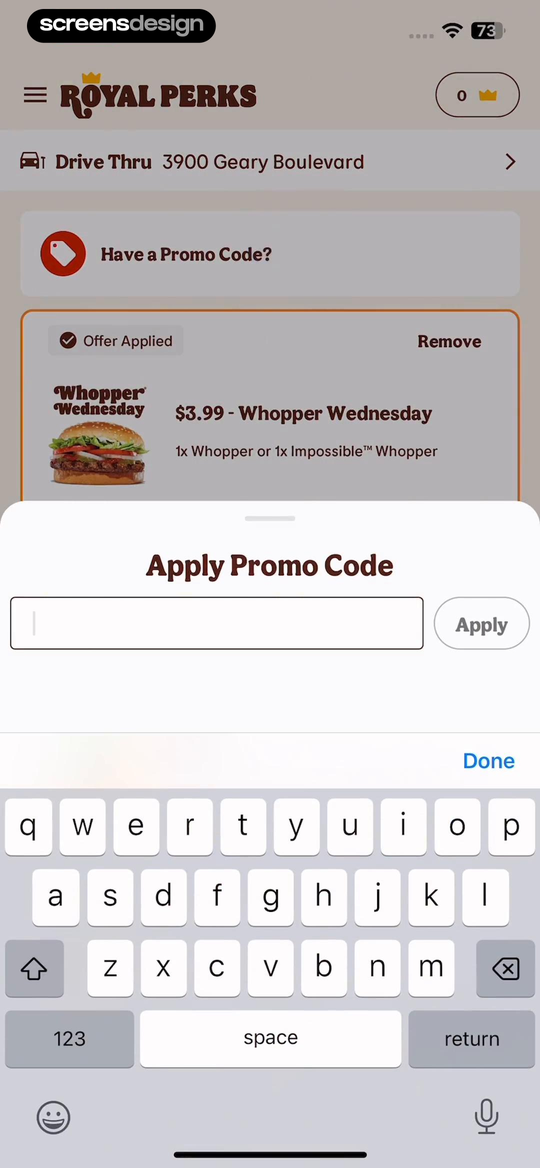
Ground News shows that offer-code redemption is connected to account creation and the required terms acknowledgement. BURGER KING® App takes a different but compatible approach: offer Applied, Remove, item details, and price show the result of the code rather than stopping at a success toast. Together, the examples reveal which details must stay visible at the decision point rather than being deferred to support or legal copy.
Name the offer, eligible item, discount, duration, or entitlement. Recalculate totals and renewal information, then provide Remove or Change without silently restoring the previous price.
Test the normal path, dismissal, back navigation, interruption, app relaunch, slow network, stale account data, and the state after completion. The primary label, confirmation, saved data, and next destination should describe the same outcome. Check large text, screen readers, keyboard focus, translated copy, and reduced motion so the decision remains understandable without relying on layout or color alone.
Implementation
Build the state model before polishing the screen.
Interface quality depends on entitlement, account, billing, content, and analytics state agreeing.
Validate codes on the server against status, time window, redemption count, account, region, currency, product, platform, acquisition source, existing plan, cart contents, and stacking policy. Return structured outcomes so the interface can distinguish invalid, expired, already used, ineligible, exhausted, conflicting, and temporarily unavailable.
Preserve the entered code and the surrounding transaction. Use a clear applying state, prevent duplicate submissions, and make the result idempotent. When the code changes a subscription, show the trial, first charge, later renewal, duration, and what happens after the promotion ends.
Test paste, spaces, mixed case, keyboard submission, offline mode, slow validation, expired code, region mismatch, existing subscriber, family plan, empty cart, excluded item, stacked discount, price change, removal, account creation, and returning from external checkout.
- The field accepts paste and normalizes harmless formatting.
- Supported code types and requirements are understandable.
- Validation errors are specific without exposing sensitive rules.
- The applied benefit appears in the product or order context.
- Totals, trials, and renewals recalculate correctly.
- Removal and replacement are reversible and predictable.
Measurement
Measure the completed outcome, not only the first tap.
A visible control is useful only when the customer reaches the expected state and can continue.
Track code entry, validation outcome, benefit applied, code removed, and purchase completion after code. Define the successful product state before launch and verify it from server or platform truth where possible. A button tap without the promised entitlement, schedule, reward, survey result, or recovered access should be counted as an error, not conversion.
Segment by entry point, customer state, current plan or program, platform, app version, locale, accessibility settings, prior failures, and whether the person returned after leaving the flow. Compare immediate completion with what happens during the next relevant session so a short-term click does not hide confusion or regret.
Review guardrails alongside the primary metric: repeated attempts, backtracking, support contact, refund, cancellation, incorrect access, disabled reminders, abandoned tasks, and manual corrections. Read open feedback and replay representative failures with sensitive information protected. The goal is a trustworthy customer outcome, not a higher number produced by obscuring alternatives.
Review checklist
Test the content, the control, and the resulting account state.
Create accounts for the new, active, returning, expired, interrupted, unsupported, and already-completed states. Verify copy, available actions, confirmation, account data, navigation, and the destination for each one.
Run the flow with slow and failed network calls, app relaunch, another device, large text, screen reader, localization, denied permissions where relevant, and a customer who changes their mind. Every path should preserve data and provide a clear way forward.
- The field accepts paste and normalizes harmless formatting.
- Supported code types and requirements are understandable.
- Validation errors are specific without exposing sensitive rules.
- The applied benefit appears in the product or order context.
- Totals, trials, and renewals recalculate correctly.
- Removal and replacement are reversible and predictable.
Questions and answers
Promo code UX questions
Where should a promo code field appear?
Place it where customers expect the benefit to affect the transaction, such as checkout, plan selection, subscription settings, or a dedicated offer-code route.
What error messages should promo codes use?
Distinguish invalid, expired, already used, ineligible, conflicting, and unavailable when the system knows the difference, then give a useful next step.
Should promo code input be case sensitive?
Usually no. Normalize case and harmless spaces unless the code system explicitly requires otherwise, and support paste.
How should an applied code be confirmed?
Show the offer name, benefit, eligible item or plan, updated total, duration, and later renewal where relevant.
Can referral and discount codes share a field?
They can when the backend identifies the code type safely and the interface explains the resulting benefit. Otherwise use distinct labeled paths.
Apps referenced in this page
Open the products behind the examples.
 Parody AI - Funny Video MakerVoice Generation + Lip Syncing
 Macy's: Shop, Save, and EarnShopping, Rewards and Savings
 Kegel Men: Men's HealthMale Pelvic Floor Trainer
 AI Emojis KeyboardEmoji AI & Stickers
 GOAT - Sneakers & ApparelPast, Present, Future
 Tripadvisor: Plan & Book TripsHotels, Restaurants, Tours
 Chat AI: Ask Agent AnythingChatbot & Search Assistant
 Bible Study - MannaBible Widget,Verse, Pet, Grow
 Ground NewsSee every side of every story
 BURGER KING® AppCoupons & Mobile Order
2,715 apps in the top charts.Ask them anything.
Search real app flows, compare the screens around each decision, and turn stronger references into your own product.