

 See the flow
  Zalando – Online fashion
A horizontal 'Item removed' snackbar with an 'Undo' button is visible at the bottom of the screen, just above the persistent bottom navigation bar.
 See the flow Zalando – Online fashion
At the bottom of the screen, a persistent snackbar notification confirms 'Item removed' with an 'Undo' button.
 See the flow
  Redfin: Buy, Sell & Rent Homes
A black snackbar notification at the bottom informs the user that 'Popular around the country is hidden' with an 'Undo' button.
 See the flow
  Wikiloc - Trails of the World
At the bottom of the sheet, there are three primary action buttons: 'Search', 'Undo', and a prominent green 'Save' button.
 See the flow
  Spoke Route Planner
A toast notification at the top of the screen confirms that 'Stop 3 marked as delivered' with an 'Undo' option.
 See the flow Spoke Route Planner
At the top, a dark toast notification confirms that 'Stop 1 marked as failed' with an 'Undo' button.
 See the flow Wikiloc - Trails of the World
At the very bottom, there is a horizontal toolbar containing 'Search', 'Undo', and a primary 'Save' button.
 See the flow
  Premier League - Scores, News
Below this, a status bar indicates 'Squad is incomplete' in a pink alert box, followed by team details including 'Team Name' (hsl), 'Bank' balance (£74.8m), and an 'Undo' button.
 See the flow
  ZARA
ZARAA black snackbar at the bottom confirms '1 product was deleted' with an 'UNDO' action.
 See the flow
  SmartNews: Now in Spanish
At the bottom, a persistent snackbar notification informs the user that they have 'stopped following ABC News' with an 'Undo' action button.
 See the flow SmartNews: Now in Spanish
This article has been hidden' with an 'Undo' button is visible in the middle of the feed.
 See the flow
  Planner 5D: AI Home Design
On the right side, a vertical toolbar provides access to 3D view, camera, layers, more options, AI tools, and magic wand features, along with undo/redo buttons.
 See the flow
  VSCO: Photo & Video Editor
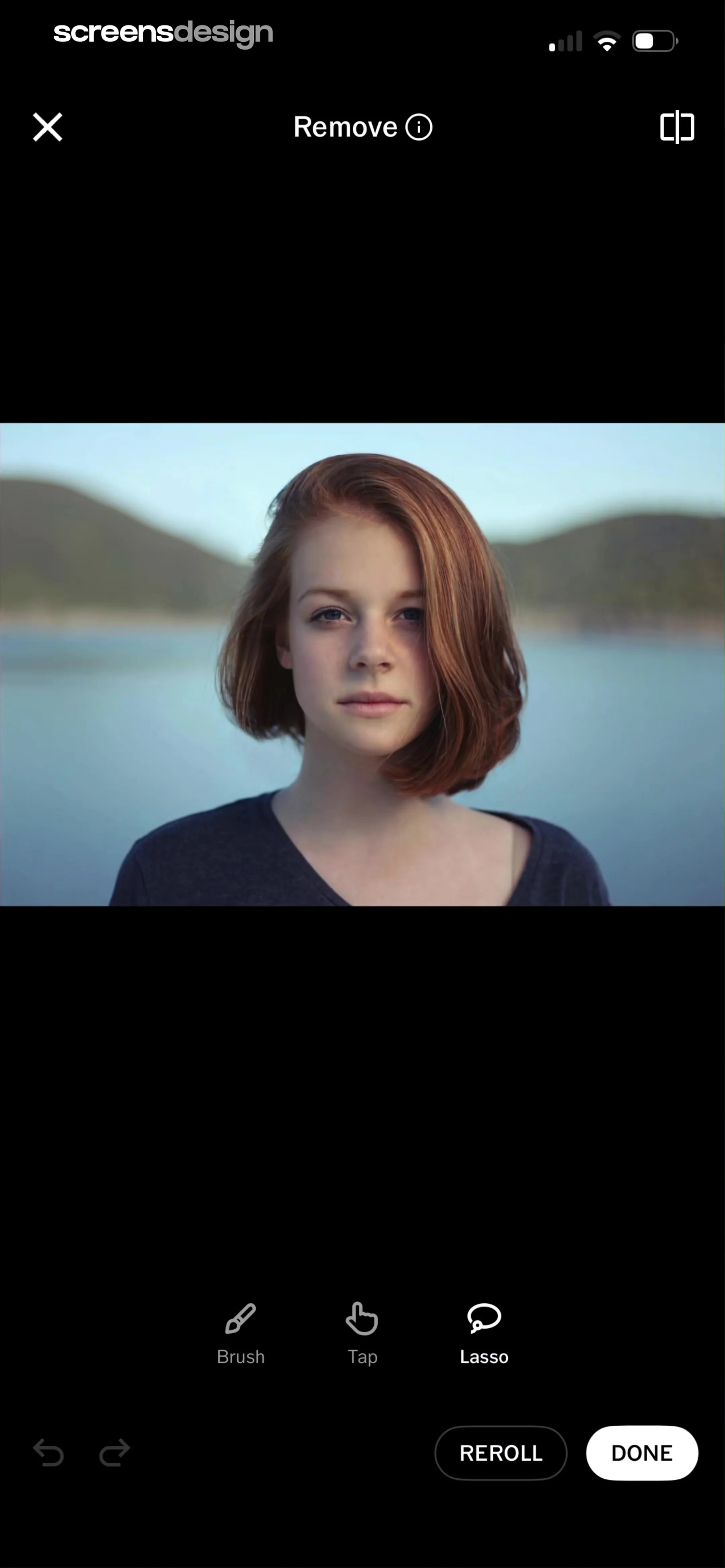
At the bottom, there is a secondary toolbar containing undo and redo arrows on the left, and 'REROLL' and 'DONE' buttons on the right.
 See the flow VSCO: Photo & Video Editor
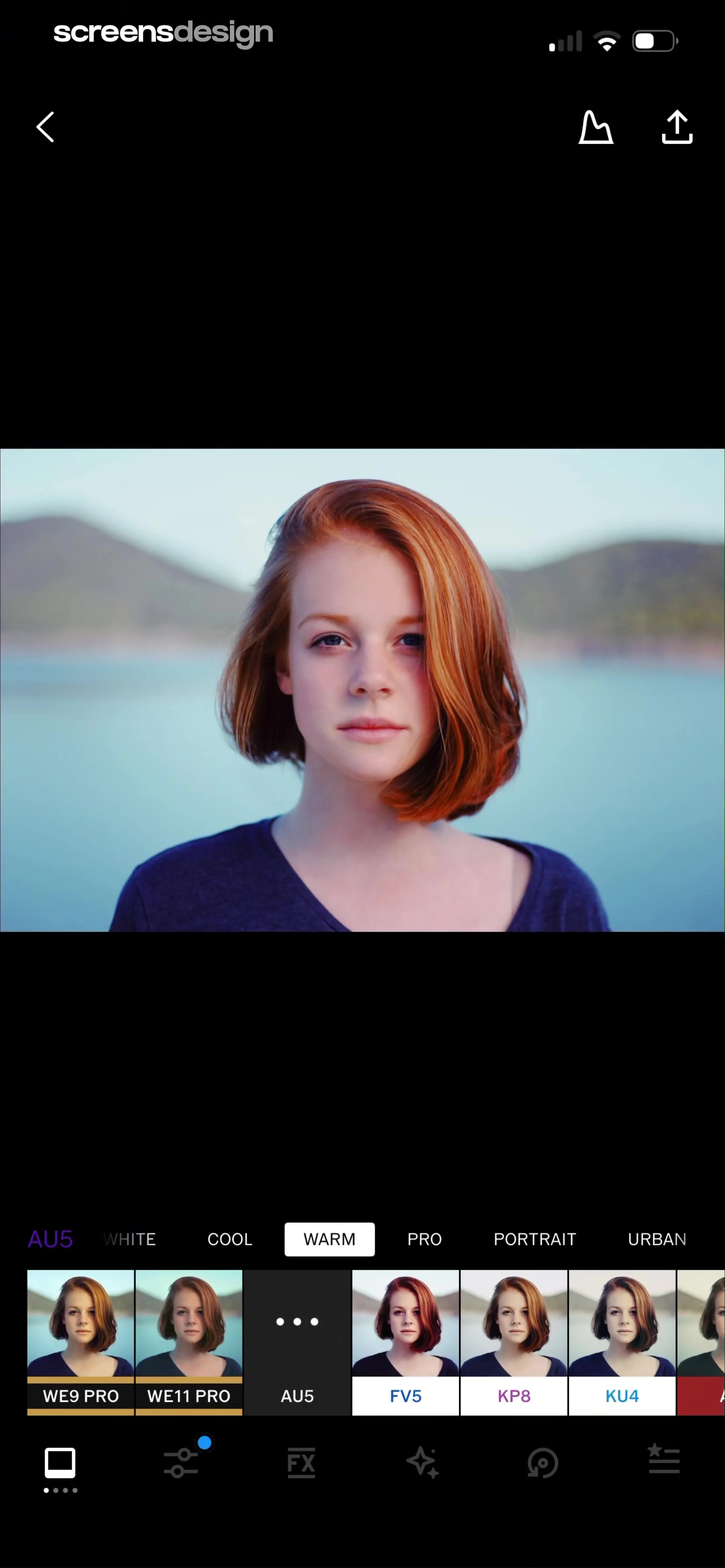
The bottom-most navigation bar contains icons for editing tools, including a square frame, adjustment sliders, 'FX' effects, a sparkle icon, a history/undo icon, and a preset/filter icon.
 See the flow
  Calculator₊
At the top, there is a navigation bar with 'Cancel' on the left, undo/redo icons in the center, and a trash icon on the right.
 See the flow
  Rooms
RoomsBelow the main 3D view, there are floating action buttons for adding items, viewing layers/objects, undo, and redo.
 See the flow Rooms
Below the 3D scene, there are four icons: a plus sign, a music note icon, an undo arrow, and a redo arrow.
 See the flow Rooms
The background is a vibrant pink gradient, and there are undo/redo buttons in the bottom right of the editor area.
 See the flow Rooms
Below the 3D preview, there are editing tools including a dropper, undo, and redo icon.
 See the flow
  CamScanning: AI Measure & Scan
Above the image, there is a prompt 'Click to add objects' and a top navigation bar with back, plus, minus, and undo icons.


