

 See the flow
  Yard AI: Backyard Design
A modal window with a header containing a close button and title, followed by a vertical list of settings options inside a rounded container.
 See the flow
  Yelp: Food, Services & Reviews
A modal overlay centered on the screen, appearing over an activity feed list.
 See the flow
  Deezer: Music Player, Podcast
Below the artwork, there is a row of three buttons: share, a three-dot menu, and a heart icon.
 See the flow
  The Wall Street Journal. News
The bottom half of the screen is occupied by an on-screen QWERTY keyboard, which includes specialized buttons for '123' (numeric toggle), 'REBUS', a pencil icon for editing, and a refresh/cycle icon.
 See the flow
  Blinq: Digital Business Card
Top navigation bar, followed by a header, a search input field, and a list of contacts.
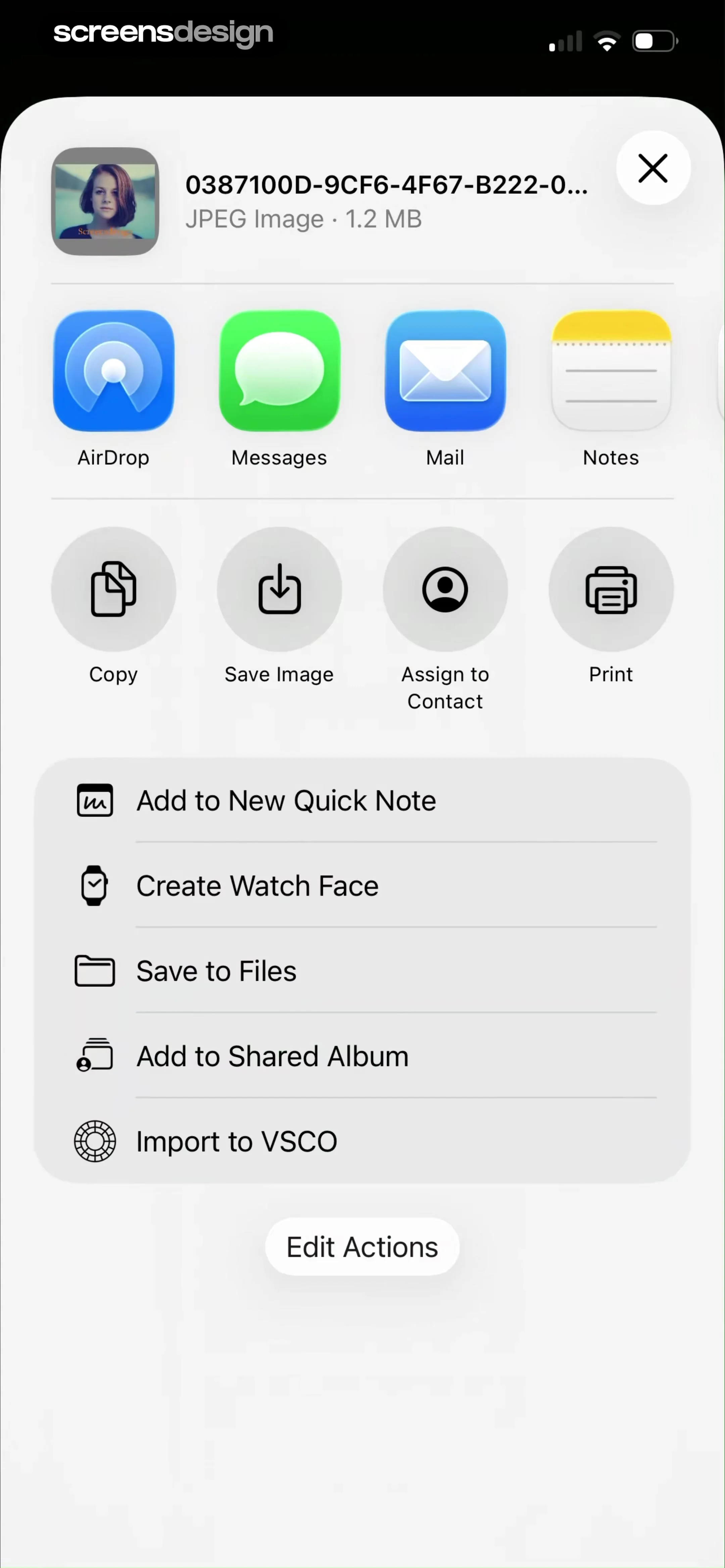 See the flow
  VSCO: Photo & Video Editor
Top header with file info, horizontal app sharing row, grid of action icons, vertical list of secondary actions, and a bottom edit button.
 See the flow
  Good Food: Recipe Finder
Each section includes a text input field preceded by a colored button—a green plus icon for inclusion and a dark green minus icon for exclusion.
 See the flow
  Eppika: Read & Learn Languages
Top progress bar, centered book card with title and author, bottom row of two large action buttons.
 See the flow
  invideo AI: AI Video Generator
Top navigation bar followed by a header and a single action card.
 See the flow
  Filmit AI: AI Cinematic Video
Top navigation bar, image preview area, script input field, and a bottom modal overlay for cinematic controls.
 See the flow
  AI Summary - Meeting Notes
A modal window with a header containing a cancel button and title, followed by a grid of two folder selection cards.
 See the flow
  Voice Recorder-Audio Memos Арр
Top bar with file name and Done button, central waveform visualization, and a bottom-anchored modal for sharing options.
 See the flow
  South China Morning Post: News
Top navigation bar followed by a modal header, then a list of alert categories grouped by section.
 See the flow
  Layout for Instagram・Inpreview
Top navigation bar followed by Appearance section with theme previews, App Icon selection carousel, and a list of feature toggles with descriptions.
 See the flow
  Fishbrain - Fishing App
The very bottom of the screen features a persistent navigation bar with icons for Community, Map, a central '+' button, Forecast, and You.
 See the flow
  Redfin: Buy, Sell & Rent Homes
Top header with title, central chat history with bubbles, bottom text input field, and system keyboard.
 See the flow
  Plane Finder ⁃ Flight Tracker
A prominent blue 'Continue' button is positioned at the bottom of the modal, and a close 'X' icon is located in the top right corner of the modal window.
 See the flow
  Meetup: Social Events & Groups
Header with profile image, interest tags, bio input, Organizer section, and Member list.
 See the flow
  Planner 5D: AI Home Design
Header with avatar, followed by a large CTA button, then two list sections (Purchases, Help), and a bottom navigation bar.
 See the flow
  WebNovel - Read Novels & Manga
At the bottom, a persistent floating action bar contains a download icon, a large 'Read now' button, and a plus icon for adding to a library.


