

 See the flow
  AI Summary - Meeting Notes
Each item is a card with a question and a chevron icon indicating expandability.
 See the flow
  Windy.app — Wind, Tides, Radar
Please read our legal information.' The bottom section contains two stacked, rounded rectangular buttons: 'PRIVACY POLICY' and 'TERMS OF USE', both featuring a right-pointing chevron icon to indicate navigation to external documents.
 See the flow
  EveryDollar: Budget Management
The main content is a vertical list of four navigation cards, each containing an icon, a label, and a chevron arrow indicating a link.
 See the flow
  ZARA
ZARABelow this, there is a list of three selectable options: 'NEWSLETTER', 'DEVICE SETTINGS', and 'COOKIES SETTINGS', each accompanied by a chevron icon indicating a drill-down menu.
 See the flow
  Deezer: Music Player, Podcast
Each section contains list items with icons on the left, descriptive text, and chevron arrows on the right indicating navigation to sub-menus.
 See the flow
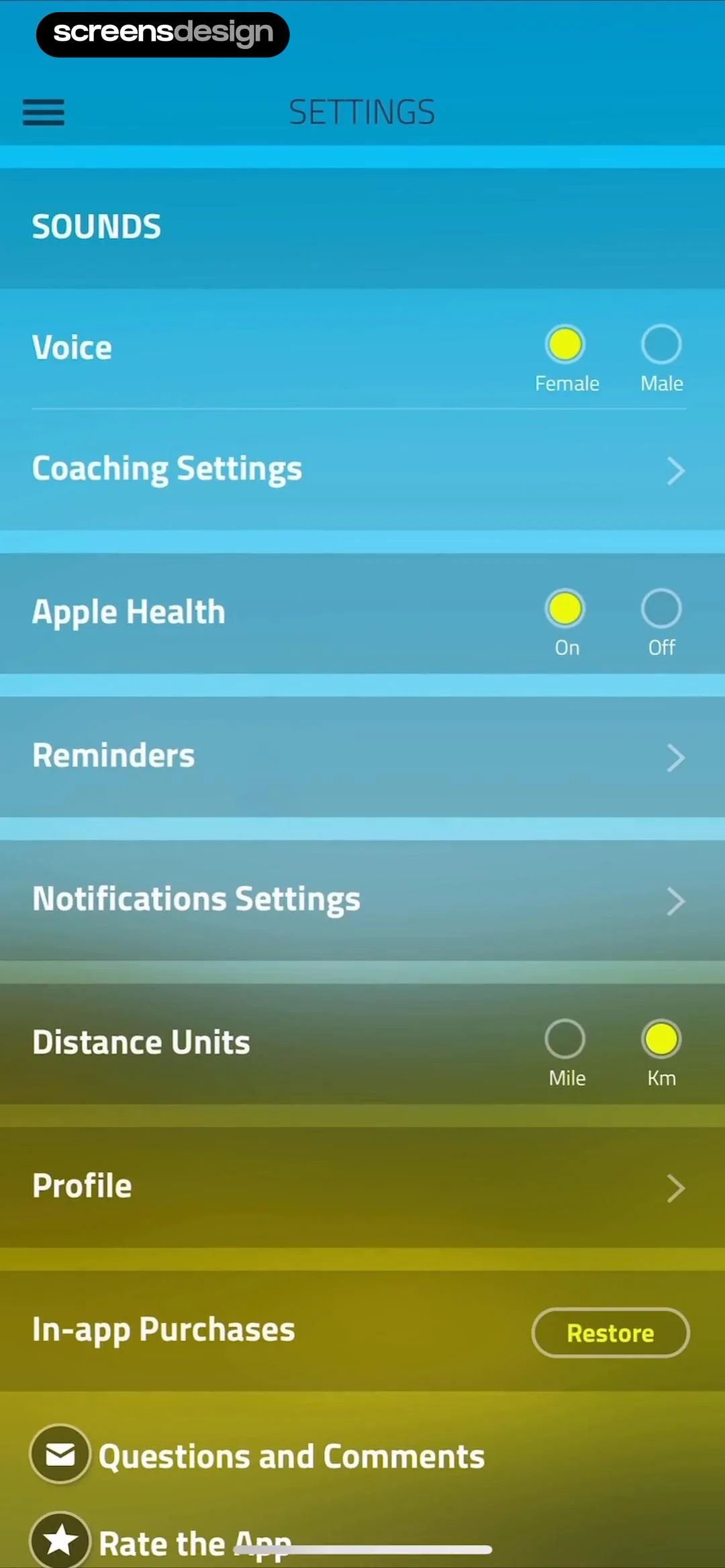
  10K Runner, Couch to 10K Run
Other settings like 'Coaching Settings', 'Reminders', 'Notifications Settings', and 'Profile' are presented as list items with chevron icons indicating navigation to sub-menus.
 See the flow
  HelloBot - Astrology & Tarot
Each field has a chevron indicating it can be tapped to edit.
 See the flow Deezer: Music Player, Podcast
Below this, there is a single interactive row labeled 'Choose your country', which displays the currently selected country, 'United States', along with its flag icon and a chevron indicating it can be tapped to open a selection menu.
 See the flow
  Fishbrain - Fishing App
These categories include 'Fishing waters,' 'Pages & Brands,' 'Anglers & Friends,' 'Species,' and 'Methods,' all of which feature a chevron indicating they are navigation links to further settings.
 See the flow
  Scanner App: Genius Scan
Each column item shows a 'Default' badge and a chevron indicating navigation to further settings, with the 'Date' field specifically marked as 'Hidden' with an eye icon.
 See the flow Scanner App: Genius Scan
Each item is represented by a brand-specific icon on the left and a chevron arrow on the right, indicating navigation to a setup or authentication flow.
 See the flow
  Rork
RorkEach section contains a list of clickable questions, each followed by a chevron icon indicating navigation to a detailed answer.
 See the flow
  Yelp: Food, Services & Reviews
A modal sheet with a top navigation bar and a scrollable list of form fields.
 See the flow
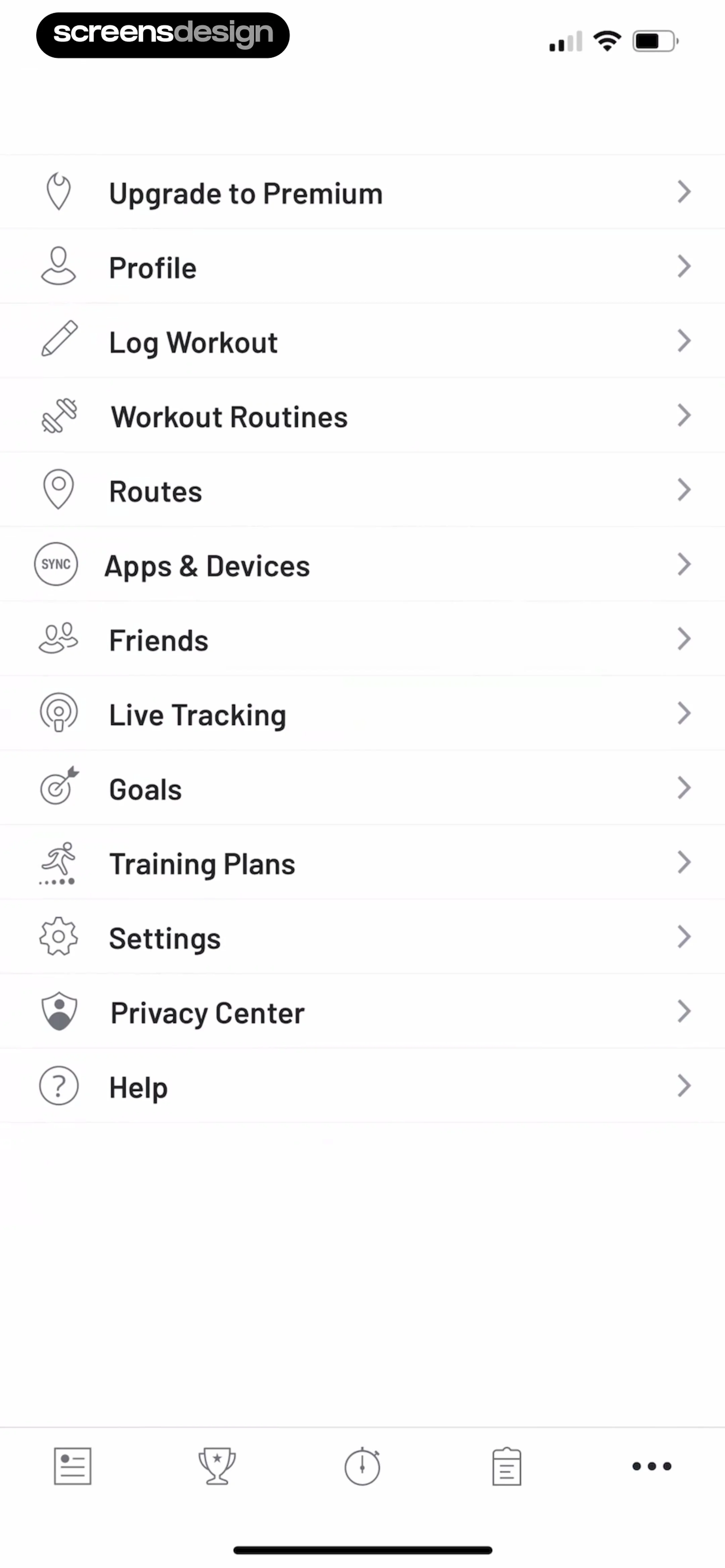
  Map My Run GPS Running Tracker
The layout consists of a clean, white background with a series of rows, each containing a left-aligned icon, a descriptive text label, and a right-pointing chevron indicating a drill-down action.
 See the flow
  SmartNews: Now in Spanish
The design is minimalist, using standard iOS-style list rows, toggles, and chevron icons to indicate navigation to sub-menus.
 See the flow
  Good Food: Recipe Finder
The screen features a simple list of account-related actions, each represented by a text label and a chevron icon indicating navigation.
 See the flow
  Claude by Anthropic
Below the search bar, there is a single search result item titled 'Understanding UI design basics' with a timestamp '2 minutes ago' and a chevron icon indicating it is a tappable navigation element.
 See the flow
  Plane Finder ⁃ Flight Tracker
Each list item includes an icon on the left, a descriptive label, and a chevron on the right indicating navigation.
 See the flow
  Expedia: Hotels, Flights, Cars
Each setting is presented as a tappable card with a chevron icon indicating navigation to a sub-menu.
 See the flow
  Too Good To Go: Save Good Food
The UI uses a minimalist aesthetic with a white background, thin grey dividers between list items, and chevron icons indicating navigation to sub-menus.


