

 See the flow
  Everlook- Face & Body Editor
The control panel includes a horizontal slider for intensity adjustment, a trash icon, and a layer/selection icon.
 See the flow
  calimoto Motorcycle Navigation
This screen displays a 'Delete Account' confirmation modal overlaid on an 'Account' settings page.
 See the flow
  Calculator₊
At the top, a navigation bar includes 'Cancel' on the left, undo and redo icons in the center, and a trash icon on the right.
 See the flow
  Rork
RorkThe 'Breakfast' section is expanded, showing an entry for 'salad' with its nutritional breakdown (300 cal, P: 0g, C: 0g, F: 0g) and a trash icon for deletion.
 See the flow
  Scanner App: Genius Scan
A centered modal dialog box titled 'Delete this page?' is overlaid on the screen, offering three options: 'Delete' (in red), 'Retake' (in red), and 'Cancel' (in orange).
 See the flow
  Deezer: Music Player, Podcast
Below the search bar, the screen displays a 'Recent searches' section with a trash icon for clearing history.
 See the flow
  Google Gemini
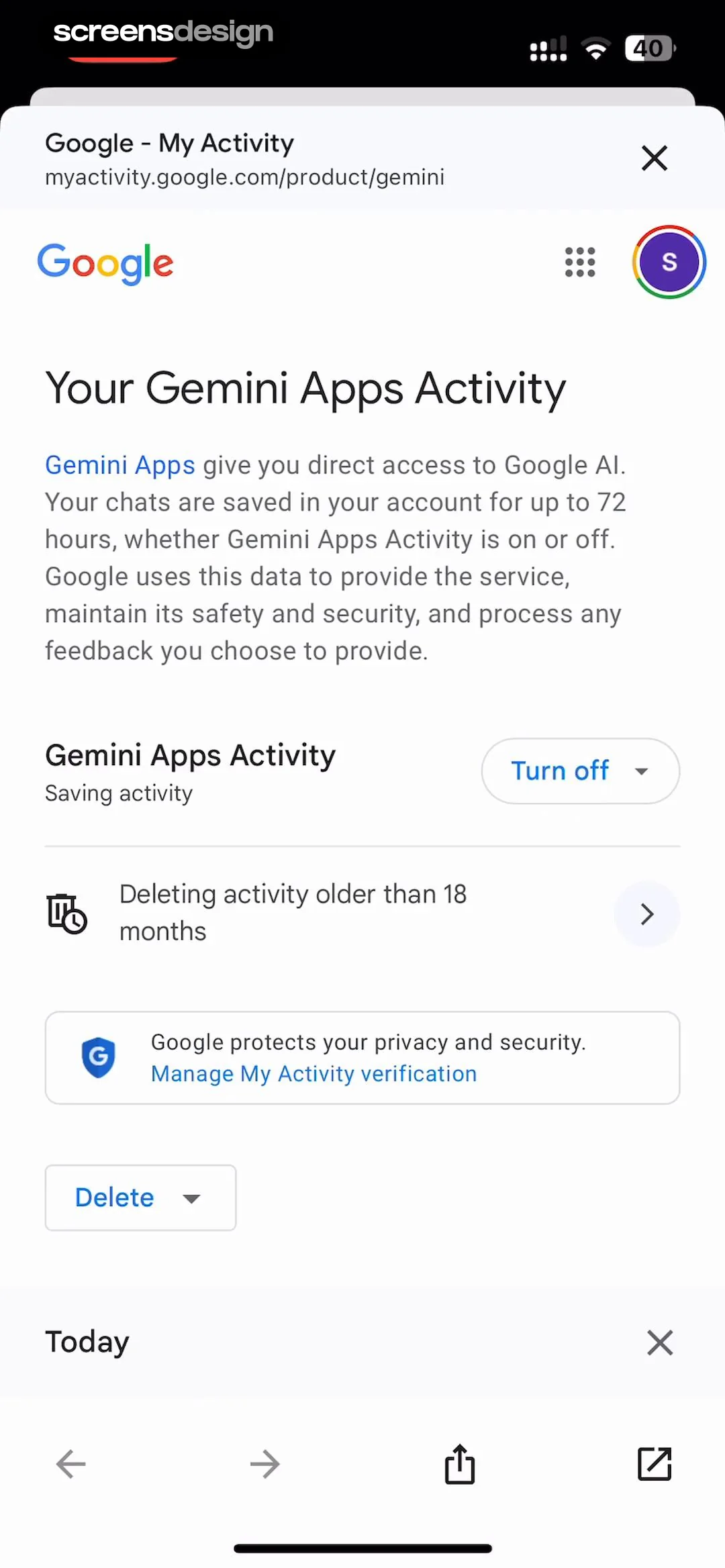
A 'Delete' dropdown button is present for manual data removal.
 See the flow
  Wikiloc - Trails of the World
The modal contains a list of user comments, with one visible entry from 'screensdesigntest' dated 'Jun 29, 2026' saying 'Nice hike!', accompanied by a trash icon for deletion.
 See the flow
  Yard AI: Backyard Design
The second card, 'Lawn Diagnosis', is partially visible and includes a 'Delete' button with a red trash icon that appears when the card is swiped or interacted with.
 See the flow
  Fishbrain - Fishing App
One entry is partially obscured by a swipe-to-delete action, revealing a red trash icon.
 See the flow
  Claude by Anthropic
At the bottom of the screen, there is a 'Delete account' option marked with a red trash icon.
 See the flow
  Vivino: Drink The Right Wine
At the bottom, the user's email address is displayed, followed by a 'Delete account' button in red text.
 See the flow
  ScanAny-PDF Scanner App
One document row shows a swipe-to-reveal action menu with blue share and red delete buttons.
 See the flow
  Blinq: Digital Business Card
Further down, a section contains two additional toggles: 'Add ‘Where We Met’ detail' and 'Remove Bling branding', each with explanatory text.
 See the flow
  Pick Up Limes
One card, 'Berry Chocolate Quinoa', is shown in an expanded state revealing swipe-to-action buttons: a view icon and a delete icon.
 See the flow
  Sky Tonight - Stargazing Guide
A trash icon is provided for deleting the reminder.
 See the flow
  AI Summary - Meeting Notes
At the bottom of the screen, a persistent toolbar provides bulk action buttons: a folder icon, a share icon, a trash icon, and a 'more' menu icon.
 See the flow
  Noxogy Sleep Tracker
The bottom navigation bar includes a trash icon for deletion, an ellipsis menu for more options, and a 'Cancel' button.
 See the flow
  invideo AI: AI Video Generator
Each project entry includes a version badge (e.g., 'v4.0', 'v3.0'), a title, status or duration information, a creation timestamp, and two action icons: a bookmark icon and a trash icon for deletion.
 See the flow
  Budget app - spending tracker
Header with title and close button, followed by a central icon, a list of transaction attributes, a note input field, and a bottom delete button.


