Trial expiry design
10 Free Trial Expired Screen Examples and UX Patterns
When a free trial ends, users need to know what changed, what remains, whether a charge occurred, and how to continue without losing their work.
Trial expiry is not one timestamp. It includes the warning before the deadline, the transition at zero, an inactive entitlement, a successful paid conversion, and the option to restore or reactivate. The interface should match the actual billing and access state instead of showing a generic paywall.
This article examines ten recorded mobile screens from ten product moments. They cover the visible states, actions, commercial details, and recovery paths that shape trial expiry design. Each example is linked to the exact recorded screen so designers can inspect the surrounding product context rather than treating a cropped image as a complete flow.
The examples reveal what the interfaces display, not why a team selected the pattern or whether it improved conversion, retention, revenue, or satisfaction. Use them to sharpen a product hypothesis, then validate the complete state model with billing data, entitlement tests, support evidence, and research with users.
01. Name the state at zero
Name the state at zero.
Zero days remaining must resolve into a precise status, not an ambiguous countdown.
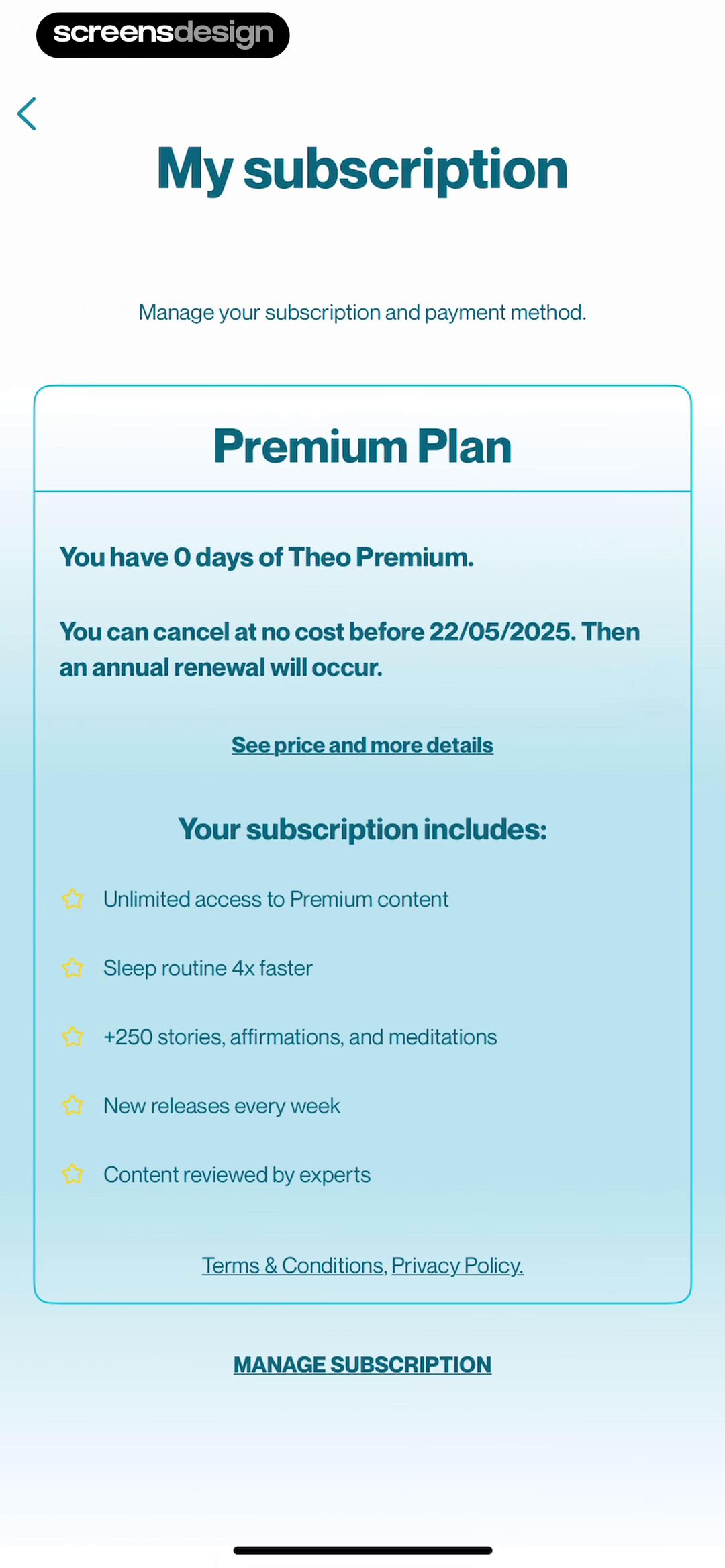
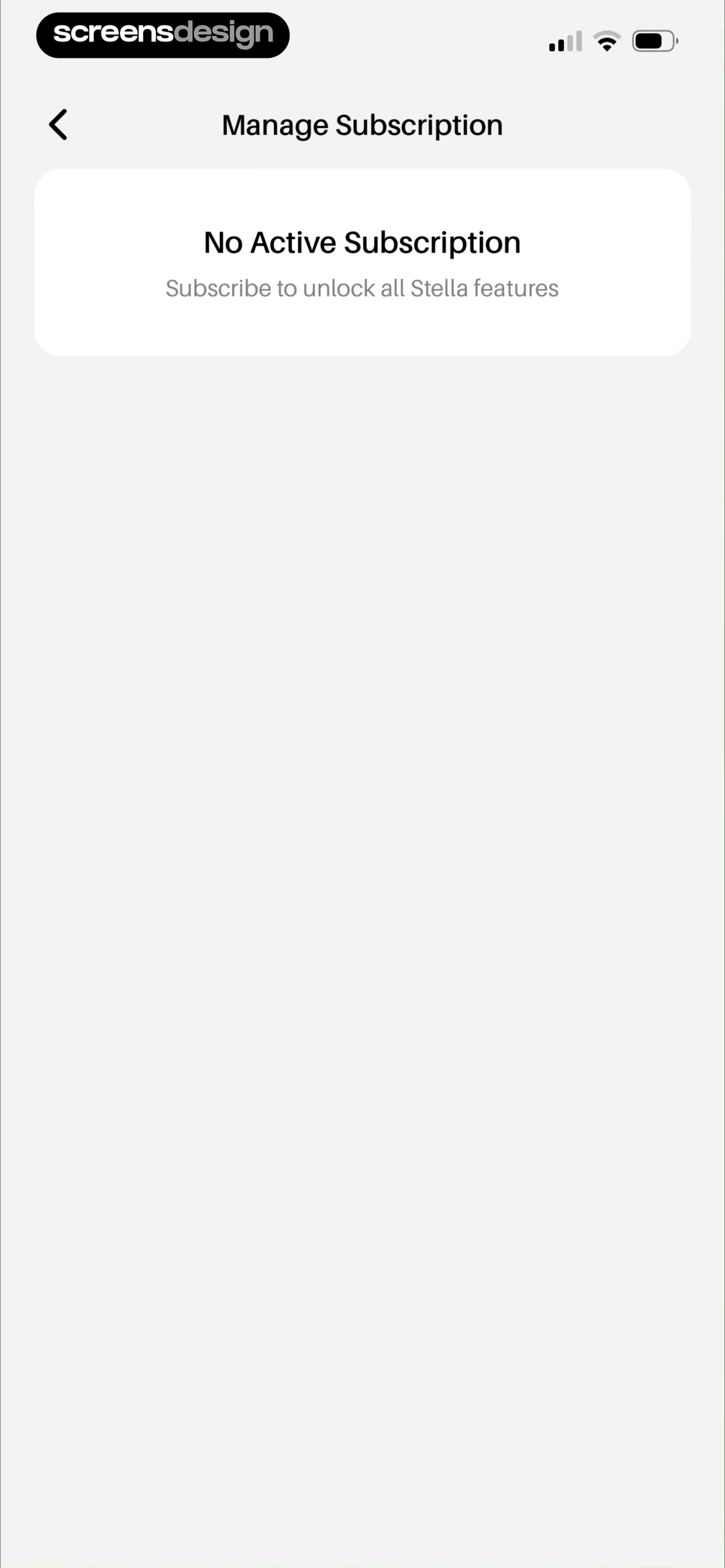
In Theo: Prayer & Meditation, the interface names "My subscription" and "Manage your subscription and payment method". Stella - Manifest Anything pairs "Manage Subscription" with "No Active Subscription". Together, the two recorded screens make name the state at zero concrete: Zero days remaining must resolve into a precise status, not an ambiguous countdown. The comparison is useful as interface evidence, but it does not show which product converted, retained, or satisfied more users.
State whether access is active until the end of the day, already expired, in a grace period, or converted to paid. Use server time and the store receipt as the source of truth. Put the account fact before persuasive language, keep the primary action tied to the user's current job, and show a safe route out. When a price, date, allowance, or entitlement is involved, it should come from the same verified source that enforces the product behavior.
Test timezone changes, delayed receipt updates, backgrounded apps, and a user returning on another device. Write loading, empty, pending, success, failure, and stale-state copy before polishing the ideal screen. Preserve user input and navigation across external checkout or account management, then refresh the interface without requiring a restart.
02. Separate expiry from cancellation
Separate expiry from cancellation.
A trial can end because it converted, was canceled, failed to renew, or never had auto-renewal.
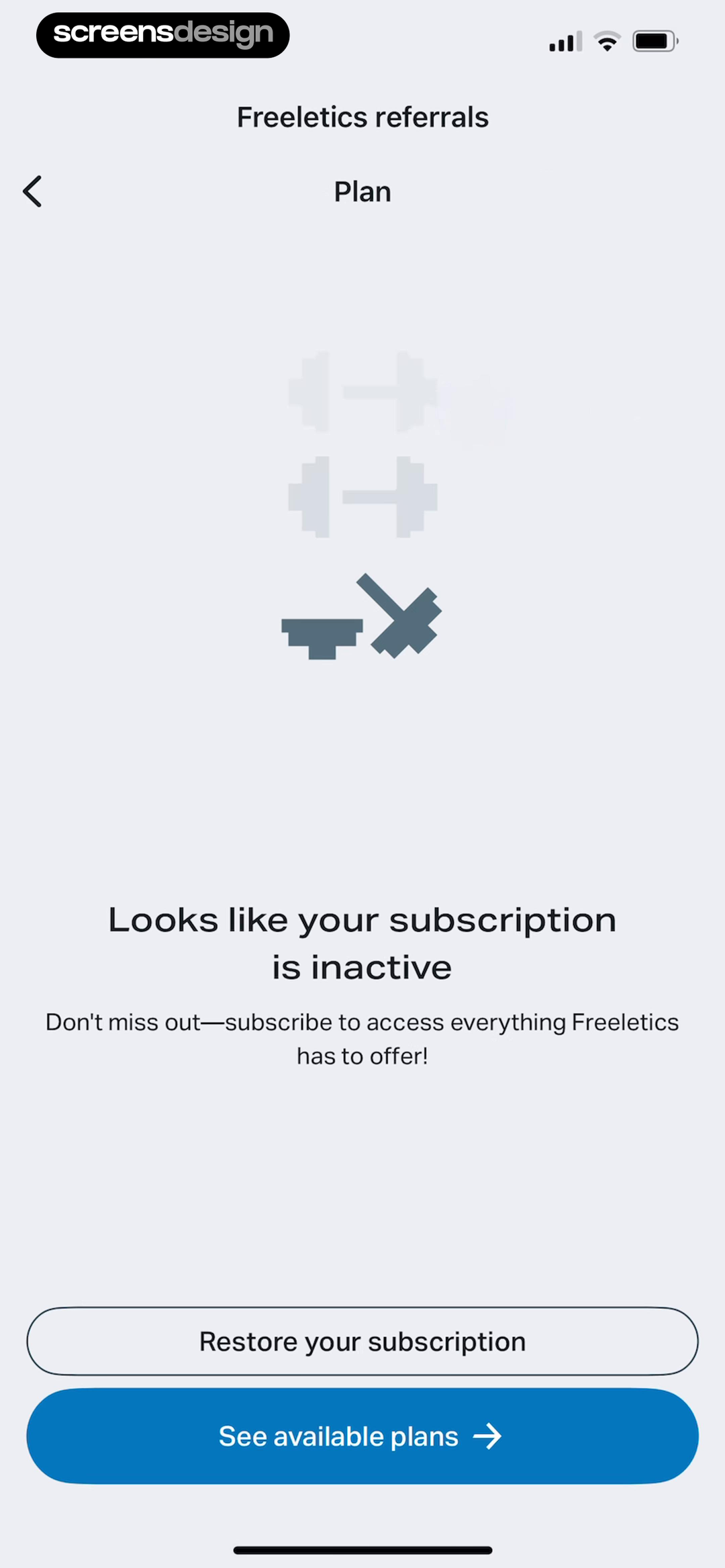
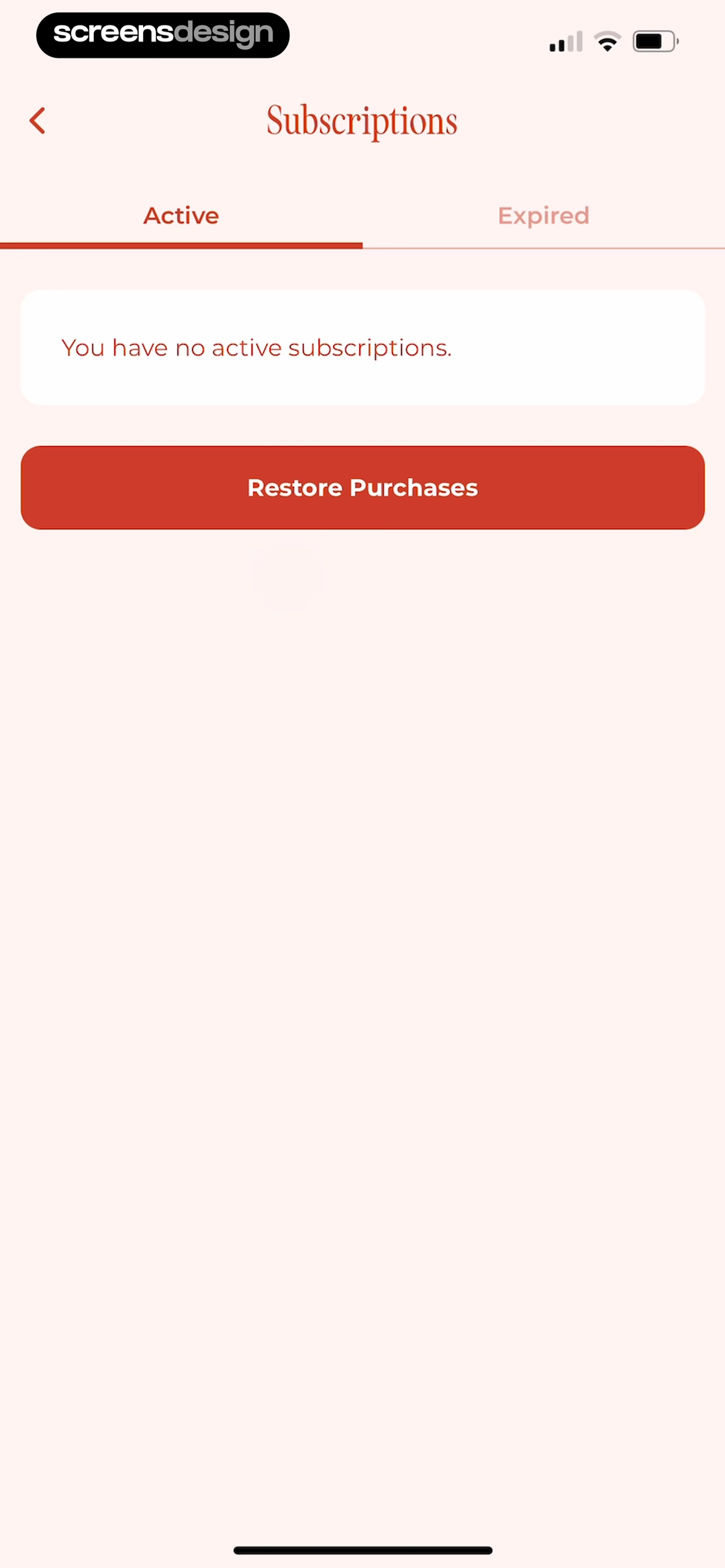
In Freeletics: Workouts & Fitness, the interface names "Freeletics referrals" and "Looks like your subscription is inactive". WeGLOW: Home Workout for Women pairs "You have no active subscriptions" with "Restore Purchases". Together, the two recorded screens make separate expiry from cancellation concrete: A trial can end because it converted, was canceled, failed to renew, or never had auto-renewal. The comparison is useful as interface evidence, but it does not show which product converted, retained, or satisfied more users.
Show the outcome and the reason separately. A canceled trial may retain access until a known date, while a failed renewal needs payment recovery and an opted-out trial needs a new purchase decision. Put the account fact before persuasive language, keep the primary action tied to the user's current job, and show a safe route out. When a price, date, allowance, or entitlement is involved, it should come from the same verified source that enforces the product behavior.
Do not imply that the user canceled when the store declined payment, and do not call an active paid plan expired. Write loading, empty, pending, success, failure, and stale-state copy before polishing the ideal screen. Preserve user input and navigation across external checkout or account management, then refresh the interface without requiring a restart.
03. Warn with useful context
Warn with useful context.
The best pre-expiry message connects the date to current plan, price, and access.
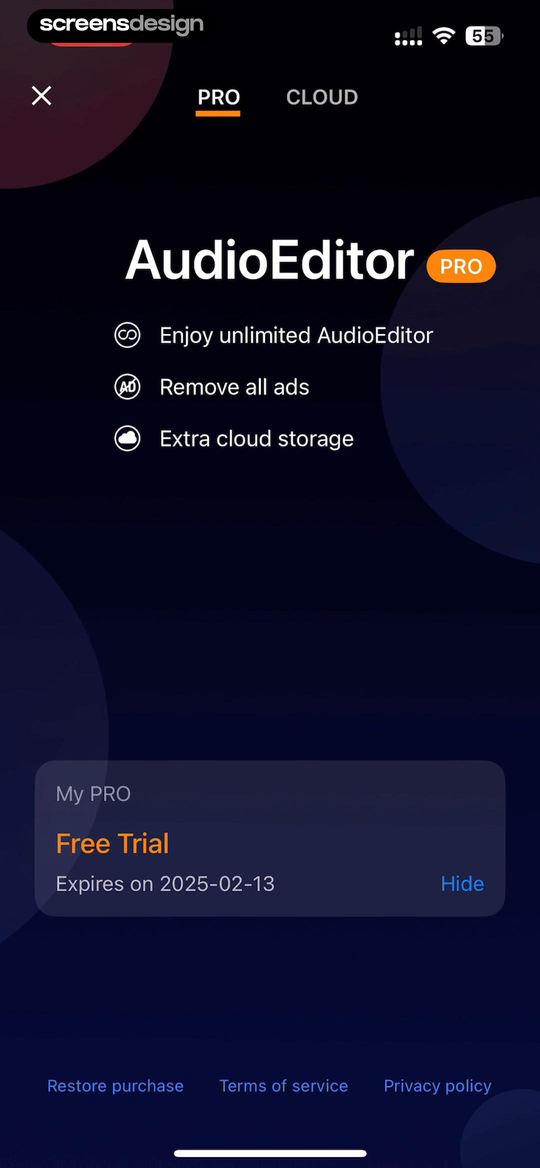
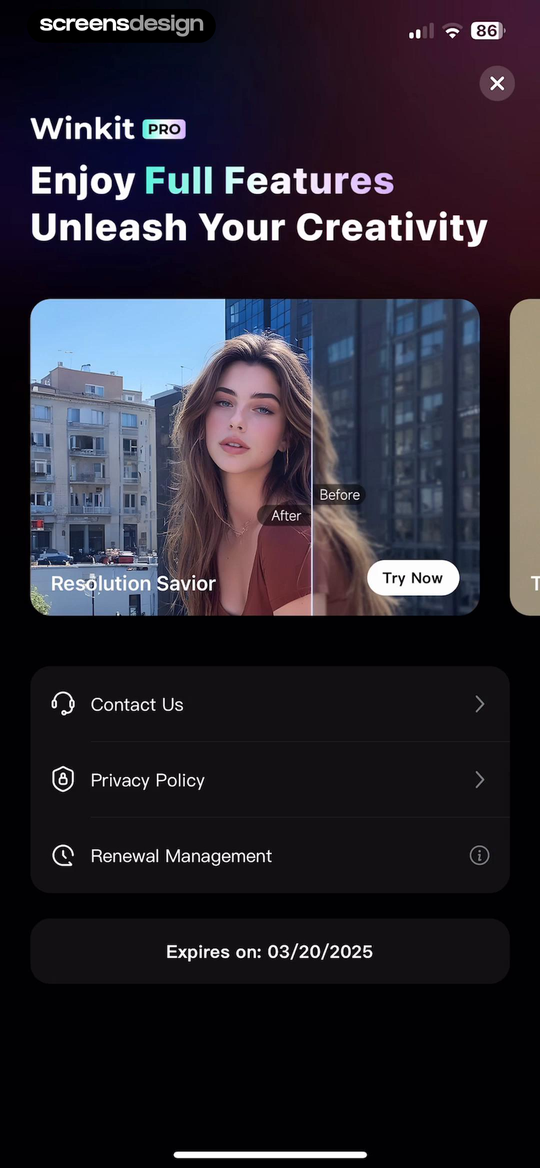
In Audio Editor - Music editor, the interface names "Enjoy unlimited AudioEditor" and "Remove all ads". Winkit - AI Video Enhancer pairs "Winkit PRO" with "Enjoy Full Features". Together, the two recorded screens make warn with useful context concrete: The best pre-expiry message connects the date to current plan, price, and access. The comparison is useful as interface evidence, but it does not show which product converted, retained, or satisfied more users.
A reminder should name when the trial ends, what price and billing period follow, how to manage it, and which work or features change. Avoid vague urgency that leaves the commercial outcome hidden. Put the account fact before persuasive language, keep the primary action tied to the user's current job, and show a safe route out. When a price, date, allowance, or entitlement is involved, it should come from the same verified source that enforces the product behavior.
Respect notification permission and communication preferences. The in-product account surface must remain complete even if no reminder is delivered. Write loading, empty, pending, success, failure, and stale-state copy before polishing the ideal screen. Preserve user input and navigation across external checkout or account management, then refresh the interface without requiring a restart.
04. Preserve work through the boundary
Preserve work through the boundary.
Expiry should change entitlement without erasing projects, history, settings, or progress.
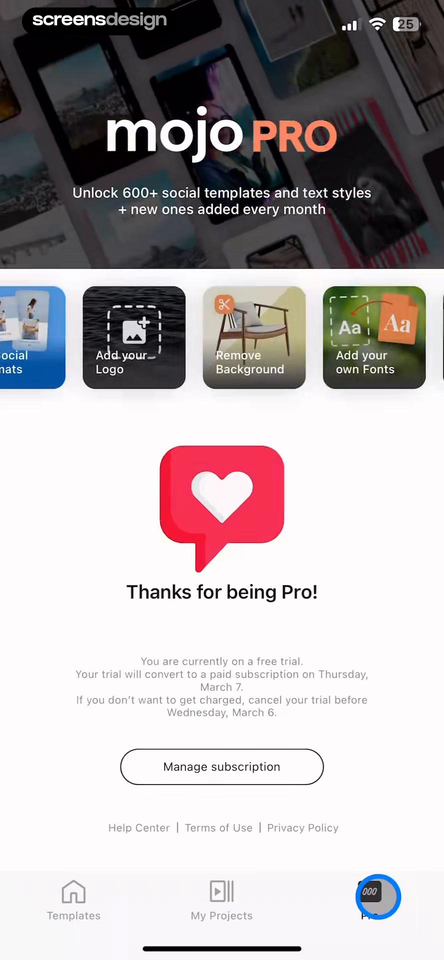
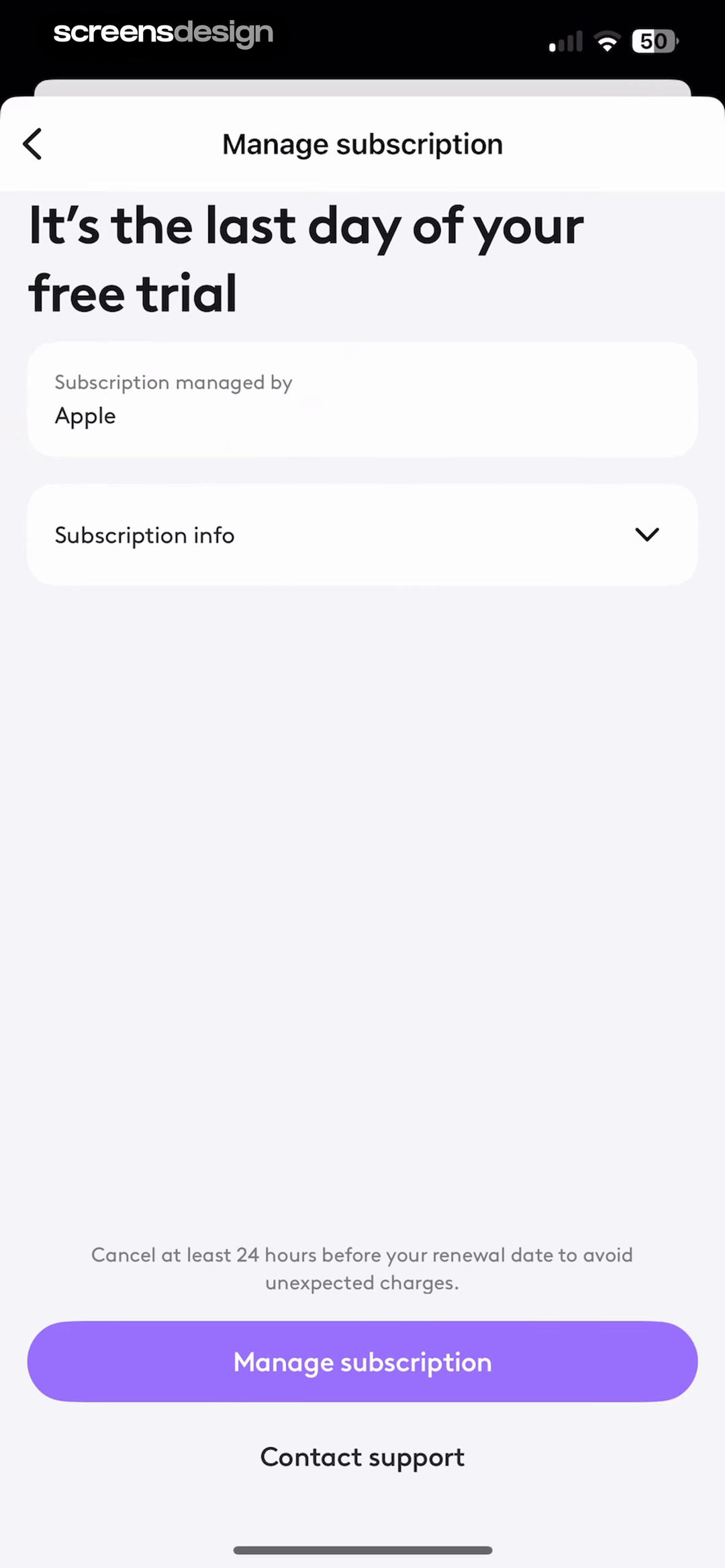
In Mojo: AI Video & Reels Editor, the interface names "mojo PRO" and "Unlock 600+ social templates and text styles". Photoleap: AI Photo Generator pairs "Manage subscription" with "It's the last day of your free trial". Together, the two recorded screens make preserve work through the boundary concrete: Expiry should change entitlement without erasing projects, history, settings, or progress. The comparison is useful as interface evidence, but it does not show which product converted, retained, or satisfied more users.
Keep user-created data readable whenever the product model allows it. Mark paid-only actions clearly, explain retention windows, and resume the original task after a successful reactivation. Put the account fact before persuasive language, keep the primary action tied to the user's current job, and show a safe route out. When a price, date, allowance, or entitlement is involved, it should come from the same verified source that enforces the product behavior.
Exercise large projects, queued exports, offline edits, shared workspaces, and content created seconds before the deadline. Write loading, empty, pending, success, failure, and stale-state copy before polishing the ideal screen. Preserve user input and navigation across external checkout or account management, then refresh the interface without requiring a restart.
05. Offer recovery without trapping users
Offer recovery without trapping users.
Reactivate, choose a plan, restore purchase, and continue free are different actions.
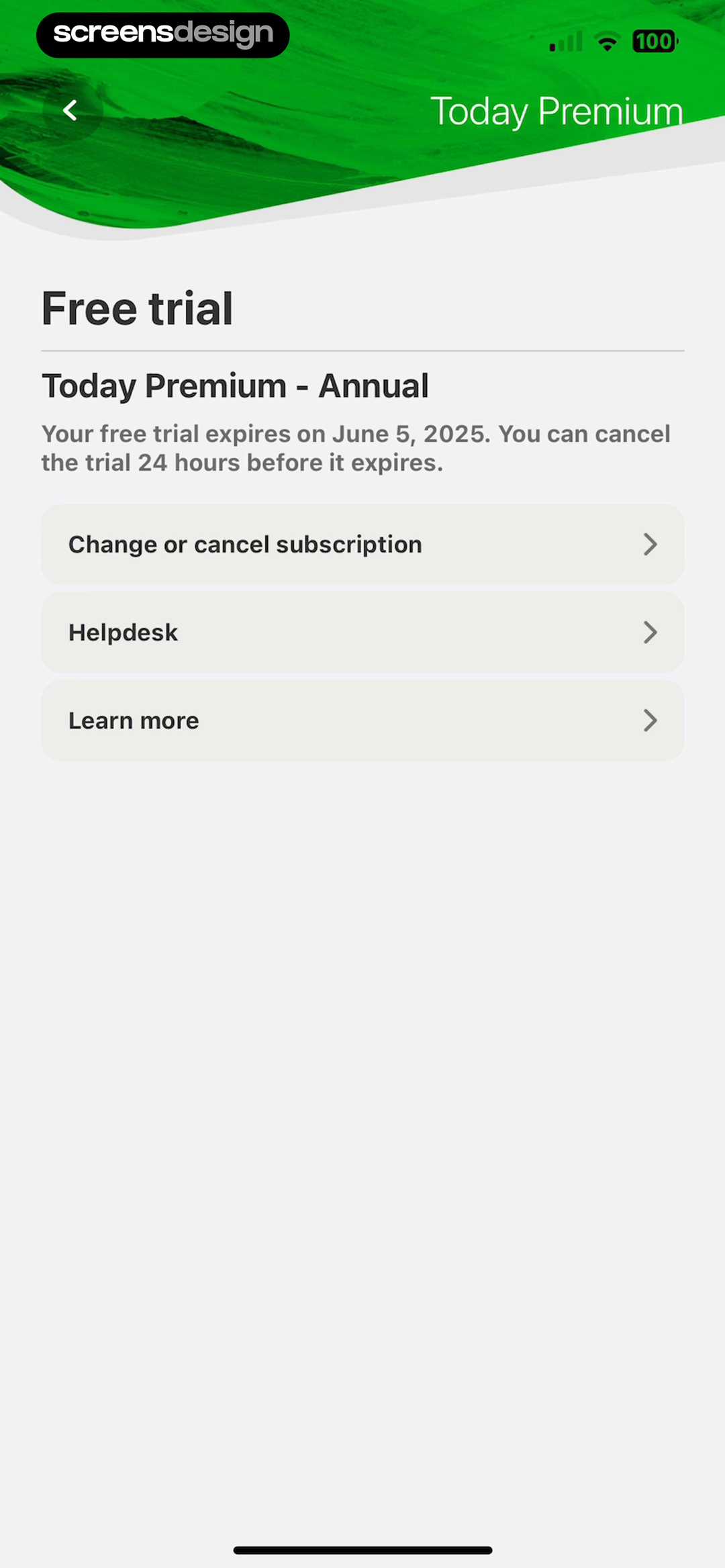
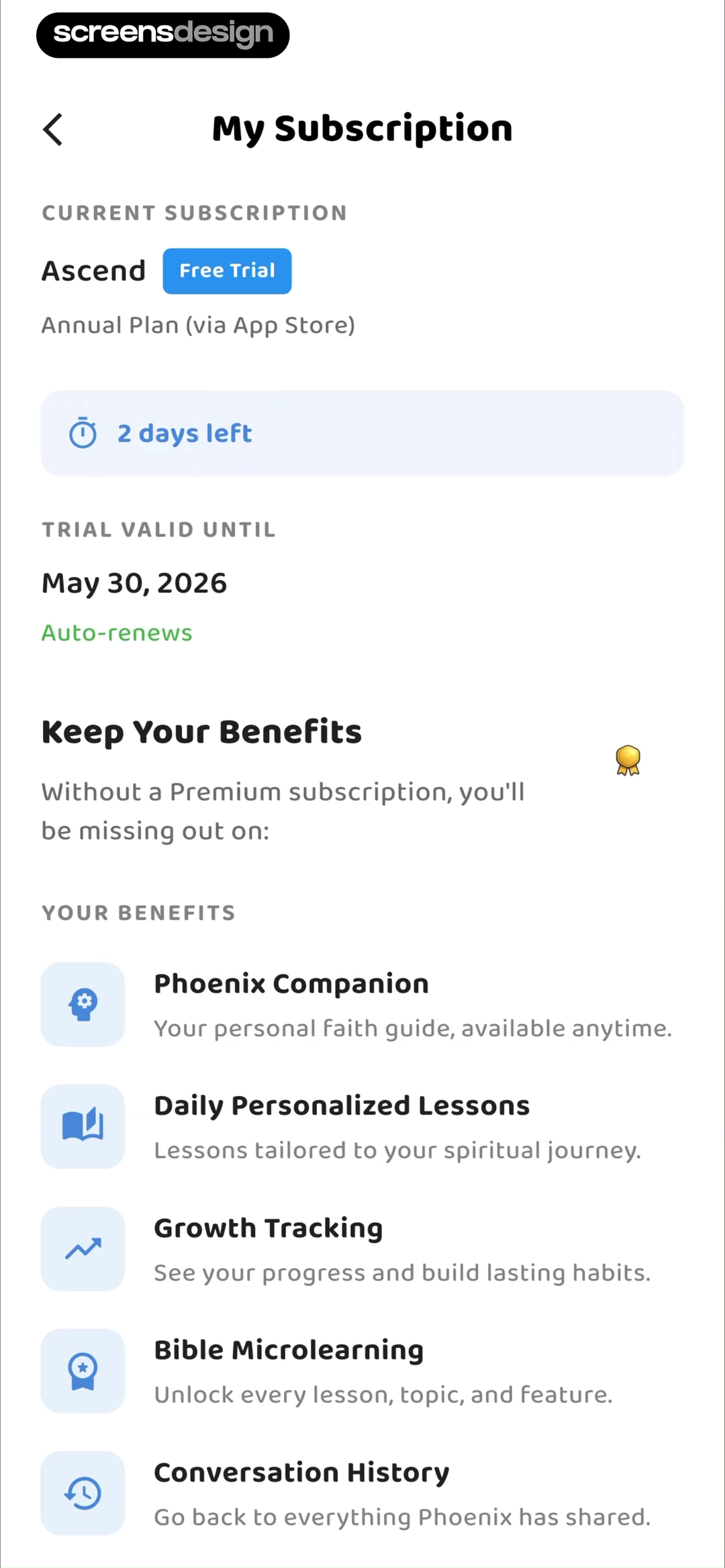
In Today Habit tracker, the interface names "Today Premium" and "Free trial". Ascend: Bible Game pairs "My Subscription" with "CURRENT SUBSCRIPTION". Together, the two recorded screens make offer recovery without trapping users concrete: Reactivate, choose a plan, restore purchase, and continue free are different actions. The comparison is useful as interface evidence, but it does not show which product converted, retained, or satisfied more users.
Present only the routes that fit the account. Restore checks an existing purchase, reactivation starts paid access again, and a free route should state its actual limits. Keep support available for mismatched receipts. Put the account fact before persuasive language, keep the primary action tied to the user's current job, and show a safe route out. When a price, date, allowance, or entitlement is involved, it should come from the same verified source that enforces the product behavior.
A failed purchase or restore must return to a stable state with the attempted work intact and an accurate next step. Write loading, empty, pending, success, failure, and stale-state copy before polishing the ideal screen. Preserve user input and navigation across external checkout or account management, then refresh the interface without requiring a restart.
Implementation
Build the interface from account and entitlement truth.
The visual state is reliable only when billing, account identity, product rules, and recovery behavior agree.
Model trial status as explicit states such as trialing, trial-ending, converted, canceled-but-active, expired, billing-grace, payment-failed, and active-paid. Store the authoritative expiry timestamp, billing platform, plan, renewal behavior, and last entitlement refresh. Render copy from that state rather than calculating meaning from a local countdown alone.
At app launch, foreground, purchase completion, and account change, refresh entitlement through the approved billing path. While refresh is pending, avoid flashing an expired paywall to an entitled user. Cache enough state for offline continuity, but label it as last verified and reconcile safely when connectivity returns.
Preserve the navigation destination or action that exposed the boundary. After reactivation or restore, return the user to that task and refresh paid capabilities without forcing a restart. If access really ended, leave projects visible and explain which actions are limited, when data may be removed, and how export or deletion works.
Treat dates as localized data. Show the timezone when the distinction matters, never mix store billing dates with device-local approximations, and make accessibility labels convey status, deadline, price, and action without depending on color.
- Document every account, billing, entitlement, and transition state before implementation.
- Keep prices, dates, limits, products, and available actions sourced from verified data.
- Preserve the initiating task through checkout, restore, external management, and failure.
- Use idempotent purchase and entitlement updates so retries cannot duplicate value.
- Provide accessible status, focus management, error copy, and a safe exit.
Measurement
Measure whether people recover the task, not only whether they pay.
Commercial events need product-completion and trust guardrails.
Track trial-ending view, account-status view, plan selection, restore attempt, purchase start, purchase result, free-route selection, support contact, and completion of the interrupted task as separate events. Segment by actual entitlement outcome, not only by the screen that appeared.
Useful outcomes include successful entitlement refresh, restore success, paid activation, continued free-product use, task completion after reactivation, and fewer support contacts caused by unclear status. Guardrails include duplicate purchases, entitled users seeing an expiry gate, abandoned work, refund requests, and repeated dismissals.
A screen can correlate with conversion without causing it. Pair behavioral data with billing logs, support cases, usability sessions, and interviews with people whose trial converted, expired, or failed to renew.
Review checklist
Review the complete state before shipping.
Test the screen with new, active, trialing, pending, canceled, expired, restored, offline, and wrong-account fixtures where they apply. Exercise every external handoff and return path with slow callbacks and interrupted network access.
Compare the rendered copy with the billing catalog and entitlement service. Then repeat the task with VoiceOver or TalkBack, larger text, reduced motion, localized prices and dates, narrow screens, and a user who dismisses the offer.
- Status matches the billing source of truth.
- The exact end date, plan, and next charge are understandable.
- Converted, canceled, expired, and failed-payment states use different copy.
- Projects and progress survive the entitlement change.
- Restore, reactivate, support, and free access are labeled by purpose.
- Successful recovery resumes the interrupted task.
- Timezone, offline, account-switching, and delayed-receipt cases are tested.
Questions and answers
Trial expiry design questions
What should a free trial expired screen say?
State that the trial ended, whether a charge occurred, the current access level, what happens to saved work, and the available plan, restore, support, or free routes.
Should an app lock immediately when a trial expires?
Only if the entitlement model requires it. Preserve user data and explain the boundary. A read-only or limited free state is often clearer than making the account appear broken.
What is the difference between restore and reactivate?
Restore checks for an existing purchase tied to the store account. Reactivate starts paid access again after an entitlement ended.
How should expiry dates be calculated?
Use the billing provider or store receipt as the authority and localize the verified timestamp. Do not rely only on a device countdown.
Which metric matters after expiry?
Measure accurate entitlement recovery and completion of the user's intended task beside paid conversion, support contacts, refunds, and false expiry gates.
Apps referenced in this page
Open the products behind the examples.
 Theo: Prayer & MeditationAffirmations | Stories | Bible
 Stella - Manifest AnythingManifest your dream life
 Freeletics: Workouts & FitnessHome & Gym AI Coach, Planner
 WeGLOW: Home Workout for WomenGym Exercises. Pilates. Yoga
 Audio Editor - Music editorreverb, equalizer, song maker
 Winkit - AI Video EnhancerHD Quality & AI Retouch
 Mojo: AI Video & Reels EditorCollage, Stories & Captions
 Photoleap: AI Photo GeneratorProfessional Headshot Editor
 Today Habit trackerFor to-dos, routines & goals
 Ascend: Bible GameYour faith. Your people.
2,715 apps in the top charts.Ask them anything.
Search real app flows, compare the screens around each decision, and turn stronger references into your own product.