

 See the flow
  Magic Tiles 3™: Piano Game
At the top, there is a search bar with a placeholder text 'Search for songs or artists.....' and a 'VIP' ticket icon in the top right corner.
 See the flow
  Plane Finder ⁃ Flight Tracker
Below the title 'ORD Arrivals', there is a search bar for filtering flights, followed by a horizontal filter row with a clock icon, a 'Landed' toggle, and an 'All Terminals' dropdown menu.
 See the flow
  EveryDollar: Budget Management
Below the header is a search bar with a magnifying glass icon.
 See the flow
  Spoke Route Planner
The bottom sheet contains a search bar for adding stops, route summary details (Finish 8:26 AM, 1 stop, 18.7 km), and a date label 'Sunday'.
 See the flow
  Yelp: Food, Services & Reviews
The top of the screen features a map view partially obscured by a search bar containing the query 'Handyman' and a location indicator.
 See the flow
  Vivino: Drink The Right Wine
At the top, there is a back button and a title 'Food pairing search', followed by a prominent search bar with a magnifying glass icon and the placeholder text 'Search by dish'.
 See the flow
  CraftBook: Crochet Made Easy
The top section features a tabbed navigation between 'Patterns' and 'Creators', followed by a search bar and a filter icon button.
 See the flow
  Redfin: Buy, Sell & Rent Homes
The top navigation bar includes a search field and a 'Save' button, while the secondary toolbar below it contains 'Filters' and a 'Sold' status toggle.
 See the flow
  Fishbox - Smart Fishing App
Below this, there is a search input field with a magnifying glass icon.
 See the flow
  WebNovel - Read Novels & Manga
The top of the screen features a back button and a search bar with the placeholder 'Search for stories'.
 See the flow
  Useless - Screen Time Control
At the bottom of the list, there is a search bar with a magnifying glass icon.
 See the flow
  Fishbrain - Fishing App
At the top, a navigation bar includes a back button and the title 'Fishing waters', followed by a search input field for finding specific waters.
 See the flow
  WeMoms - Pregnancy & Baby App
Below this is a search bar followed by a grid of selectable tags, each featuring a '+' icon to add or a cross icon to remove if selected.
 See the flow
  ChatGPT
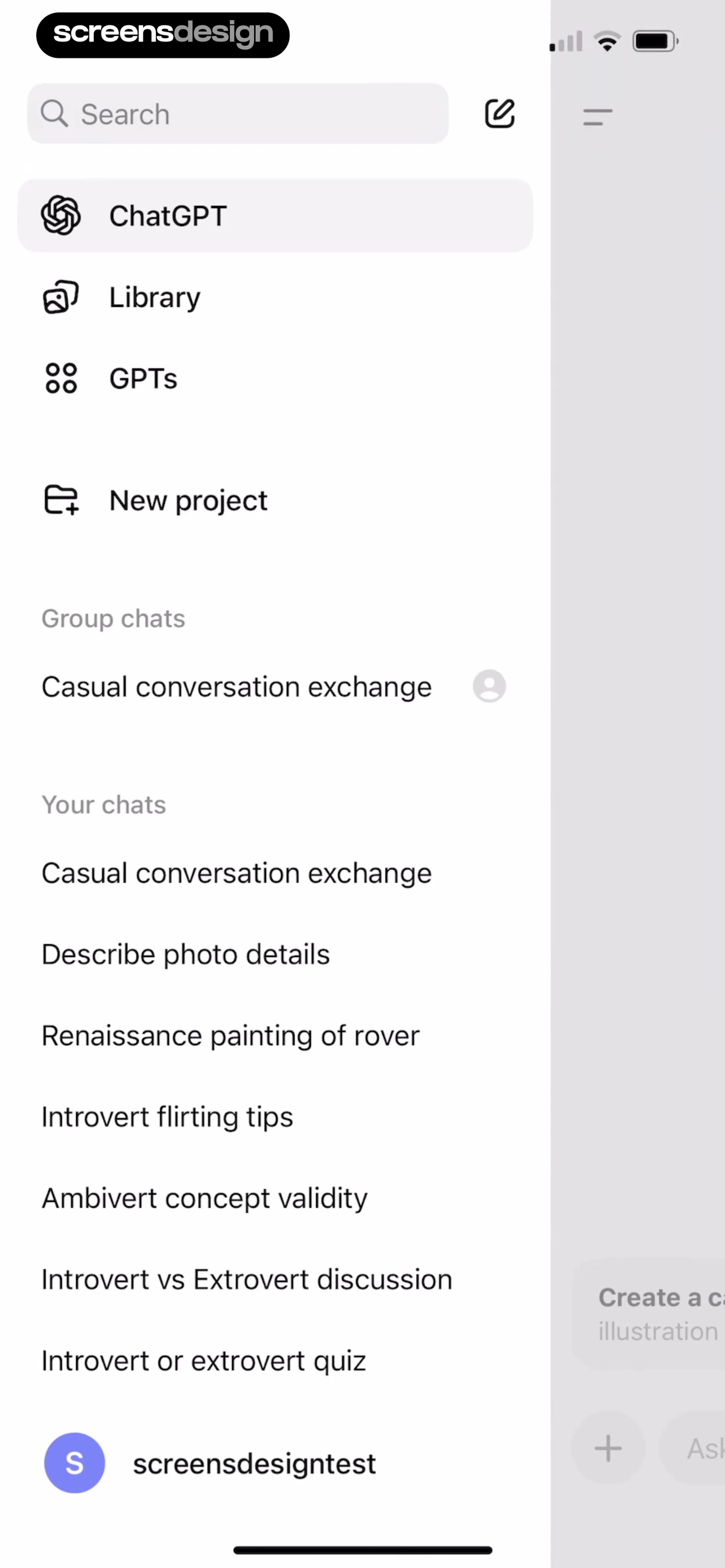
The menu is presented as a white overlay on the left side of the screen, featuring a search bar at the top, followed by a list of navigation items including 'ChatGPT', 'Library', 'GPTs', and 'New project'.
 See the flow
  Hypelist: Create & Share Lists
Top hero image with search overlay, followed by a 'Nearby' section with a map card, a list card, and a 'People to follow' section at the bottom.
 See the flow
  Scanner App: Genius Scan
Below the header is a search bar with a magnifying glass icon and the placeholder text 'Search'.
 See the flow
  Particle: Personalized News
A search bar is provided to filter these items.
 See the flow
  Litres: Audio
At the top, a search bar contains the query 'School' with a clear button.
 See the flow
  The Wall Street Journal. News
The top of the screen features a search bar with a clear button and a filter icon, followed by a horizontal tab navigation bar with categories: All, Market Data, Opinion, Video, and Audio.
 See the flow
  SmartNews: Now in Spanish
At the top, there is a search bar, a settings icon, and a horizontal scrolling tab bar with categories like Top, Video, Local, Following, and SmartTake.


