

 See the flow
  Klook: Travel & Activities
The top of the screen features a back button and a title 'Country/region code', followed by a search input field with a magnifying glass icon.
 See the flow
  Useless - Screen Time Control
Below this is a search input field with a magnifying glass icon and the placeholder text 'Search country or code'.
 See the flow
  Pool, the screenshot app
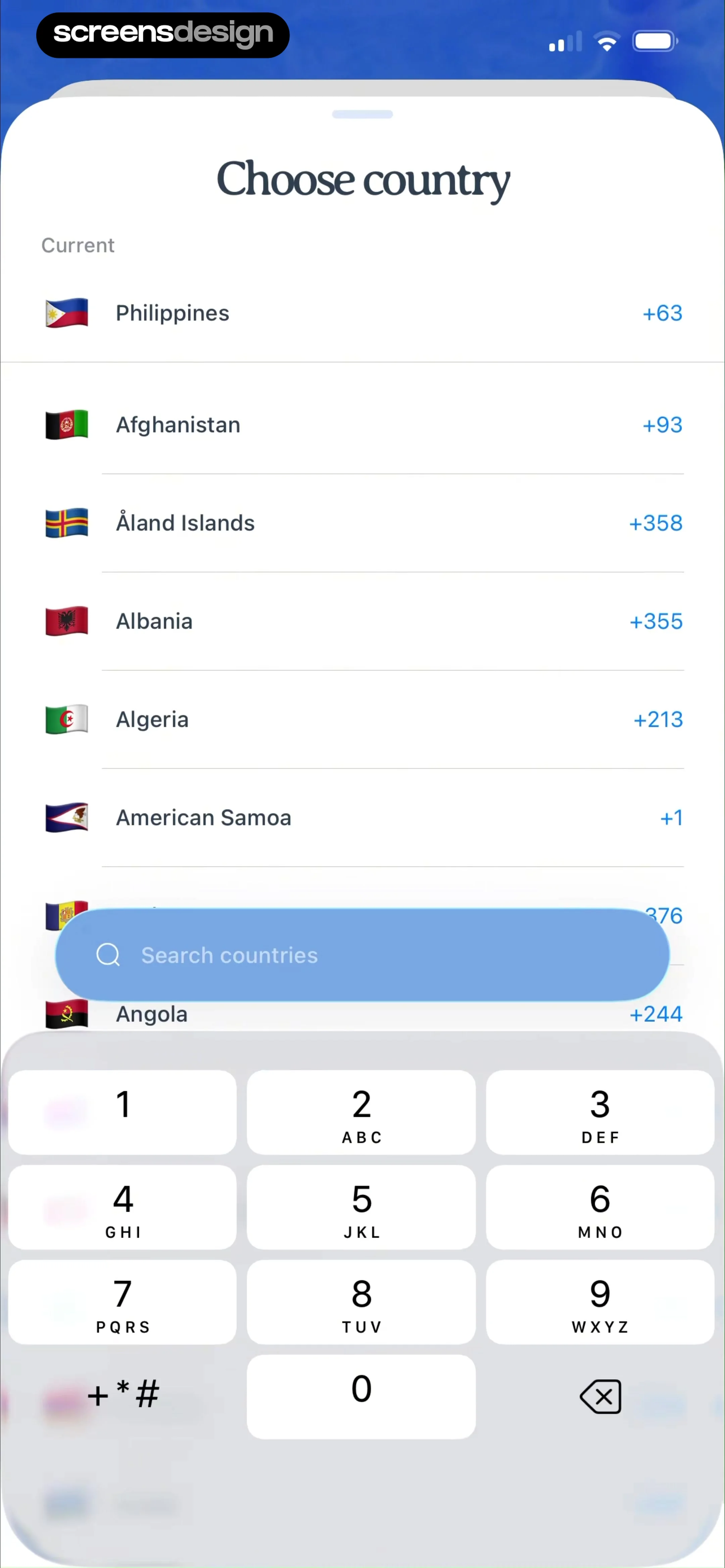
This screen is a country selection modal overlaying a list of countries with their respective international dialing codes.
 See the flow
  Vrbo Vacation Rentals
Below this, there is a horizontal input area consisting of a country code selector (currently set to 'USA +1') and a text field for the 'Mobile number'.
 See the flow Vrbo Vacation Rentals
Further down, there is a dropdown for 'Country code', a 'Phone number' field, and a large multi-line text area labeled 'Leave a message' with a character counter (0/1500).
 See the flow
  ZARA
ZARAThis screen is a form for entering user contact information, specifically a surname and a mobile phone number with a country code prefix.
 See the flow
  DAZN: Stream Live Sports
The modal includes a country code selector (Philippines +63), an input field for the phone number, a toggle switch to opt-in for SMS marketing, and a large 'Confirm' button.
See the flow Useless - Screen Time ControlThere is a horizontal input field with a country code selector (UK flag, +44) and a placeholder for the phone number.
 See the flow
  Too Good To Go: Save Good Food
The contact section includes fields for 'Name and surname', 'Email address' (pre-filled with '[email protected]' and an info icon), and 'Phone number' with a country code prefix.
 See the flow
  HBX | Globally Curated Fashion
The screen includes dropdown menus for Country/Region, Gender, and Phone Number country code.
 See the flow Klook: Travel & Activities
Below this, a 'Contact details' section includes input fields for first name, last name, country code, phone number, and an email address.
 See the flow
  Premier League - Scores, News
There is also a field for a mobile number with a country code prefix.
 See the flow Pool, the screenshot app
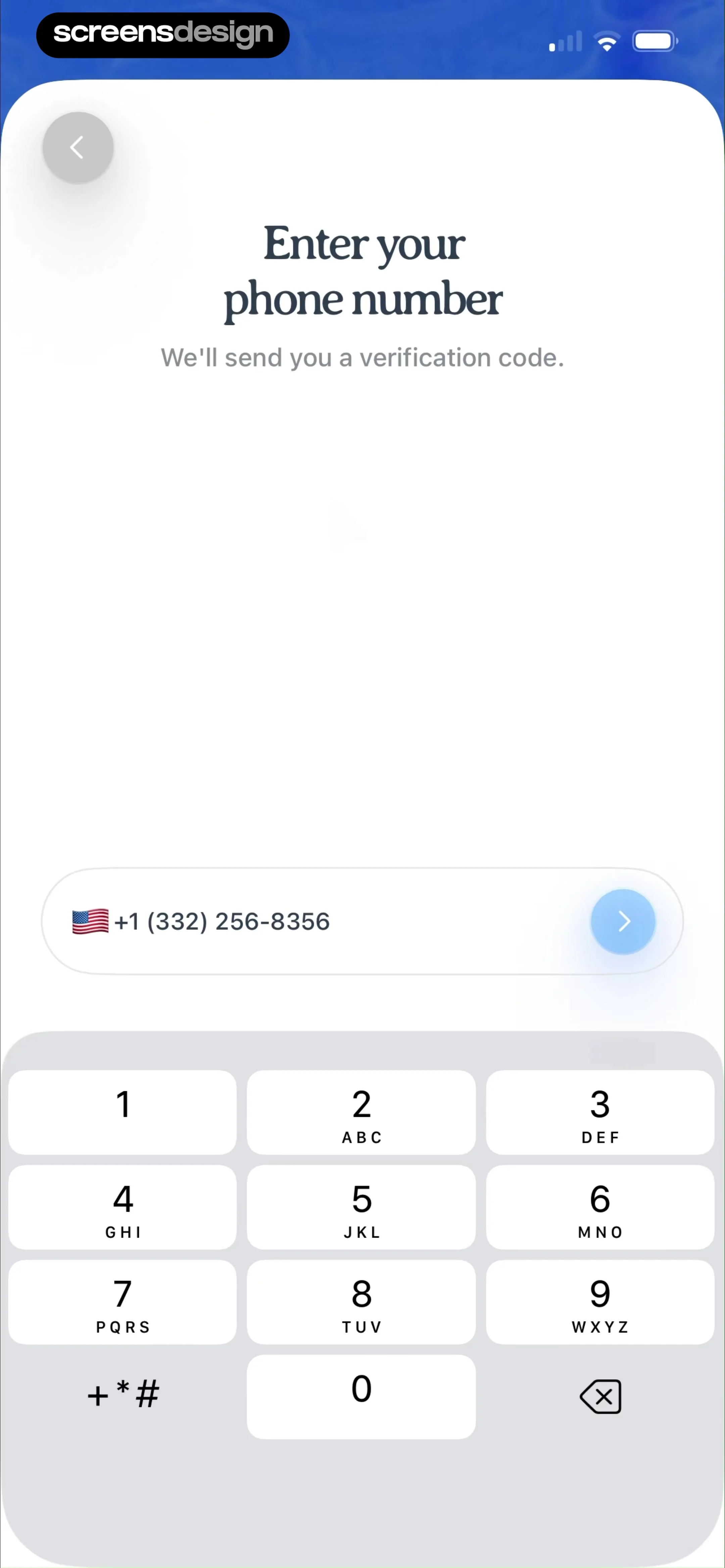
The main heading reads 'Enter your phone number' followed by the subtext 'We'll send you a verification code.' Below this is a rounded input field displaying a US flag icon, the country code '+1', and a phone number.
 See the flow Premier League - Scores, News
Header with back button and title, followed by a vertical list of form fields, ending with a full-width action button at the bottom.
 See the flow Vrbo Vacation Rentals
Below this, there is a form for traveler information, including fields for 'First Name', 'Last Name', and 'Mobile Phone' with a country code selector.
 See the flow Useless - Screen Time Control
The first card allows the user to input or update their phone number, featuring a country code selector (UK flag, +44), a text input field for the number, and a prominent red 'Save' button.
 See the flow Too Good To Go: Save Good Food
Top navigation bar, followed by a header, input fields, a removal action, and a numeric keypad at the bottom.
 See the flow ZARA
Top back button, followed by a header, a vertical list of input fields, a notification text, a checkbox, and a bottom call-to-action button.
 See the flow ZARA
Top navigation bar followed by a header, a vertical list of input fields, a verification notice, a checkbox, and a large bottom button.
 See the flow ZARA
A vertical list of input fields followed by an informational banner, a checkbox, a toggle, and a bottom-aligned action button.


