

 See the flow
  Fishbrain - Fishing App
This is a modal screen in the Fishbrain app used for reporting content.
 See the flow
  Zalando – Online fashion
This screen is an informational FAQ page within the Zalando app titled 'Report content on Zalando'.
 See the flow
  Meetup: Social Events & Groups
The main content consists of a bold heading 'What's the reason you're reporting this?' followed by a reassuring subtext: 'We won't share this information with the organizer'.
 See the flow
  Yik Yak
Top banner ad, followed by a header with a back button and title, then a long vertical list of selectable reporting options.
 See the flow
  Yelp: Food, Services & Reviews
A top navigation bar with a text input field below it, and a centered modal dialog box appearing in the middle of the screen.
 See the flow Meetup: Social Events & Groups
This screen displays a modal overlay for reporting content or behavior within the Meetup app.
 See the flow Yelp: Food, Services & Reviews
A top navigation bar followed by a form area, with a centered modal alert overlaying the content.
 See the flow
  Deezer: Music Player, Podcast
This screen displays a 'Report a problem' modal overlaying a music player interface.
 See the flow Yik Yak
The foreground is a white, rounded modal titled 'Thank you for reporting this post' with the subtext 'Our moderation team will review this post.
 See the flow Zalando – Online fashion
This screen is a modal overlay within the Zalando fashion app, specifically designed for reporting legal concerns regarding a product under the EU Digital Services Act.
 See the flow
  ChatGPT
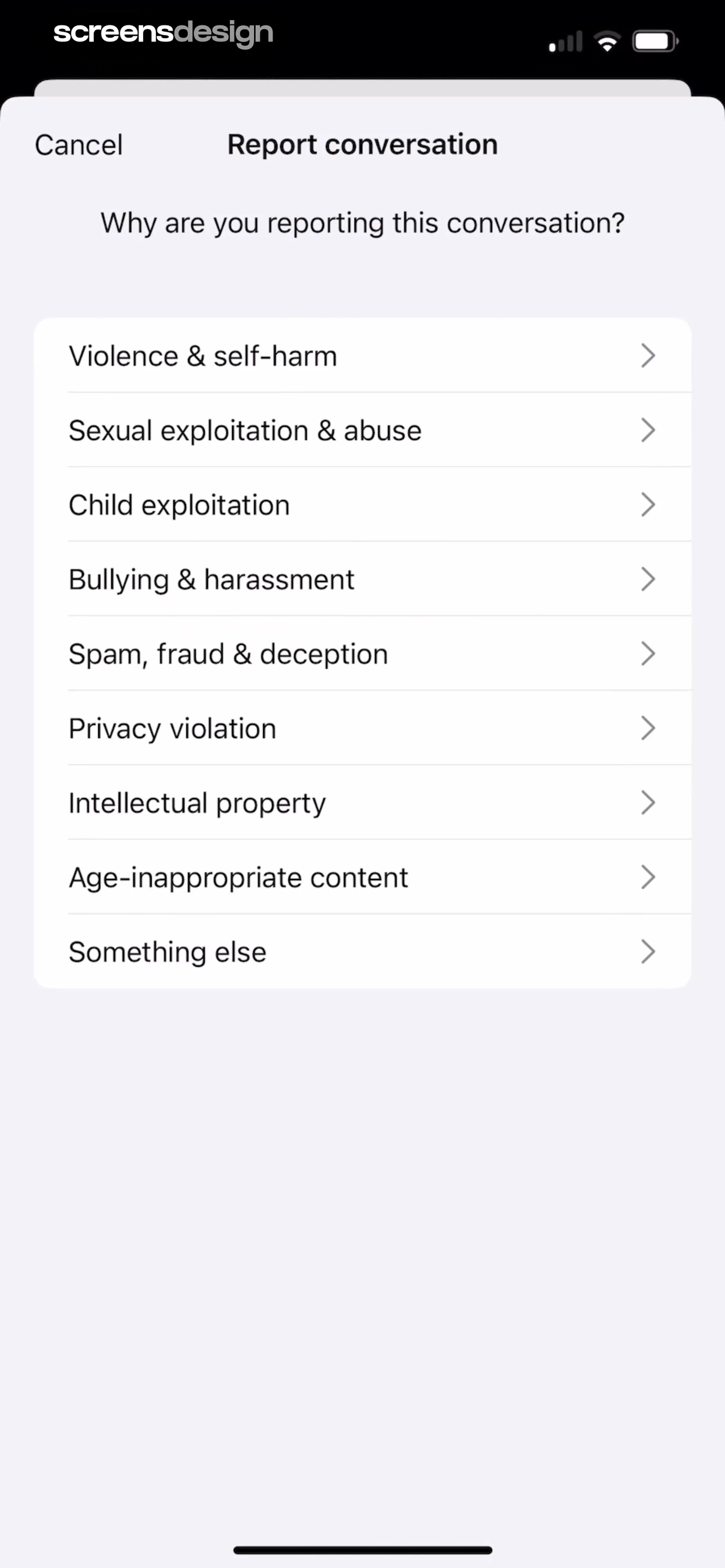
The screen consists of a header with a cancel button and title, a sub-header question, and a vertical list of selectable report categories.
 See the flow
  Google Gemini
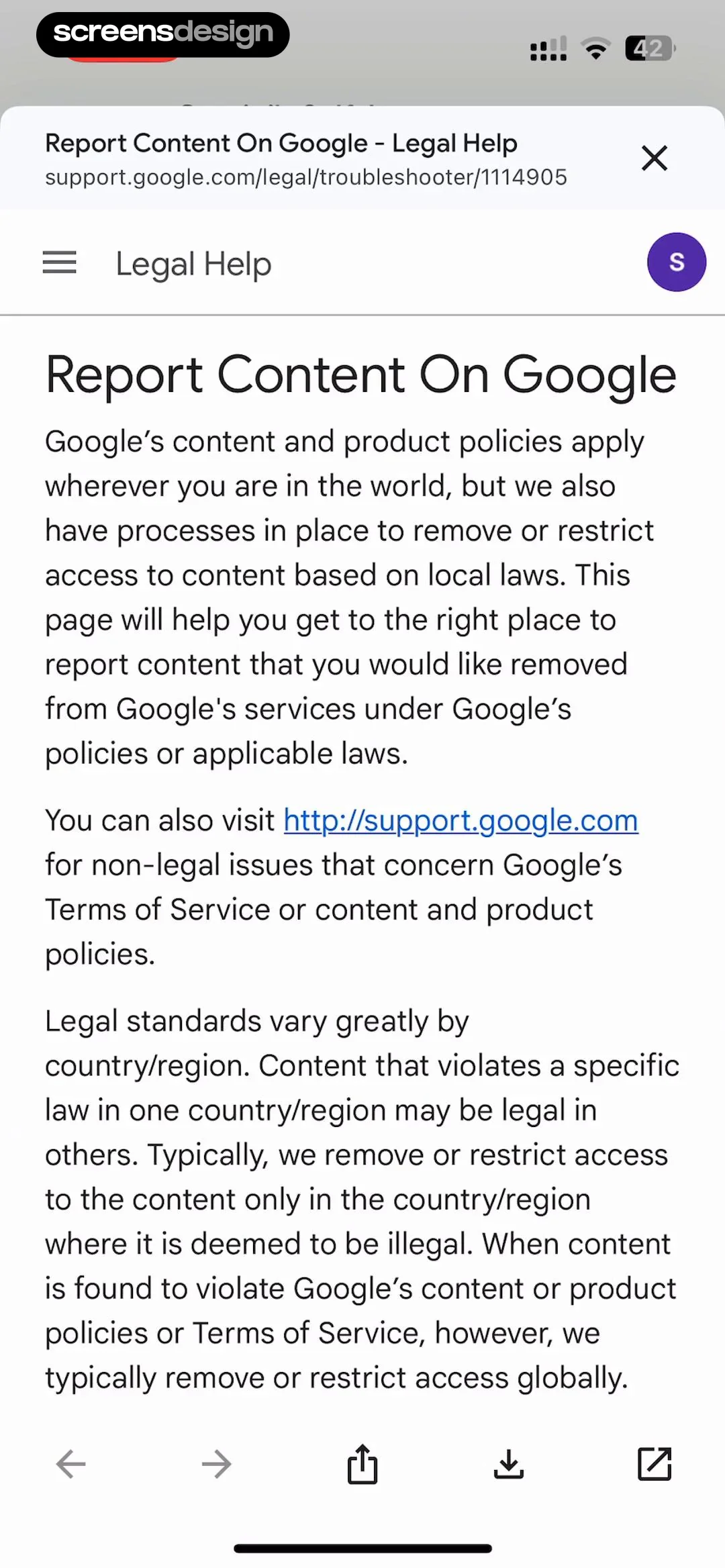
This screen displays a 'Report Content On Google' legal help page within a mobile browser or web-view interface.
 See the flow Fishbrain - Fishing App
A modal overlay is visible at the bottom, presenting two large, stacked action buttons: 'Report' in red text and 'Cancel' in blue text, indicating a content moderation or interaction menu triggered by the user.
 See the flow
  Litres: Audio
Modal window with a header, a list of selectable options, a text input area, and a bottom action button.
 See the flow ChatGPT
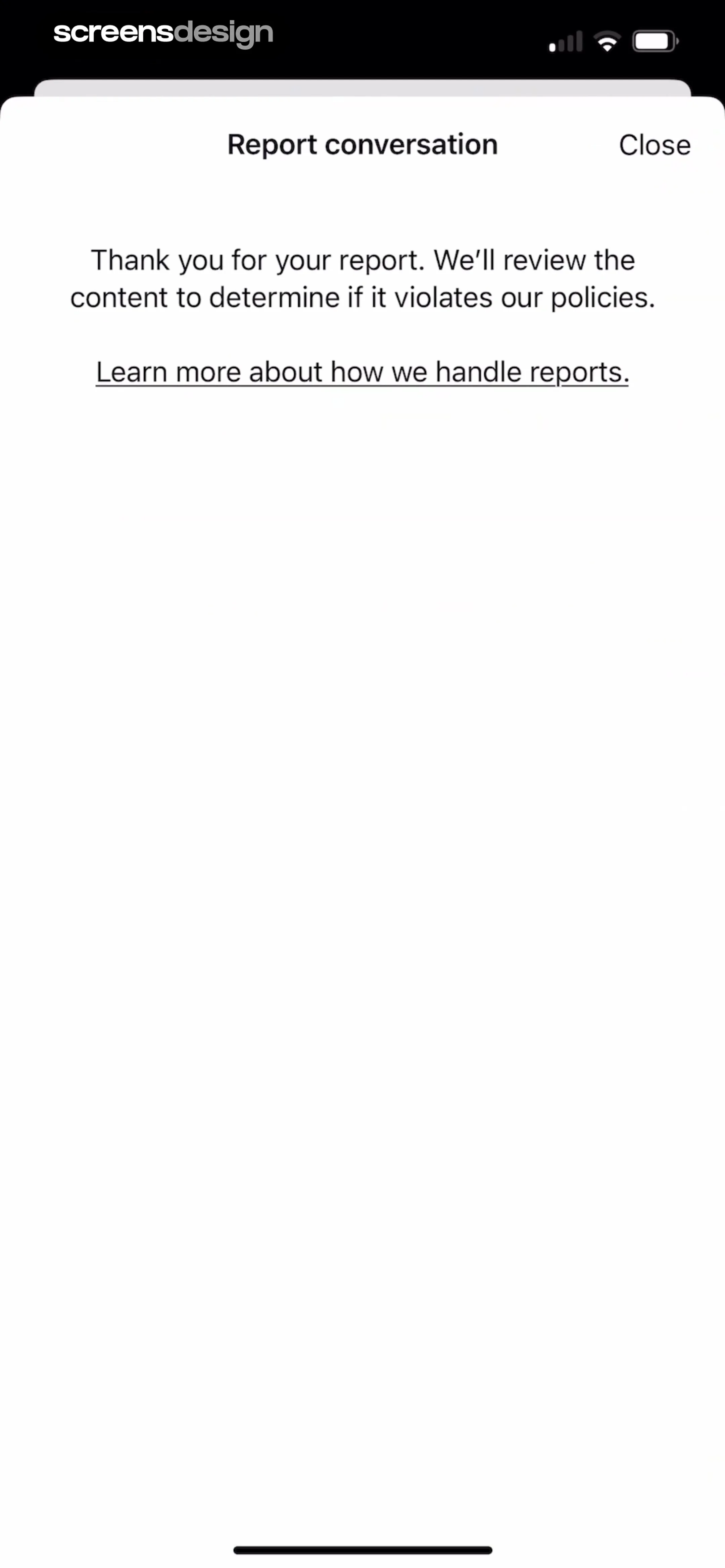
We'll review the content to determine if it violates our policies.' A link labeled 'Learn more about how we handle reports.' is positioned below the text, providing further information on the reporting process.
 See the flow
  The Guardian - US & World News
This screen displays a comment section from a news application, overlaid with a modal dialog for reporting content.
 See the flow Deezer: Music Player, Podcast
The 'MORE' section includes 'Devices', 'Connect with HomePod', 'Help', 'Report content', and 'About'.
 See the flow Zalando – Online fashion
This screen is a modal reporting interface for the Zalando app.
 See the flow Yik Yak
This screen shows a modal overlay titled 'Report Content' appearing over a social media post feed.
 See the flow
  Map My Run GPS Running Tracker
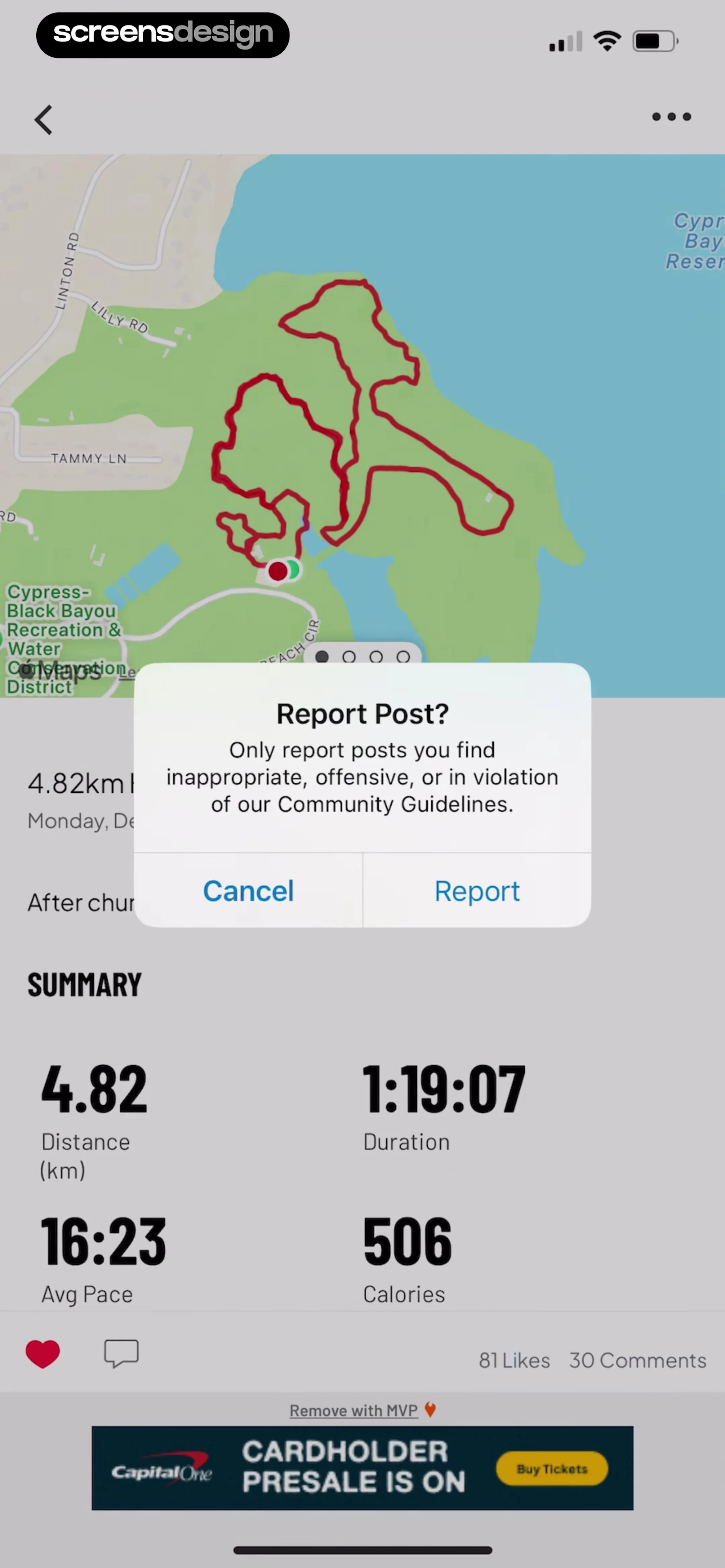
A modal dialog is centered on the screen, prompting the user to 'Report Post?' with a description explaining that reports should only be for inappropriate or offensive content, offering 'Cancel' and 'Report' buttons.


