

 See the flow
  Layout for Instagram・Inpreview
At the top, under 'APPEARANCE', users can select between 'Light' and 'Dark' themes, with the Light theme currently selected.
 See the flow
  Plane Finder ⁃ Flight Tracker
This screen is a 'Dark Mode' settings page within the Plane Finder app.
 See the flow
  Transit • Subway & Bus Times
This screen displays a modal overlay titled 'Themes and icons' within the Transit app, set against a dark-themed background.
 See the flow
  Hotels.com: Book hotels & more
This is a 'Display appearance' settings screen in the Hotels.com app.
 See the flow
  Vrbo Vacation Rentals
Below the header, there is a vertical list of three radio-button style options for theme selection: 'Auto', 'Light', and 'Dark'.
 See the flow
  SmartNews: Now in Spanish
This is a settings screen for configuring the app's appearance, specifically the 'Dark mode' settings.
 See the flow
  WebNovel - Read Novels & Manga
The second group contains 'Redeem', a 'Dark Mode' toggle (currently enabled), a 'Like Webnovel?
 See the flow
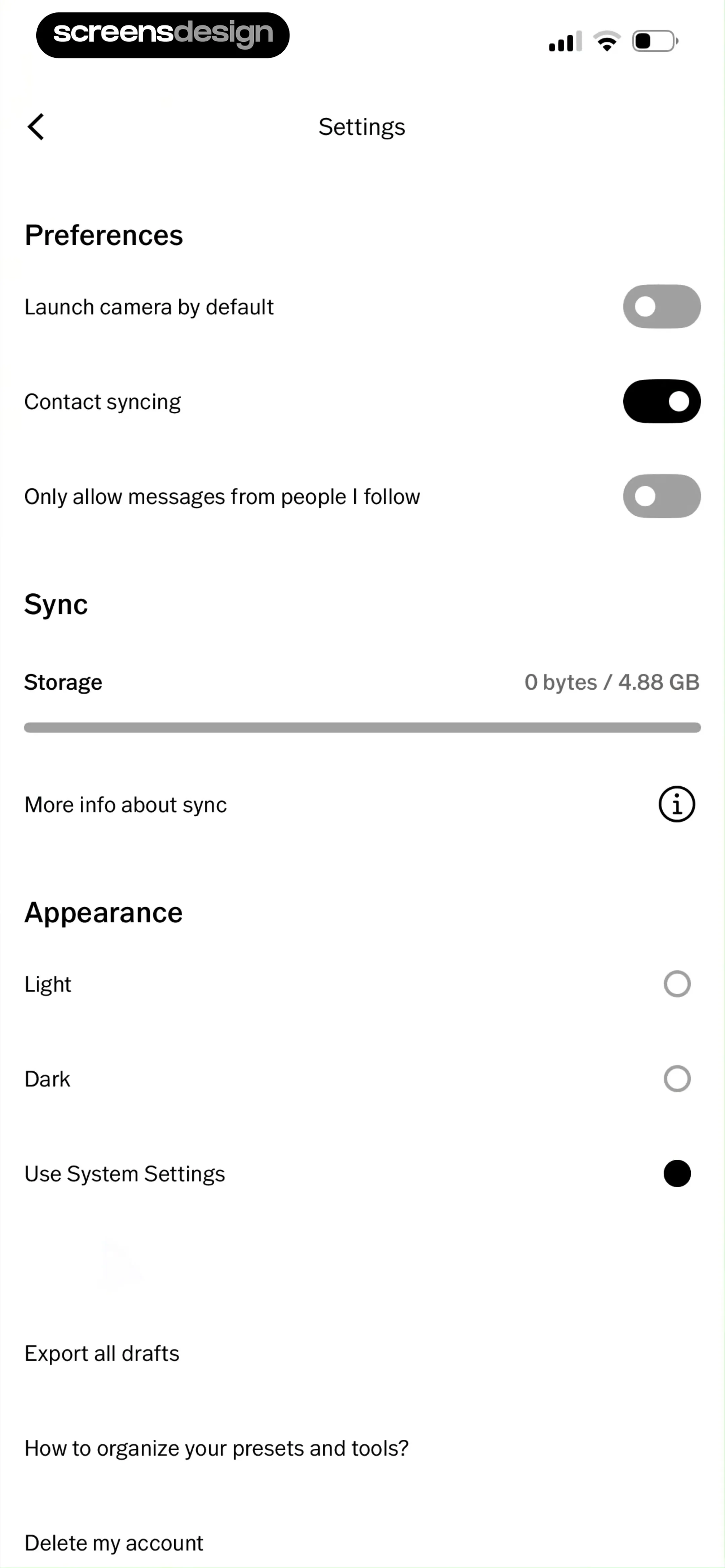
  VSCO: Photo & Video Editor
The Appearance section provides three radio-button-style options for theme selection: 'Light', 'Dark', and 'Use System Settings', with the latter currently selected.
 See the flow
  Good Food: Recipe Finder
The screen features a back button in the top left corner followed by the title 'Dark mode settings'.
 See the flow Transit • Subway & Bus Times
The modal is titled 'Appearance' and presents three selectable options: 'Light', 'Dark', and 'System appearance', followed by a 'Cancel' button at the bottom.
 See the flow
  Pick Up Limes
This screen is an 'Appearance' settings page within the Pick Up Limes app, allowing users to customize the application's visual theme.
 See the flow
  Expedia: Hotels, Flights, Cars
Below this, a section header 'Appearance' introduces a list of three radio-button style options: 'Auto', 'Light', and 'Dark'.
 See the flow
  ChatGPT
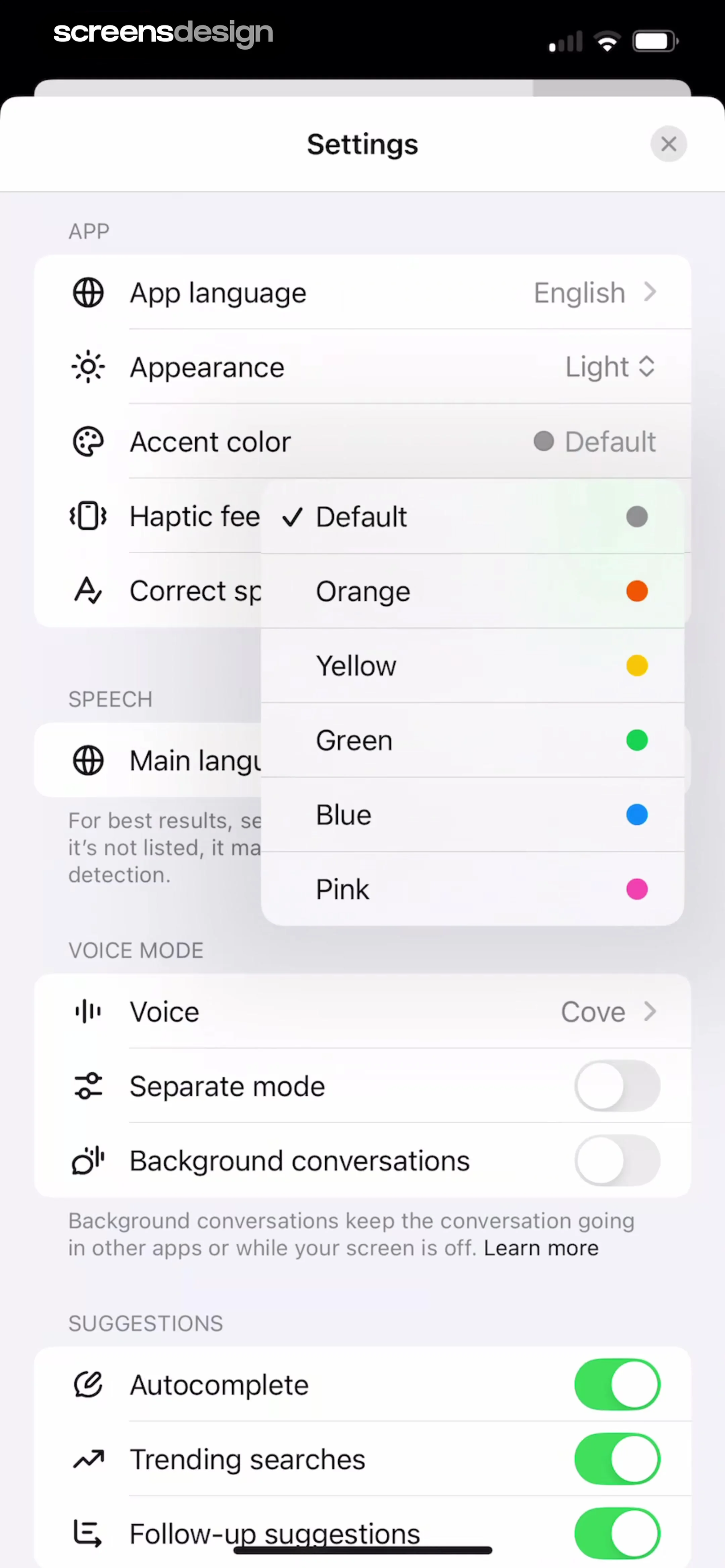
A modal window with a header, followed by grouped list items separated by section headers (APP, SPEECH, VOICE MODE, SUGGESTIONS).
 See the flow
  Gaia GPS: Mobile Trail Maps
Top navigation bar, followed by a grouped list of settings sections, ending with a bottom navigation bar.
 See the flow
  Heyyyy: Stories that text back
This is a settings screen for the Heyyyy app, featuring a dark-themed interface with a top navigation bar containing 'Profile' and 'Settings' tabs, with 'Settings' currently active.
 See the flow Gaia GPS: Mobile Trail Maps
This is the 'Appearance' settings screen within the Gaia GPS app.
 See the flow
  Voice Recorder-Audio Memos Арр
Below the style section is a 'THEME' section presented as a list of three options: 'System', 'Light', and 'Dark'.
 See the flow
  Litres: Audio
A vertical list of settings grouped by category, with a bottom navigation bar.
 See the flow
  Hypelist: Create & Share Lists
This screen is an 'Appearance' settings page within the Hypelist app, allowing users to customize the app's visual theme and icon.
 See the flow
  EveryDollar: Budget Management
The second card allows users to toggle the 'App Theme' between 'Light', 'Dark', and 'System'.


