screensdesign

Mobile math solving flow examples

Nerd AI - Math Problem Solver: Solving a Math Problem

Open recorded flow
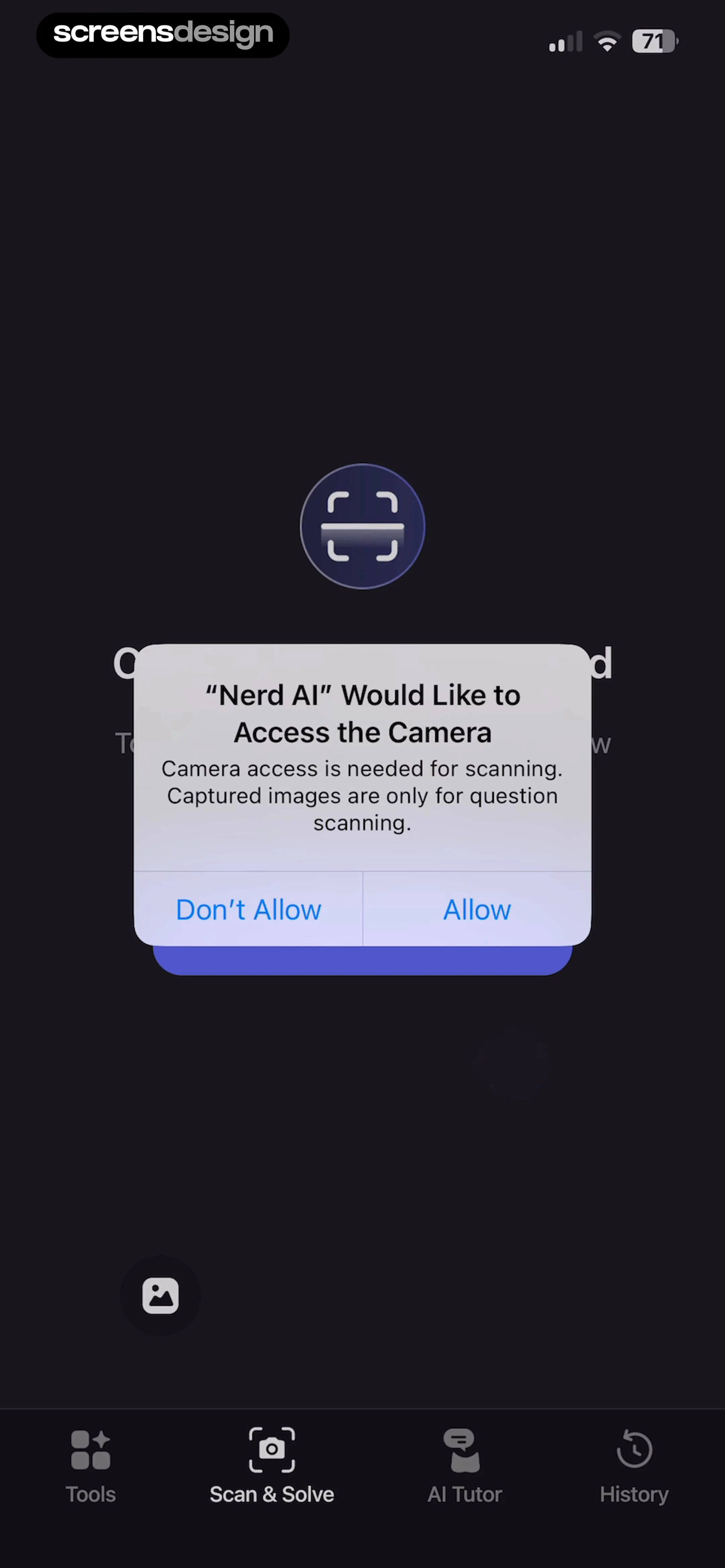
  1. Step 1 · 0:55

    Nerd AI - Math Problem Solver: A centered system permission modal sits over a dark background with a bottom navigation bar.See the flow
    Nerd AI - Math Problem Solver

    A centered system permission modal sits over a dark background with a bottom navigation bar.

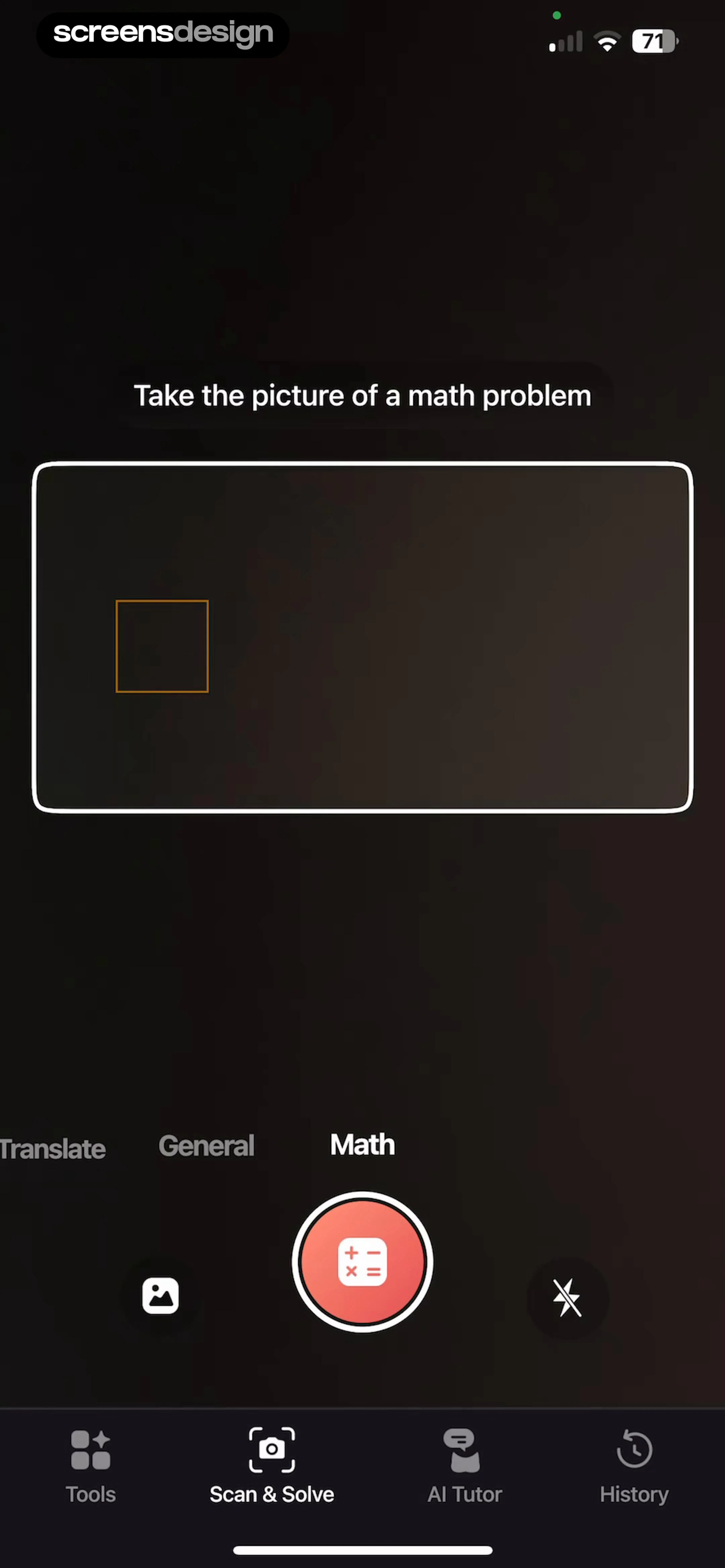
  2. Step 2 · 0:57

    Nerd AI - Math Problem Solver: Top instruction text, central camera viewfinder, mode selector, shutter controls, and bottom navigation bar.See the flow
    Nerd AI - Math Problem Solver

    Top instruction text, central camera viewfinder, mode selector, shutter controls, and bottom navigation bar.

  3. Step 3 · 0:59

    Nerd AI - Math Problem Solver: A centered system permission modal sits on top of a camera-based scanning interface with a bottom navigation bar.See the flow
    Nerd AI - Math Problem Solver

    A centered system permission modal sits on top of a camera-based scanning interface with a bottom navigation bar.

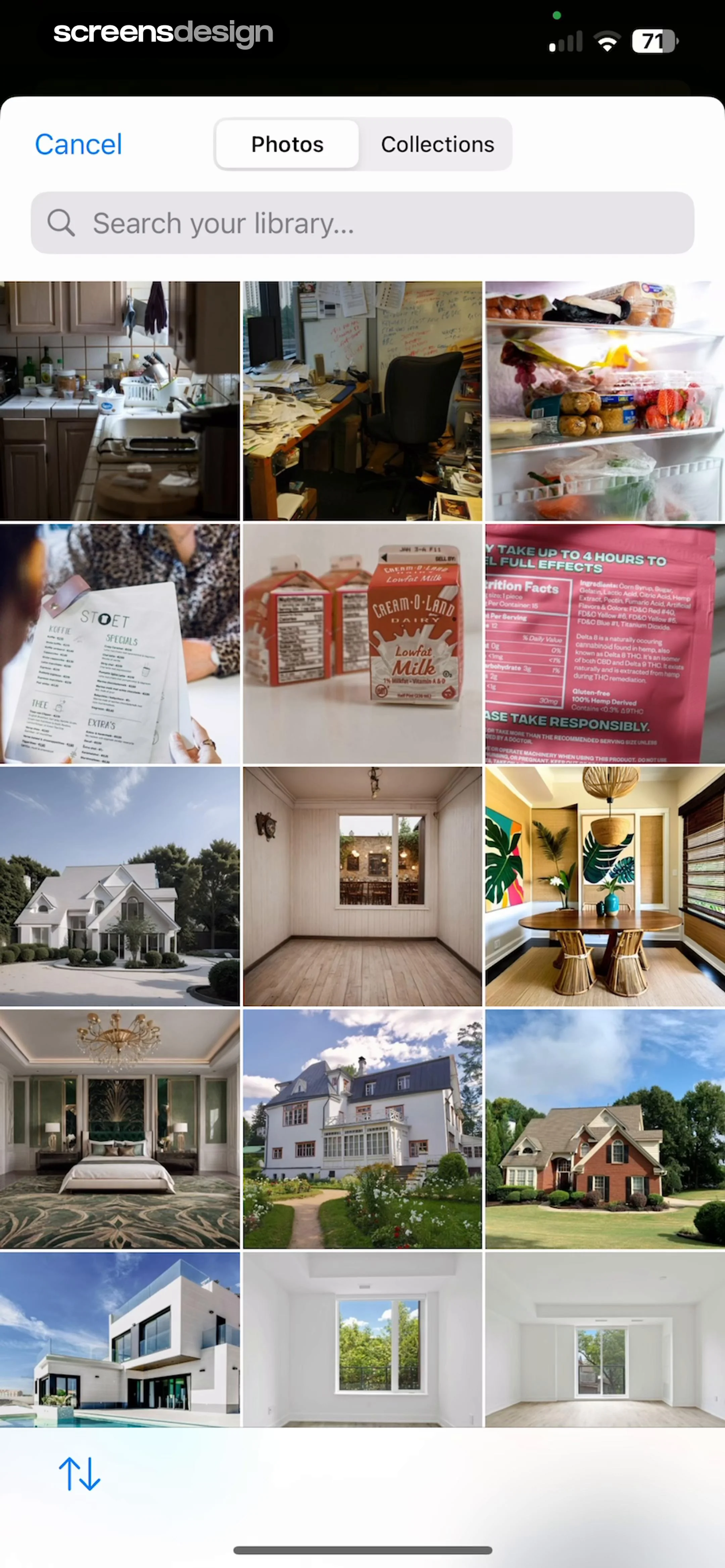
  4. Step 4 · 1:03

    Nerd AI - Math Problem Solver: Top navigation bar with cancel and tabs, followed by a search bar, and a large grid of image thumbnails filling the screen.See the flow
    Nerd AI - Math Problem Solver

    Top navigation bar with cancel and tabs, followed by a search bar, and a large grid of image thumbnails filling the screen.

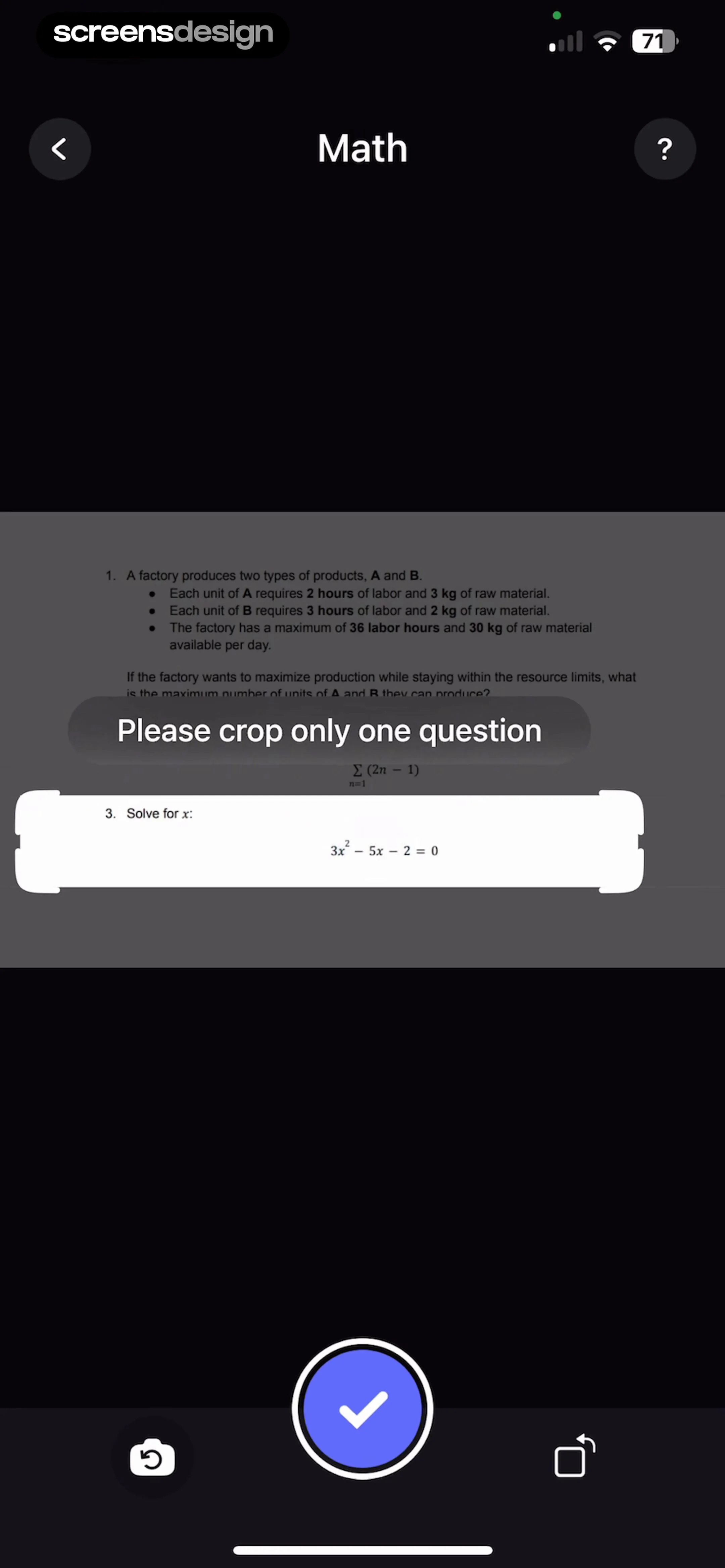
  5. Step 5 · 1:25

    Nerd AI - Math Problem Solver: Top navigation bar, central image area with crop overlay, bottom action bar.See the flow
    Nerd AI - Math Problem Solver

    Top navigation bar, central image area with crop overlay, bottom action bar.

  6. Step 6 · 1:34

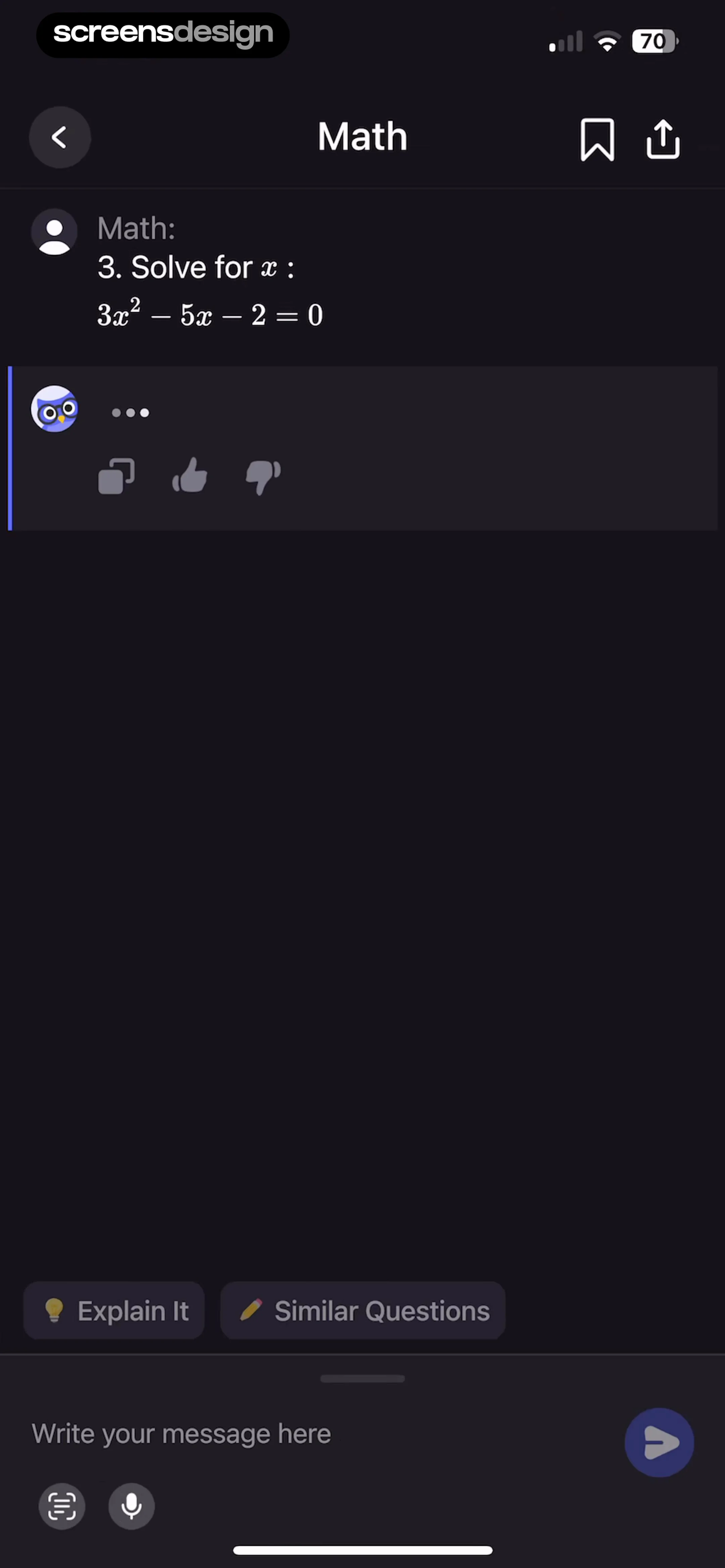
    Nerd AI - Math Problem Solver: Top navigation bar, central chat area with message bubbles, bottom suggestion chips, and a fixed bottom input bar.See the flow
    Nerd AI - Math Problem Solver

    Top navigation bar, central chat area with message bubbles, bottom suggestion chips, and a fixed bottom input bar.

  7. Step 7 · 2:08

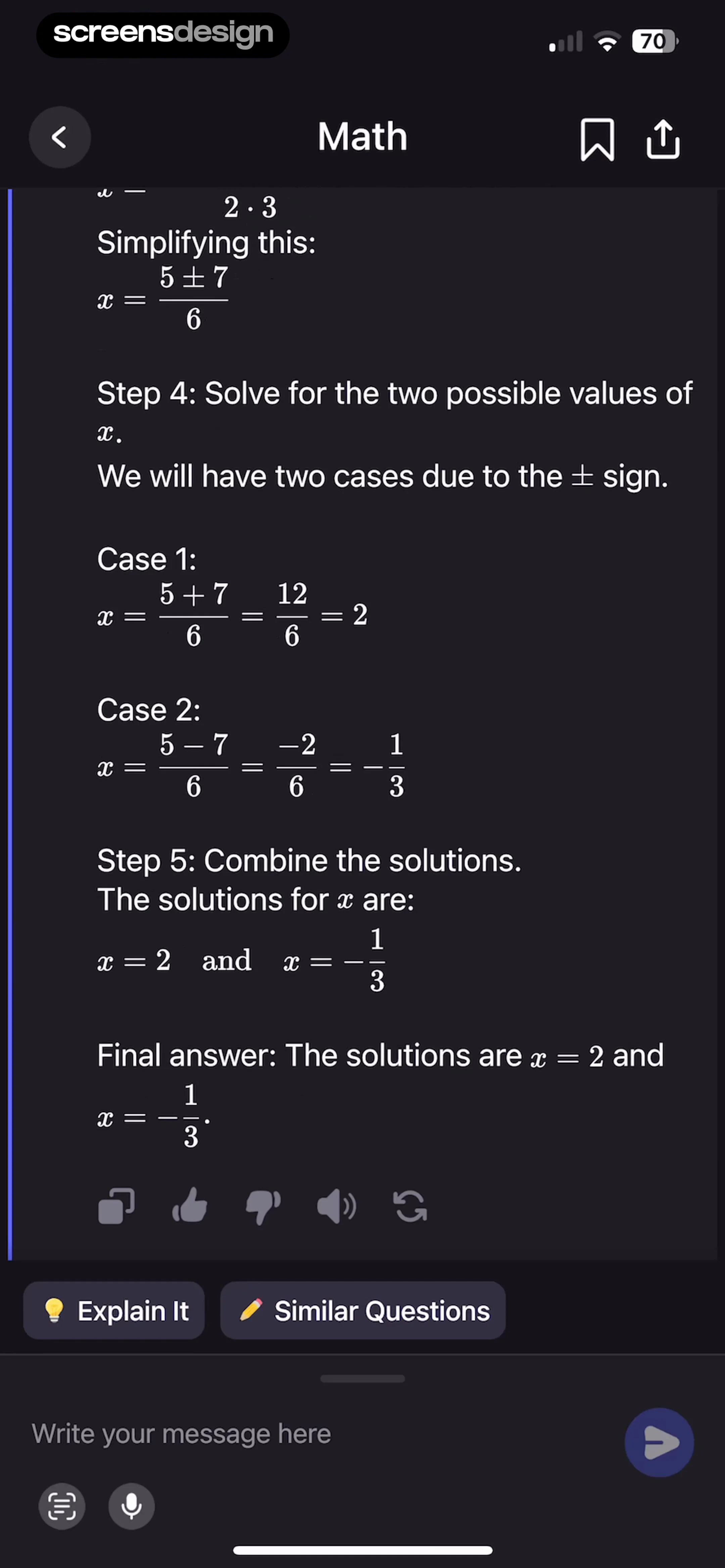
    Nerd AI - Math Problem Solver: Top navigation bar, central scrollable content area with math steps, horizontal row of suggestion chips, and bottom fixed input bar.See the flow
    Nerd AI - Math Problem Solver

    Top navigation bar, central scrollable content area with math steps, horizontal row of suggestion chips, and bottom fixed input bar.

Calculator₊: Using Photo Solver

Open recorded flow
  1. Step 1 · 1:21

    Calculator₊: Centered content with a top-right close button and a bottom-aligned primary action button.See the flow
    Calculator₊

    Centered content with a top-right close button and a bottom-aligned primary action button.

  2. Step 2 · 1:22

    Calculator₊: A centered modal dialog box containing an icon, title, description, and two action buttons, with a secondary 'Open settings' button positioned at the bottom of the screen.See the flow
    Calculator₊

    A centered modal dialog box containing an icon, title, description, and two action buttons, with a secondary 'Open settings' button positioned at the bottom of the screen.

  3. Step 3 · 1:27

    Calculator₊: Top close button, central camera frame with instructional text, bottom control panel with shutter and secondary buttons, and a bottom navigation bar.See the flow
    Calculator₊

    Top close button, central camera frame with instructional text, bottom control panel with shutter and secondary buttons, and a bottom navigation bar.

  4. Step 4 · 1:42

    Calculator₊: A modal sheet with a header containing a title and a close button, followed by a large empty white space with a centered icon.See the flow
    Calculator₊

    A modal sheet with a header containing a title and a close button, followed by a large empty white space with a centered icon.

  5. Step 5 · 1:47

    Calculator₊: Top navigation bar followed by a vertical list of solution step cards, ending with a large primary action button at the bottom.See the flow
    Calculator₊

    Top navigation bar followed by a vertical list of solution step cards, ending with a large primary action button at the bottom.

Calculator₊: Using Sketch Solver

Open recorded flow
  1. Step 1 · 2:48

    Calculator₊: Top navigation bar, central drawing canvas with instructional text, and a bottom toolbar for drawing tools.See the flow
    Calculator₊

    Top navigation bar, central drawing canvas with instructional text, and a bottom toolbar for drawing tools.

  2. Step 2 · 2:57

    Calculator₊: Top navigation bar, central canvas area with instructional overlay, large primary action button at the bottom, and a bottom toolbar for drawing tools.See the flow
    Calculator₊

    Top navigation bar, central canvas area with instructional overlay, large primary action button at the bottom, and a bottom toolbar for drawing tools.

  3. Step 3 · 3:19

    Calculator₊: Top navigation bar, large central grid canvas for handwriting, bottom floating toolbar with drawing tools and a primary action button.See the flow
    Calculator₊

    Top navigation bar, large central grid canvas for handwriting, bottom floating toolbar with drawing tools and a primary action button.

  4. Step 4 · 3:21

    Calculator₊: Top navigation bar, central drawing area with grid background, and a bottom floating toolbar with tool selection and submission controls.See the flow
    Calculator₊

    Top navigation bar, central drawing area with grid background, and a bottom floating toolbar with tool selection and submission controls.

  5. Step 5 · 3:25

    Calculator₊: Top navigation bar, central drawing canvas with handwritten text, bottom floating toolbar with eraser selection modal.See the flow
    Calculator₊

    Top navigation bar, central drawing canvas with handwritten text, bottom floating toolbar with eraser selection modal.

  6. Step 6 · 3:30

    Calculator₊: Top navigation bar, large central drawing canvas with grid, bottom primary action button, and a bottom toolbar with drawing tools.See the flow
    Calculator₊

    Top navigation bar, large central drawing canvas with grid, bottom primary action button, and a bottom toolbar with drawing tools.

  7. Step 7 · 3:47

    Calculator₊: Top navigation bar followed by a centered modal window containing tabs, sliders, and a color palette.See the flow
    Calculator₊

    Top navigation bar followed by a centered modal window containing tabs, sliders, and a color palette.

  8. Step 8 · 4:10

    Calculator₊: Top navigation bar, central drawing canvas, bottom primary action button, and a bottom toolbar for drawing tools.See the flow
    Calculator₊

    Top navigation bar, central drawing canvas, bottom primary action button, and a bottom toolbar for drawing tools.

Found an example you like?See the whole story.