Purchase success screens
10 Subscription Purchase Success Screen Examples
A subscriber needs proof that payment or trial activation worked, a summary of the plan, and a direct route into the value they bought.
A checkout sheet reporting success does not guarantee that the app has received and verified entitlement. The product success state must handle purchase, trial, lifetime unlock, plan change, and delayed verification distinctly. Celebration is optional; correct access and a clear next action are not.
This article examines ten recorded mobile screens from ten product moments. They cover the visible states, actions, commercial details, and recovery paths that shape purchase success screens. Each example is linked to the exact recorded screen so designers can inspect the surrounding product context rather than treating a cropped image as a complete flow.
The examples reveal what the interfaces display, not why a team selected the pattern or whether it improved conversion, retention, revenue, or satisfaction. Use them to sharpen a product hypothesis, then validate the complete state model with billing data, entitlement tests, support evidence, and research with users.
01. Say what succeeded
Say what succeeded.
The confirmation should identify the plan or product, not just say all set.
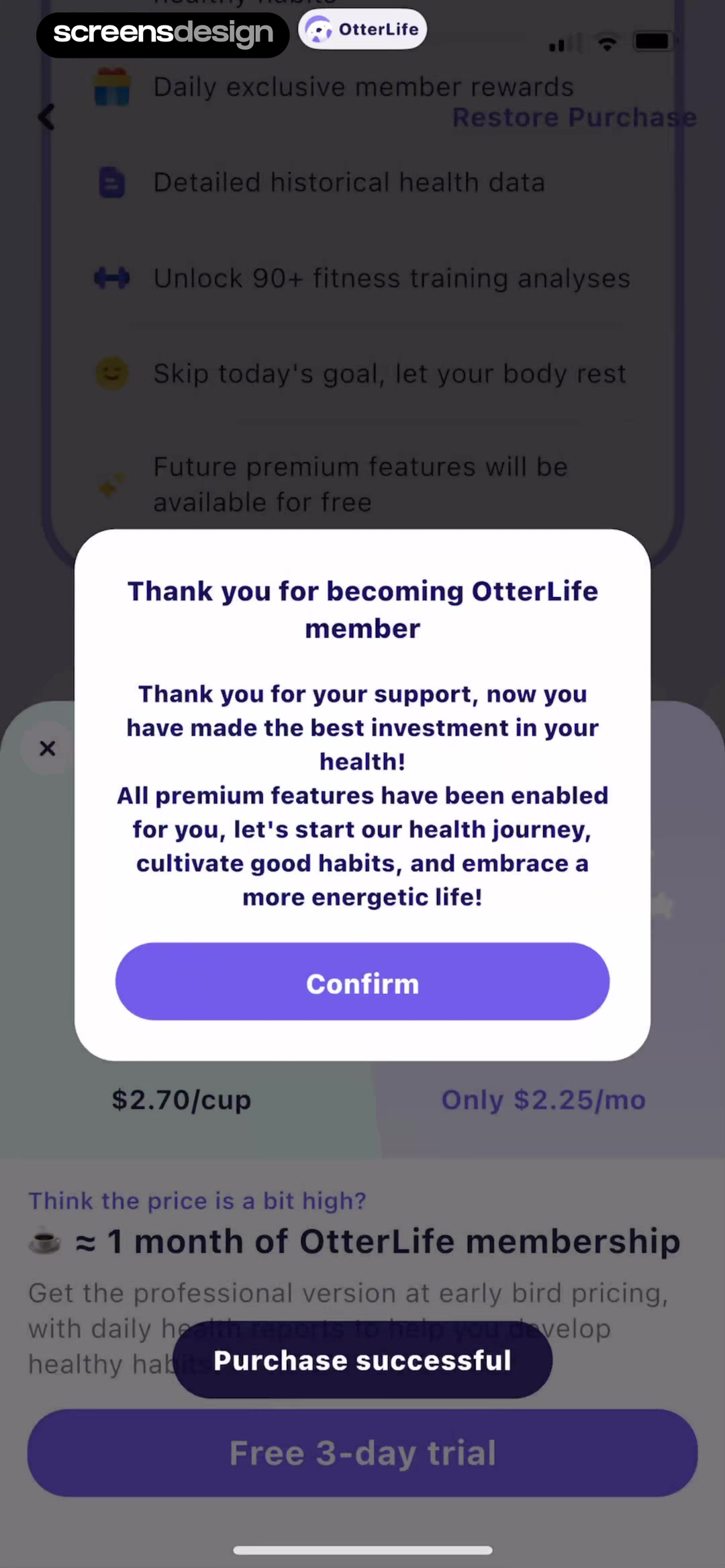
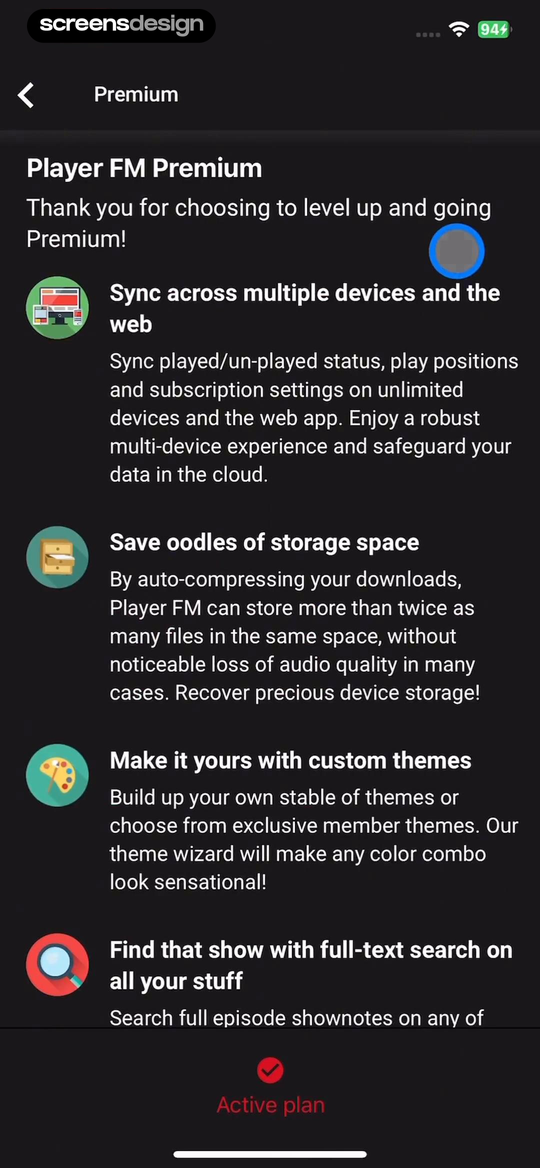
In OtterLife: AI Health Tracker, the interface names "Thank you for becoming OtterLife member" and "Restore Purchase". Player FM , Podcast App pairs "Player FM Premium" with "Thank you for choosing to level up and going Premium!". Together, the two recorded screens make say what succeeded concrete: The confirmation should identify the plan or product, not just say all set. The comparison is useful as interface evidence, but it does not show which product converted, retained, or satisfied more users.
Name whether a subscription, free trial, lifetime unlock, or upgrade became active and associate it with the signed-in account where confusion is possible. Put the account fact before persuasive language, keep the primary action tied to the user's current job, and show a safe route out. When a price, date, allowance, or entitlement is involved, it should come from the same verified source that enforces the product behavior.
Test multiple accounts, family purchases, pending approval, and completion on another device. Write loading, empty, pending, success, failure, and stale-state copy before polishing the ideal screen. Preserve user input and navigation across external checkout or account management, then refresh the interface without requiring a restart.
02. Summarize the commercial result
Summarize the commercial result.
Plan, charge, trial, renewal, and next billing date deserve a concise receipt.
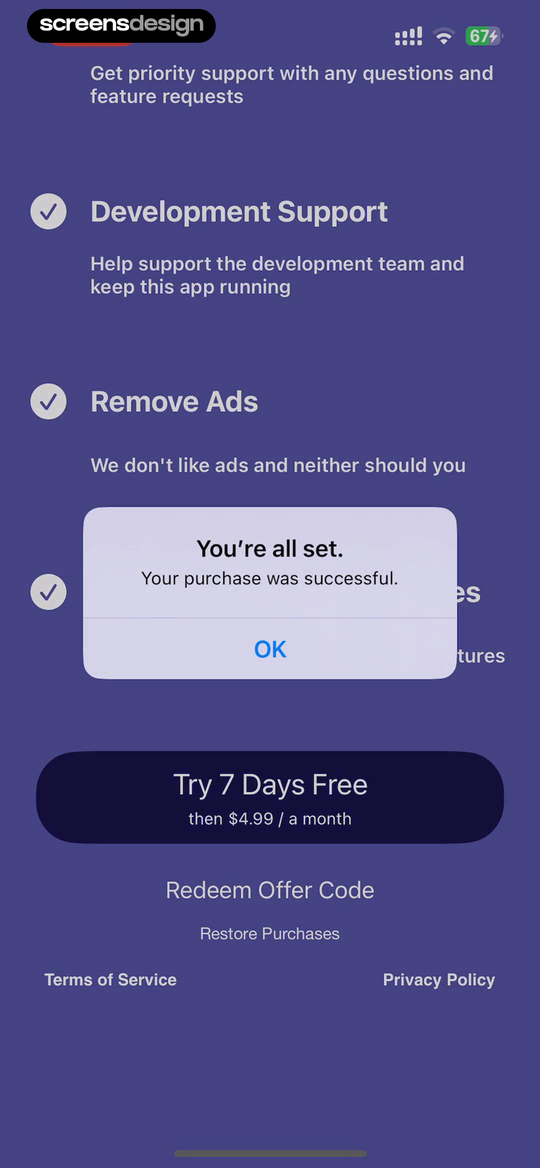
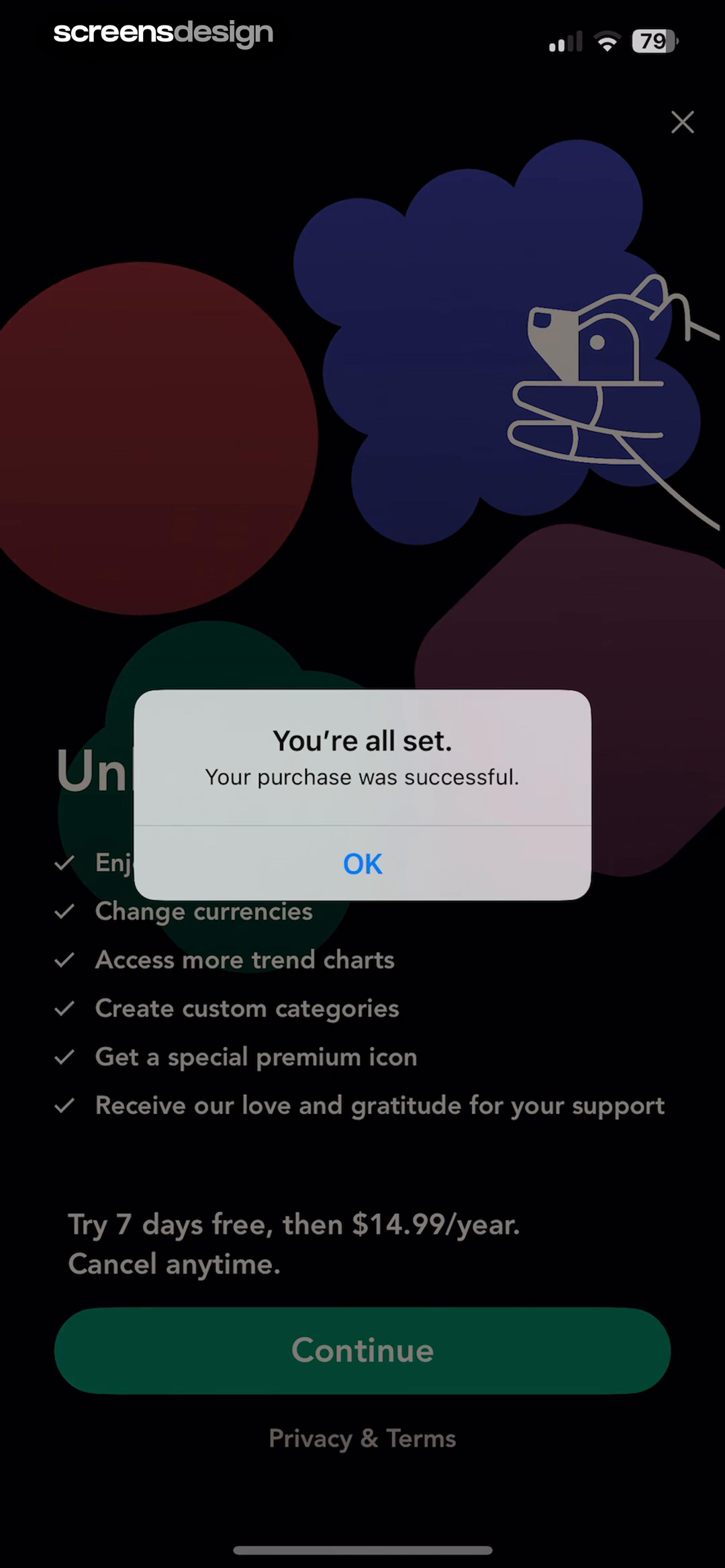
In TBR - Bookshelf, the interface names "Get priority support with any questions and feature requests" and "Development Support". bless. minimal shopping habits pairs "You're all set" with "Your purchase was successful". Together, the two recorded screens make summarize the commercial result concrete: Plan, charge, trial, renewal, and next billing date deserve a concise receipt. The comparison is useful as interface evidence, but it does not show which product converted, retained, or satisfied more users.
Show the facts available from the verified catalog and billing provider, with a route to the full receipt and management. Do not invent a tax-inclusive amount the store has not supplied. Put the account fact before persuasive language, keep the primary action tied to the user's current job, and show a safe route out. When a price, date, allowance, or entitlement is involved, it should come from the same verified source that enforces the product behavior.
Handle introductory pricing, prorated upgrades, delayed receipts, and canceled-but-active access. Write loading, empty, pending, success, failure, and stale-state copy before polishing the ideal screen. Preserve user input and navigation across external checkout or account management, then refresh the interface without requiring a restart.
03. Reassure with relevant benefits
Reassure with relevant benefits.
A short recap can confirm the subscriber chose the expected entitlement.
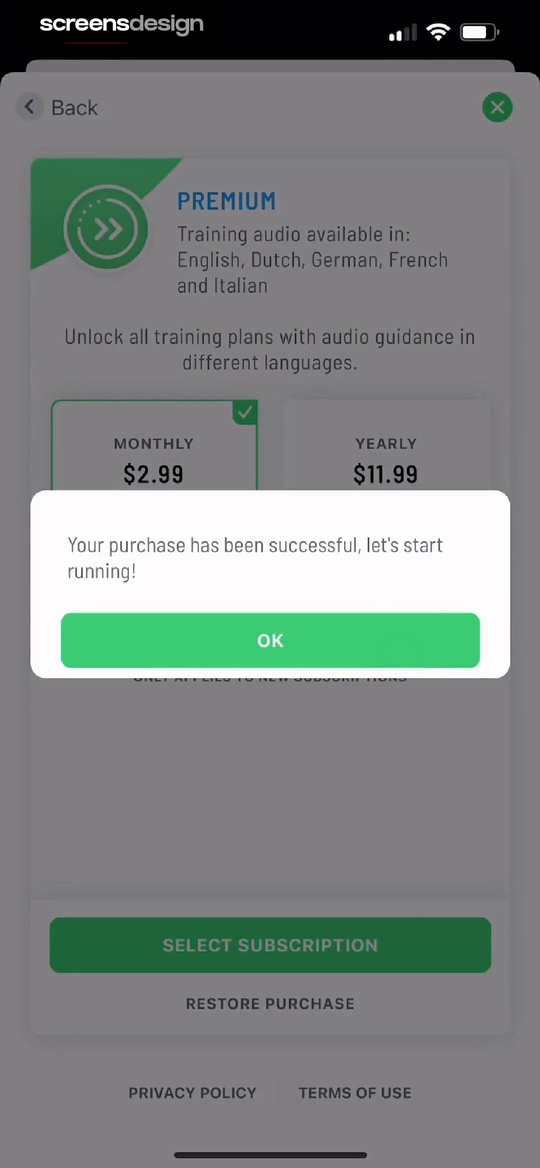
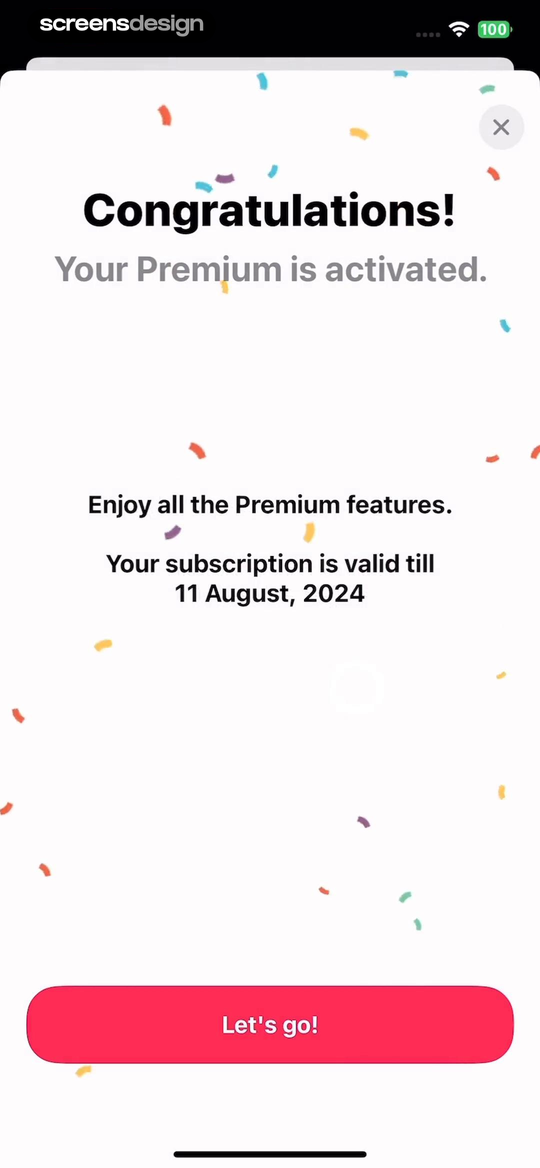
In Start 2 Run, the interface names "Training audio available in:" and "English, Dutch, German, French and Italian". Reels Templates & Maker pairs "Your Premium is activated" with "Enjoy all the Premium features". Together, the two recorded screens make reassure with relevant benefits concrete: A short recap can confirm the subscriber chose the expected entitlement. The comparison is useful as interface evidence, but it does not show which product converted, retained, or satisfied more users.
Use two or three concrete capabilities tied to the selected plan. Avoid restarting the entire sales pitch or making unsubstantiated outcome claims. Put the account fact before persuasive language, keep the primary action tied to the user's current job, and show a safe route out. When a price, date, allowance, or entitlement is involved, it should come from the same verified source that enforces the product behavior.
If capabilities are region, role, or device dependent, reflect the actual account entitlement. Write loading, empty, pending, success, failure, and stale-state copy before polishing the ideal screen. Preserve user input and navigation across external checkout or account management, then refresh the interface without requiring a restart.
04. Move into first paid value
Move into first paid value.
The primary button should start or resume the useful task.
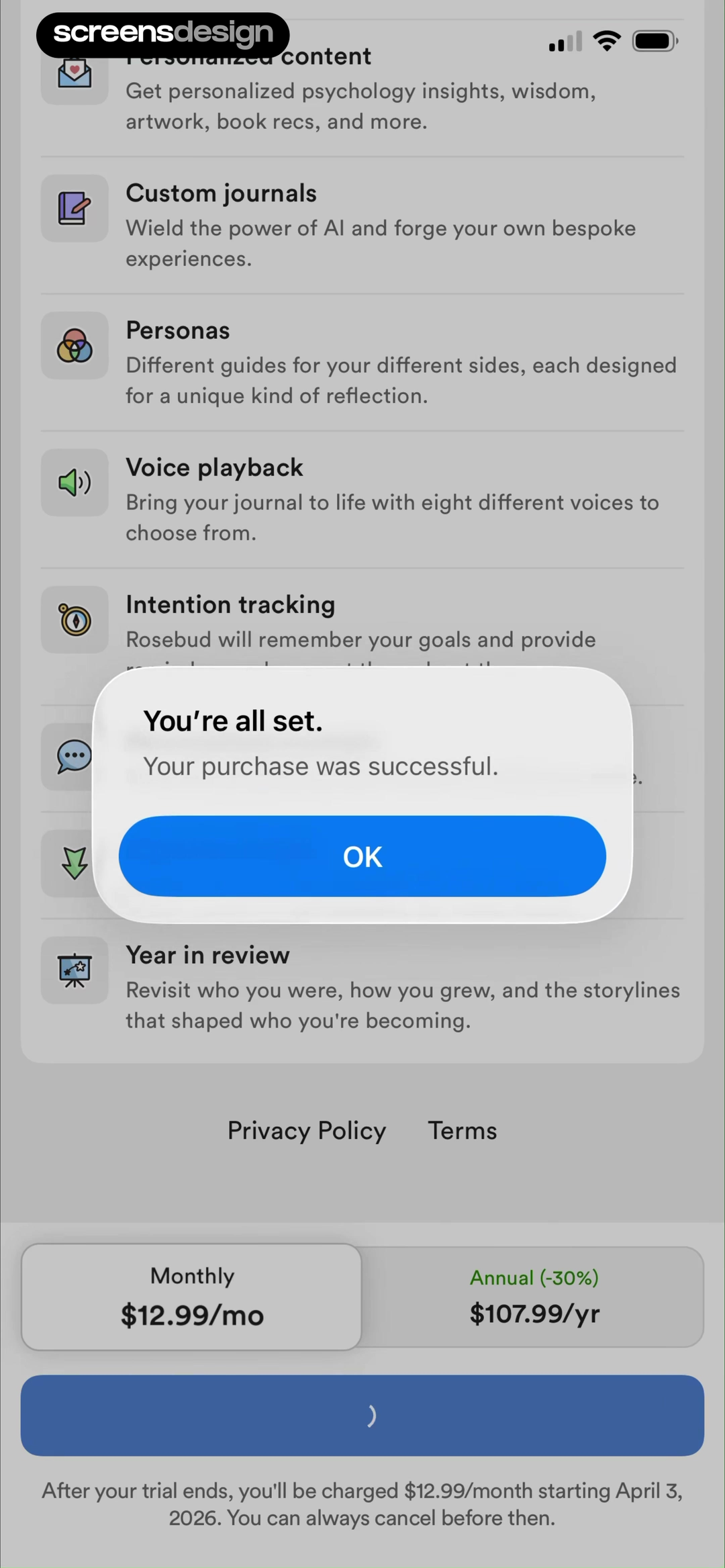
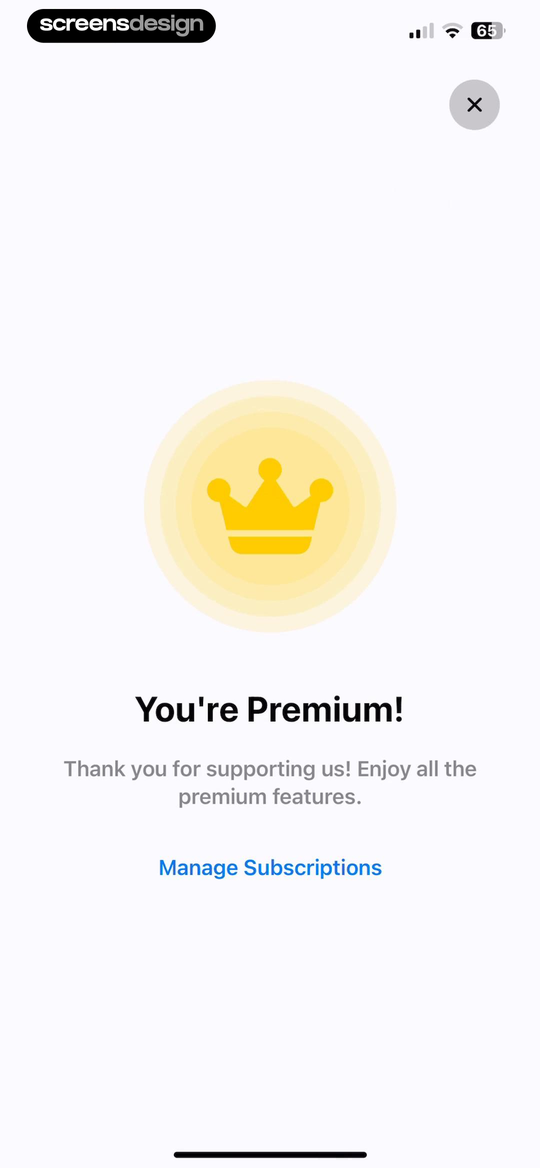
In Rosebud: AI Journal & Diary, the interface names "Personalized content" and "Custom journals". Quitzilla: Quit Tracker pairs "You're Premium!" with "Thank you for supporting us! Enjoy all the premium features". Together, the two recorded screens make move into first paid value concrete: The primary button should start or resume the useful task. The comparison is useful as interface evidence, but it does not show which product converted, retained, or satisfied more users.
Open the saved project, selected content, export, class, plan, or premium setting. A generic OK button is acceptable only when the underlying screen already contains the next action. Put the account fact before persuasive language, keep the primary action tied to the user's current job, and show a safe route out. When a price, date, allowance, or entitlement is involved, it should come from the same verified source that enforces the product behavior.
Preserve focus, input, and navigation through external checkout. Write loading, empty, pending, success, failure, and stale-state copy before polishing the ideal screen. Preserve user input and navigation across external checkout or account management, then refresh the interface without requiring a restart.
05. Provide a recovery route
Provide a recovery route.
Success can coexist with delayed or missing access.
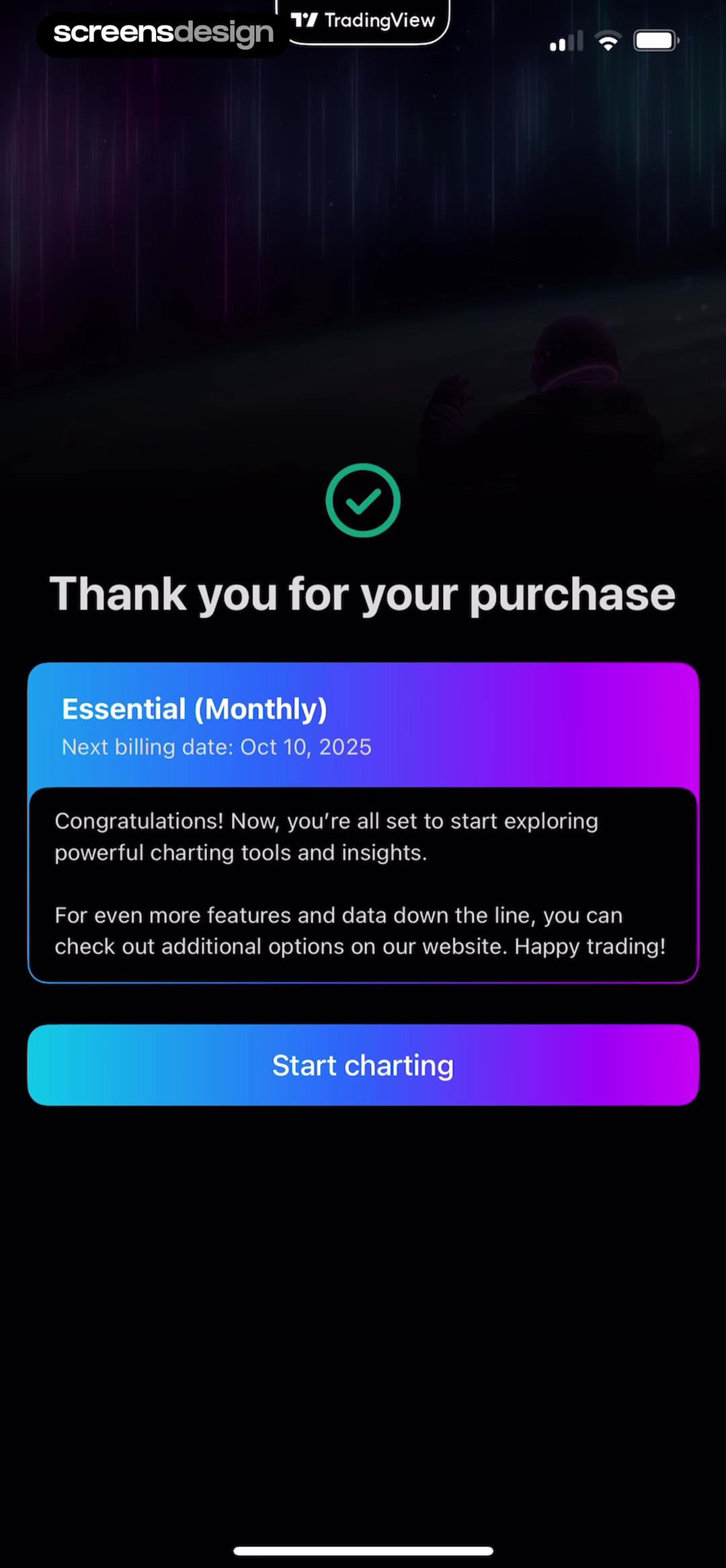
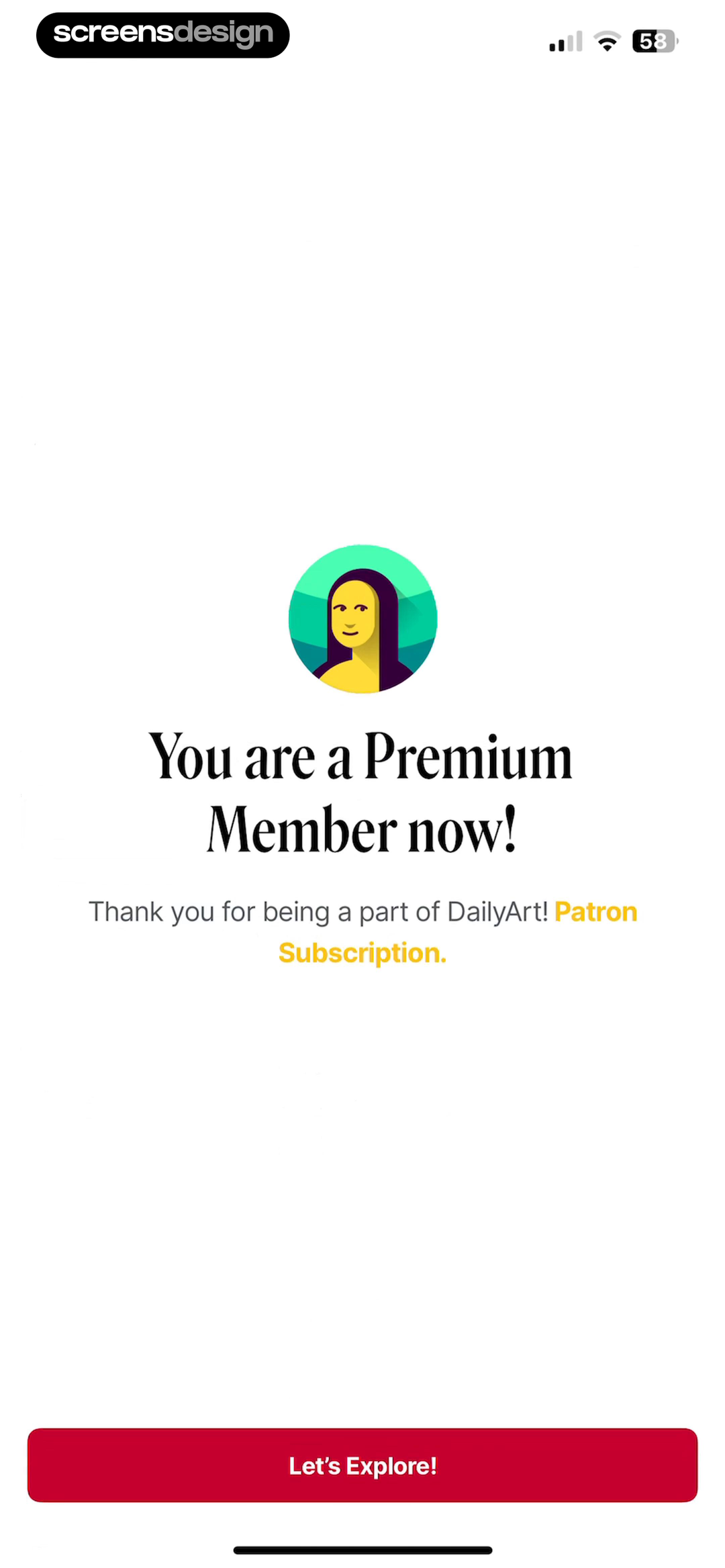
In TradingView: Track All Markets, the interface names "Thank you for your purchase" and "Essential (Monthly)". DailyArt pairs "You are a Premium Member now!" with "Thank you for being a part of DailyArt!". Together, the two recorded screens make provide a recovery route concrete: Success can coexist with delayed or missing access. The comparison is useful as interface evidence, but it does not show which product converted, retained, or satisfied more users.
If verification is pending, say so and retry safely. Keep restore, receipt, manage subscription, and support available without forcing another purchase. Put the account fact before persuasive language, keep the primary action tied to the user's current job, and show a safe route out. When a price, date, allowance, or entitlement is involved, it should come from the same verified source that enforces the product behavior.
Log provider and entitlement identifiers for support while keeping technical detail out of public error copy. Write loading, empty, pending, success, failure, and stale-state copy before polishing the ideal screen. Preserve user input and navigation across external checkout or account management, then refresh the interface without requiring a restart.
Implementation
Build the interface from account and entitlement truth.
The visual state is reliable only when billing, account identity, product rules, and recovery behavior agree.
Treat provider payment, server verification, and feature entitlement as separate events. Build a state machine that can display processing after the store closes, retries verification idempotently, and promotes to success only for the expected account and product.
Persist the checkout origin and selected offer before leaving the app. On entitlement activation, invalidate caches, update account state, and return to the intended task. Protect against duplicate callbacks and avoid repeating an expensive action automatically.
Render the summary from verified plan metadata: display name, purchase type, billing period, trial status, next event, and management owner. If a field is unavailable, omit it or link to the receipt rather than guessing.
Send a transaction confirmation through the appropriate channel with the same account and plan facts. Keep accessibility focus on the status heading and make animations optional.
- Document every account, billing, entitlement, and transition state before implementation.
- Keep prices, dates, limits, products, and available actions sourced from verified data.
- Preserve the initiating task through checkout, restore, external management, and failure.
- Use idempotent purchase and entitlement updates so retries cannot duplicate value.
- Provide accessible status, focus management, error copy, and a safe exit.
Measurement
Measure whether people recover the task, not only whether they pay.
Commercial events need product-completion and trust guardrails.
Track provider success, verification pending, entitlement active, confirmation view, next-action click, first paid task completion, receipt open, management open, restore, and support. Use a shared transaction identifier for operational analysis without exposing it in UI.
Watch verification latency, paid-without-access incidents, duplicate charges, confirmation loops, abandoned success screens, refunds, and first paid value. Optimize checkout conversion together with this fulfillment quality.
Use usability testing to confirm that people know what they bought and where to go next. The examples show presentation patterns, not evidence that a celebratory message changes retention.
Review checklist
Review the complete state before shipping.
Test the screen with new, active, trialing, pending, canceled, expired, restored, offline, and wrong-account fixtures where they apply. Exercise every external handoff and return path with slow callbacks and interrupted network access.
Compare the rendered copy with the billing catalog and entitlement service. Then repeat the task with VoiceOver or TalkBack, larger text, reduced motion, localized prices and dates, narrow screens, and a user who dismisses the offer.
- The exact product and purchase type are named.
- Success follows verified entitlement.
- Plan, charge or trial, renewal, and next event are clear.
- Benefits match the actual entitlement.
- The primary action enters first paid value.
- Receipt, manage, restore, and support are reachable.
- Pending, duplicate, offline, and wrong-account cases are tested.
Questions and answers
Purchase success screens questions
What should a subscription success screen include?
Name the active product, summarize billing or trial facts, confirm key entitlement, provide the next useful action, and link to management, receipt, restore, or support.
Is the App Store success callback enough?
No. Verify the transaction and activate entitlement for the correct account before presenting final product success.
Should success screens include an upsell?
Usually no. Fulfill the purchase and move into paid value before introducing another commercial decision.
What if payment succeeded but access is missing?
Show verification pending, retry idempotently, preserve the transaction context, and offer support without asking the user to pay again.
How should purchase success be measured?
Measure verified access and first paid task completion beside provider success, activation latency, refunds, duplicate charges, and support incidents.
Apps referenced in this page
Open the products behind the examples.
 OtterLife: AI Health TrackerCalorie Counter,Sleep& Fitness
 Player FM , Podcast AppBest Offline Podcast Player
 TBR - BookshelfBook Tracker, Reading List
 bless. minimal shopping habitswishlist & budget planner
 Start 2 RunThe running app for everyone.
 Reels Templates & MakerAI Video, Beat Sync & Collage
 Rosebud: AI Journal & DiaryDaily Self-Care & Habits
 Quitzilla: Quit TrackerAddiction & bad habit breaker
 TradingView: Track All MarketsFrom stocks to crypto
 DailyArtDaily Dose of Art History
2,715 apps in the top charts.Ask them anything.
Search real app flows, compare the screens around each decision, and turn stronger references into your own product.