Contextual mobile upsells
10 Mobile App Upsell Screen Examples That Keep the Task in Context
The strongest upgrade moment connects one user intention to one paid capability and leaves a safe path back.
An upsell is not simply a smaller paywall. It appears inside an existing task, so the interface must preserve context: what the user tried to do, which capability is paid, what the plan adds, what it costs, and what happens if the offer is declined.
This review uses ten exact recorded screens from ten apps. The examples include profile upgrades, benefit-led offers, contextual feature prompts, progress-based rewards, testimonial-led plans, and post-purchase education. They show presentation choices, not measured conversion.
For full-screen pricing structures, use the 2026 mobile app paywall examples.
01. Entry context
Carry the user's intent into the upgrade screen.
The offer should answer why it appeared now.
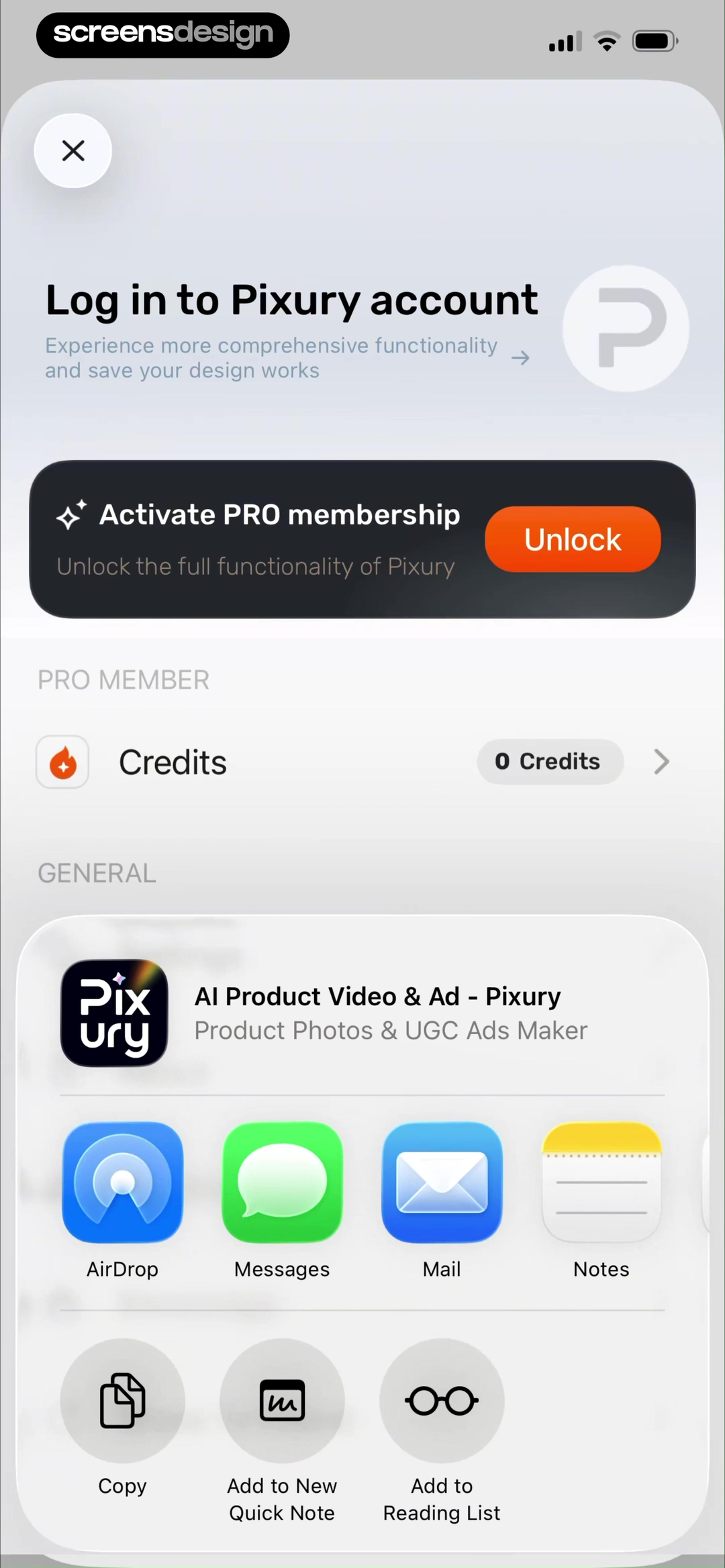
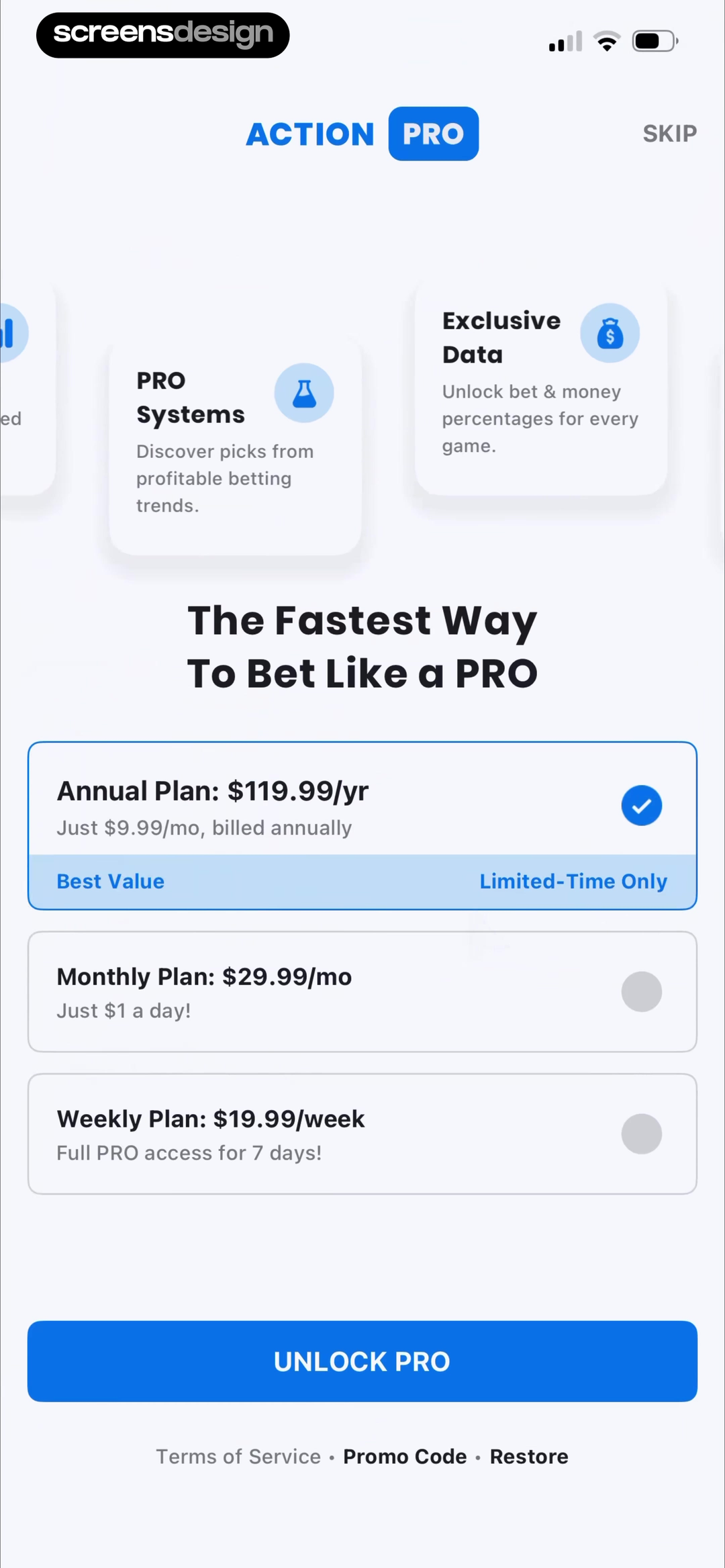
Pixury places account login, saved work, Pro activation, and current credit balance in one account state. Action Network explains its Pro offer through betting systems, exclusive data, and faster access to expert picks. Each screen connects membership to a recognizable product job.
Repeat the selected object or capability near the offer. If the user tapped export, name the export limit. If they selected a model, keep the model visible. Avoid a generic unlock everything headline that forces the user to reconstruct the trigger.
If an offer can appear from several entry points, pass the context into its copy and return path. Dismissing from export should return to export, while dismissing from settings should return to settings. Test back gestures and restored purchases.
02. Benefit specificity
Replace premium language with limits people can compare.
Specific quantities and destinations make the paid difference inspectable.
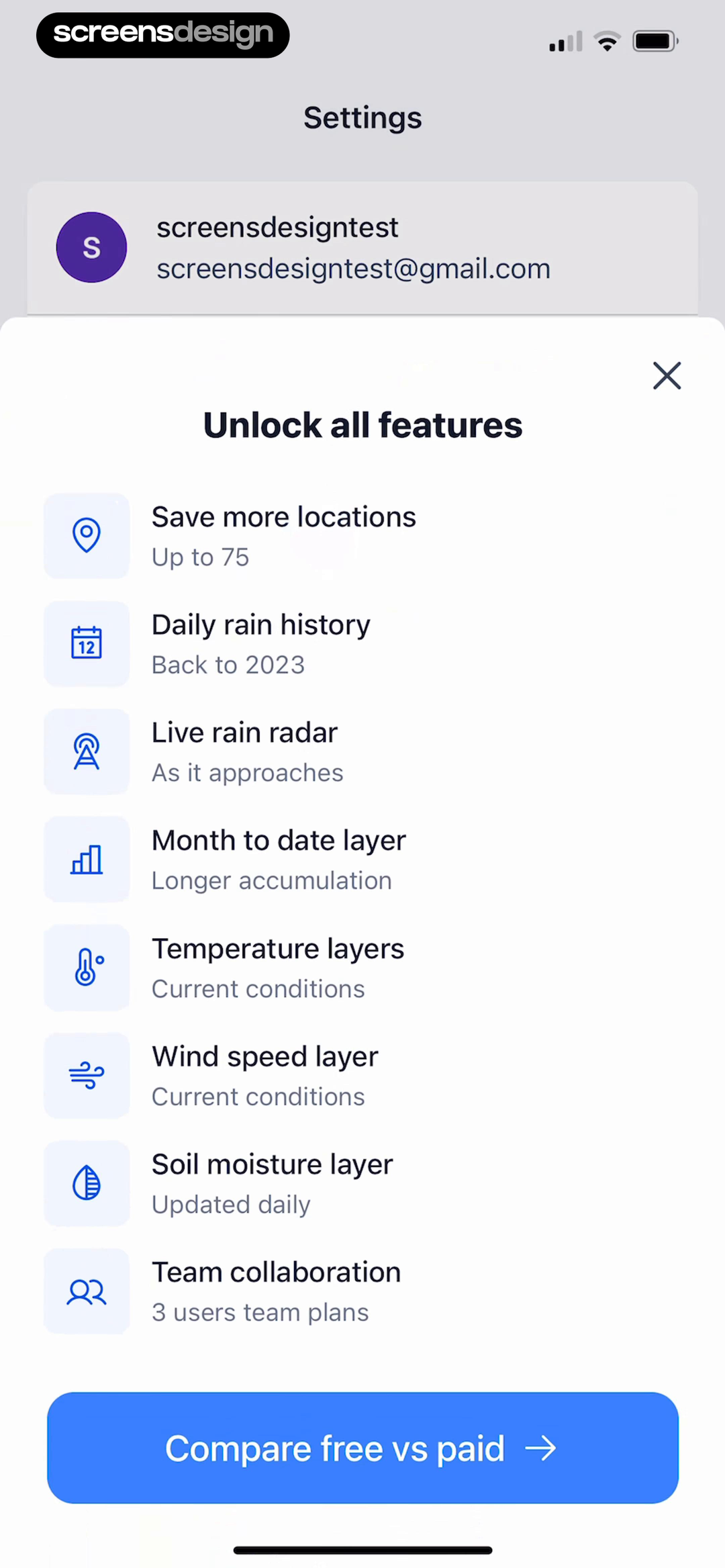
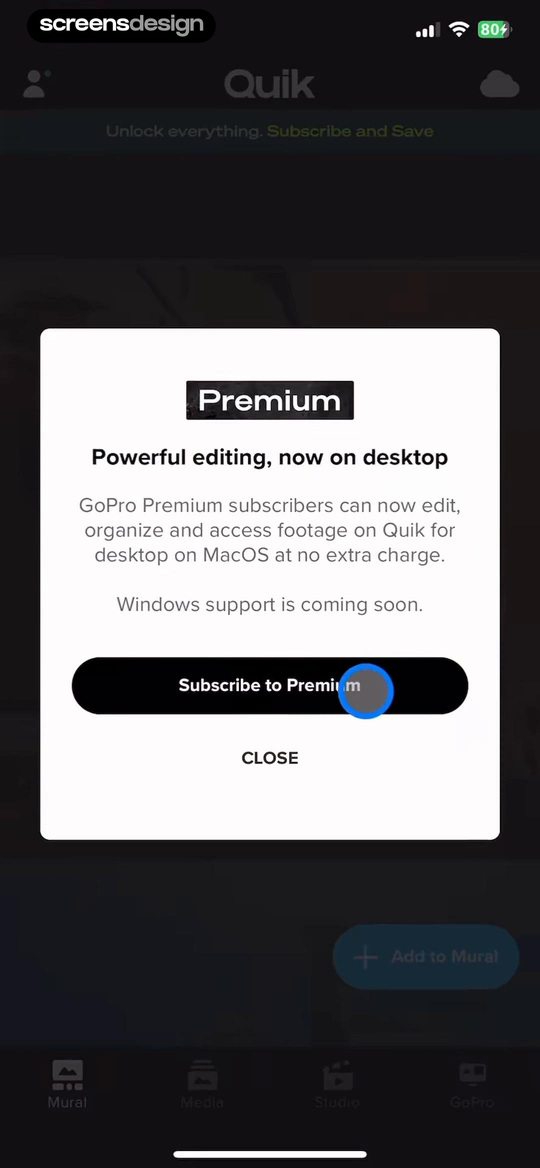
Precip describes exact gains such as more saved locations, longer rain history, and live radar. GoPro ties Premium to desktop editing and media organization. These benefits identify scope instead of relying on status language alone.
Prefer quantities, quality levels, access periods, and named workflows. Say 75 locations, 1080p export, or desktop editing when those are the actual entitlements. Keep the free baseline visible when comparison helps the decision.
Confirm that limits come from the entitlement source, not hard-coded marketing copy. If different regions or legacy plans have different limits, render the correct set. ScreensDesign Pro can help teams compare how paid benefits appear across full recorded journeys.
03. Work preservation
Do not make the user's work hostage to the offer.
The current file, selection, or customization should survive a decline.
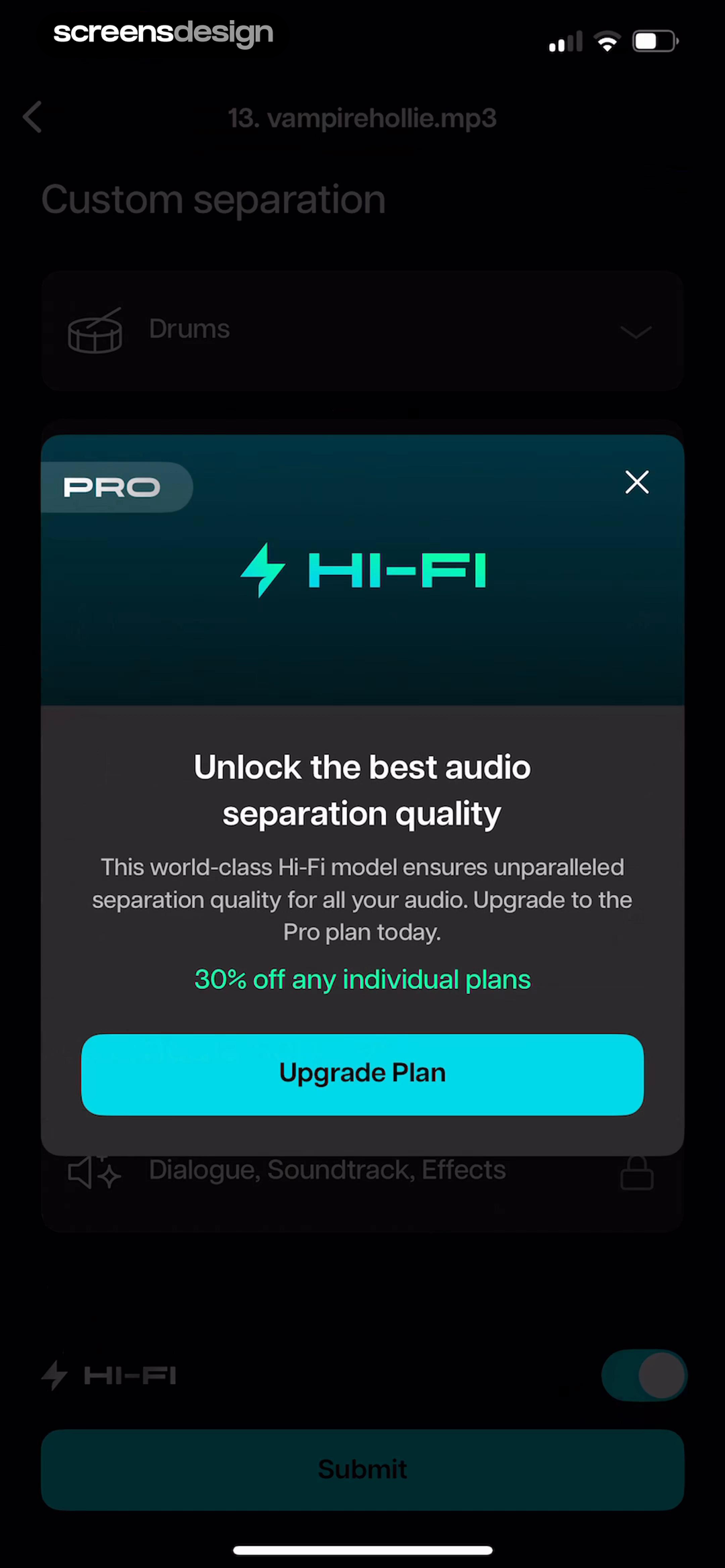
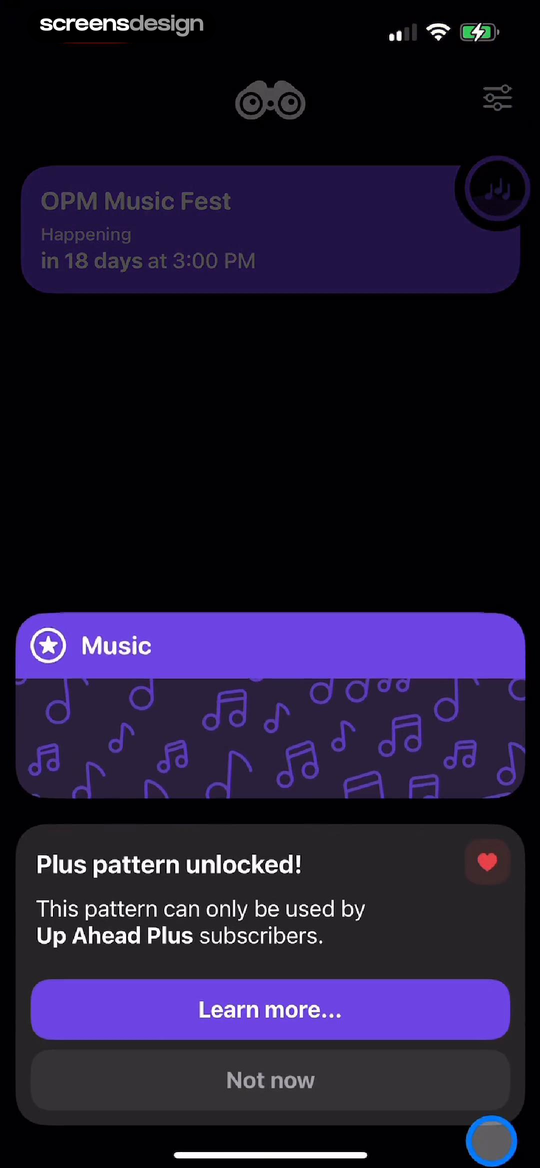
Moises presents the Hi-Fi separation upgrade while keeping the current audio project and selected separation context visible. Up Ahead identifies the exact Plus pattern already chosen and provides Learn more and Not now without implying the event itself will disappear.
Preserve drafts, prompts, sources, edits, and selected settings. If a free substitute exists, offer it. If the selected feature cannot run, explain the nearest available path before sending the user back.
Test expired trials, restored purchases, offline entitlement checks, and a purchase that completes on another device. A successful purchase should resume the interrupted action when safe rather than making the user find it again.
04. Proof and progress
Use proof that belongs to the decision.
Testimonials and progress cues should clarify value, not manufacture pressure.
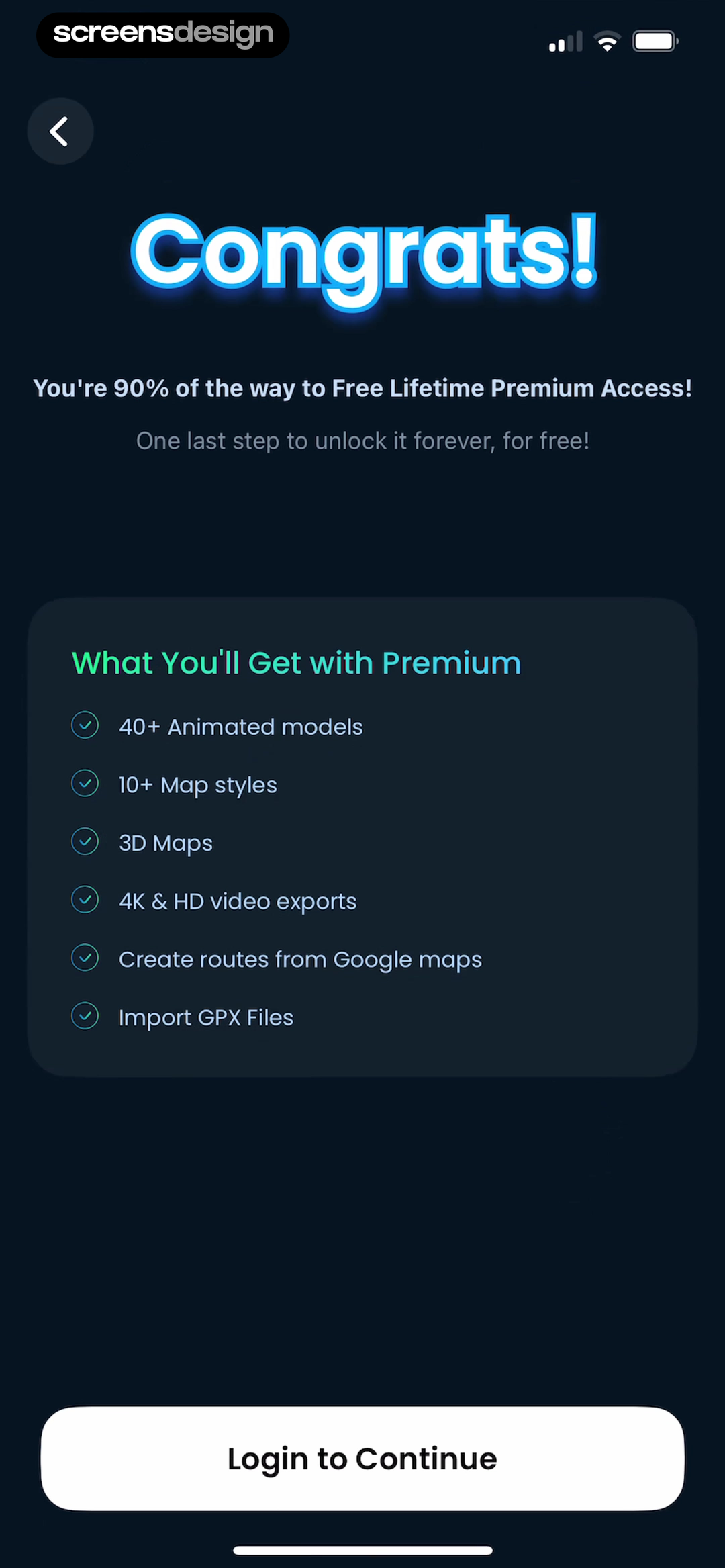
TravelAnimator frames the user as close to a lifetime-access reward and lists the unlocked creation capabilities. Uxcel combines a named testimonial with course access, certificates, and bookmarks while keeping Not now visible.
Use proof that is attributable and relevant to the selected job. A creator upgrade benefits from output examples; a learning membership benefits from course scope. Do not use revenue, downloads, or a testimonial as proof that the interface will work for every user.
Progress-based offers need transparent rules. State what counts, whether the goal expires, and whether purchase is required. Avoid fake completion percentages or countdowns that reset after dismissal.

05. After the upgrade
Teach the paid product after purchase.
An upgrade succeeds only when the new capability becomes findable and usable.
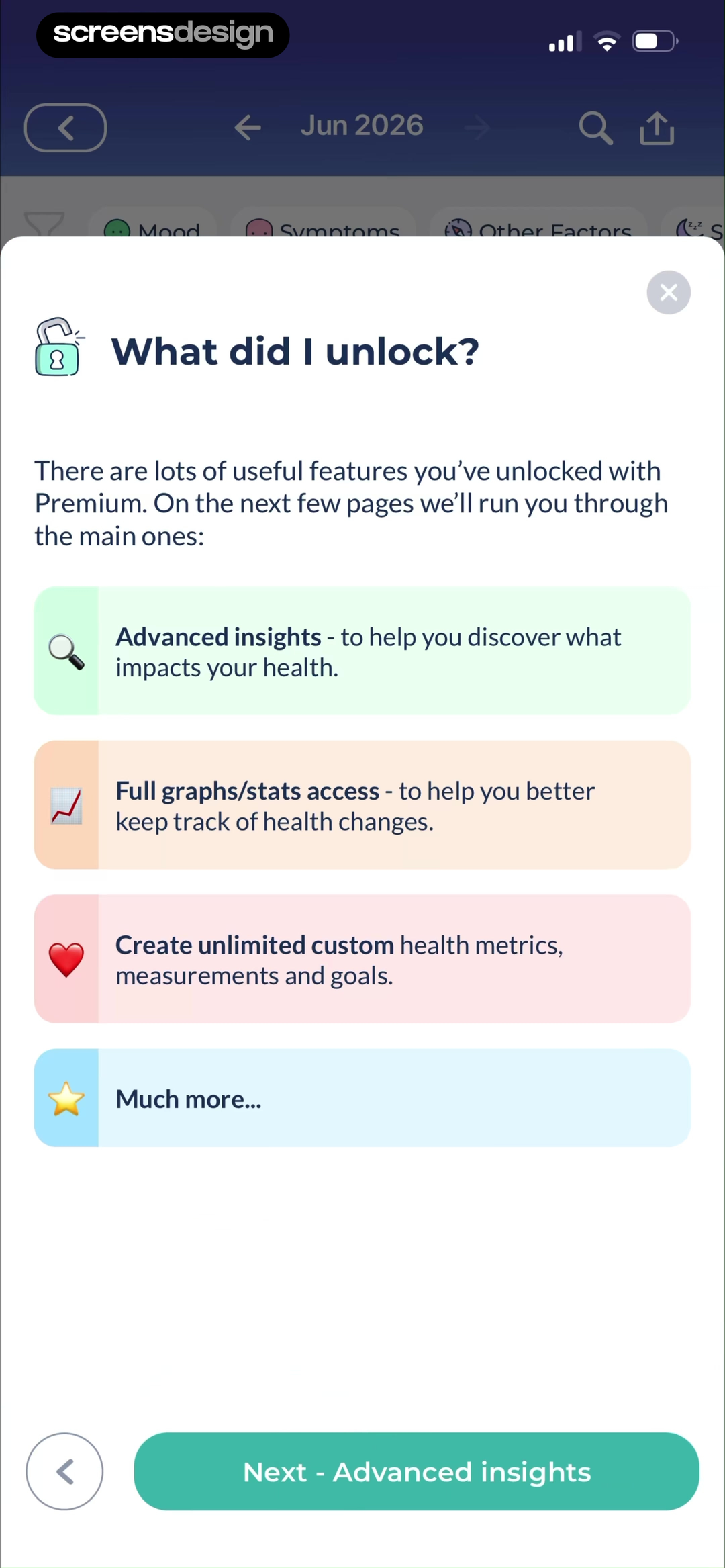
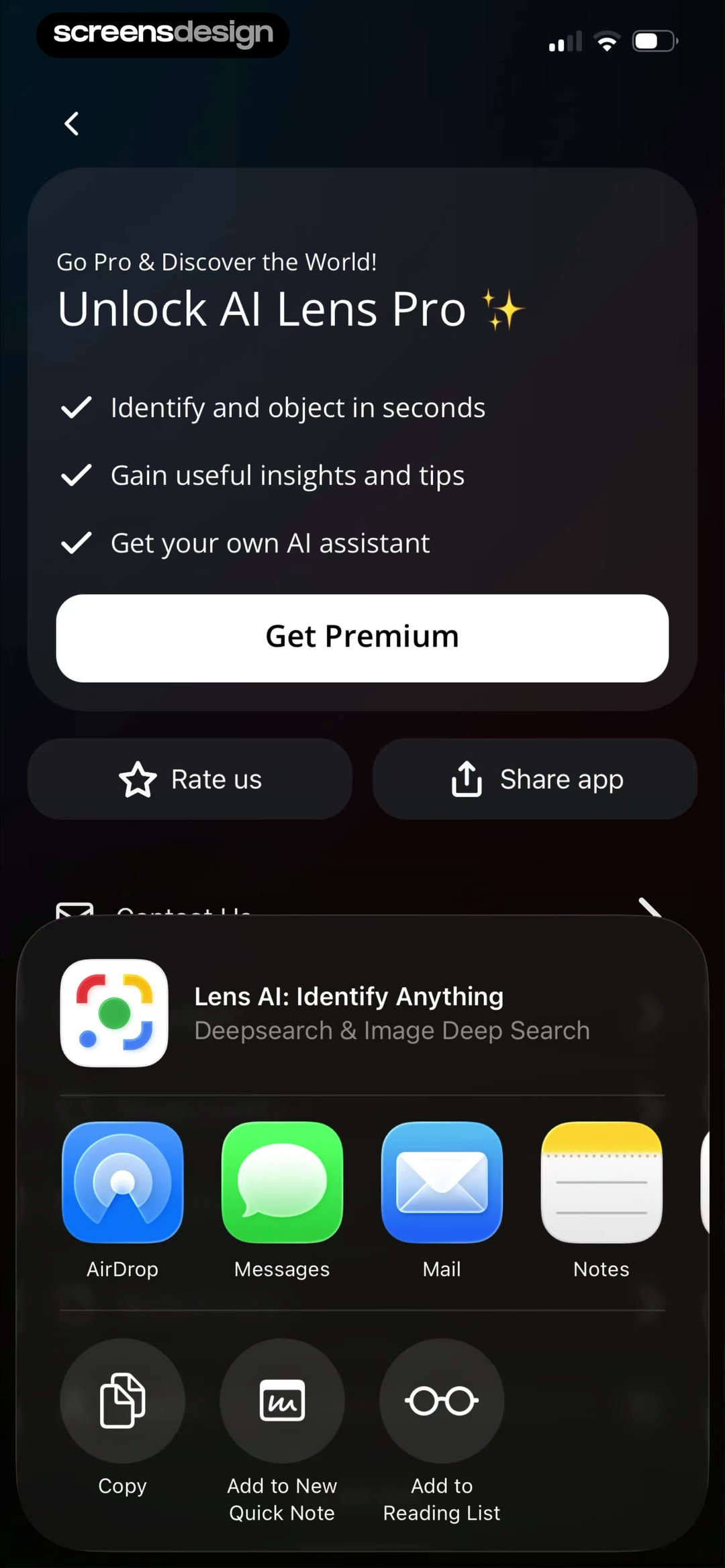
Bearable introduces the advanced insights, graph access, custom health metrics, and other features unlocked with Premium. Lens AI lists the identification, insights, and assistant capabilities from its account area. Both show that paid education can continue after checkout.
Confirm the plan, then route to the capability that triggered purchase. Mark newly available features without covering the interface in badges. Preserve onboarding choices and give a stable place to review entitlements later.
Handle partial activation, family sharing, restored purchases, refunds, and expired access. Post-purchase education must use the actual plan, not a generic premium tour that includes unavailable features.
Upgrade sequence
Design the upgrade path as a sequence, not a pop-up.
A useful upsell connects the attempted action to a paid capability, preserves context, and returns the buyer to the work they meant to finish.
Document the trigger before writing the message. Record what the person attempted, what they expected, whether they already created work, and which entitlement prevents completion. The upsell should name that specific capability and show the smallest credible proof of value. A generic list of every premium feature makes the user reconstruct the connection themselves.
Keep three destinations distinct: learn more, compare plans, and purchase. A lightweight explanation can sit at the gate. Detailed pricing, trial terms, restore purchase, and legal copy belong on the plan surface. After purchase or restore, return the user to the exact editor, export, report, or collaboration step that caused the upsell. Do not send them to an empty home screen and make them repeat the task.
Design for non-purchase outcomes too. Closing the upsell should preserve work and offer a truthful free path when one exists. Already subscribed, family-shared, offline, pending purchase, failed payment, and cross-platform entitlement states need explicit recovery. Repeatedly showing the same modal after a clear decline trains people to dismiss every message.
First define the boundary with the feature-gating examples. Then use the paywall examples for plan selection and purchase disclosure.
- The message names the attempted action and the exact paid capability.
- Existing work survives dismissal, purchase failure, and authentication changes.
- Restore purchase and already-subscribed routes are visible and tested.
- Successful purchase returns to the triggering task.
- Exposure, plan view, purchase, restore, dismissal, and task completion are measured separately.
Measurement
Evaluate the upsell and the original task together.
Purchase rate alone cannot show whether an upgrade interruption helped users finish what they came to do.
Log the trigger, entitlement reason, preserved-work state, plan view, purchase result, restore result, dismissal, and eventual completion of the original task. Connect them with a short-lived journey identifier so teams can distinguish a useful upgrade from a purchase that strands the user on the wrong screen.
Review exposure frequency and repeated dismissal by context. A high-performing message shown too often may still damage free-product use or hide core navigation. Track support contacts, purchase reversals, refunds, restore failures, and entitlement synchronization alongside revenue and conversion.
When testing copy, change one promise at a time and verify that the paid plan actually delivers it. Compare contextual proof, plan framing, and destination behavior across new, returning, trial, expired, and already-subscribed users. Stop experiments that increase accidental purchase signals or reduce successful free-task completion without a clear product reason.
Review checklist
Review the trigger, offer, decline, and resumed task together.
Trigger every upsell from each supported entry point. Record what context survives, whether the correct plan and limit appear, how dismissal behaves, and whether purchase resumes the task.
Test free, trialing, paid, expired, restored, family, offline, and purchase-pending accounts. Compare copy with the entitlement service and remove any benefit the selected plan cannot deliver.
- The offer names the feature or limit that triggered it.
- The paid change uses exact capabilities or quantities.
- The current project or selection remains visible or preserved.
- A decline returns to a useful state.
- Price and billing period are available before purchase.
- Testimonials and examples are attributable and relevant.
- Purchase resumes the interrupted task when appropriate.
- Post-purchase education matches the activated plan.
Questions and answers
Mobile app upsell questions
What is a contextual mobile app upsell?
It is an upgrade prompt triggered by a specific task, feature, limit, or result. It should preserve that context and explain the paid change before asking for purchase.
How is an upsell different from a paywall?
A paywall may introduce the overall subscription. A contextual upsell appears after intent already exists and must explain why this capability or limit requires an upgrade.
When should an app show an upsell?
Show it when the paid difference is concrete, such as selecting a premium model, reaching a real limit, choosing an advanced export, or opening a paid analysis.
Should an upsell include Not now?
Yes when a safe free route or return path exists. The decline should preserve work and return to the interrupted task or nearest useful alternative.
What should happen after purchase?
Confirm access, resume the triggering task when safe, mark the newly available capability, and keep subscription management reachable.
Apps referenced in this page
Open the products behind the examples.
 AI Product Video & AdProduct Photos & UGC Ads Maker
 Action NetworkLive Odds, Picks & Bet Tracker
 PrecipLive Rain Radar Totals & Gauge
 GoPro QuikVideo maker with music
 MoisesRemove vocals or instruments
 Up AheadVacation & birthday reminders
 TravelAnimator3D Travel Map Video Animator
 UxcelUX, Product & Vibe Coding
 BearableMigraine, Pain, Mental Health
 Lens AIImage Search Photo Translator
2,715 apps in the top charts.Ask them anything.
Search real app flows, compare the screens around each decision, and turn stronger references into your own product.