AI homework solver onboarding
10 AI Homework Solver App Onboarding Examples: From Question to Explanation
A homework solver should make capture easy without reducing learning to a mysterious answer that cannot be verified.
AI homework solver apps often promise an answer from one photo. The actual experience is more demanding. A camera image can include several questions, missing diagrams, handwriting, glare, or irrelevant page content. The model may need a subject and grade level, while the learner needs to know whether the response is an answer, a worked solution, a hint, or a guess.
Good onboarding sets up that entire contract. It demonstrates the kinds of questions supported, teaches framing and crop, offers typed or imported alternatives, preserves the source beside the response, and explains how to check the result. It should not imply that generated output is always correct or encourage students to submit work they do not understand.
These ten recorded screens show scan-first promises, subject breadth, camera instructions, example questions, answer previews, and step-by-step positioning. Together they point to a useful first session: capture one representative problem, confirm the recognized question, choose the needed help, inspect a structured explanation, ask a follow-up, and save the work with its source attached.
01. Product promise
Demonstrate the kind of help, not only the speed of the scan.
The first screen should distinguish a direct answer from a worked explanation, practice, or tutoring conversation.
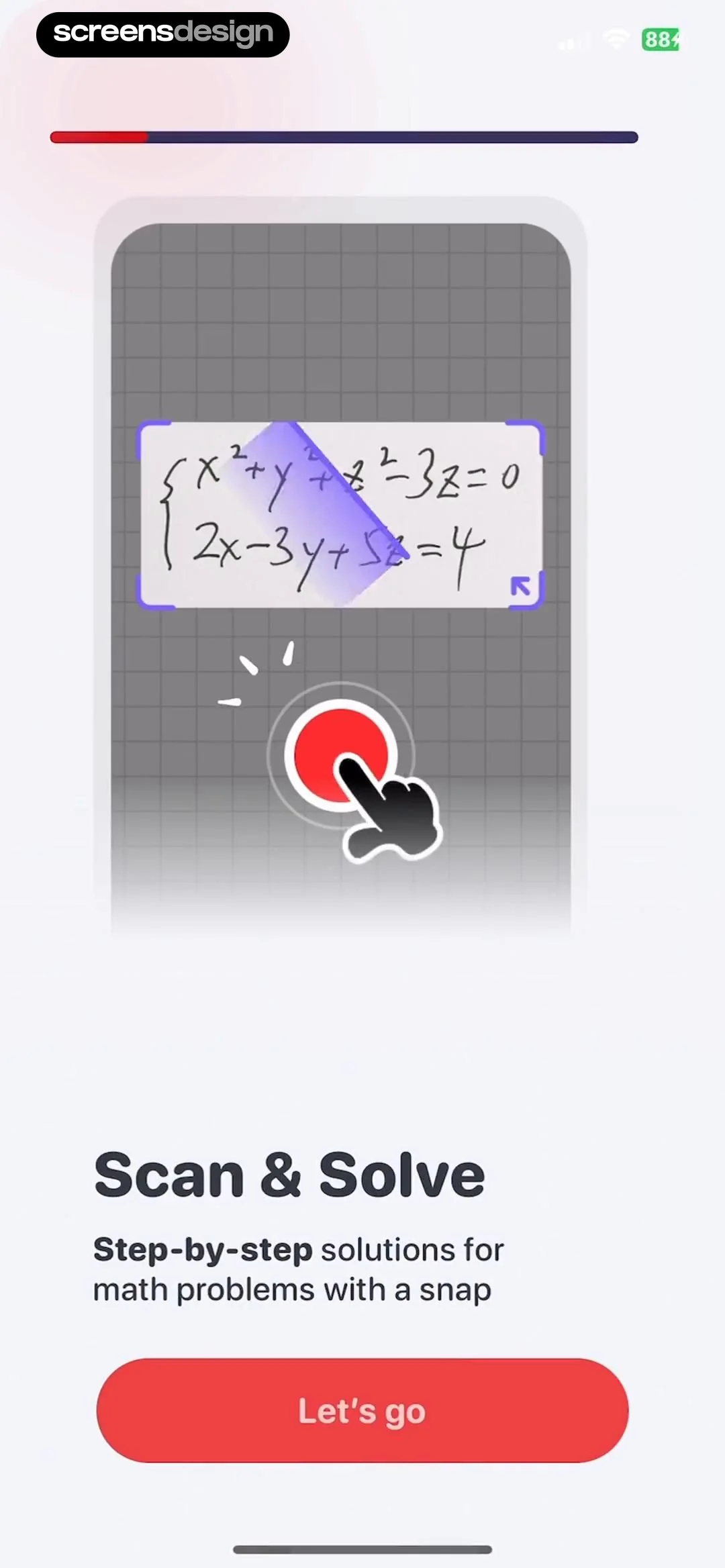
PhotoSolve uses Scan and Solve with an open-ended chemistry prompt and a clear Get Started action. Farabi pairs Scan & Solve with a promise of step-by-step math solutions. The difference matters. One emphasizes subject flexibility, while the other establishes explanation depth. A learner should not have to discover after capture that the app supports only multiple choice or returns only a final value.
Show one believable input and one complete output. Keep the source question visible, label the subject, and reveal enough of the response structure to set expectations. Avoid perfect handwriting and artificially simple equations as the only examples. If diagrams, word problems, citations, or multi-part questions have limits, say so before the user spends time framing them.
Give learners a path based on intent: explain this, check my work, give a hint, solve step by step, or create practice. The same recognized question can support several modes, but one should be chosen before generation so the answer is shaped for the task rather than wrapped in generic prose.

02. Supported questions
Make subject and question type visible before generation.
A physics multiple-choice question and an algebra proof require different parsing, response structure, and verification.
Coursology shows a wavelength question with four answer choices and lists Math, Chemistry, and History under Solves it all. Socratic AI shows an equation inside a Question card with a Solve action and promises answers and solutions. Both use an actual problem to communicate scope rather than presenting a vague AI assistant.
Subject detection should be a suggestion, not an irreversible hidden decision. Let the learner confirm or change subject, language, grade level, and question type when they affect the response. For a page containing several exercises, identify the selected region and allow the person to add related context such as a diagram, passage, or formula sheet.
Be precise about unsupported work. If the product cannot reliably read graphs, geometry labels, chemical structures, or handwriting, provide typed input and examples of acceptable capture. If a question appears to be from an active test, the interface can shift toward hints, concept review, or integrity guidance instead of presenting a frictionless answer.


03. Question capture
Teach focus, framing, and crop while the learner can act.
A weak image should become a correctable capture state, not a confidently wrong solution.
Uknow.AI tells users to include the complete question, tap to focus, and avoid shaking the phone, then offers a sample least-common-multiple problem. UpStudy reduces the idea to One Snap with an inequality example. The detailed guide is more useful for capture quality, while the short screen keeps the first action prominent.
The camera should detect edges and text but keep the learner in control of crop. Show whether the full question, answer options, units, and diagrams are included. Let users add another image for a continuation and review extracted text before sending. Gallery import, document scan, paste, and typing should use the same confirmation step.
Handle glare, blur, low light, rotated pages, handwriting, multiple languages, and several questions on one page. An error should name the issue and preserve the crop. If optical character recognition is uncertain, highlight the questionable token so the user can repair x versus multiplication, a negative sign, exponent, unit, or chemical symbol before the model reasons from it.


04. Guided first task
Let the user practice on a known problem before using their own work.
A controlled example can teach selection and cropping while giving the product a known result to compare.
Socratic Homework AI shows a complete equation and promises clear step-by-step answers. Math Solver AI tells the user to focus on the problem and presents a geometry question with answer entry and Continue. Both can function as rehearsals because the input is already on screen and the app controls its quality.
A good practice problem should exercise the same controls as the live task: crop, confirm recognized text, select help mode, view steps, and ask a follow-up. Let the learner skip if the interaction is already familiar. Do not turn the practice into a fake scan whose output appears without showing what the camera and confirmation actually do.
Use practice to establish correction behavior. Introduce one intentionally ambiguous token or incomplete crop and show how to fix it. This is more valuable than promising instant accuracy because it teaches the recovery path the learner will need with real pages. Keep the example short enough that the person reaches the response before an account or payment interruption.


05. Answer and explanation
Keep the recognized question beside the generated response.
A correct-looking answer is easier to challenge when the source, answer type, reasoning, and follow-up actions remain visible.
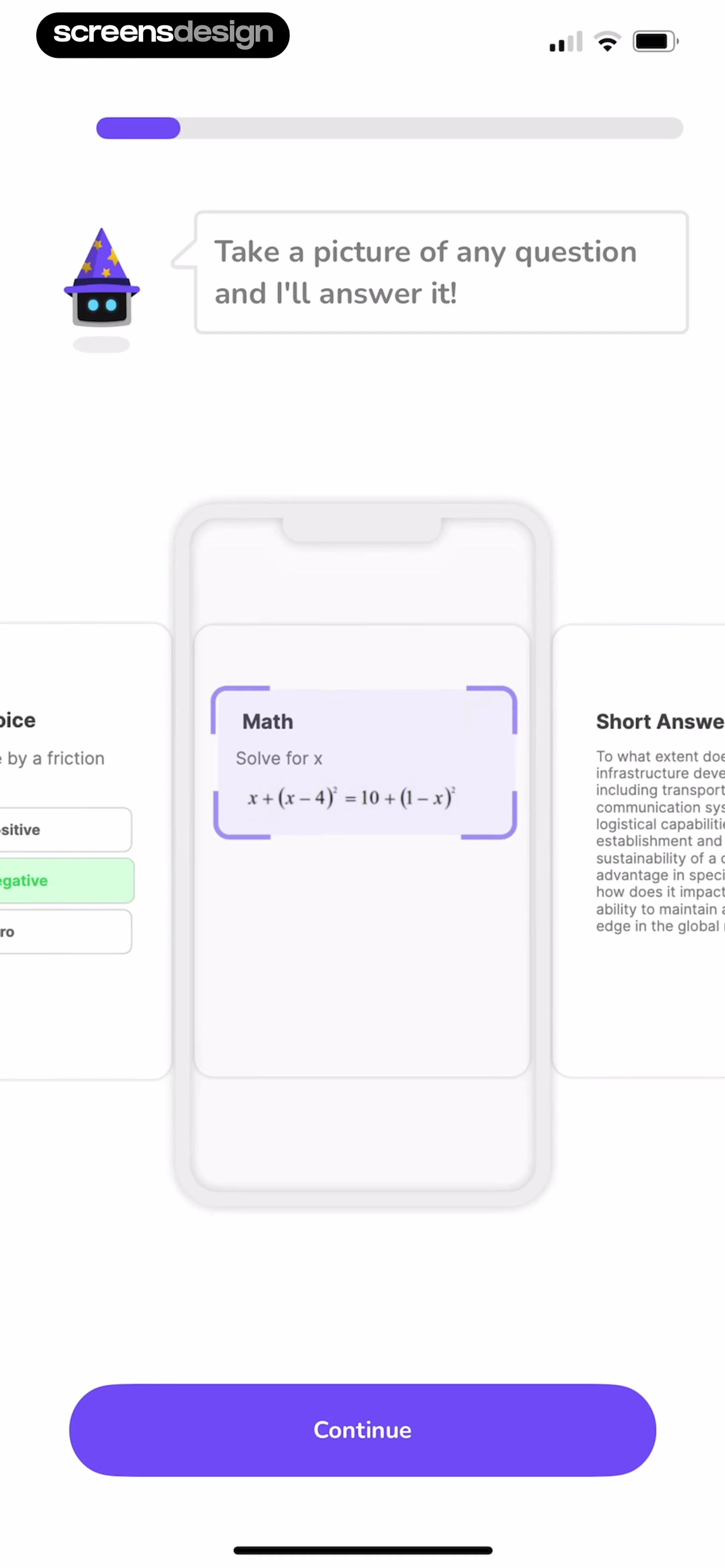
PhotoSolve previews a closed-ended chemistry question with the selected answer and an explanatory paragraph about fluorine. Quizard shows a math prompt, identifies Short Answer, and asks the user to continue. These screens make question type visible, which can help the product choose an appropriate response instead of forcing every problem into one layout.
Structure the response into recognized question, assumptions, answer, steps, and verification. Cite source material when the task depends on facts. For calculations, let users expand transformations and inspect units. For essays, distinguish an outline or feedback from text intended for submission. Keep a Report problem action attached to the answer and preserve the original image.
Follow-up prompts should be grounded in the current step: explain why this transformation is valid, give a hint, show another method, check my answer, or make a similar practice problem. If a usage limit or paywall appears, keep the captured problem and any completed response. The learner should understand what access changes without losing the work that revealed the product’s value.

06. Implementation
Store the source, recognition, request, and response as separate layers.
A traceable solution can be corrected when capture or reasoning changes without rewriting the learning history.
Model source images, crop regions, extracted text, user corrections, subject, question type, help mode, model version, generated response, citations, feedback, and saved study item independently. A corrected exponent should invalidate the answer while preserving the previous version for review. Multiple images should keep an explicit order and shared question boundary.
Handle camera denial, unreadable text, unsupported notation, missing context, several detected questions, model timeout, safety refusal, network loss, duplicate submission, and usage exhaustion. Avoid endless generation spinners. Show what was saved locally, what is being processed, and whether retry will consume another credit.
For minors and school contexts, design account, consent, privacy, and academic-integrity rules deliberately. Minimize image retention and strip unrelated page content where possible. Accessibility requires typed correction, readable math notation, logical step order, screen-reader labels for diagrams, and alternatives to color-only answer marking.
07. Validation
Measure successful understanding, not just generated answers.
A fast answer is a weak success metric if the question was misread or the learner cannot use the explanation.
Track first capture, crop correction, recognized-text edit, generation success, time to response, step expansion, follow-up question, practice creation, save, and reported error. Separate camera and recognition failures from model failures. A high scan rate can coexist with poor learning if users immediately copy and leave.
Use task studies where learners must identify an incorrect recognized symbol, explain one generated step, compare two solution methods, and apply the idea to a similar problem. Review response quality with subject experts and age-appropriate standards. Do not use a model’s self-rating as the only correctness measure.
Guardrails include confident wrong answers, missing citations, unsafe content, answer leakage during assessments, inaccessible math, repeated paid retries, and loss of captured work. Segment by subject, question type, image quality, device, language, and chosen help mode so one average does not hide a broken geometry or handwriting path.
08. Review checklist
Review the complete learning loop with imperfect questions.
Test real pages, ambiguous notation, missing context, wrong outputs, limits, and recovery.
Use printed, handwritten, rotated, low-light, diagram-based, multi-part, multiple-choice, and open-ended questions. Include a denied camera, limited photo access, interrupted upload, corrected crop, changed subject, unsupported notation, model timeout, and disputed answer.
Ask users what the product recognized, what it assumed, which part is the answer, and how they would verify it. If those answers are unclear, improving generation speed will not fix the experience.
- The opening distinguishes answers, steps, hints, checking, and practice.
- Supported subjects, question types, languages, and important limits are visible.
- Camera guidance covers framing, focus, diagrams, options, and multi-part questions.
- Users can edit crop and recognized text before generation.
- Source image, corrected question, assumptions, and response remain connected.
- Steps, units, citations, and alternate methods can be inspected where relevant.
- Wrong answers and unsafe output have clear feedback and correction paths.
- Camera denial, recognition failure, timeout, and offline work are recoverable.
- Usage limits explain cost and preserve the captured problem.
- Math, diagrams, correctness cues, and controls are accessible without vision or color.
Questions and answers
AI homework solver onboarding questions
What should an AI homework solver show before camera access?
Show a representative supported question, the type of help returned, important capture requirements, and a clear scan action. Explain that results can be wrong and that the learner should verify the recognized question and response.
How should the first scan tutorial work?
Use a short practice problem that teaches crop, recognized-text confirmation, help mode, and response review. Let experienced users skip and keep the same controls available in the live camera.
What should happen after text is recognized?
Show the extracted question beside the image, highlight uncertain tokens, let the user correct text and subject, and confirm whether they want an answer, hint, explanation, check, or practice problem before generation.
How should generated solutions be structured?
Keep the source, assumptions, concise answer, ordered steps, units, citations where relevant, and verification actions together. Offer grounded follow-ups and a clear way to report or correct a wrong response.
How can a homework app support learning rather than copying?
Offer hints and step reveal, ask the learner to attempt a step, create a similar practice problem, and preserve explanations in study history. Consider integrity safeguards for active tests and assignments.
What metrics should a homework solver track?
Track successful recognized questions, corrections, generated responses, step engagement, follow-ups, saves, practice, and reported errors. Pair funnel metrics with expert correctness review and learner comprehension tasks.
Apps referenced in this page
Open the products behind the examples.
 PhotoSolve: AI Homework HelperAI Study Tutor, Problem Solver
 Math AI Homework Helper, SolverAlgebra calculator free of ads
 Answer App - Coursology AIPodcasts, Quizzes & Flashcards
 Socratic AI - Homework HelperScan Math Solver
 Uknow.AI: Homework&Math SolverUnlimited Answer All Subjects
 Camera Math Solver - UpStudyphoto math solver
 Socratic Homework AIMath Solver & Homework Scanner
 Math Solver AI Homework HelperAsk Questions. Problem Scanner
 Quizard AI: Homework HelperInstant Math Problem Solver
2,805 apps in the top charts.Ask them anything.
Compare recorded homework solver screens, inspect the complete scan and explanation flows, and study how real apps handle questions, limits, and recovery.