

 See the flow
  HBX | Globally Curated Fashion
A floating 'Filter' button is positioned at the bottom center of the product grid.
 See the flow
  Wikiloc - Trails of the World
Full-screen map view with a top header, a floating notification banner, and bottom-aligned controls.
 See the flow
  Particle: Personalized News
At the bottom, there is a floating action button labeled '1 question' that allows the user to engage with the content.
 See the flow
  SnoreLab : Record Your Snoring
A floating action button with a filter icon is positioned in the bottom right.
 See the flow
  Transit • Subway & Bus Times
A floating action button with a filter icon is positioned in the bottom right corner.
 See the flow
  Sky Tonight - Stargazing Guide
A bottom navigation bar includes a home icon and a menu icon, and a floating action button with a sparkle icon is positioned in the bottom right corner.
 See the flow
  BuyBye - Budget Planner
At the bottom center of the screen, there is a prominent, circular black button with a white 'X' icon, which serves as a close or dismiss action to exit the current menu.
 See the flow
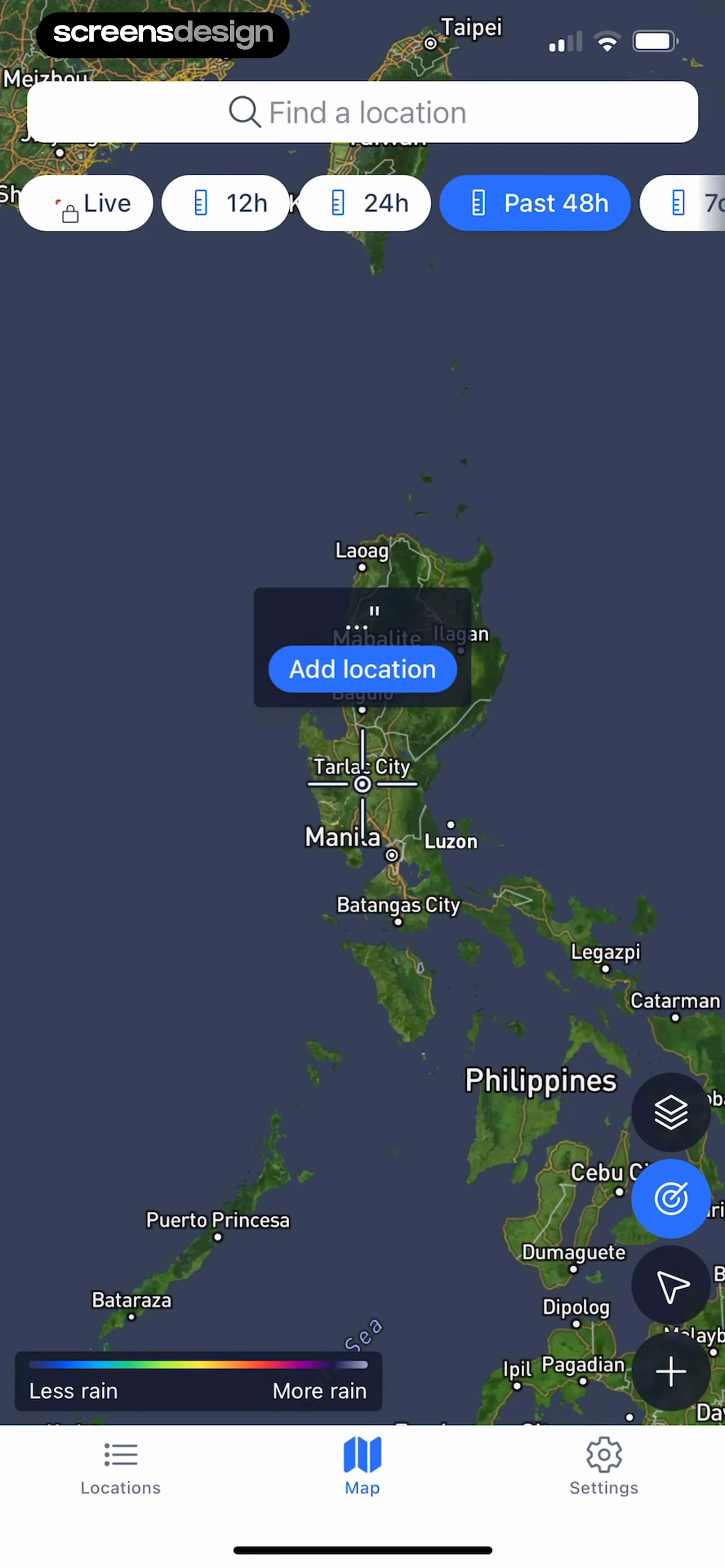
  Precip - Rain Totals & Gauge
A central floating tooltip prompts the user to 'Add location'.
 See the flow
  SubPilot: Cancel Subscriptions
At the bottom, there are two circular floating action buttons for adding income or expenses, and a persistent bottom navigation bar with icons for 'Subscriptions', 'Spendings' (active), and 'Profile'.
 See the flow
  calimoto Motorcycle Navigation
To the right of the map, there are two floating action buttons: one for location centering and one for map layer selection.
 See the flow
  Flight Tracker +
A floating action button with a plus sign is positioned in the bottom right corner to initiate the creation of a new trip.
 See the flow
  Gaia GPS: Mobile Trail Maps
Top data dashboard, central map view with floating controls, bottom navigation bar.
 See the flow
  Hotels.com: Book hotels & more
A floating snackbar notification at the bottom confirms that a property has been saved to the user's Bali trip, with an 'Edit' action.
 See the flow
  Plane Finder ⁃ Flight Tracker
On the right side of the map, there are floating action buttons for weather and 3D view toggles.
 See the flow
  Scroll The Bible
On the right side, there is a floating action button stack containing a heart (like), comment, and share icon.
 See the flow
  Wallcraft – Wallpapers, live
Full-screen image preview with top navigation, central overlay, bottom control bar, and a bottom thumbnail carousel.
 See the flow
  ScanAny-PDF Scanner App
At the bottom center of the screen, there is a prominent, circular, purple-to-blue gradient floating action button with a white plus sign, which serves as the primary call to action for initiating a new scan.
 See the flow
  Klook: Travel & Activities
A floating action button (FAB) with a plus icon is located in the bottom right corner, alongside a map/list toggle button.
 See the flow
  Fishbrain - Fishing App
Top map view with overlay controls, bottom slide-up panel for data, and a persistent bottom navigation bar.
 See the flow
  EveryDollar: Budget Management
At the bottom of the screen, a floating action button with a plus sign allows for adding new transactions.


