

 See the flow
  Plane Finder ⁃ Flight Tracker
Map view in background with a bottom-anchored modal overlay for settings.
 See the flow
  calimoto Motorcycle Navigation
The top section shows trip summary metrics (0m, 0:00h, -) and filter chips for 'Sights' and 'Avoid'.
 See the flow
  Klook: Travel & Activities
At the top, there is a search bar for locations, followed by filter chips for 'Location' and 'Filters'.
 See the flow
  Yelp: Food, Services & Reviews
Top search bar, map background, filter chip row with tooltip, empty state message in center, bottom navigation bar.
 See the flow
  AI Song Generator: Mozart
Top header with tabs, filter chips, scrollable list of song cards, and a bottom navigation bar with a floating action button.
 See the flow
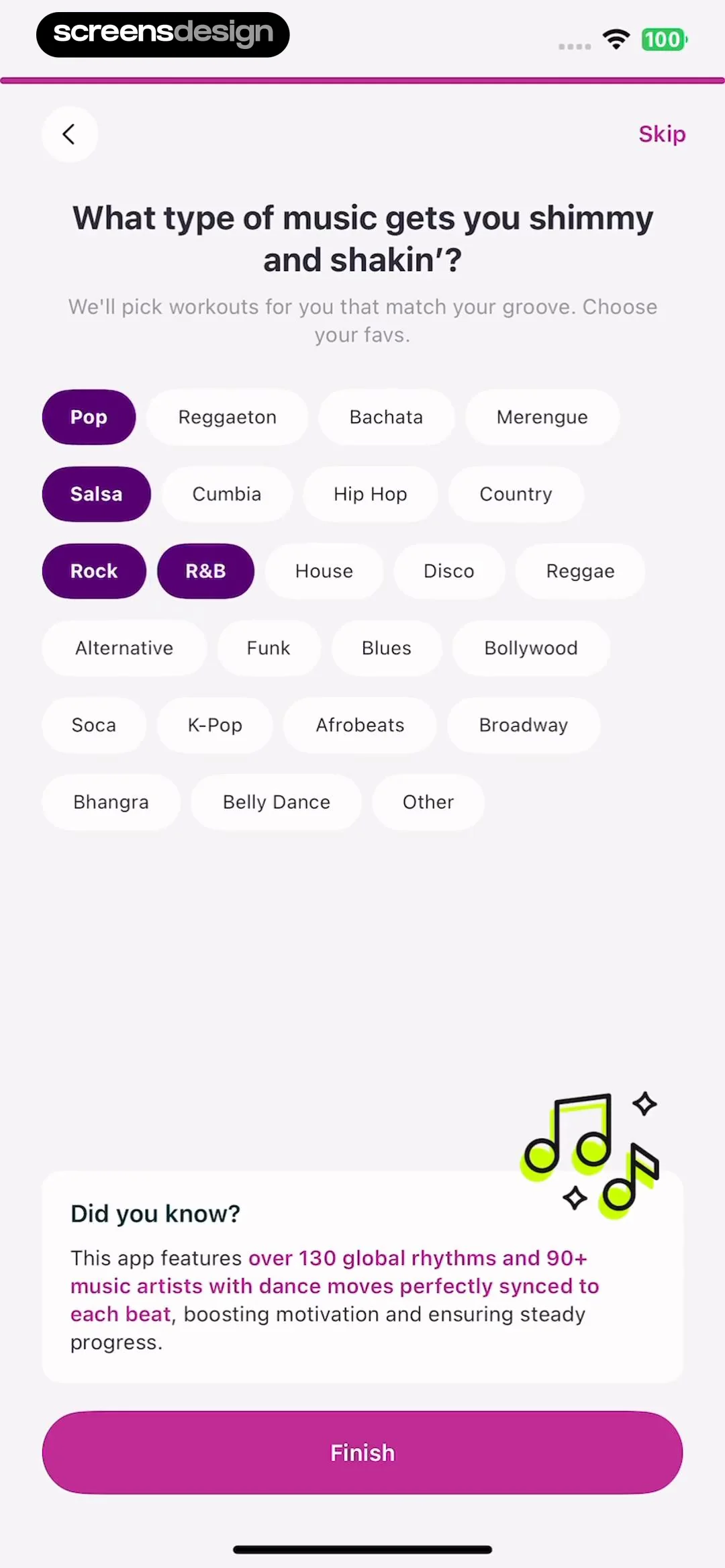
  Zumba - Dance Fitness Workout
Below this, there is a grid of selectable music genre chips (e.g., Pop, Reggaeton, Bachata, Salsa, etc.), with several currently selected (highlighted in purple).
 See the flow
  CraftBook: Crochet Made Easy
At the top, there are filter chips for 'Crochet', 'Beginner', 'Accessories', and 'English us'.
 See the flow
  Particle: Personalized News
Below the input field, there are suggested usernames in pill-shaped buttons: '@screens', '@jscreens', and '@juliascreens'.
 See the flow
  Precip - Rain Totals & Gauge
Top navigation bar, followed by a monthly calendar grid, a legend, a cumulative precipitation section with filter chips, and a bottom navigation bar.
 See the flow
  WebNovel - Read Novels & Manga
Top banner, onboarding preference card, featured content list, bottom navigation.
 See the flow
  ChatGPT
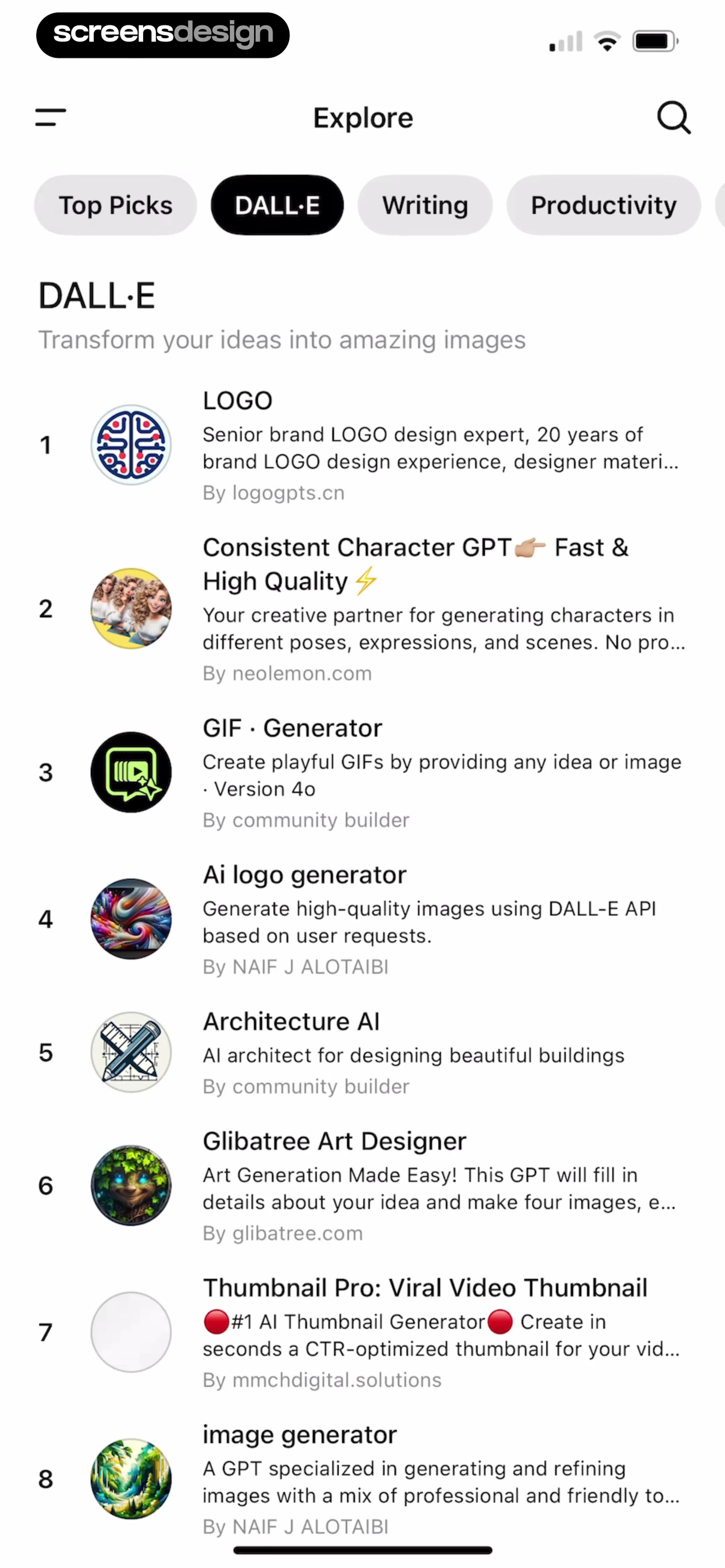
The layout features a top navigation bar with a sidebar menu icon and a search icon, followed by a horizontal scrollable list of category chips (Top Picks, DALL·E, Writing, Productivity).
 See the flow
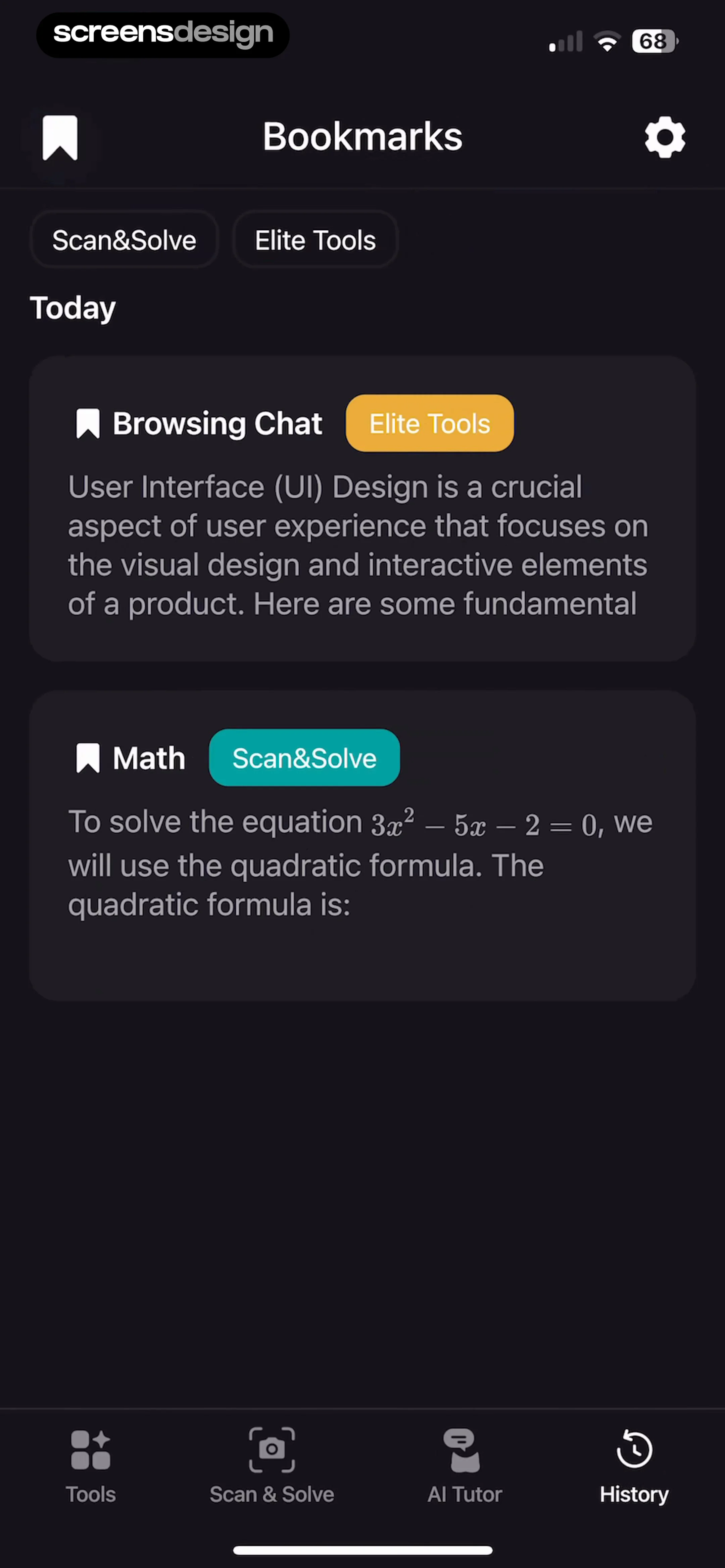
  Nerd AI - Math Problem Solver
Below this, two filter chips labeled 'Scan&Solve' and 'Elite Tools' allow users to sort their saved content.
 See the flow
  Hypelist: Create & Share Lists
Top navigation bar, search input field, primary category tabs, secondary filter chips, and a large empty content area.
 See the flow
  SHEIN - Shopping Online
A secondary filter bar allows sorting by 'Recommend', 'Most Popular', 'Price', and a 'Filter' button, followed by a horizontal scrollable list of quick-filter chips like 'QuickShip', '50% off', and 'Price Range'.
 See the flow
  Meetup: Social Events & Groups
Below this, horizontal chips filter events by time (Upcoming, Today, Tomorrow, Weekend) and interest categories (Animals, Religion, Writing, Family, Politics).
 See the flow
  Pick Up Limes
The top of the screen includes a back button, a search bar with the active 'water' filter chip, and a filter icon.
 See the flow
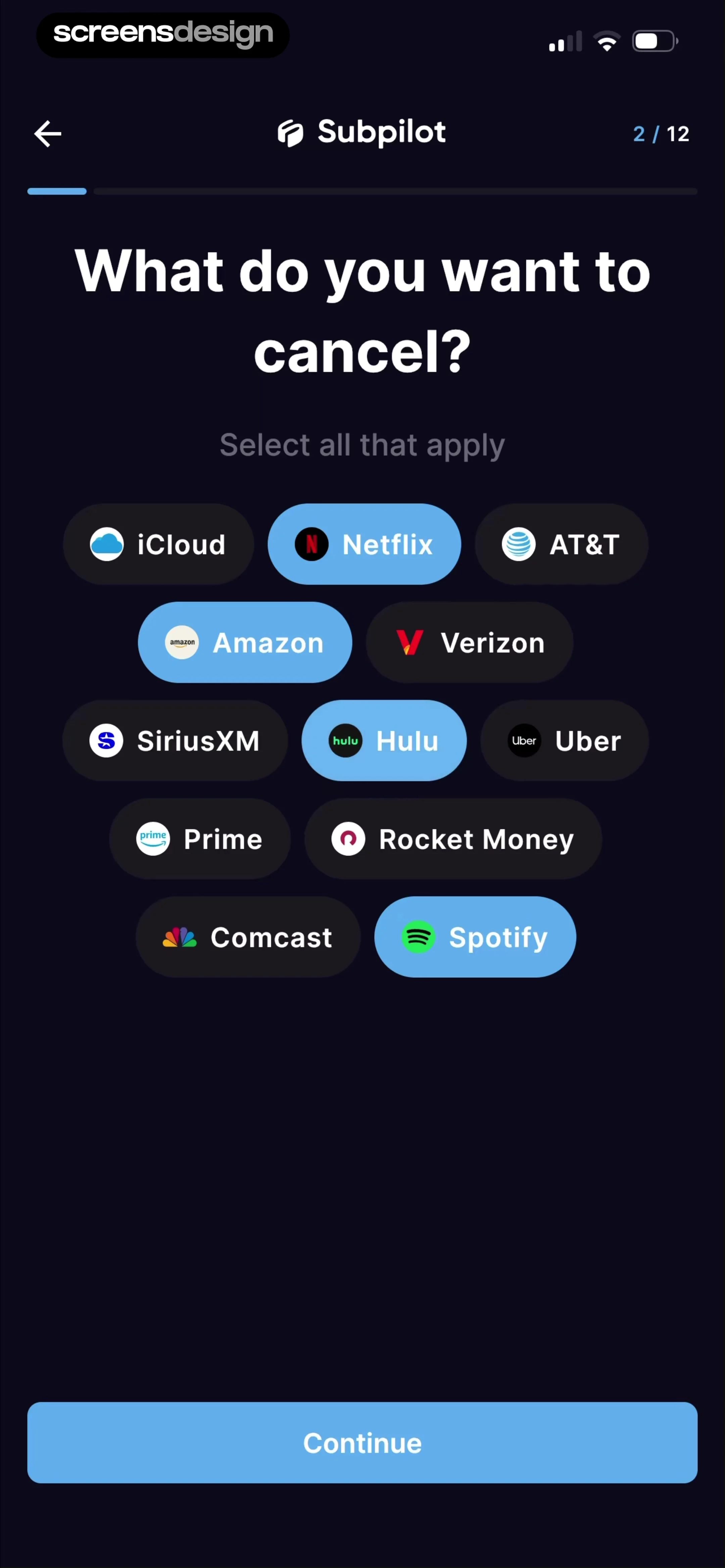
  SubPilot: Cancel Subscriptions
Below this, there is a grid of selectable pill-shaped buttons, each representing a popular service like iCloud, Netflix, AT&T, Amazon, Verizon, SiriusXM, Hulu, Uber, Prime, Rocket Money, Comcast, and Spotify.
 See the flow
  Vivino: Drink The Right Wine
Below this, there are 'Sort' and 'Filter' controls, followed by a horizontal scrollable row of pill-shaped chips for filtering by wine type (Red), country (United States, Greece), and varietal (Zinfandel).
 See the flow
  Windy.app — Wind, Tides, Radar
Below the chat history, there is a horizontal scrollable row of quick-reply suggestion chips like 'Is it windy?', 'How is the weather?', and 'Anyone on the spot?'.
 See the flow
  Deezer: Music Player, Podcast
The top of the screen features a search bar with the text 'apt' and a 'Cancel' button, followed by a horizontal scrollable row of filter chips (Albums, Playlists, Podcasts, Episodes, Profiles), with 'Profiles' currently selected.


