

 See the flow
  Planner 5D: AI Home Design
The main content is a card featuring a high-quality 3D render of a 'Cozy Scandinavian room' with a green 'submitted' badge.
 See the flow
  Precious - Baby Photo Art
Top navigation bar with tabs, followed by a featured banner, a sub-header, a two-column grid of template cards, and a bottom navigation bar.
 See the flow
  SunSafe: UV Index & Tanning
A compact card grid presents skin metrics with labels, percentages, and colored progress bars.
 See the flow
  Flight Tracker +
Below this, a 'Spot My Plane' card indicates that the tail number for the Boeing 767-300 is currently being assigned, with a prompt to check back 25 hours before departure.
 See the flow
  Zutobi: Permit & Driving Prep
Below this, a prominent 'Quick practice' card features a lightning bolt icon and a large orange 'START PRACTICE' button.
 See the flow
  The Guardian - US & World News
This screen is the 'Discover' feed of The Guardian news app, featuring a vertical scrollable list of news articles presented as large image cards.
 See the flow
  Heyyyy: Stories that text back
The main content is a large, tilted card featuring a portrait of a rugged man in a cowboy hat, with a text overlay describing his persona: 'Dark & Intense' and a snippet of his backstory about running a ranch.
 See the flow
  Bible Chat: Daily Devotional
Header with profile icon, sub-navigation tabs, duration filter buttons, and a vertical list of reading plan cards, ending with a bottom navigation bar.
 See the flow
  Fishbox - Smart Fishing App
Below this, a highlighted card provides a summary: '76% Excellent bites at night' with the playful text 'You're luckier than a fish'.
 See the flow
  Pick Up Limes
Top navigation bar with date, followed by a vertical list of recipe cards, then a section for individual food items and drinks, and a bottom navigation bar.
 See the flow
  Deezer: Music Player, Podcast
Header with profile/notifications, followed by a horizontal carousel of recent items, a vertical list of recommended tracks, a section for 'Flow', and a persistent mini-player above the bottom navigation bar.
 See the flow
  WebNovel - Read Novels & Manga
At the top, a card shows the user's current status as 'V1' with an experience bar indicating 'EXP:10/99' and a prompt stating '90 more EXP required to achieve next level', accompanied by an 'OBTAIN' button.
 See the flow
  Tuner Pro: Guitar Tuner & Tab
Header with course info and resume button, followed by a vertical list of chapters and lessons, ending with a bottom navigation bar.
 See the flow
  AI Song Generator: Mozart
The main content area includes a prominent 'Create a Music Video' card with a blue plus icon, followed by a list of existing video projects, such as 'Mass, Time, Boom'.
 See the flow
  Zumba - Dance Fitness Workout
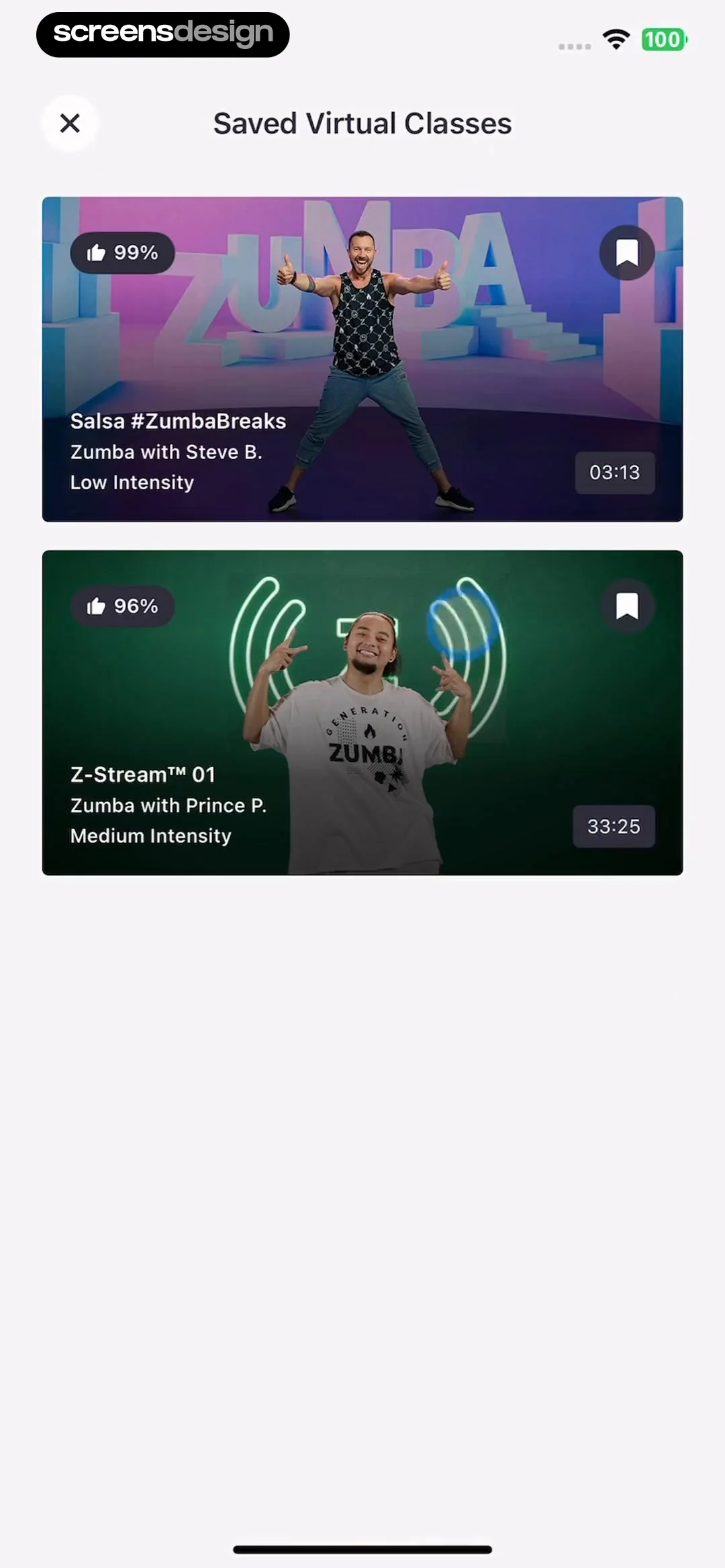
Below this, there are two large, rectangular cards representing saved workout videos.
 See the flow
  Klook: Travel & Activities
The central focus is a large, horizontally scrollable card representing the user's current 'Explorer' (Level 1) status, featuring an illustration of a traveler with a telescope.
 See the flow
  Sky Tonight - Stargazing Guide
Each item card features a thumbnail image, the object name, descriptive metadata (like set times or catalog IDs), and two action icons: a target/location icon and an eye icon.
 See the flow
  Meetup: Social Events & Groups
The main content area features a vertical feed of event cards.
 See the flow
  Ascend: Bible Game
Below this, there is a vertical list of four interactive cards, each containing an icon, a title, a short description, and a chevron arrow indicating navigation.
 See the flow
  Scroll The Bible
This screen displays a daily scripture reading card within a Bible study app.


