

 See the flow
  Tahanan: Learn Tagalog
Apple and Google come before the email form, under a welcome-back message.
 See the flow
  Chatbot App: AI Assistant
Email and password lead, with recovery, registration, and social options nearby.
 See the flow
  adidas: Shop Shoes & Clothing
Apple takes the primary position, followed by Facebook, Google, and email.
 See the flow
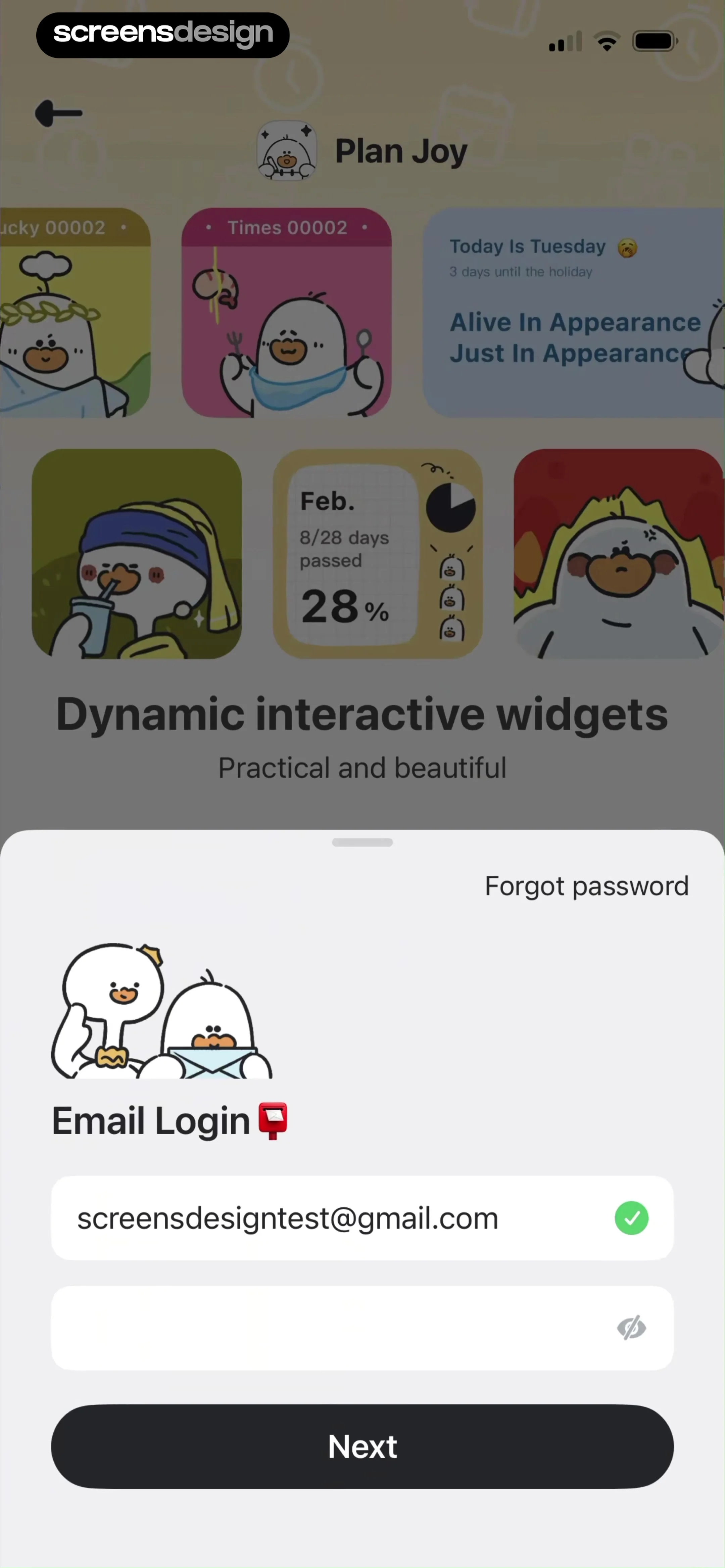
  Plan Joy:To-Do List & Reminder
An email login sheet sits over the app’s illustrated welcome screen.
 See the flow
  SnapCalorie AI Calorie Counter
A welcome-back headline leads into email, password, and a clear recovery link.
 See the flow
  Solid Starts: Baby First Foods
A compact credential form pairs a purple login button with password recovery.
 See the flow
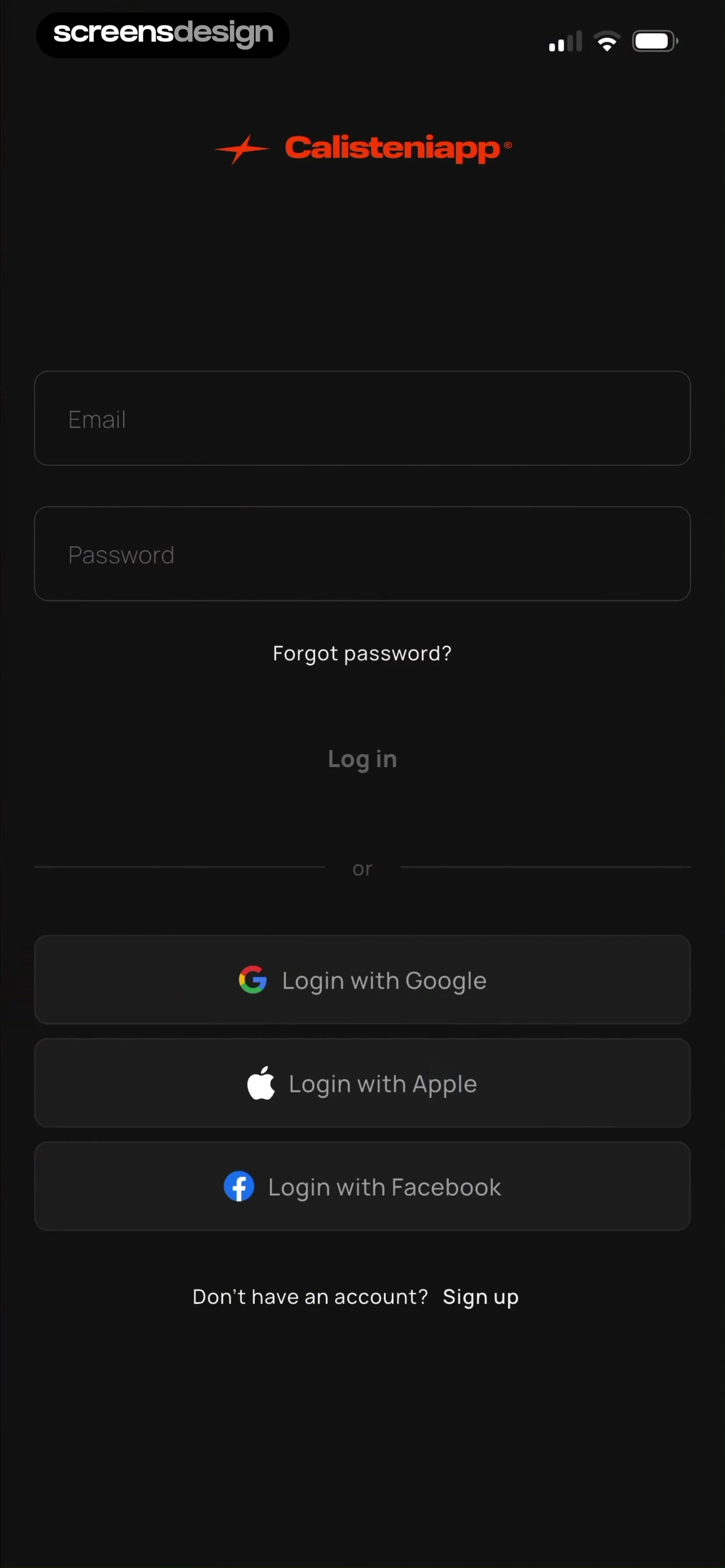
  Calisteniapp: Fit & Strong
A dark credential form separates Google, Apple, and Facebook with a divider.
 See the flow
  Plant Identifier: LeafSnap
The sign-in screen connects Apple, Facebook, and Google to saving data across devices.
 See the flow
  Co–Star Personalized Astrology
Phone entry explains confirmation and finding friends, with other methods below.
 See the flow
  Hallow: Prayer & Meditation
A country picker and phone field lead to verification by text message.
 See the flow
  DICE: Live Shows
A shared login and signup entry uses a phone number to connect people to their tickets.
 See the flow
  MobiPDF・PDF Text Editor・Reader
Apple, Facebook, Google, and email or phone offer routes into a shared document account.
 See the flow
  AI Calorie Tracker by Eatwise
A welcome-back message connects the email form to nutrition and wellbeing.
 See the flow
  Gym WP - Workout Planner & Log
A dark email form keeps password recovery and account creation near the login action.
 See the flow
  Language Learning - Easy Speak
Two credential fields and a bright blue login button keep the email step focused.
 See the flow
  EVA AI Soulmate
A purple gradient surrounds email and password fields, recovery, and a bottom Next button.
 See the flow
  Purple Ocean Psychic Reading
An email login sheet includes cancel, recovery, and a separate account-creation link.
 See the flow
  AI Chatbot & Design Assistant
A mail illustration introduces email and password entry, followed by Continue and recovery.
 See the flow
  CGX
CGXA minimal dark screen places a white Continue button below email and password.
 See the flow
  Promeo - AI Marketing Studio
The form names the CyberLink account and offers Apple, Google, and Facebook below.
 See the flow
  BLW Meals: Starting Solids
Cancel, recovery, registration, and three providers surround the credential form.
 See the flow
  Freenotes®: AI Notes Taking
A region selector and privacy checkbox appear alongside credentials and provider options.
 See the flow
  Vmake Labs: create viral video
A compact form keeps registration and recovery close, with Google and Apple below.


