

 See the flow
  10K Runner, Couch to 10K Run
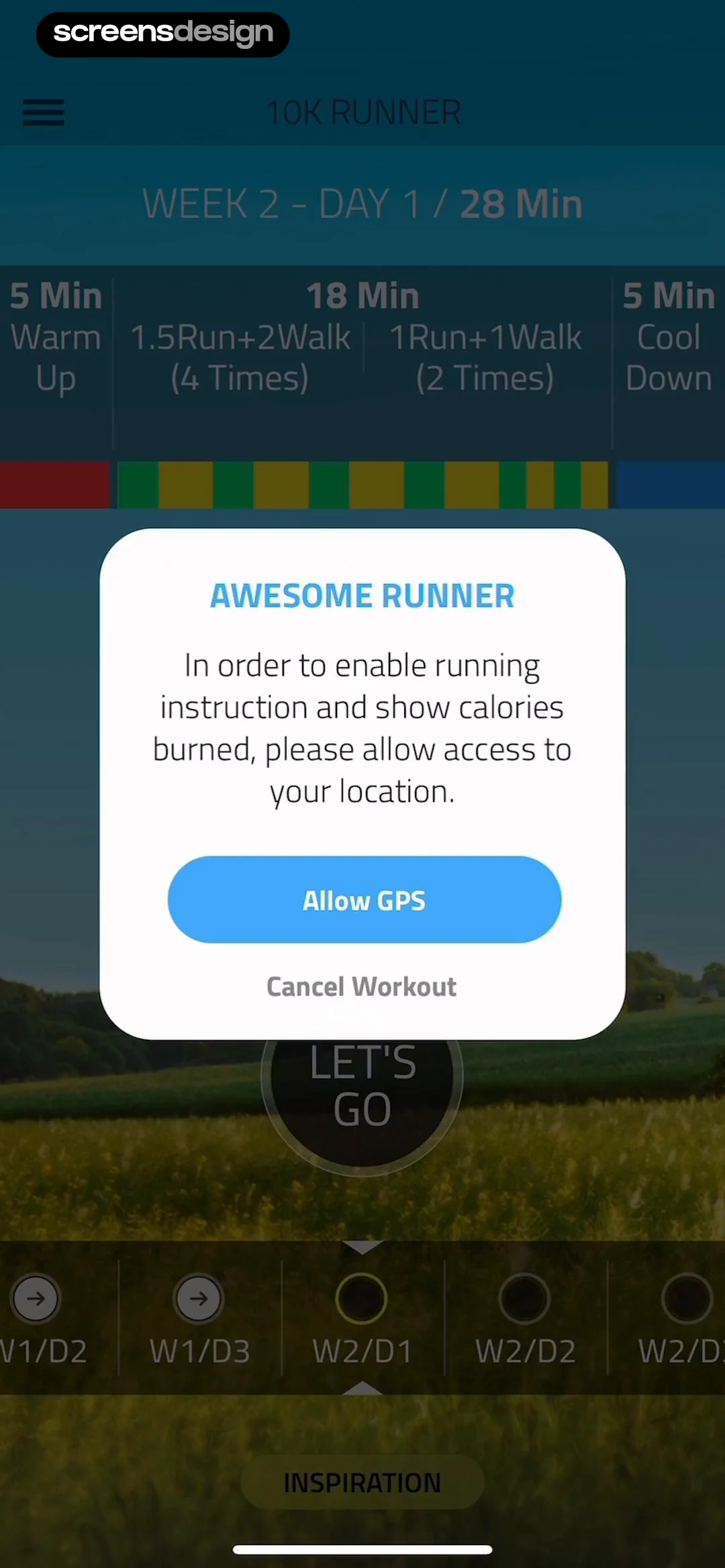
The central white modal is titled 'AWESOME RUNNER' and prompts the user to 'allow access to your location' to enable running instruction and calorie tracking.
 See the flow
  calimoto Motorcycle Navigation
The central modal is dark-themed with a white title 'Location' and a descriptive message explaining that the app requires location permissions for navigation and tracking, followed by a prominent 'Allow' button.
 See the flow
  SmartNews: Now in Spanish
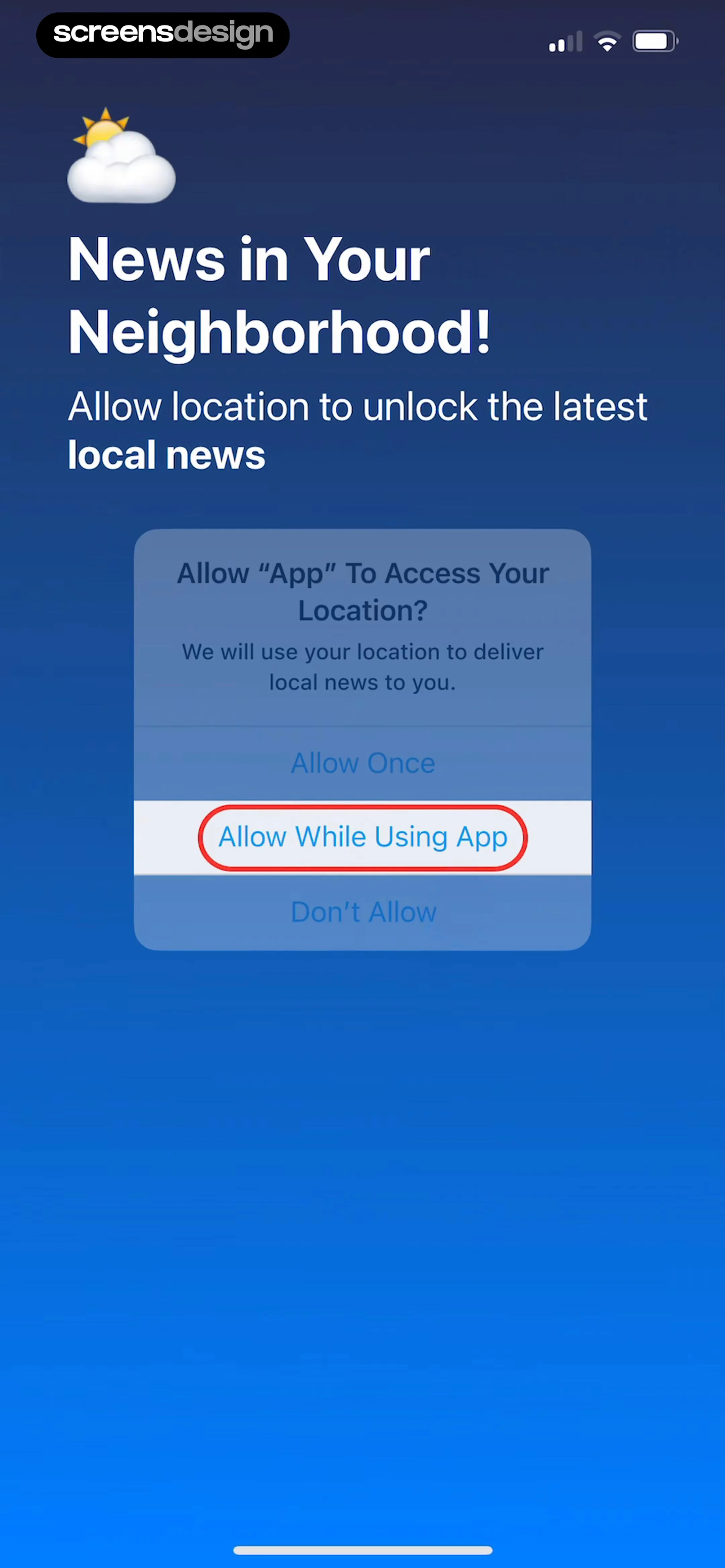
This screen is a system-level location permission request overlaying a branded onboarding background for the SmartNews app.
 See the flow
  FLYP - Fashion Design Studio
This screen is an AI-powered brand creation tool within the FLYP app, featuring a modal overlay requesting location permissions.
 See the flow
  Precip - Rain Totals & Gauge
The foreground modal, titled 'Allow location access', explains that the app requires location data to send nearby rain alerts even when the app is not in use.
 See the flow
  Weather Pro · Radar Alerts
A prominent card titled 'Weather in your area' prompts the user to 'Allow access to your current location to display weather forecast in your area', featuring a 'Continue' button with a navigation arrow icon.
 See the flow
  Yelp: Food, Services & Reviews
This is a location permission request screen for the Yelp app.
 See the flow
  Gaia GPS: Mobile Trail Maps
This is a location permission request screen for the Gaia GPS app.
 See the flow
  Wikiloc - Trails of the World
The screen features a large, centered, blurred-out mockup of a standard iOS system location permission dialog.
 See the flow
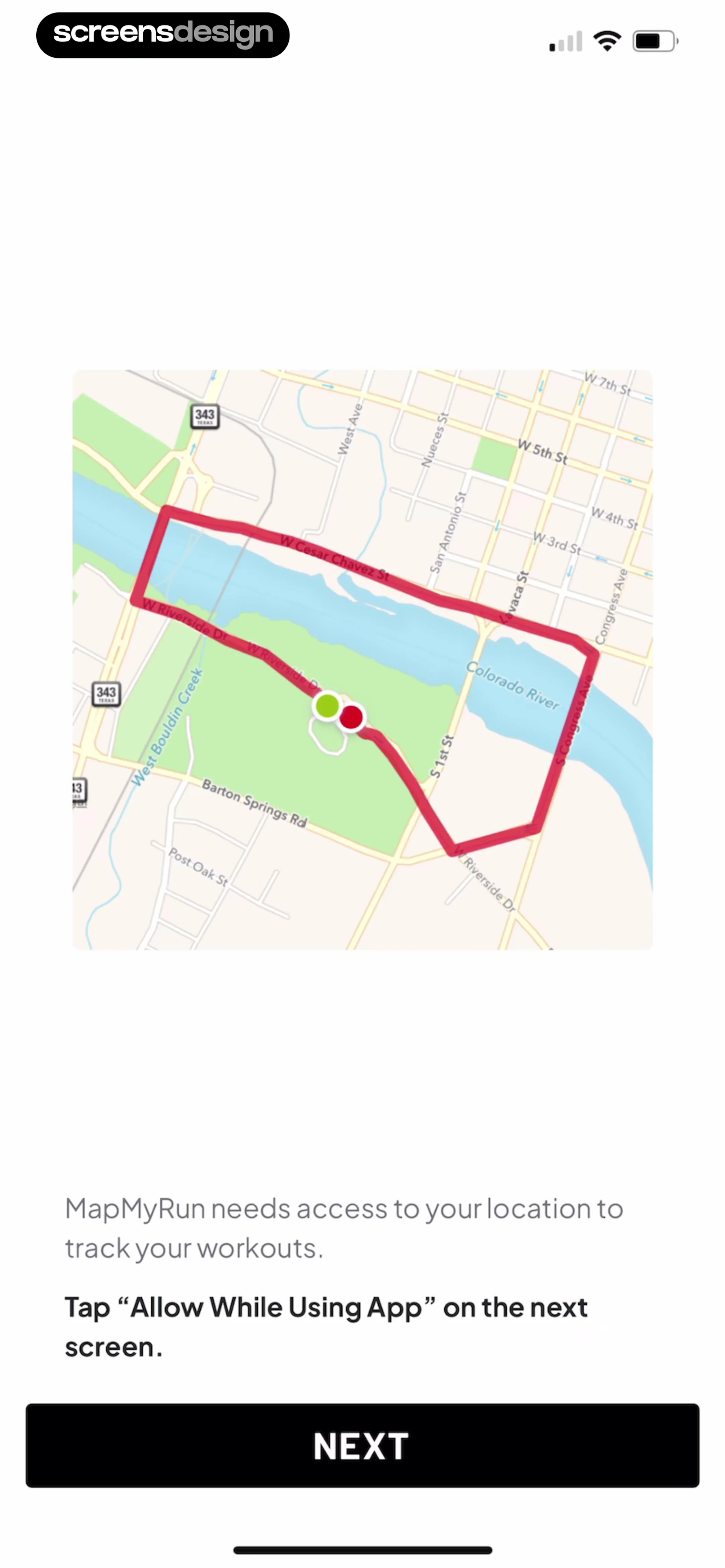
  Map My Run GPS Running Tracker
This is a location permission request screen for the MapMyRun app.
 See the flow
  Vivino: Drink The Right Wine
This is a location permission request screen within the Vivino app.
 See the flow
  Particle: Personalized News
A 'Location' section provides a prompt to enable location permissions for localized news, and the bottom of the screen shows app version information.
 See the flow
  Widgetable: Besties & Couples
The permissions listed are Photo, Bluetooth, Location, Precise Location, and Always Allow Location Access.
 See the flow
  Klook: Travel & Activities
This screen displays a location permission request modal overlaid on a map-based travel booking interface.
 See the flow
  Too Good To Go: Save Good Food
This is an onboarding or location-permission screen for the Too Good To Go app.
 See the flow Klook: Travel & Activities
Below this, there is a 'Your location' section with a button to 'Allow access' using a location icon.
 See the flow
  Windy.app — Wind, Tides, Radar
This is a location permission request screen in the Windy.app mobile application.
 See the flow
  Hidden Camera Detector - Peek
Top-aligned title and description, centered graphic, bottom-aligned primary action button.
 See the flow Precip - Rain Totals & Gauge
Top navigation bar, followed by a location permission card, a list of notification requirements, and a daily report section with a toggle and preview card, ending with a bottom navigation bar.
 See the flow Particle: Personalized News
A modal overlay with a header containing a profile avatar and name, followed by grouped list items for settings, and a bottom section for app info.


