

 See the flow
  Too Good To Go: Save Good Food
This screen is a 'Contact Us' form within the Too Good To Go app, designed for users to report issues with specific orders.
 See the flow
  Zutobi: Permit & Driving Prep
Below the title, a rounded, semi-transparent card contains three list items: 'Contact us', 'Terms and conditions', and 'Privacy policy'.
 See the flow
  Ascend: Bible Game
Below the title is a subtitle inviting users to find answers or contact support.
 See the flow
  CraftBook: Crochet Made Easy
The background settings page includes sections for 'NOTIFICATIONS' (with a 'Reminders' toggle), 'SUPPORT' (with a 'Contact Us' link), and 'ABOUT THE APP' (with 'Rate App', 'Terms of Use', and 'Privacy Policy' links).
 See the flow
  invideo AI: AI Video Generator
Top navigation bar followed by a chat conversation area and a bottom input form card.
 See the flow
  Vivino: Drink The Right Wine
Header, system message, chat history, topic selection card, bottom input bar.
 See the flow
  AI Summary - Meeting Notes
Top navigation bar followed by a vertical list of expandable FAQ cards and a bottom support call-to-action.
 See the flow
  Redfin: Buy, Sell & Rent Homes
A chat interface background with a centered modal overlay containing a feedback form.
 See the flow
  Eppika: Read & Learn Languages
At the bottom, there are two large, pill-shaped buttons for 'Help & Support' and 'Contact support', each accompanied by a relevant icon.
 See the flow
  Precip - Rain Totals & Gauge
Top navigation bar, empty message history area, bottom text input field, and system keyboard.
 See the flow
  Layout for Instagram・Inpreview
Top navigation tabs, followed by a header section, a vertical list of input fields, and a bottom action bar.
 See the flow
  Scanner App: Genius Scan
Top navigation bar, centered confirmation message text, and a bottom-aligned primary action button.
 See the flow
  Spoke Route Planner
Header with greeting, followed by two distinct card blocks, and a list of help articles at the bottom.
 See the flow
  Litres: Audio
Header with back button, followed by three stacked input fields, a character counter, a large primary button, and a bottom navigation bar.
 See the flow
  Google Gemini
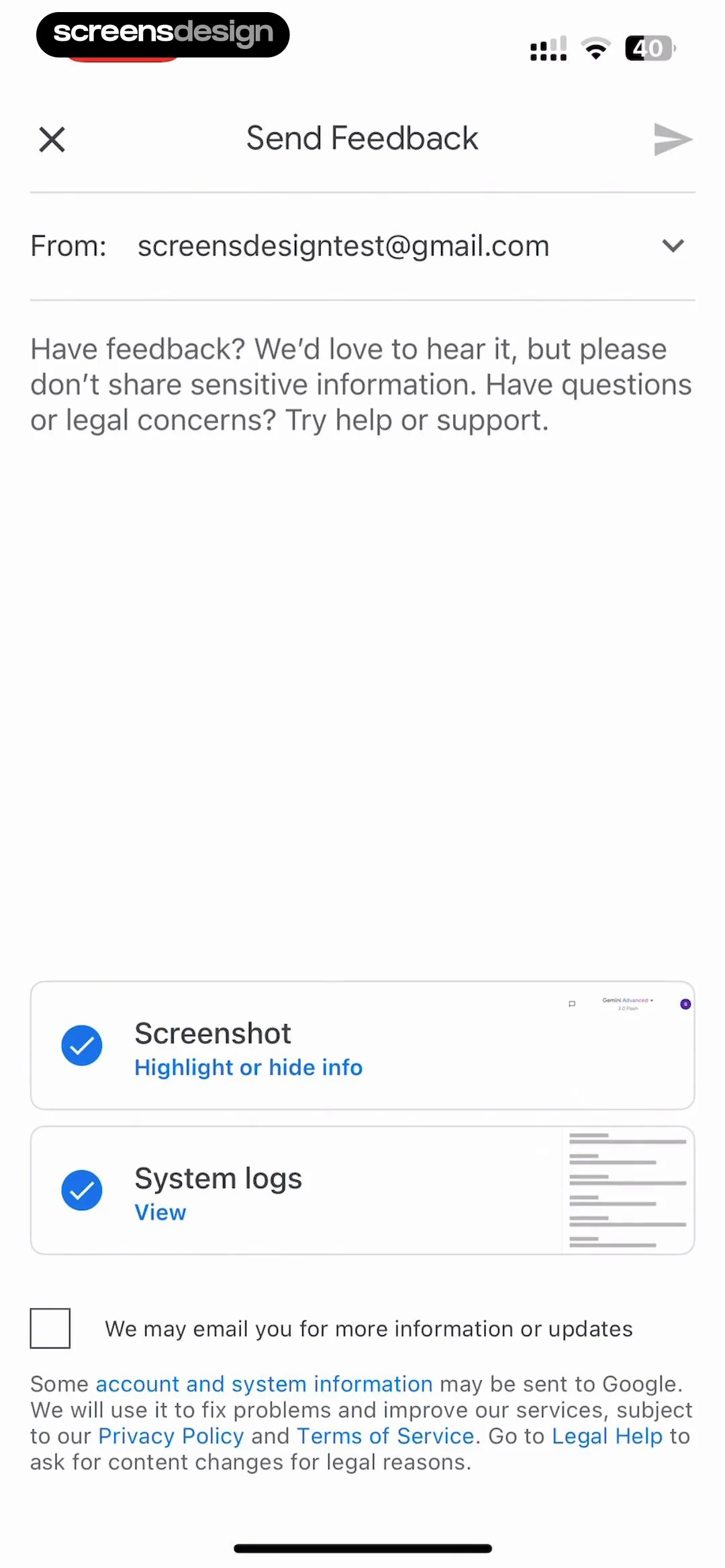
This screen is a 'Send Feedback' form within the Google Gemini app.
 See the flow
  Plane Finder ⁃ Flight Tracker
A modal window with a top navigation bar, followed by grouped list items, a reset button, and a footer with app branding.
 See the flow
  WeMoms - Pregnancy & Baby App
Below this header, there is a vertical list of navigation options: 'My Profile' with a user icon, 'Contact Support' with a speech bubble icon, and 'Settings and Privacy' with a gear icon.
 See the flow
  SubPilot: Cancel Subscriptions
Top header with title and close button, followed by a vertical stack of labeled input fields and a file upload drop zone.
 See the flow
  TCG Card Scanner & Value-Foloy
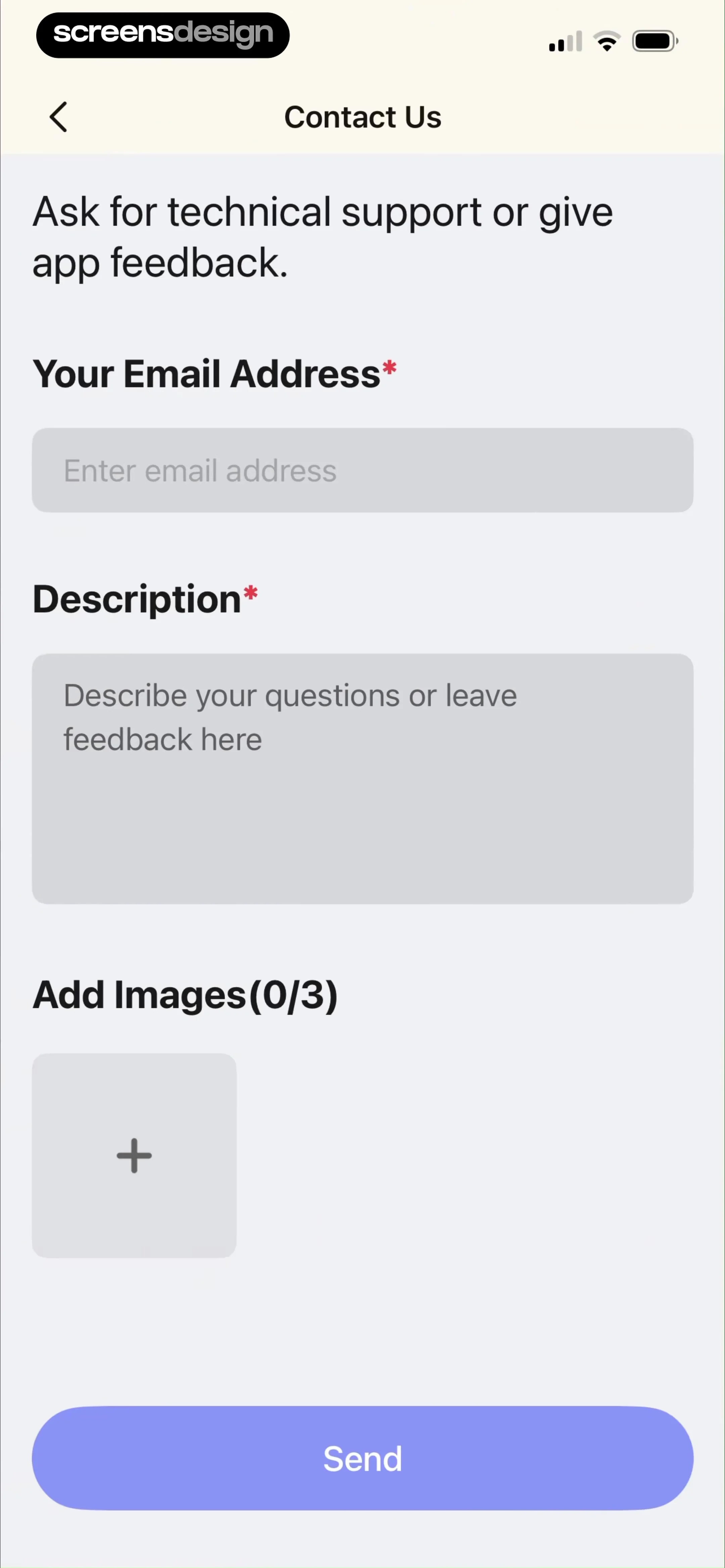
This is a 'Contact Us' support form screen in a mobile application.
 See the flow
  Pool, the screenshot app
This screen displays a 'Send Feedback' modal overlaying a background view titled 'GBP/USD Forex Chart'.


