

 See the flow
  AI Summary - Meeting Notes
Below the title 'Note' and timestamp, there are two segmented control tabs: 'Transcription' (active) and 'Summary' (inactive).
 See the flow AI Summary - Meeting Notes
This screen displays a detailed transcription and summary interface for a video titled 'world's shortest UI/UX design course'.
 See the flow
  Voice Recorder-Audio Memos Арр
Below the waveform is a prominent blue 'Transcribe' button.
 See the flow
  Blinq: Digital Business Card
This screen displays a transcript or note-taking interface within the Blinq app.
 See the flow Blinq: Digital Business Card
This screen displays a transcript or summary view of a professional conversation or meeting.
 See the flow
  ChatGPT
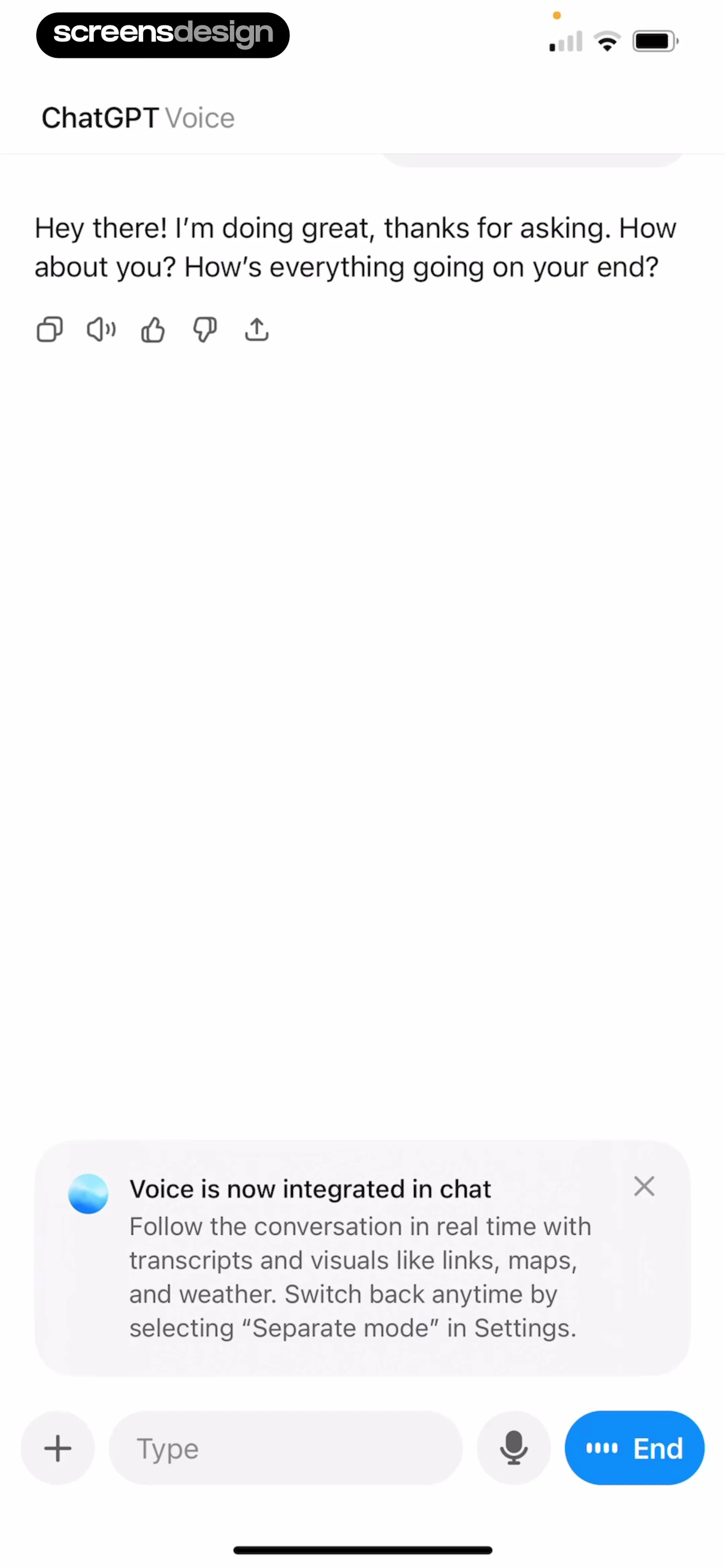
Header at top, conversation history in the middle, informational card above the input area, and a persistent bottom control bar.
 See the flow
  Quinn - Audio Stories
The lower white section provides a brief description of the story, credits for the writer and editor, a link to the previous part, and a 'View transcript' button.
 See the flow Quinn - Audio Stories
Further down, a list of secondary actions includes 'Add to queue', 'Add to playlist', 'See audio details', and 'View transcript'.
 See the flow AI Summary - Meeting Notes
Below that, a 'Preview text' section displays a scrollable card containing a transcription with timestamps (0:05, 0:09, 0:11) and corresponding text about UI design.
 See the flow Blinq: Digital Business Card
This screen displays a summary of a note or transcript related to 'Design Principle: Consistency is Key'.
 See the flow ChatGPT
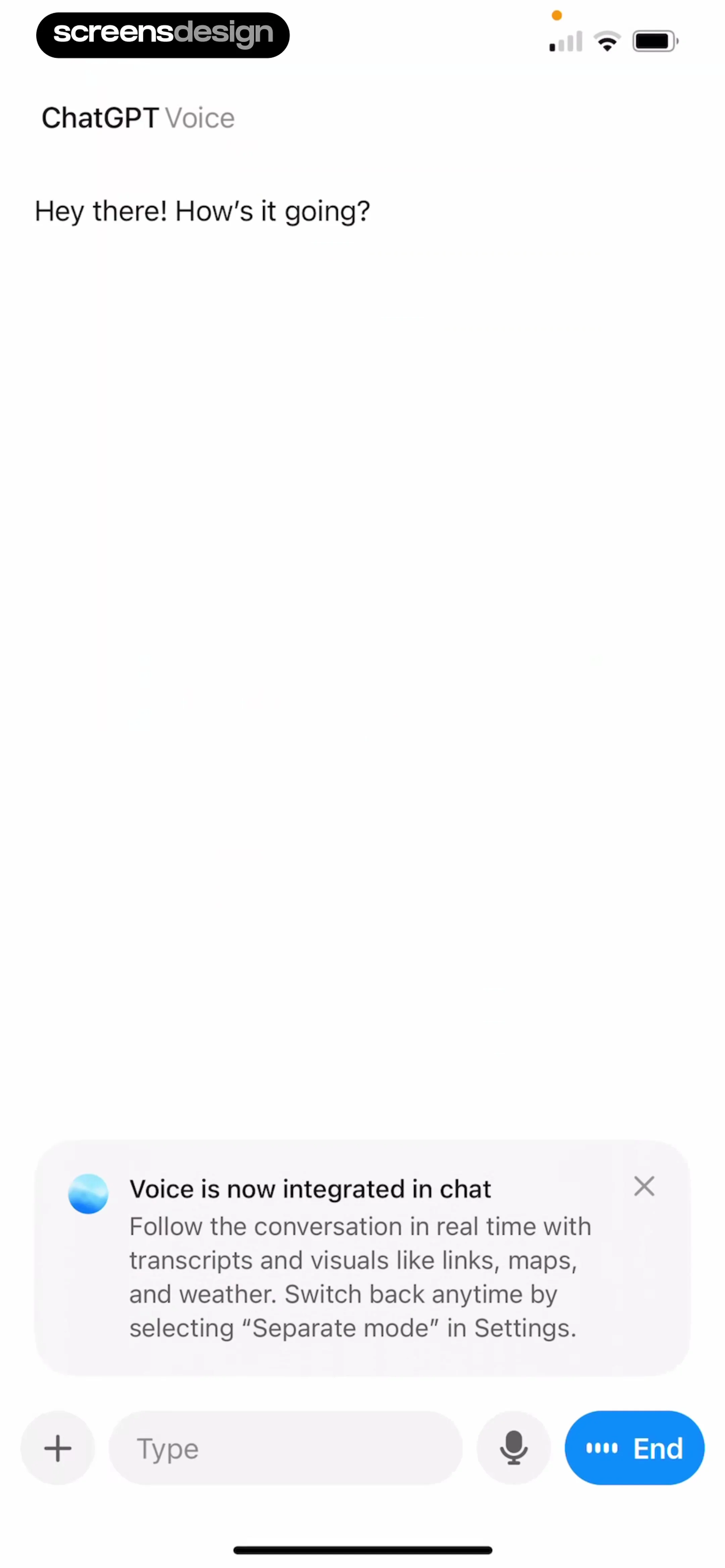
The screen features a header, a central conversation area, an informational card near the bottom, and a persistent input/control bar at the very bottom.
 See the flow Quinn - Audio Stories
Below these, a list of secondary actions is presented in a card-like layout, featuring 'Add to queue', 'Add to playlist', and 'View transcript'.
 See the flow Voice Recorder-Audio Memos Арр
This screen displays a modal overlay titled 'Choose transcription language' centered over a 'Settings' page.
 See the flow Blinq: Digital Business Card
The main background shows a document titled 'Design Principle: Consistency is Key' with a tabbed interface for 'Summary' and 'Transcript'.
 See the flow AI Summary - Meeting Notes
This screen from the Notik app displays a pending transcription request for an audio file titled 'UI Design Audio Sample Test'.
 See the flow AI Summary - Meeting Notes
A tabbed interface allows switching between 'Transcription' and 'Summary' views, with 'Summary' currently active.
 See the flow Voice Recorder-Audio Memos Арр
This screen shows an audio recording playback interface with a modal overlay for selecting a transcription language.
 See the flow AI Summary - Meeting Notes
This screen displays a detailed transcription view of a video titled 'world's shortest UI/UX design course'.
 See the flow Voice Recorder-Audio Memos Арр
This screen displays an audio playback and transcription interface for a voice recording app.
 See the flow Voice Recorder-Audio Memos Арр
This screen shows an audio recording playback interface with a modal overlay indicating an active AI transcription process.


