Map My Run GPS Running Tracker: Exploring & Joining Challenges
Step 1 · 7:00
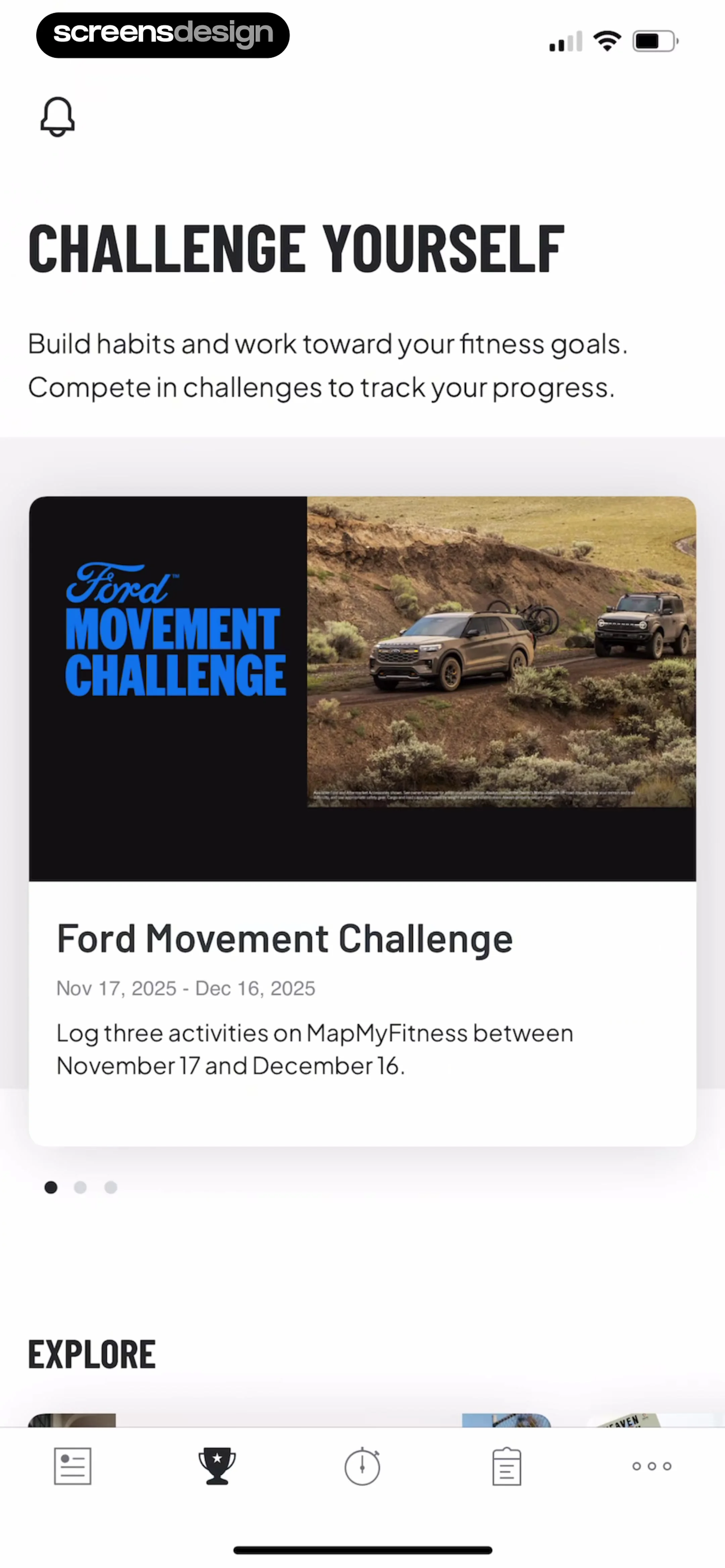 See the flow
  Map My Run GPS Running Tracker
Header with title and description, followed by a featured challenge card, pagination dots, and an explore section header.
Step 2 · 7:06
 See the flow Map My Run GPS Running Tracker
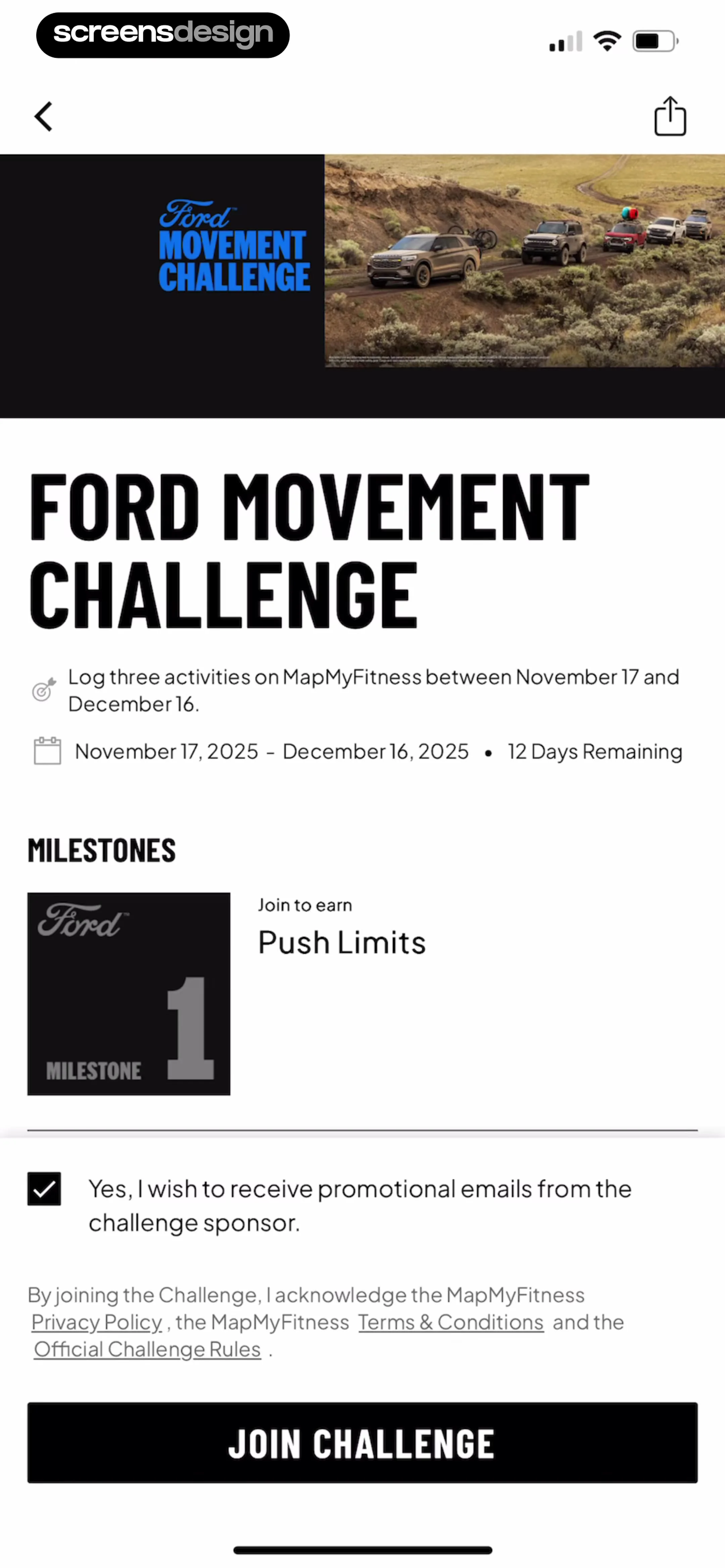
Header image and branding at the top, followed by challenge description, milestones section, legal text with checkbox, and a full-width bottom CTA button.
Step 3 · 7:17
 See the flow Map My Run GPS Running Tracker
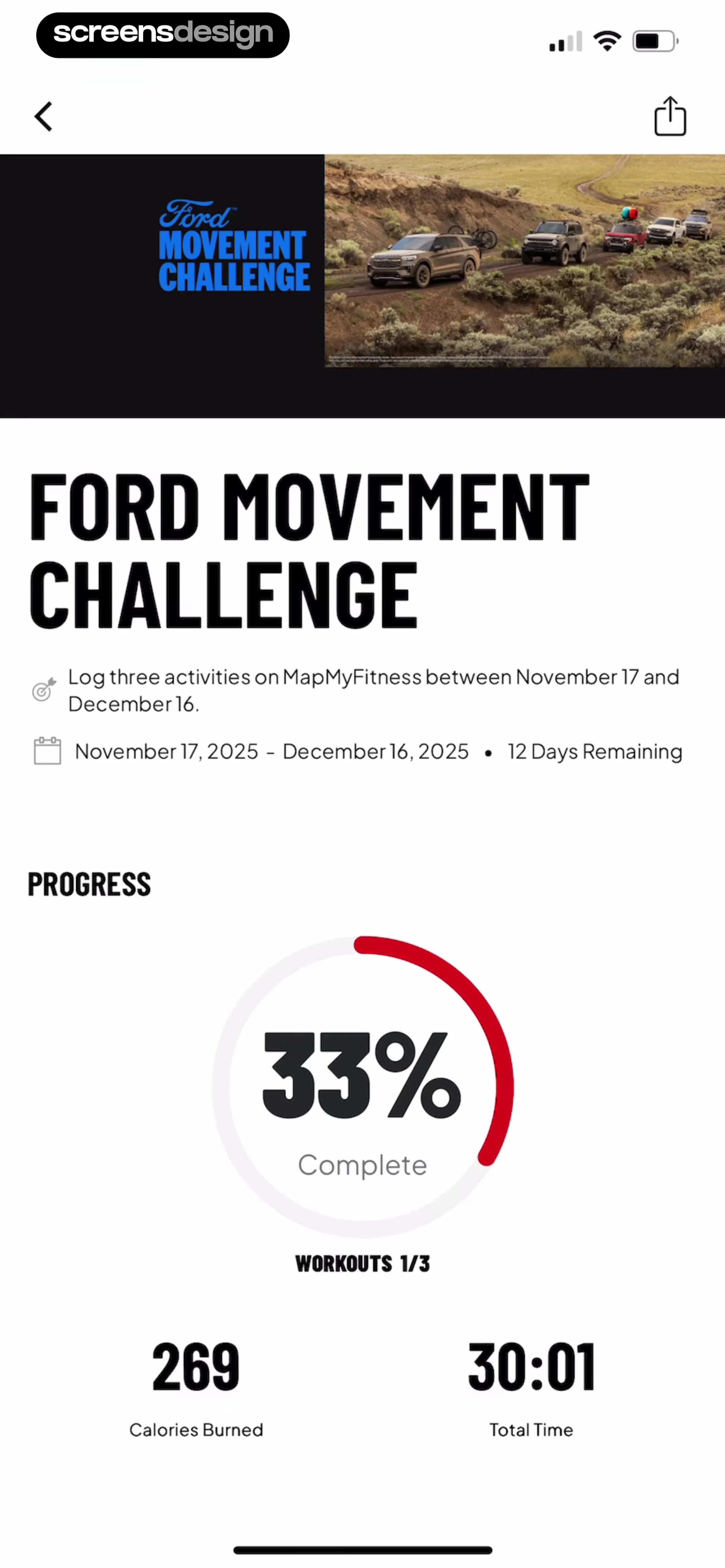
Top header image, followed by challenge title, requirements, progress circular chart, and bottom metrics.
Step 4 · 7:19
 See the flow Map My Run GPS Running Tracker
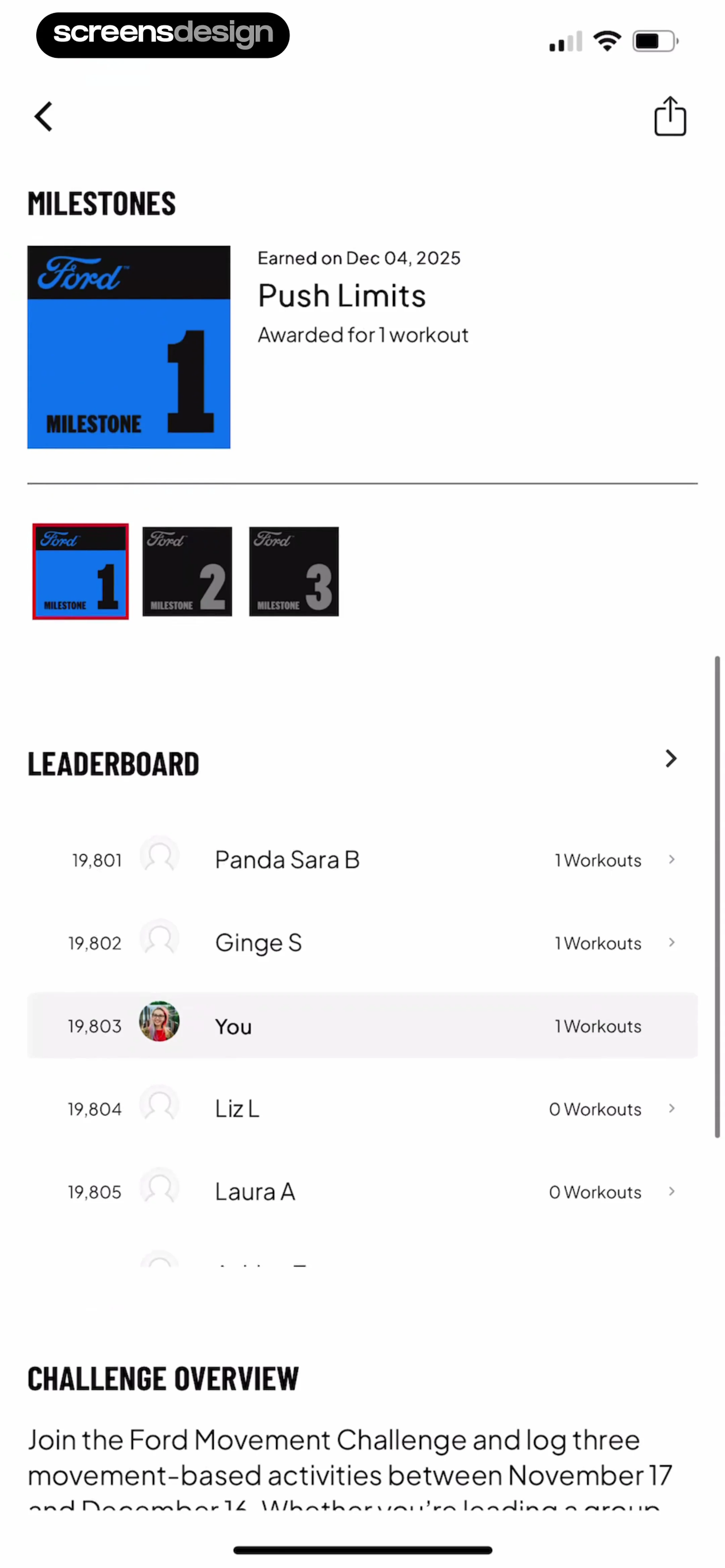
Top navigation bar, followed by a Milestones section, a Leaderboard list, and a Challenge Overview text block at the bottom.
Step 5 · 7:25
 See the flow Map My Run GPS Running Tracker
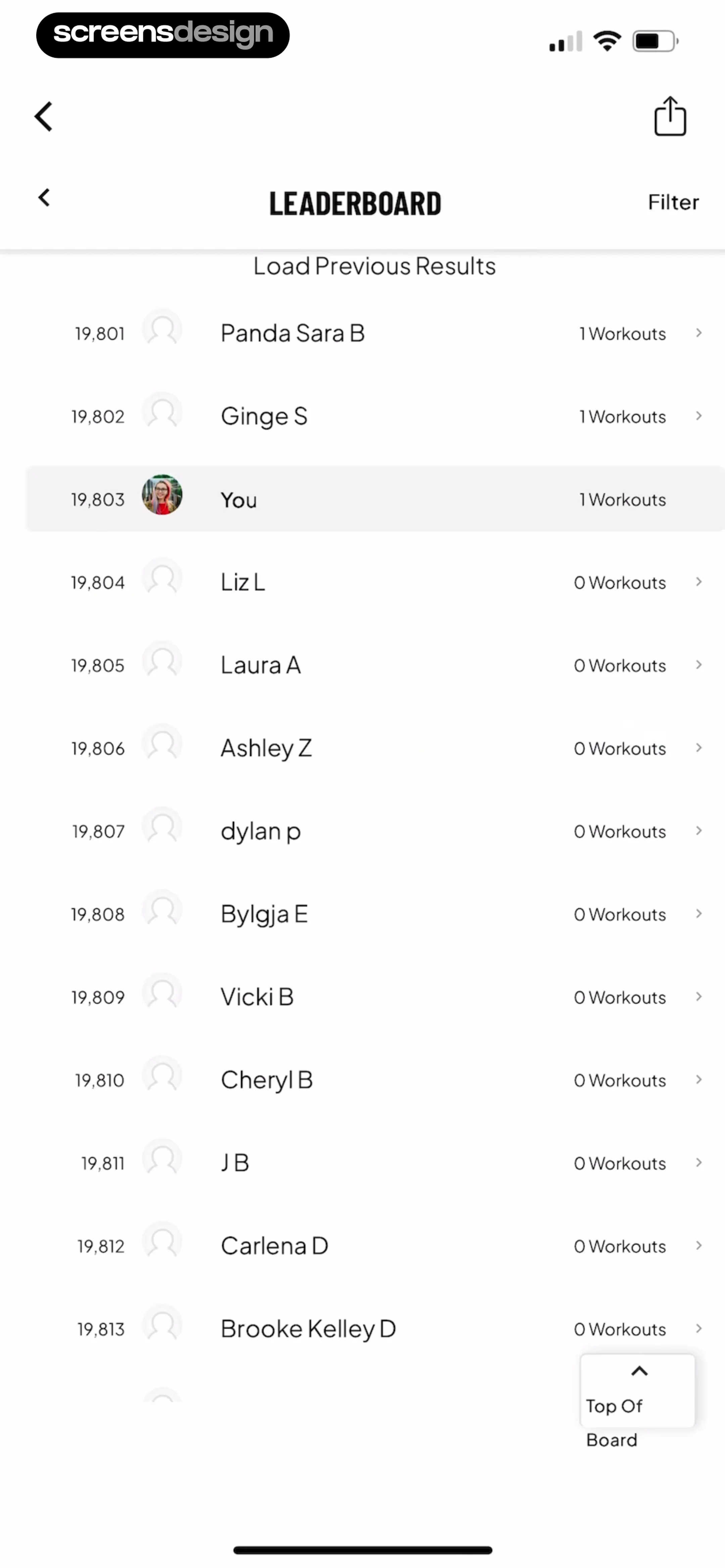
Top navigation bar followed by a list of ranked users, with a floating action button at the bottom right.
Step 6 · 7:31
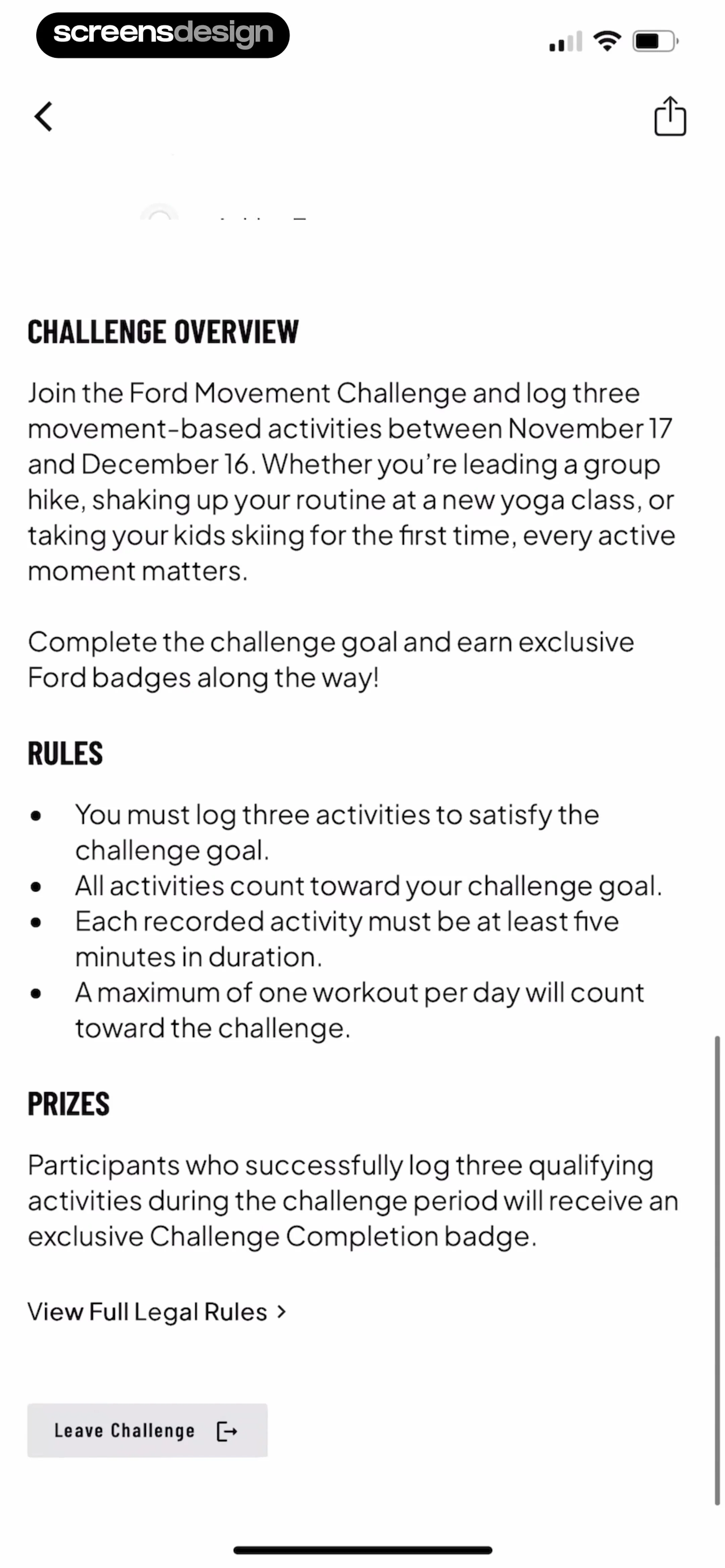 See the flow Map My Run GPS Running Tracker
Top navigation bar followed by a vertical stack of text sections (Overview, Rules, Prizes) and bottom action buttons.
Step 7 · 7:47
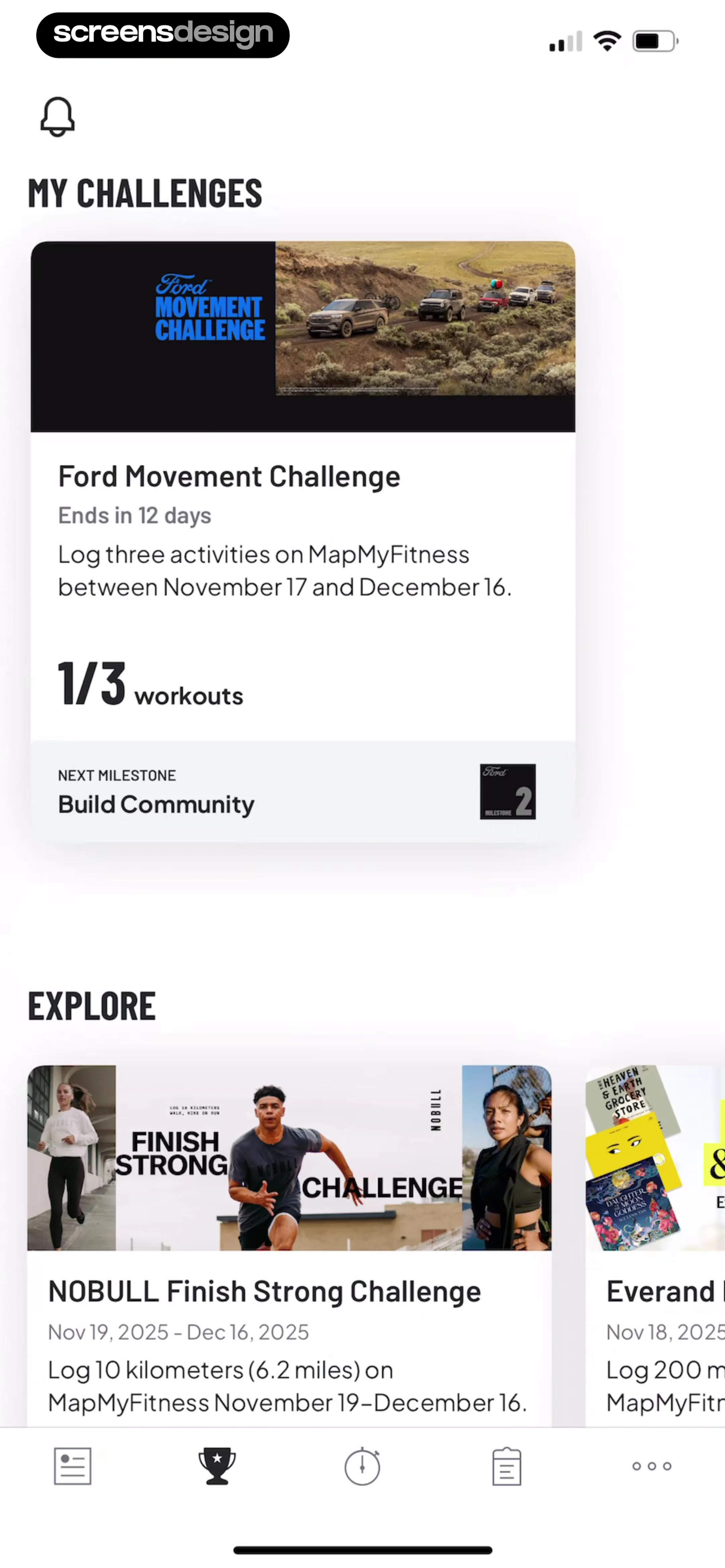 See the flow Map My Run GPS Running Tracker
Header with notification icon, 'MY CHALLENGES' section with one large card, 'EXPLORE' section with a horizontal scrollable list of cards, and a bottom navigation bar.
Step 8 · 7:49
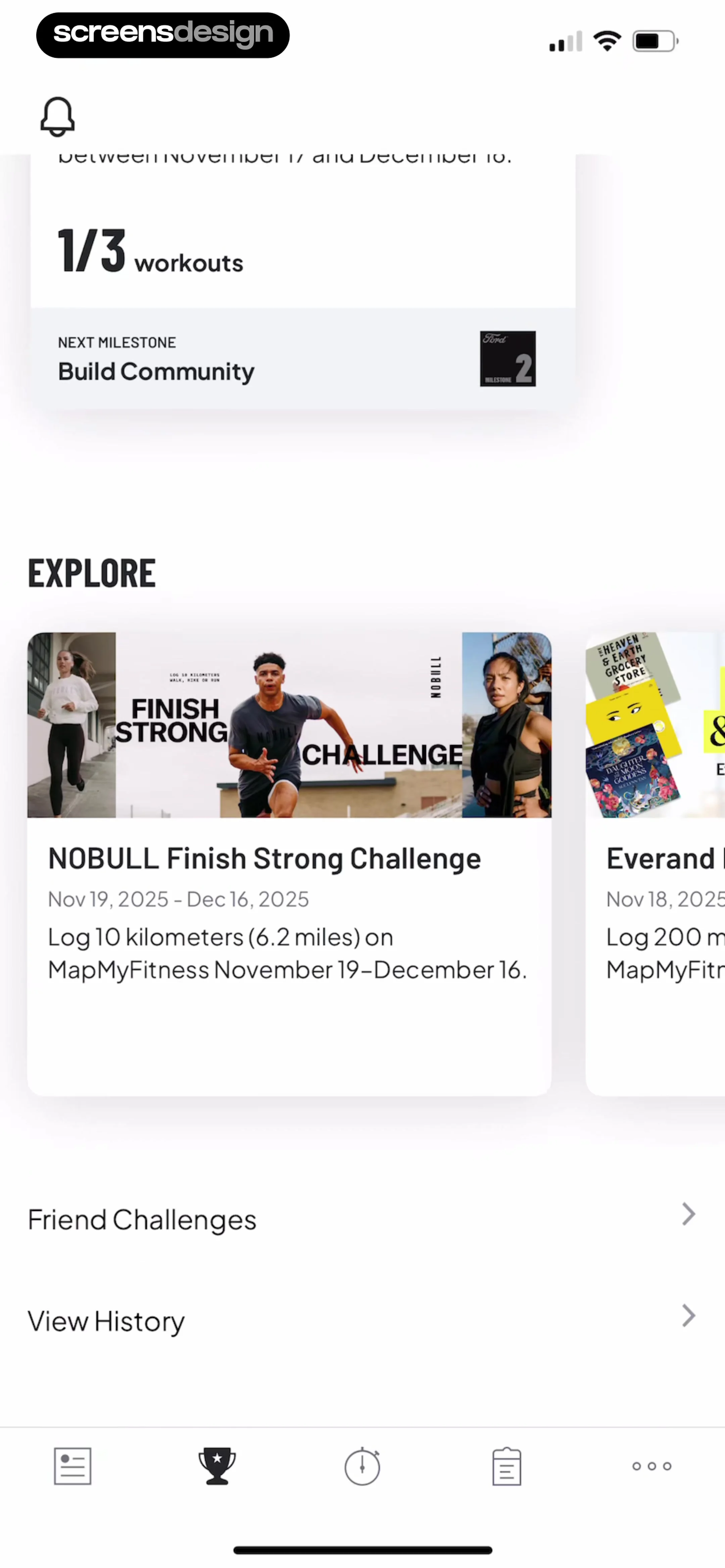 See the flow Map My Run GPS Running Tracker
Top milestone progress card, followed by an 'EXPLORE' section with a horizontal carousel, and a vertical list of navigation links at the bottom, anchored by a bottom navigation bar.
Step 9 · 7:58
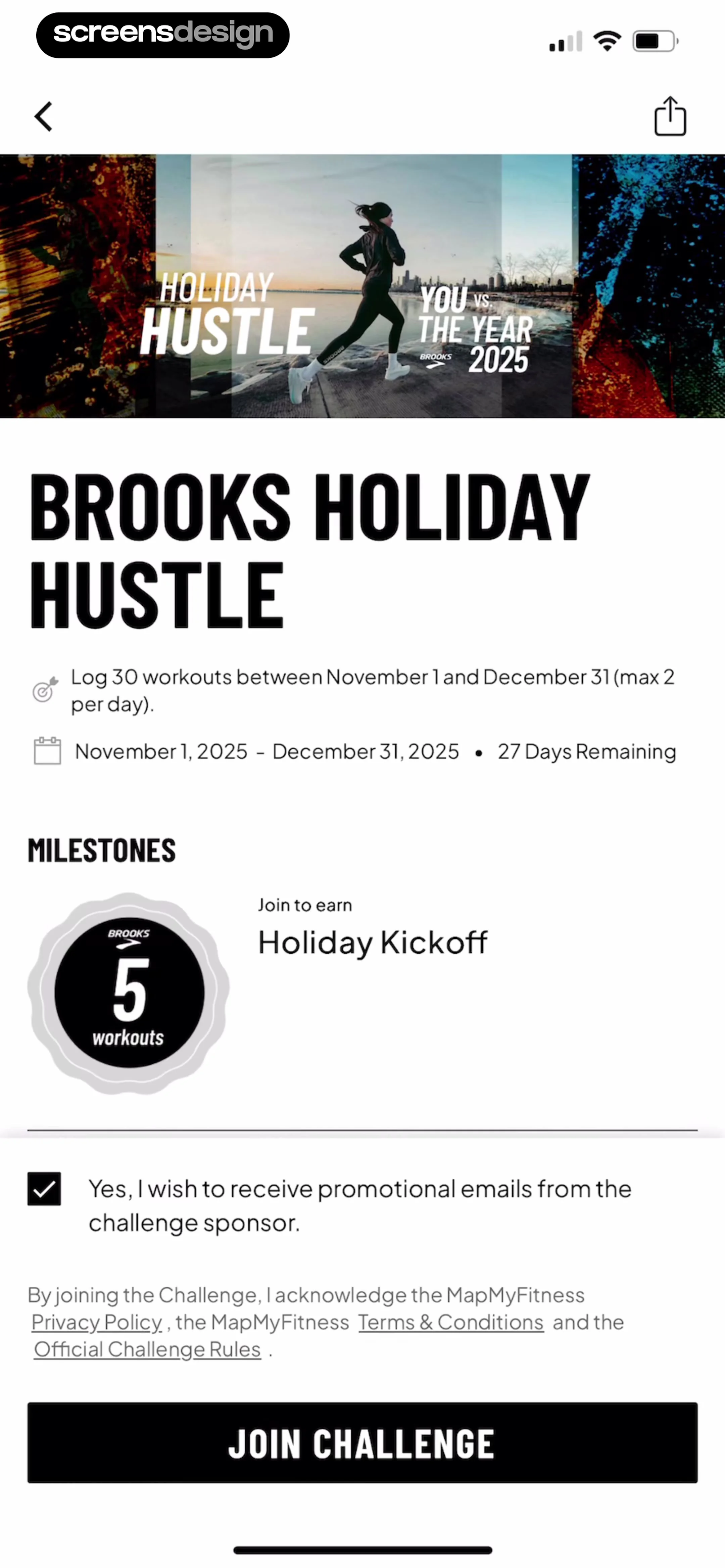 See the flow Map My Run GPS Running Tracker
Header image, challenge title, requirements, milestones section, legal text, and a bottom action button.
Step 10 · 8:03
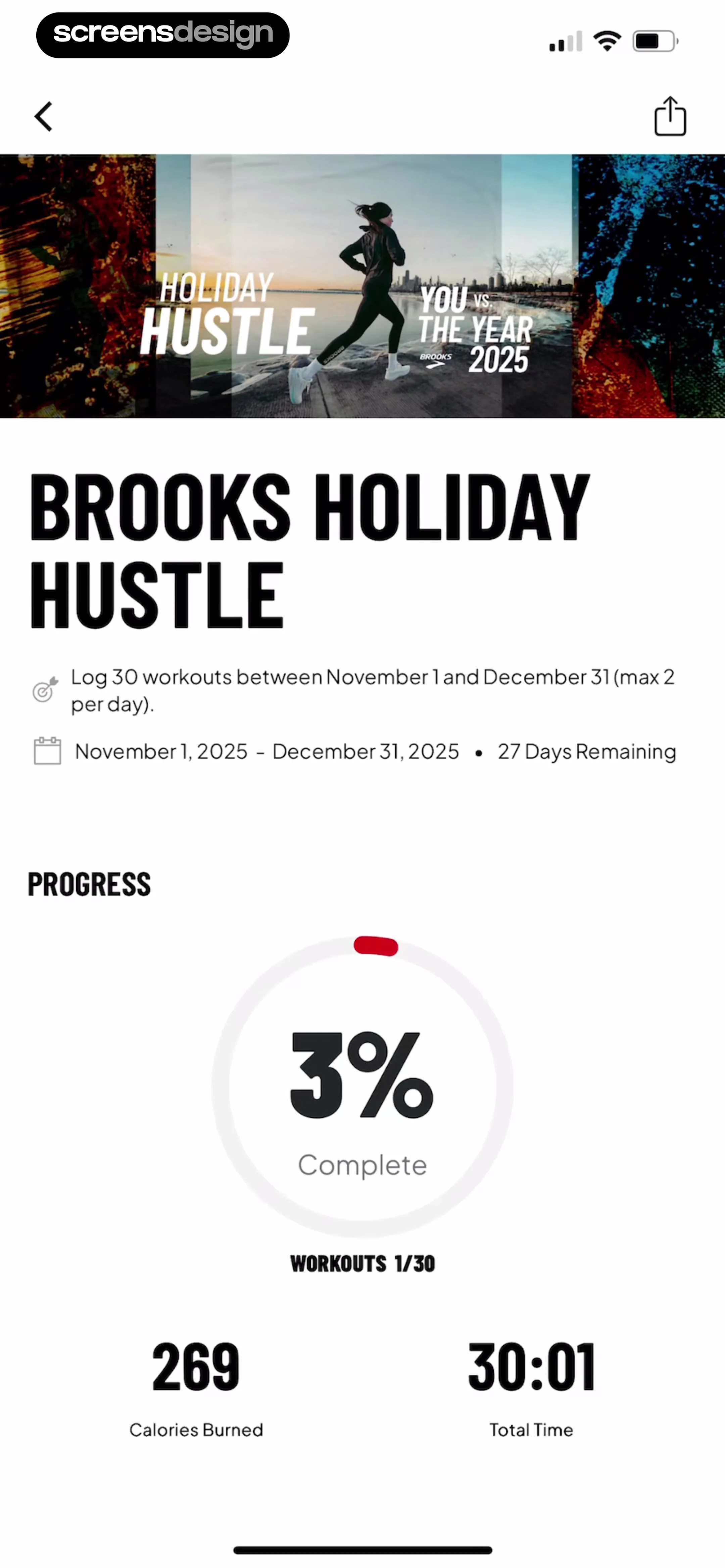 See the flow Map My Run GPS Running Tracker
Top navigation bar, hero image, challenge description, circular progress indicator, and bottom metrics summary.