screensdesign

Mobile event discovery flow examples

Meetup: Social Events & Groups: Browsing & Engaging with Events

Open recorded flow
  1. Step 1 · 2:35

    Meetup: Social Events & Groups: Search bar at top, followed by horizontal filter chips and category tabs, then a vertical scrollable list of event cards, and a bottom navigation bar.See the flow
    Meetup: Social Events & Groups

    Search bar at top, followed by horizontal filter chips and category tabs, then a vertical scrollable list of event cards, and a bottom navigation bar.

  2. Step 2 · 2:40

    Meetup: Social Events & Groups: Top navigation bar, promotional banner, hero image with speaker details, event title and metadata, attendee list, 'About' section, and a bottom sticky bar with RSVP button.See the flow
    Meetup: Social Events & Groups

    Top navigation bar, promotional banner, hero image with speaker details, event title and metadata, attendee list, 'About' section, and a bottom sticky bar with RSVP button.

  3. Step 3 · 2:44

    Meetup: Social Events & Groups: Top navigation bar, promotional event header, event details, attendee list, and a fixed bottom action bar.See the flow
    Meetup: Social Events & Groups

    Top navigation bar, promotional event header, event details, attendee list, and a fixed bottom action bar.

  4. Step 4 · 2:50

    Meetup: Social Events & Groups: Top banner with call-to-action, main event content area, and a bottom sticky action bar, with a central system permission modal overlay.See the flow
    Meetup: Social Events & Groups

    Top banner with call-to-action, main event content area, and a bottom sticky action bar, with a central system permission modal overlay.

  5. Step 5 · 5:18

    Meetup: Social Events & Groups: Header with event imagery, followed by a scrollable list of comments, and a fixed bottom bar with RSVP action.See the flow
    Meetup: Social Events & Groups

    Header with event imagery, followed by a scrollable list of comments, and a fixed bottom bar with RSVP action.

  6. Step 6 · 5:29

    Meetup: Social Events & Groups: Header with navigation icons, followed by a list of event cards, a 'See all' link, a 'Report' button, and a bottom sticky footer with price and RSVP button.See the flow
    Meetup: Social Events & Groups

    Header with navigation icons, followed by a list of event cards, a 'See all' link, a 'Report' button, and a bottom sticky footer with price and RSVP button.

  7. Step 7 · 5:48

    Meetup: Social Events & Groups: Top navigation bar with back button and title, followed by event confirmation details, a promotional card, and a bottom-anchored iOS share sheet overlay.See the flow
    Meetup: Social Events & Groups

    Top navigation bar with back button and title, followed by event confirmation details, a promotional card, and a bottom-anchored iOS share sheet overlay.

  8. Step 8 · 6:16

    Meetup: Social Events & Groups: Top search bar, followed by two rows of horizontal filters, then a vertical list of event cards with a floating map button.See the flow
    Meetup: Social Events & Groups

    Top search bar, followed by two rows of horizontal filters, then a vertical list of event cards with a floating map button.

  9. Step 9 · 6:19

    Meetup: Social Events & Groups: A modal sheet with a top header, three distinct filter categories with selectable list items, and a large primary action button at the bottom.See the flow
    Meetup: Social Events & Groups

    A modal sheet with a top header, three distinct filter categories with selectable list items, and a large primary action button at the bottom.

  10. Step 10 · 6:43

    Meetup: Social Events & Groups: Search bar at top, followed by time and interest filters, a featured event card, a promotional banner, and a floating map button above the bottom navigation.See the flow
    Meetup: Social Events & Groups

    Search bar at top, followed by time and interest filters, a featured event card, a promotional banner, and a floating map button above the bottom navigation.

  11. Step 11 · 7:01

    Meetup: Social Events & Groups: Top navigation bar, followed by two search input fields, a location header, two feature cards, and a system keyboard at the bottom.See the flow
    Meetup: Social Events & Groups

    Top navigation bar, followed by two search input fields, a location header, two feature cards, and a system keyboard at the bottom.

  12. Step 12 · 7:13

    Meetup: Social Events & Groups: Search bar at top, time filters below, map occupying the majority of the screen, event card carousel at the bottom, and bottom navigation bar.See the flow
    Meetup: Social Events & Groups

    Search bar at top, time filters below, map occupying the majority of the screen, event card carousel at the bottom, and bottom navigation bar.
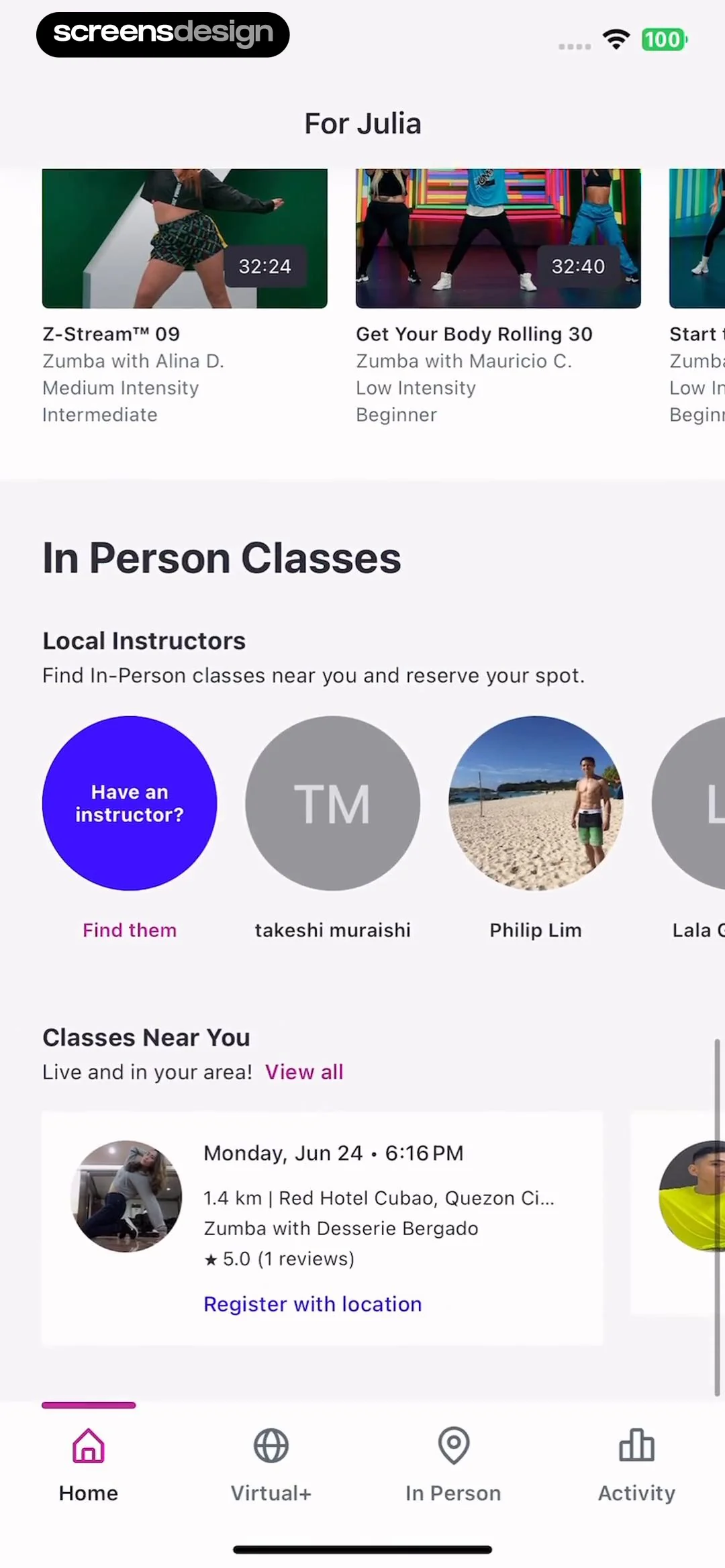
Zumba - Dance Fitness Workout: Exploring In-Person Classes

Open recorded flow
  1. Step 1 · 4:15

    Zumba - Dance Fitness Workout: Top header, horizontal video carousel, 'In Person Classes' section with instructor avatars, 'Classes Near You' list, and a bottom navigation bar.See the flow
    Zumba - Dance Fitness Workout

    Top header, horizontal video carousel, 'In Person Classes' section with instructor avatars, 'Classes Near You' list, and a bottom navigation bar.

  2. Step 2 · 4:21

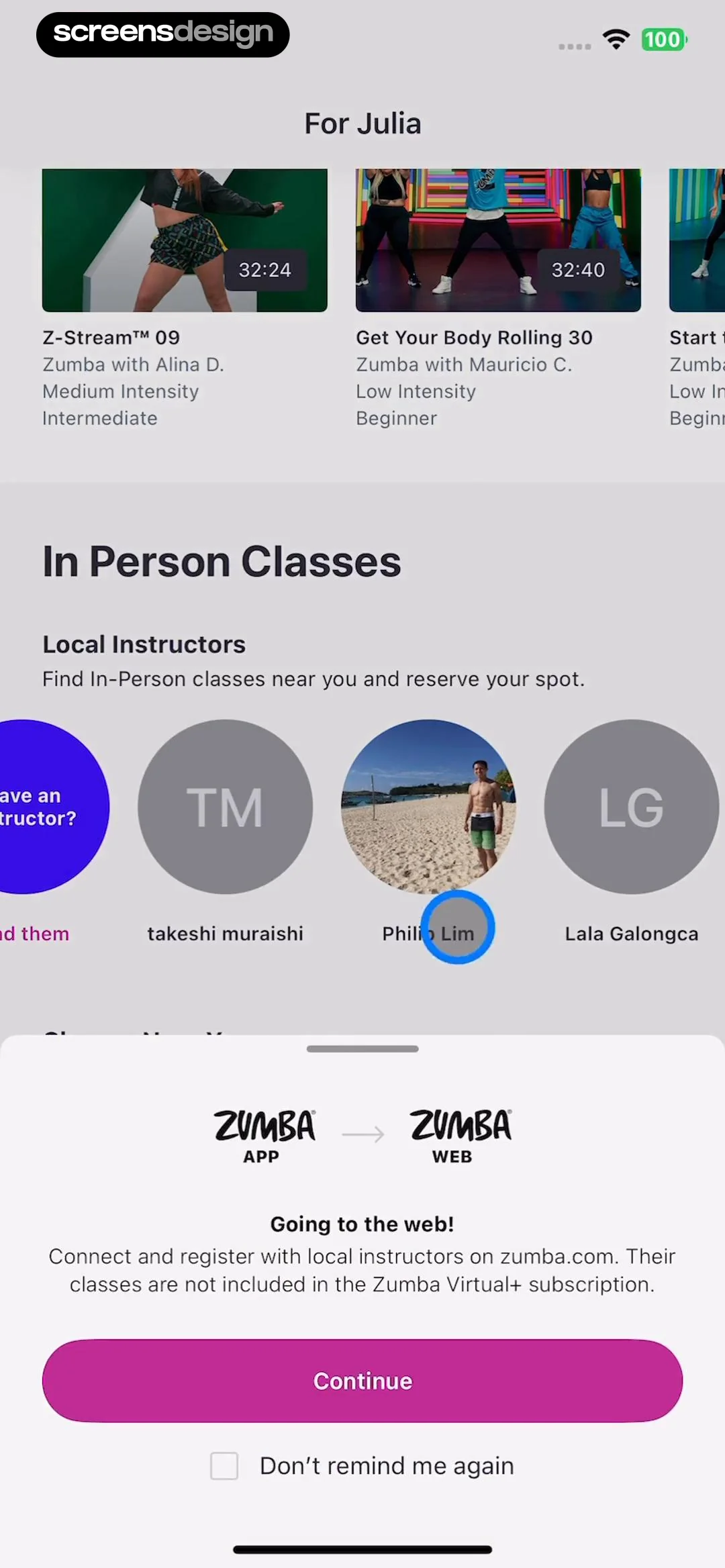
    Zumba - Dance Fitness Workout: Top header 'For Julia', horizontal list of workout cards, 'In Person Classes' section with horizontal list of instructor avatars, and a bottom-anchored modal overlay.See the flow
    Zumba - Dance Fitness Workout

    Top header 'For Julia', horizontal list of workout cards, 'In Person Classes' section with horizontal list of instructor avatars, and a bottom-anchored modal overlay.

  3. Step 3 · 4:27

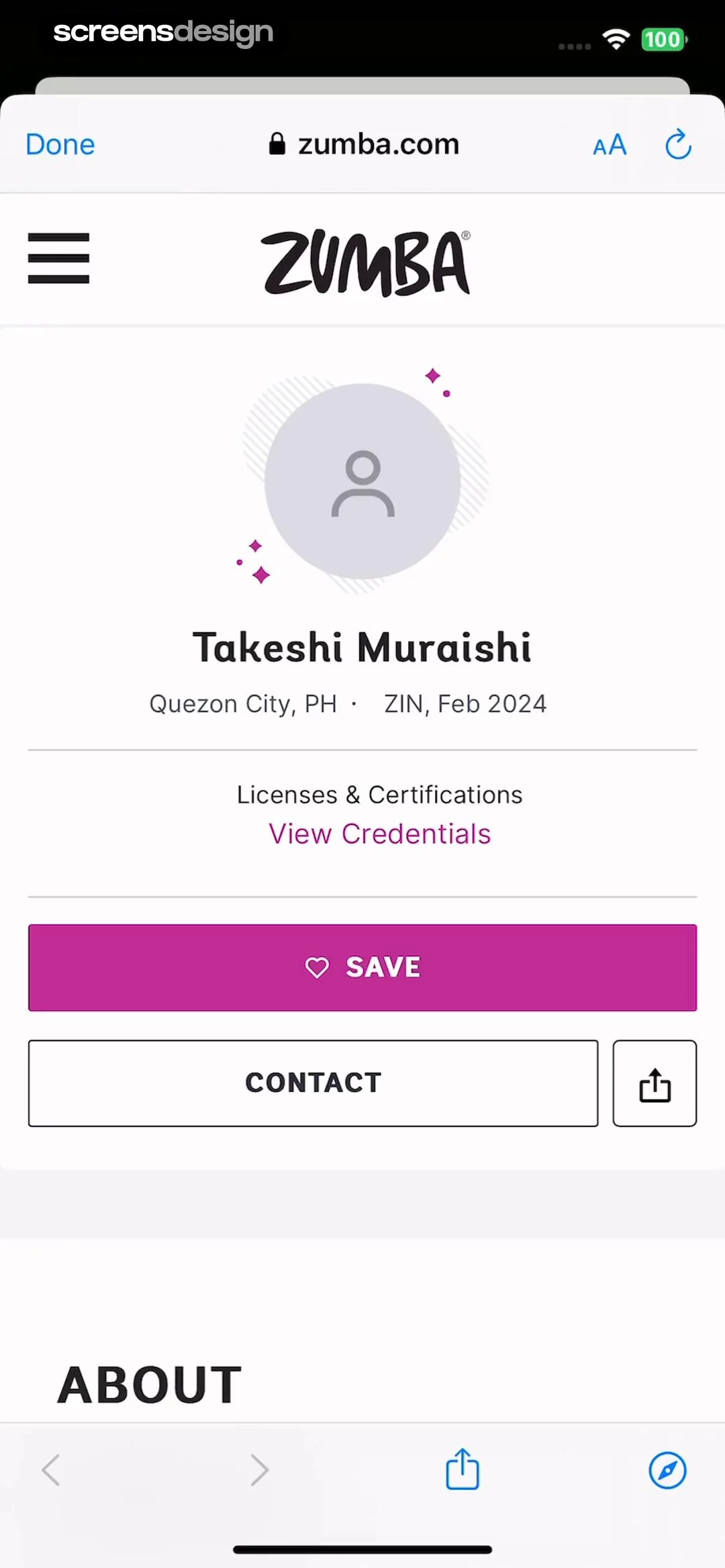
    Zumba - Dance Fitness Workout: Top browser bar, header with logo, profile info card, action buttons, and section header.See the flow
    Zumba - Dance Fitness Workout

    Top browser bar, header with logo, profile info card, action buttons, and section header.

  4. Step 4 · 4:31

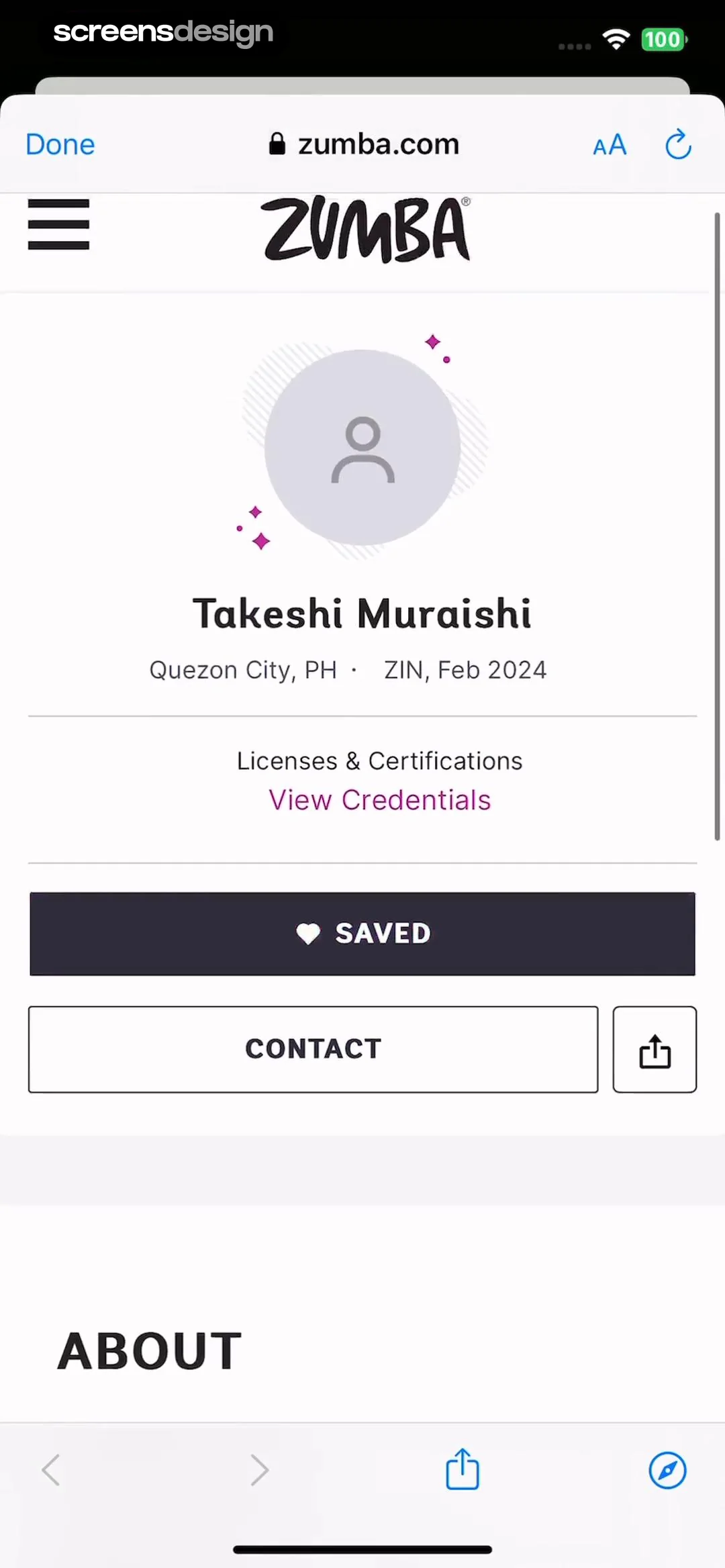
    Zumba - Dance Fitness Workout: Top browser bar, header with logo/menu, profile card with instructor info, action buttons, and bottom browser navigation.See the flow
    Zumba - Dance Fitness Workout

    Top browser bar, header with logo/menu, profile card with instructor info, action buttons, and bottom browser navigation.

Deezer: Music Player, Podcast: Discovering Concerts

Open recorded flow
  1. Step 1 · 15:22

    Deezer: Music Player, Podcast: Top hero image with text overlay, followed by a filter tab and a list of concert cards, with a persistent player bar and bottom navigation.See the flow
    Deezer: Music Player, Podcast

    Top hero image with text overlay, followed by a filter tab and a list of concert cards, with a persistent player bar and bottom navigation.

  2. Step 2 · 15:27

    Deezer: Music Player, Podcast: Top header with title and reset, search bar, scrollable list of results, and bottom system keyboard.See the flow
    Deezer: Music Player, Podcast

    Top header with title and reset, search bar, scrollable list of results, and bottom system keyboard.

  3. Step 3 · 15:31

    Deezer: Music Player, Podcast: Top hero image, title, location filter, vertical list of concert cards, persistent mini-player, and bottom navigation bar.See the flow
    Deezer: Music Player, Podcast

    Top hero image, title, location filter, vertical list of concert cards, persistent mini-player, and bottom navigation bar.

  4. Step 4 · 15:35

    Deezer: Music Player, Podcast: Top hero image, event details, ticket button, line-up section, bottom persistent player, bottom navigation bar.See the flow
    Deezer: Music Player, Podcast

    Top hero image, event details, ticket button, line-up section, bottom persistent player, bottom navigation bar.

Found an example you like?See the whole story.