screensdesign

Mobile reminder scheduling flow examples

Zumba - Dance Fitness Workout: Scheduling a Class

Open recorded flow
  1. Step 1 · 2:41

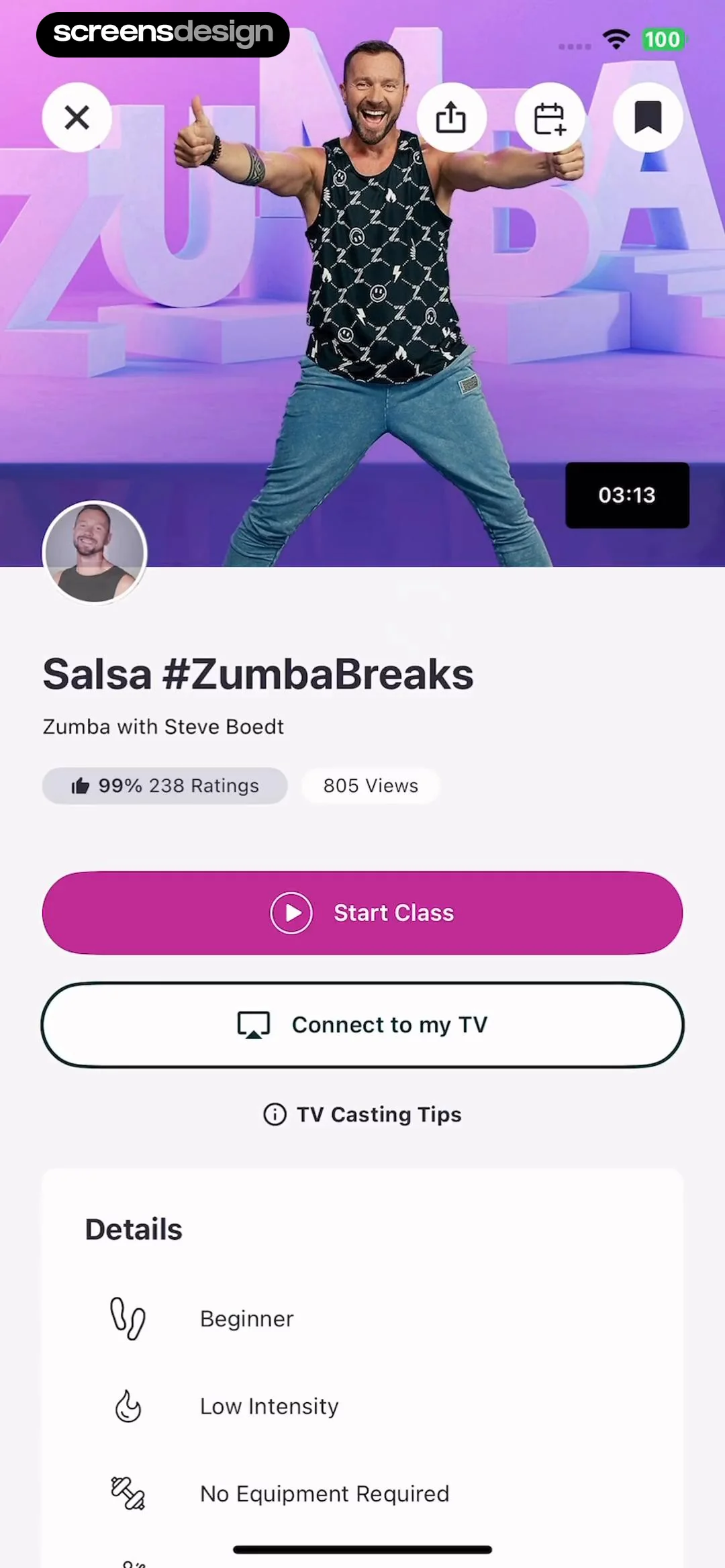
    Zumba - Dance Fitness Workout: Top hero image, followed by title and metadata, primary action buttons, and a details list at the bottom.See the flow
    Zumba - Dance Fitness Workout

    Top hero image, followed by title and metadata, primary action buttons, and a details list at the bottom.

  2. Step 2 · 2:46

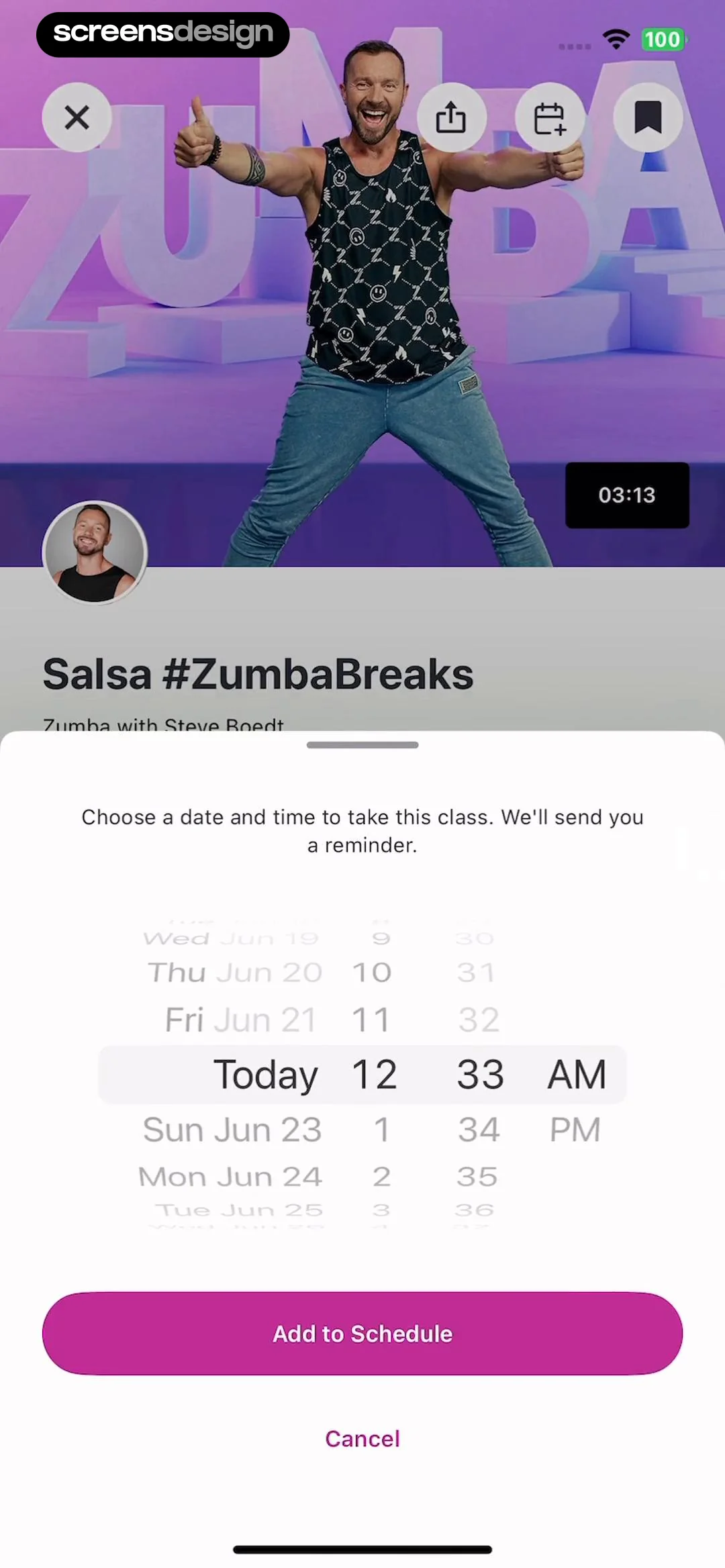
    Zumba - Dance Fitness Workout: Video player background with a bottom-anchored modal overlay for scheduling.See the flow
    Zumba - Dance Fitness Workout

    Video player background with a bottom-anchored modal overlay for scheduling.

  3. Step 3 · 2:48

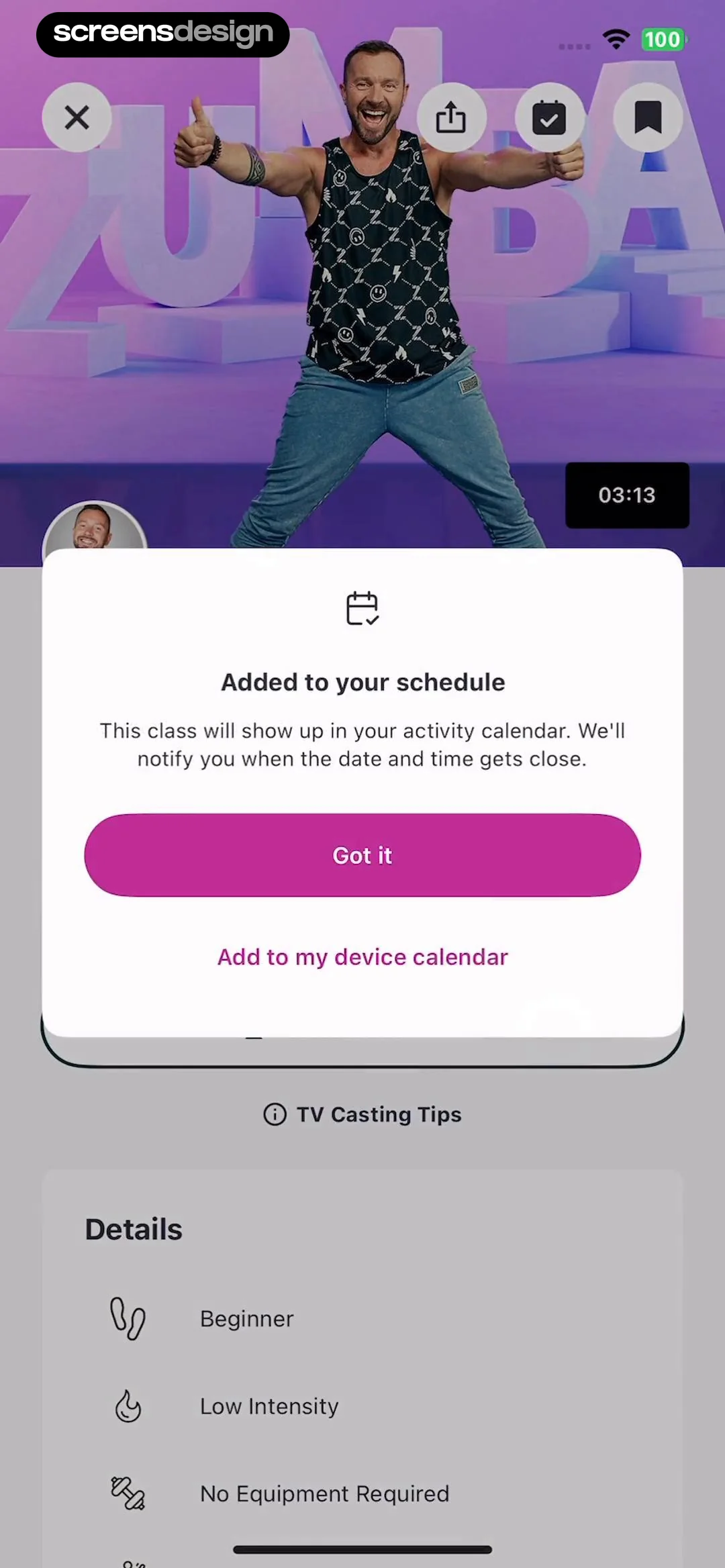
    Zumba - Dance Fitness Workout: A modal overlay centered over a video player and a details list section.See the flow
    Zumba - Dance Fitness Workout

    A modal overlay centered over a video player and a details list section.

  4. Step 4 · 2:51

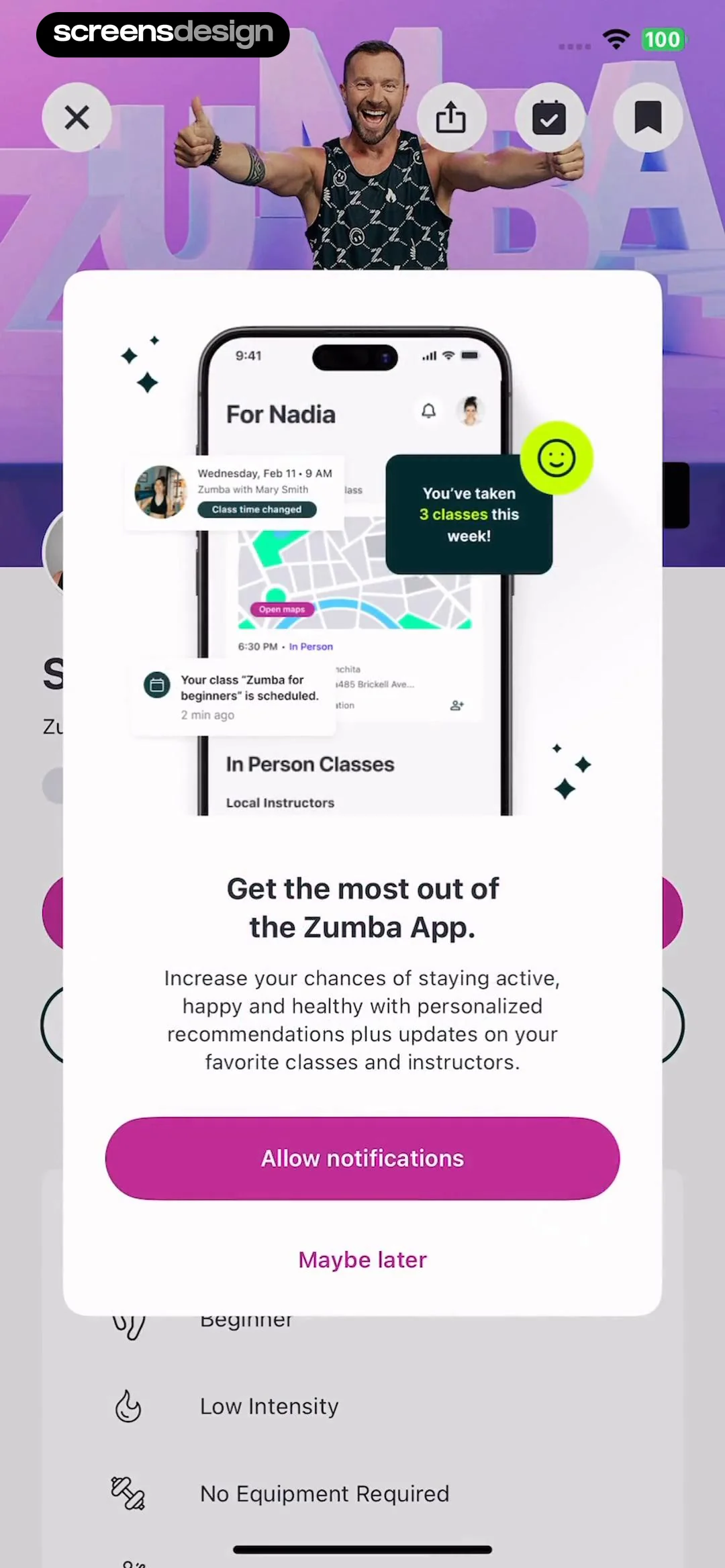
    Zumba - Dance Fitness Workout: A centered modal overlay on a blurred background. The modal contains an illustration at the top, followed by a heading, body text, and two action buttons.See the flow
    Zumba - Dance Fitness Workout

    A centered modal overlay on a blurred background. The modal contains an illustration at the top, followed by a heading, body text, and two action buttons.


Sky Tonight - Stargazing Guide: Setting a Custom Event Reminder

Open recorded flow
  1. Step 1 · 1:15

    Sky Tonight - Stargazing Guide: Header with title and tabs, followed by a time-scrubbing bar, a large altitude chart, and a data table at the bottom.See the flow
    Sky Tonight - Stargazing Guide

    Header with title and tabs, followed by a time-scrubbing bar, a large altitude chart, and a data table at the bottom.

  2. Step 2 · 1:18

    Sky Tonight - Stargazing Guide: A dark-themed background showing constellation data with a centered modal dialog box on top.See the flow
    Sky Tonight - Stargazing Guide

    A dark-themed background showing constellation data with a centered modal dialog box on top.

  3. Step 3 · 1:22

    Sky Tonight - Stargazing Guide: A centered modal overlaying a dark-themed background interface.See the flow
    Sky Tonight - Stargazing Guide

    A centered modal overlaying a dark-themed background interface.

  4. Step 4 · 1:29

    Sky Tonight - Stargazing Guide: A centered modal dialog box appearing over a dark background interface with a timeline and navigation bar.See the flow
    Sky Tonight - Stargazing Guide

    A centered modal dialog box appearing over a dark background interface with a timeline and navigation bar.

SnoreLab : Record Your Snoring: Set an Alarm

Open recorded flow
  1. Step 1 · 3:31

    SnoreLab : Record Your Snoring: A top navigation bar followed by a vertical list of seven selectable day rows.See the flow
    SnoreLab : Record Your Snoring

    A top navigation bar followed by a vertical list of seven selectable day rows.

  2. Step 2 · 3:34

    SnoreLab : Record Your Snoring: Top navigation bar followed by a vertical list of selectable options.See the flow
    SnoreLab : Record Your Snoring

    Top navigation bar followed by a vertical list of selectable options.

  3. Step 3 · 3:37

    SnoreLab : Record Your Snoring: A top navigation bar followed by a vertical list of selectable sound options.See the flow
    SnoreLab : Record Your Snoring

    A top navigation bar followed by a vertical list of selectable sound options.

  4. Step 4 · 3:42

    SnoreLab : Record Your Snoring: Top navigation bar, followed by a time picker wheel, a list of settings rows, and a large action button at the bottom.See the flow
    SnoreLab : Record Your Snoring

    Top navigation bar, followed by a time picker wheel, a list of settings rows, and a large action button at the bottom.

DAZN: Stream Live Sports: Managing Schedule and Alerts

Open recorded flow
  1. Step 1 · 7:34

    DAZN: Stream Live Sports: Top header with search/cast/profile, horizontal filter tabs, date indicator, vertical list of event cards, and bottom navigation bar.See the flow
    DAZN: Stream Live Sports

    Top header with search/cast/profile, horizontal filter tabs, date indicator, vertical list of event cards, and bottom navigation bar.

  2. Step 2 · 7:47

    DAZN: Stream Live Sports: Top navigation bar, horizontal filter tabs, vertical list of event cards, and a bottom modal overlay.See the flow
    DAZN: Stream Live Sports

    Top navigation bar, horizontal filter tabs, vertical list of event cards, and a bottom modal overlay.

  3. Step 3 · 7:52

    DAZN: Stream Live Sports: Top navigation bar, horizontal category filter, date selection modal overlaying a vertical list of event cards, and a bottom navigation bar.See the flow
    DAZN: Stream Live Sports

    Top navigation bar, horizontal category filter, date selection modal overlaying a vertical list of event cards, and a bottom navigation bar.

  4. Step 4 · 8:32

    DAZN: Stream Live Sports: Top navigation bar, followed by a user profile card, a progress card, two side-by-side action buttons, and a vertical list of settings options.See the flow
    DAZN: Stream Live Sports

    Top navigation bar, followed by a user profile card, a progress card, two side-by-side action buttons, and a vertical list of settings options.

  5. Step 5 · 8:51

    DAZN: Stream Live Sports: Header with back button and title, followed by team name, instructional text, a list of toggleable notification options, and a bottom action area with a primary button and secondary link.See the flow
    DAZN: Stream Live Sports

    Header with back button and title, followed by team name, instructional text, a list of toggleable notification options, and a bottom action area with a primary button and secondary link.

  6. Step 6 · 9:06

    DAZN: Stream Live Sports: Top navigation bar followed by a vertical list of event cards.See the flow
    DAZN: Stream Live Sports

    Top navigation bar followed by a vertical list of event cards.

  7. Step 7 · 9:10

    DAZN: Stream Live Sports: Top navigation bar, followed by a scrollable list of event alert cards, and a fixed bottom action button.See the flow
    DAZN: Stream Live Sports

    Top navigation bar, followed by a scrollable list of event alert cards, and a fixed bottom action button.

  8. Step 8 · 9:19

    DAZN: Stream Live Sports: Modal overlay with a header, descriptive text, a list of toggleable notification options, and a bottom action button.See the flow
    DAZN: Stream Live Sports

    Modal overlay with a header, descriptive text, a list of toggleable notification options, and a bottom action button.

Found an example you like?See the whole story.