screensdesign

Mobile video viewing flow examples

Zumba - Dance Fitness Workout: Playing a Workout Video

Open recorded flow
  1. Step 1 · 2:41

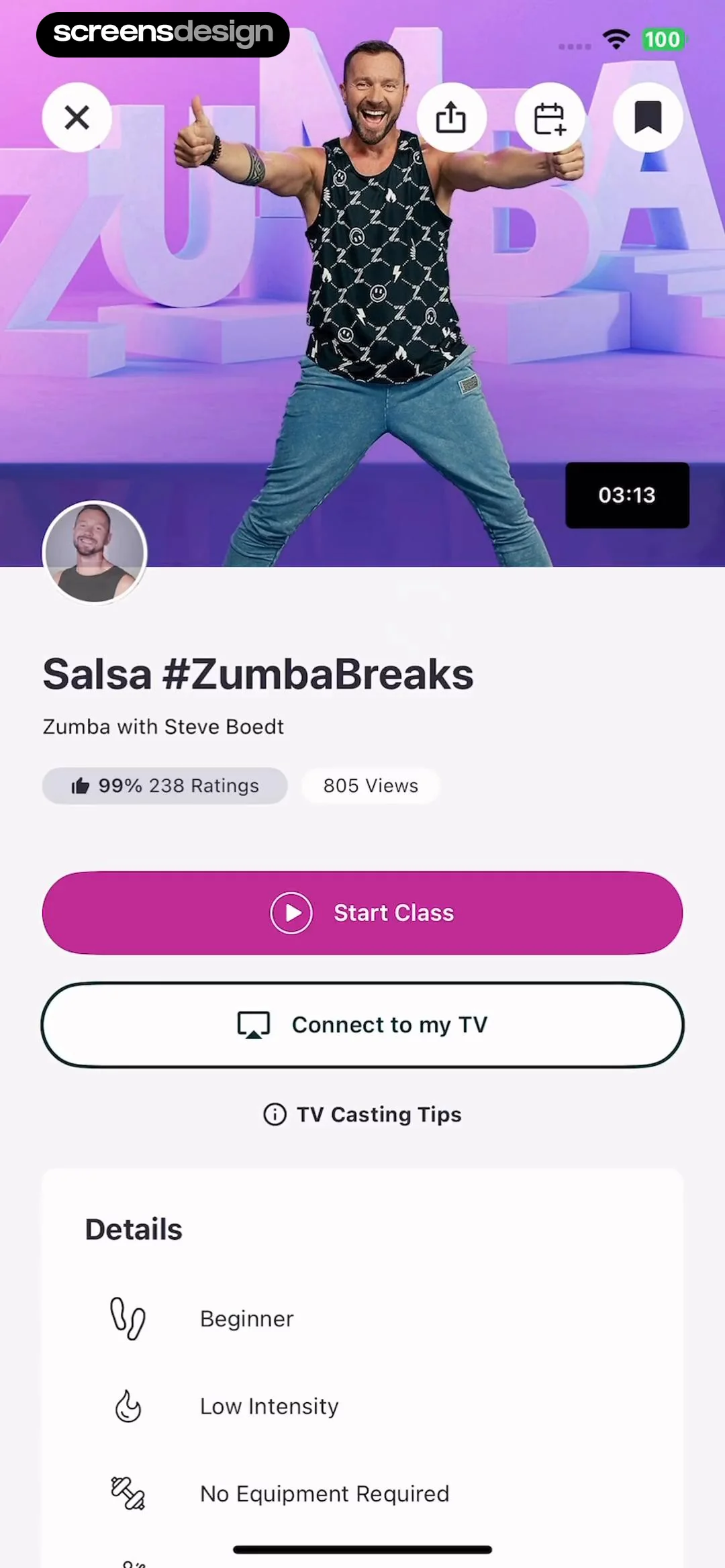
    Zumba - Dance Fitness Workout: Top hero image, followed by title and metadata, primary action buttons, and a details list at the bottom.See the flow
    Zumba - Dance Fitness Workout

    Top hero image, followed by title and metadata, primary action buttons, and a details list at the bottom.

  2. Step 2 · 2:46

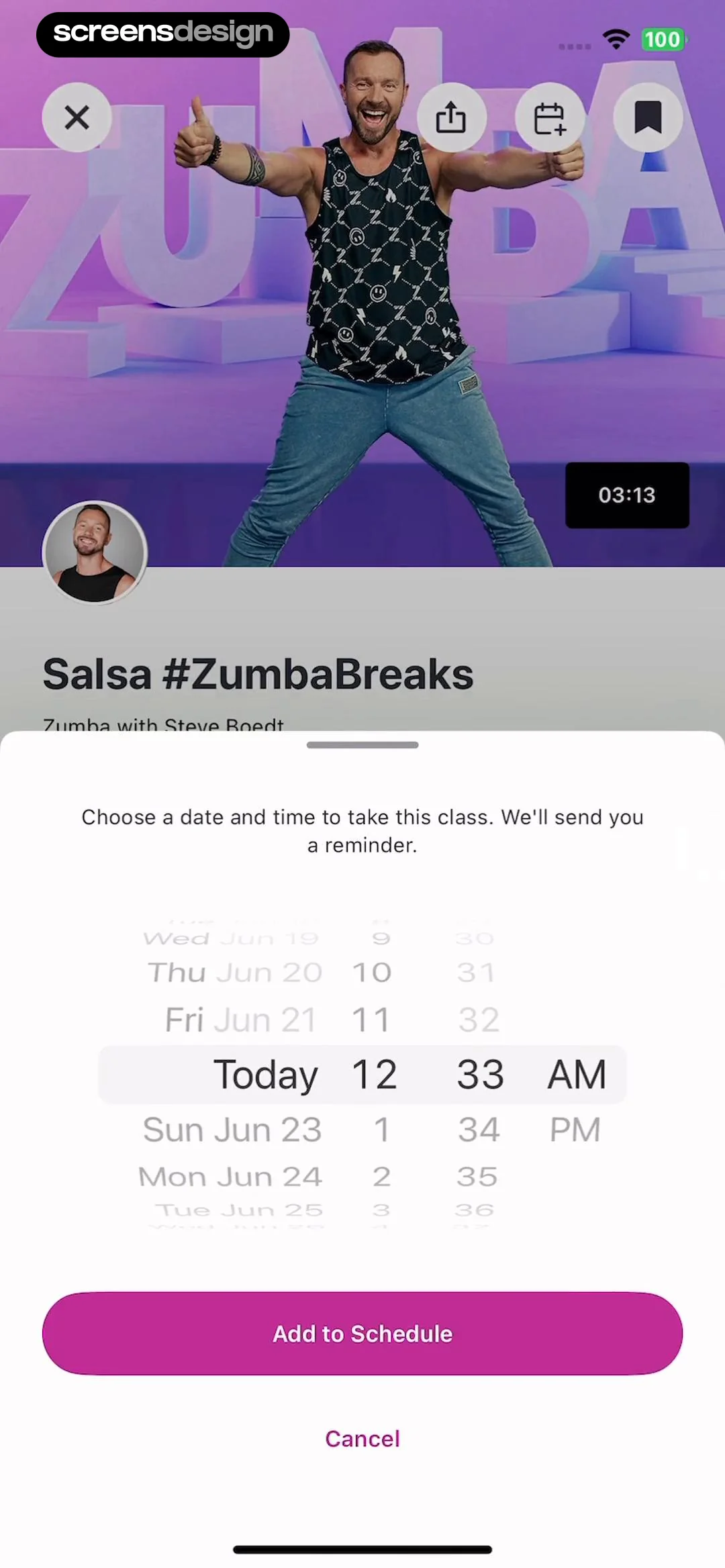
    Zumba - Dance Fitness Workout: Video player background with a bottom-anchored modal overlay for scheduling.See the flow
    Zumba - Dance Fitness Workout

    Video player background with a bottom-anchored modal overlay for scheduling.

  3. Step 3 · 2:48

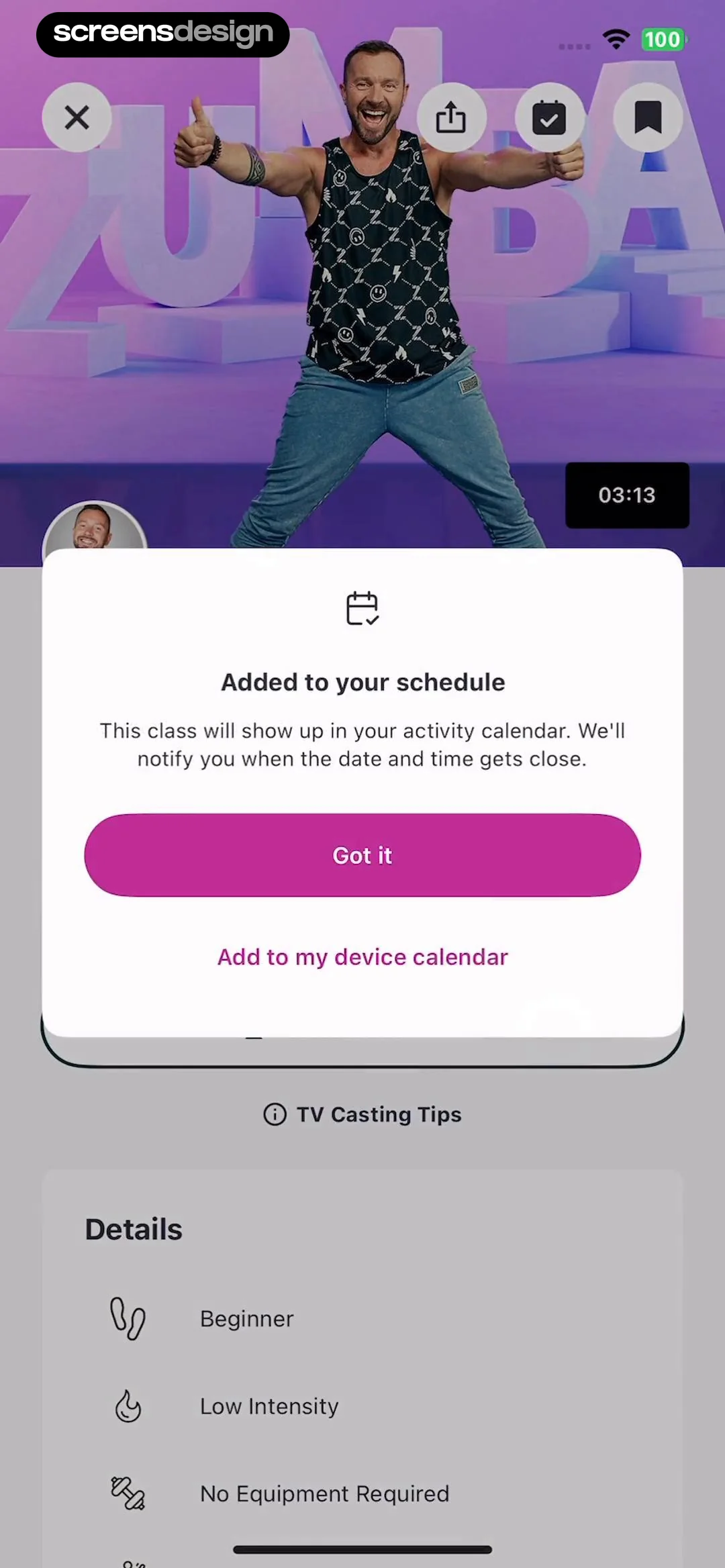
    Zumba - Dance Fitness Workout: A modal overlay centered over a video player and a details list section.See the flow
    Zumba - Dance Fitness Workout

    A modal overlay centered over a video player and a details list section.

  4. Step 4 · 2:51

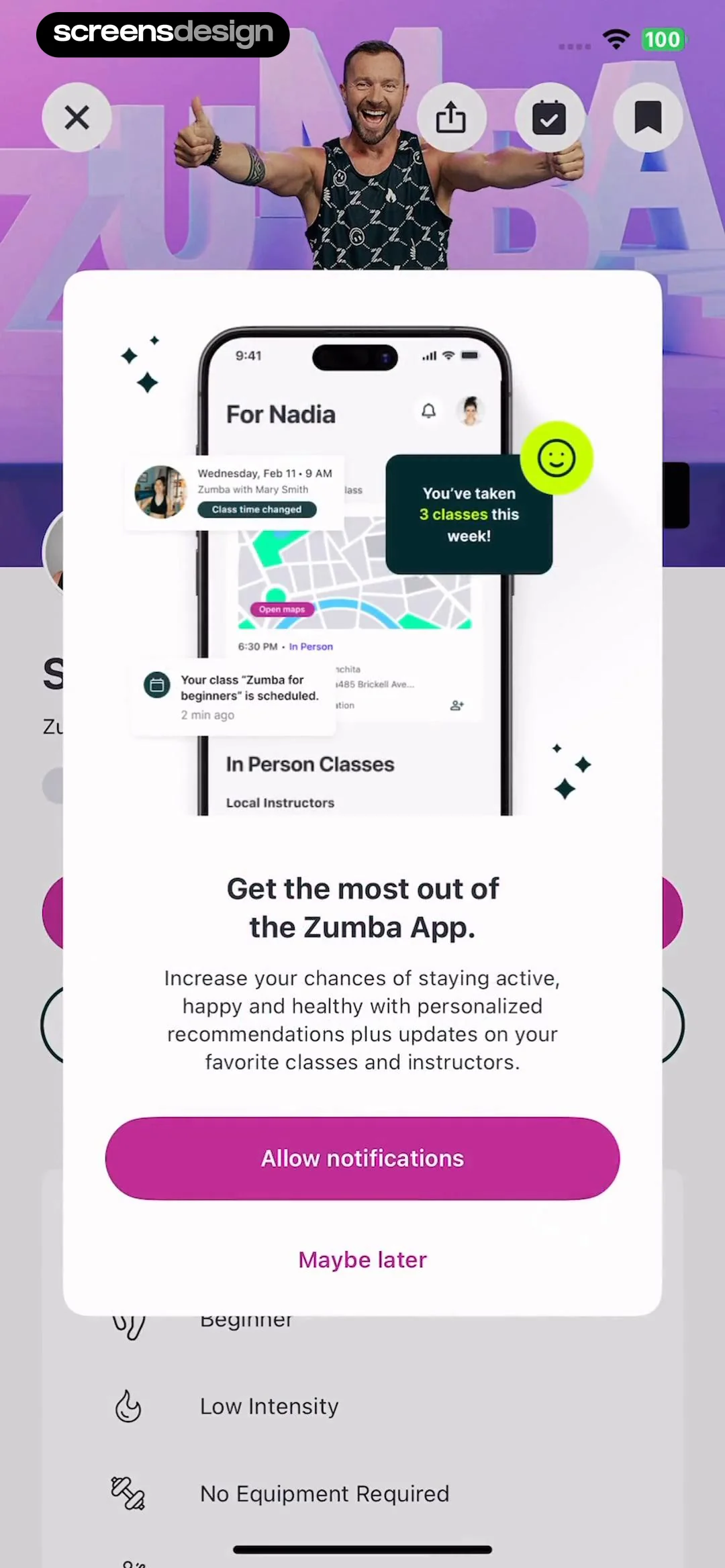
    Zumba - Dance Fitness Workout: A centered modal overlay on a blurred background. The modal contains an illustration at the top, followed by a heading, body text, and two action buttons.See the flow
    Zumba - Dance Fitness Workout

    A centered modal overlay on a blurred background. The modal contains an illustration at the top, followed by a heading, body text, and two action buttons.

  5. Step 5 · 2:53

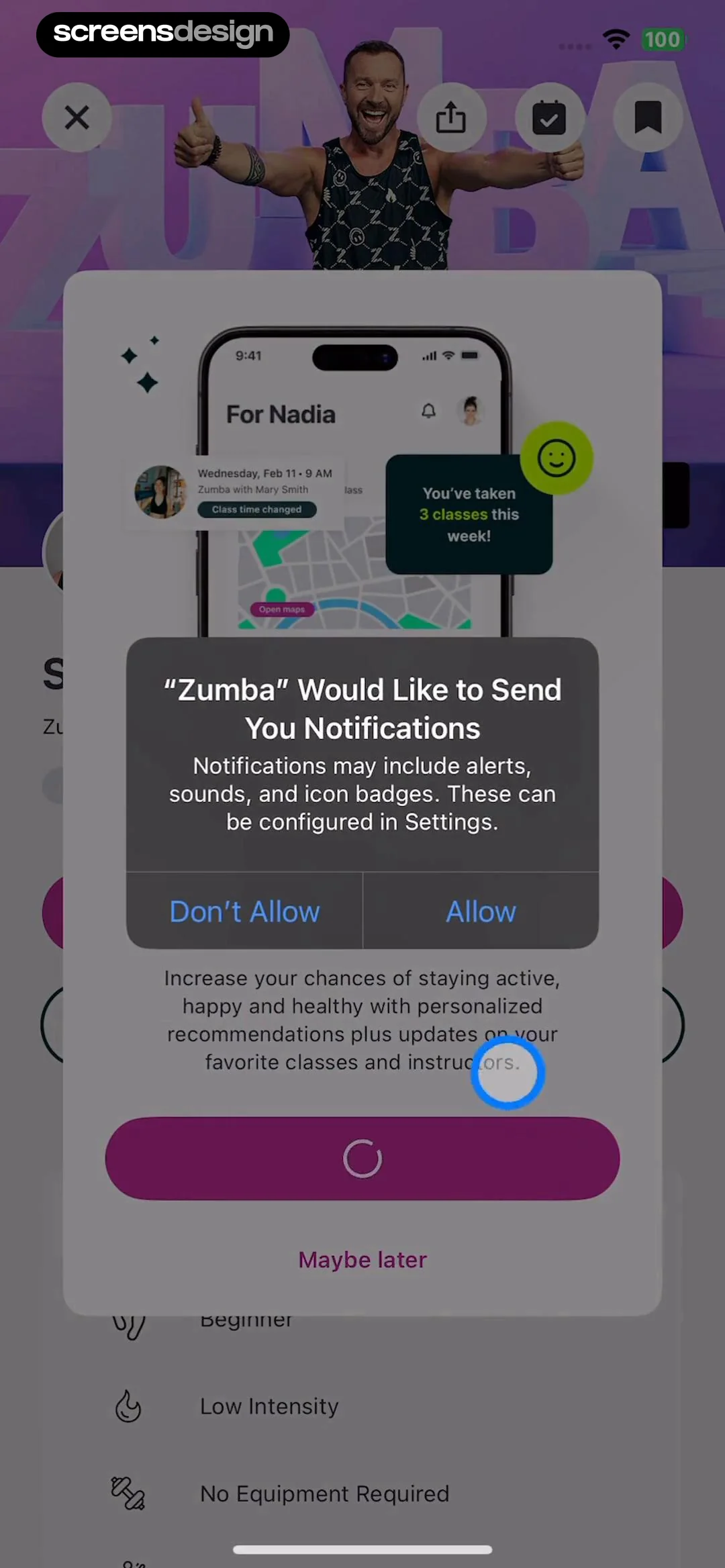
    Zumba - Dance Fitness Workout: A centered system permission modal sits over a blurred app background. The modal contains an illustration at the top, text in the middle, and two buttons at the bottom.See the flow
    Zumba - Dance Fitness Workout

    A centered system permission modal sits over a blurred app background. The modal contains an illustration at the top, text in the middle, and two buttons at the bottom.

  6. Step 6 · 3:00

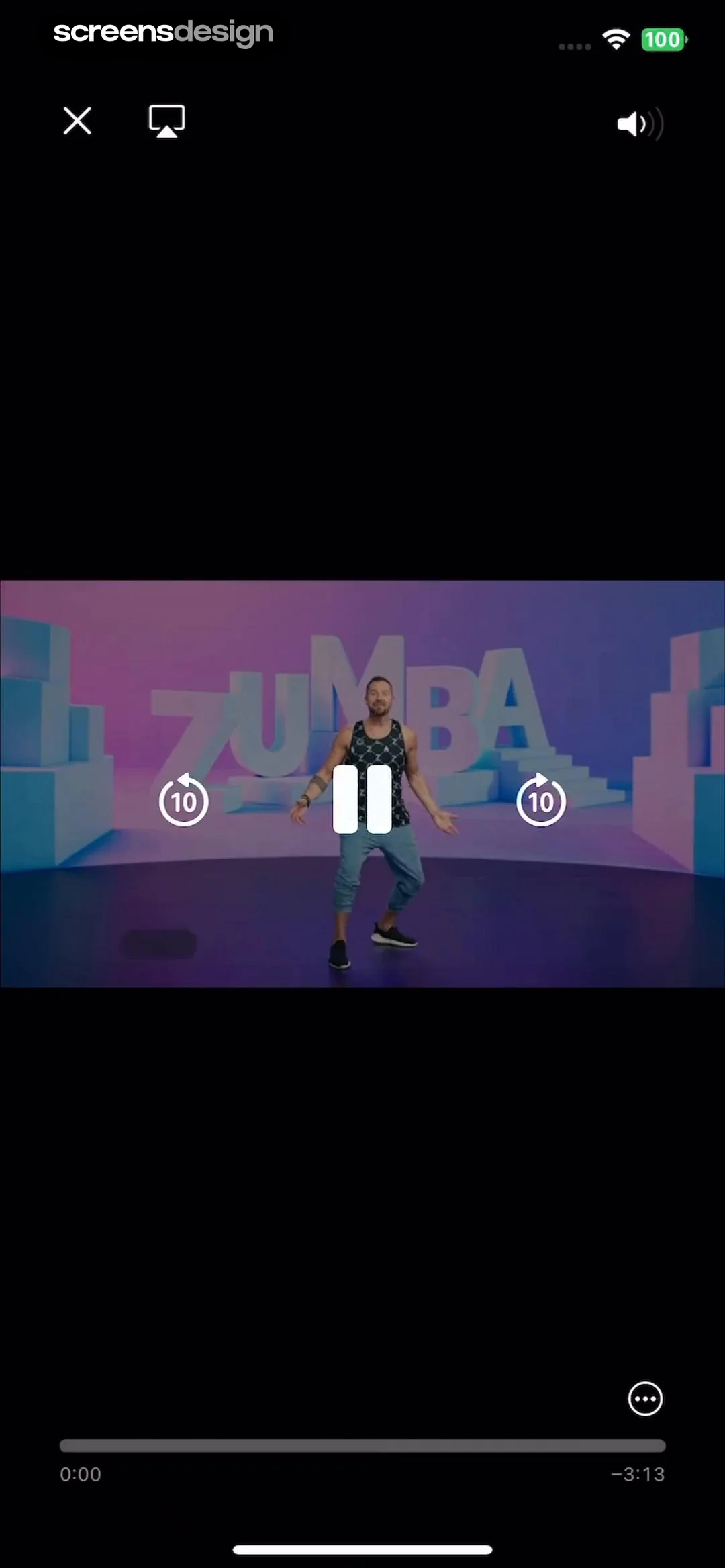
    Zumba - Dance Fitness Workout: Video player overlay with top navigation, central playback controls, and a bottom progress bar.See the flow
    Zumba - Dance Fitness Workout

    Video player overlay with top navigation, central playback controls, and a bottom progress bar.

DAZN: Stream Live Sports: Watching and Engaging with Video Content

Open recorded flow
  1. Step 1 · 1:18

    DAZN: Stream Live Sports: Top header with branding and upgrade button, hero video carousel, horizontal category filter bar, and a content feed section with a bottom navigation bar.See the flow
    DAZN: Stream Live Sports

    Top header with branding and upgrade button, hero video carousel, horizontal category filter bar, and a content feed section with a bottom navigation bar.

  2. Step 2 · 1:24

    DAZN: Stream Live Sports: Video player at the top, followed by title, description, action buttons, and a related content tab.See the flow
    DAZN: Stream Live Sports

    Video player at the top, followed by title, description, action buttons, and a related content tab.

  3. Step 3 · 1:27

    DAZN: Stream Live Sports: Video player overlay with centered playback controls, top-right title text, and bottom navigation bar.See the flow
    DAZN: Stream Live Sports

    Video player overlay with centered playback controls, top-right title text, and bottom navigation bar.

  4. Step 4 · 1:42

    DAZN: Stream Live Sports: The screen features a background content feed with a video carousel and text, overlaid by a centered system notification permission modal.See the flow
    DAZN: Stream Live Sports

    The screen features a background content feed with a video carousel and text, overlaid by a centered system notification permission modal.

  5. Step 5 · 1:53

    DAZN: Stream Live Sports: Video player header followed by text content and engagement buttons, with a system share sheet modal overlaying the bottom half.See the flow
    DAZN: Stream Live Sports

    Video player header followed by text content and engagement buttons, with a system share sheet modal overlaying the bottom half.

CraftBook: Crochet Made Easy: Completing a Tutorial Project

Open recorded flow
  1. Step 1 · 2:07

    CraftBook: Crochet Made Easy: Top header, horizontal tutorial cards, promotional banner, search bar with filter, vertical pattern grid, bottom navigation bar.See the flow
    CraftBook: Crochet Made Easy

    Top header, horizontal tutorial cards, promotional banner, search bar with filter, vertical pattern grid, bottom navigation bar.

  2. Step 2 · 2:09

    CraftBook: Crochet Made Easy: Top navigation bar, hero image of the craft project, bottom card containing preparation steps, and a fixed bottom primary action button.See the flow
    CraftBook: Crochet Made Easy

    Top navigation bar, hero image of the craft project, bottom card containing preparation steps, and a fixed bottom primary action button.

  3. Step 3 · 2:11

    CraftBook: Crochet Made Easy: A full-screen image viewer with a single close button in the top right corner.See the flow
    CraftBook: Crochet Made Easy

    A full-screen image viewer with a single close button in the top right corner.

  4. Step 4 · 2:15

    CraftBook: Crochet Made Easy: Top navigation bar, hero image of project, preparation section, and a bottom modal overlay.See the flow
    CraftBook: Crochet Made Easy

    Top navigation bar, hero image of project, preparation section, and a bottom modal overlay.

  5. Step 5 · 2:20

    CraftBook: Crochet Made Easy: Top navigation bar with title, central image, lower section for preparation details, and a bottom modal overlay for tools.See the flow
    CraftBook: Crochet Made Easy

    Top navigation bar with title, central image, lower section for preparation details, and a bottom modal overlay for tools.

  6. Step 6 · 2:27

    CraftBook: Crochet Made Easy: Top navigation bar, large video player area, text instruction block, playback speed controls, progress bar, and bottom playback control buttons.See the flow
    CraftBook: Crochet Made Easy

    Top navigation bar, large video player area, text instruction block, playback speed controls, progress bar, and bottom playback control buttons.

  7. Step 7 · 2:32

    CraftBook: Crochet Made Easy: Video player occupies the center, with playback controls overlaid in the middle and utility icons in the bottom right corner. A vertical progress bar is on the left edge.See the flow
    CraftBook: Crochet Made Easy

    Video player occupies the center, with playback controls overlaid in the middle and utility icons in the bottom right corner. A vertical progress bar is on the left edge.

  8. Step 8 · 2:58

    CraftBook: Crochet Made Easy: Top celebratory header, central project image, feedback buttons, community sharing prompt, and a bottom primary action button.See the flow
    CraftBook: Crochet Made Easy

    Top celebratory header, central project image, feedback buttons, community sharing prompt, and a bottom primary action button.

  9. Step 9 · 3:03

    CraftBook: Crochet Made Easy: The screen is vertically stacked with a feedback section at the top, a community sharing section in the middle, and a profile/save section at the bottom.See the flow
    CraftBook: Crochet Made Easy

    The screen is vertically stacked with a feedback section at the top, a community sharing section in the middle, and a profile/save section at the bottom.

Found an example you like?See the whole story.