OTP verification screen examples
10 Mobile App OTP Verification Screen Examples
The best OTP screen keeps identity, delivery, entry, recovery, and expiry understandable at the same time.
An OTP verification screen asks a person to prove control of an email address or phone number by entering a short-lived code. The task looks simple, yet it can fail because the destination is wrong, delivery is delayed, autofill does not appear, the code expires, or the user leaves the app to find the message and loses their place.
Treat verification as part of account creation or authentication, not as an isolated form. The screen should repeat a safely masked destination, let the user correct it, accept pasted and autofilled codes, communicate expiry without panic, and provide a resend path that cannot be mistaken for the primary action.
Security and usability reinforce each other when the state is explicit. Rate limits, attempt limits, code invalidation, alternate delivery methods, and account enumeration protections belong in the backend contract. The interface should explain only what the person needs to recover, without exposing whether another account exists.
The recorded screens below show email and SMS verification across health, learning, AI, sports, and utility apps. Their visible choices reveal useful patterns, but your delivery infrastructure, fraud model, legal requirements, and platform autofill behavior must determine the final design.
01. Identity context
Repeat where the code went and make correction possible.
People should not have to remember which address or number they submitted on the previous screen.
Epsy: Seizure Log for Epilepsy opens this decision with “Enter the code we've sent you” and keeps “Type the one-time code we've just sent to you via email” in the same state. Tai Chi Walking : GentleFit uses “Verify OTP” with “Enter verification code” visible nearby. Looking at both recorded screens makes the tradeoff concrete: destination context belongs close to the input, with editing treated as a safe branch rather than a full restart. These are interface observations, not a claim that either treatment performs better.
Mask the destination enough to protect it on a shared screen while leaving enough information for recognition. An email domain and a few characters, or a country code and final phone digits, are usually more useful than generic copy such as “we sent a code.” If changing the destination invalidates the current code, say so before navigating back.
Persist a verification challenge identifier, not the raw code, across foreground and background transitions. The Edit action should return to the contact field with the previous value intact, submit a replacement challenge deliberately, and prevent an old code from silently verifying the new destination.


02. Code entry
Support typing, paste, and platform autofill without cursor traps.
The visual boxes are presentation; the input behavior should still act like one predictable field.
Outlier: Smart Sports Betting opens this decision with “Enter the verification code” and keeps “Your code was sent to [email protected]” in the same state. Mindflow AI: Overcome ADHD uses “Enter one-time passcode” with “We've sent a one-time passcode to:” visible nearby. Looking at both recorded screens makes the tradeoff concrete: segmented cells can communicate code length, but the interaction must remain continuous for keyboards, paste, deletion, and assistive technology. These are interface observations, not a claim that either treatment performs better.
A row of boxes often looks clear while behaving poorly. Use one semantic text input with a visual segmented treatment, numeric keyboard when the code is numeric, one-time-code autofill metadata, full-string paste, and predictable backspace behavior. Do not force users to tap each cell or reject a valid pasted code because of spaces.
Normalize only characters the issuer permits, submit automatically only when completion is unambiguous, and keep a visible Verify action when users may need to review the destination. Announce an autofilled code and submission state to screen readers without reading the secret aloud in a public context.


03. Resend timing
Explain resend availability without creating a race.
A timer should set expectations and protect the service, not make the person watch a countdown.
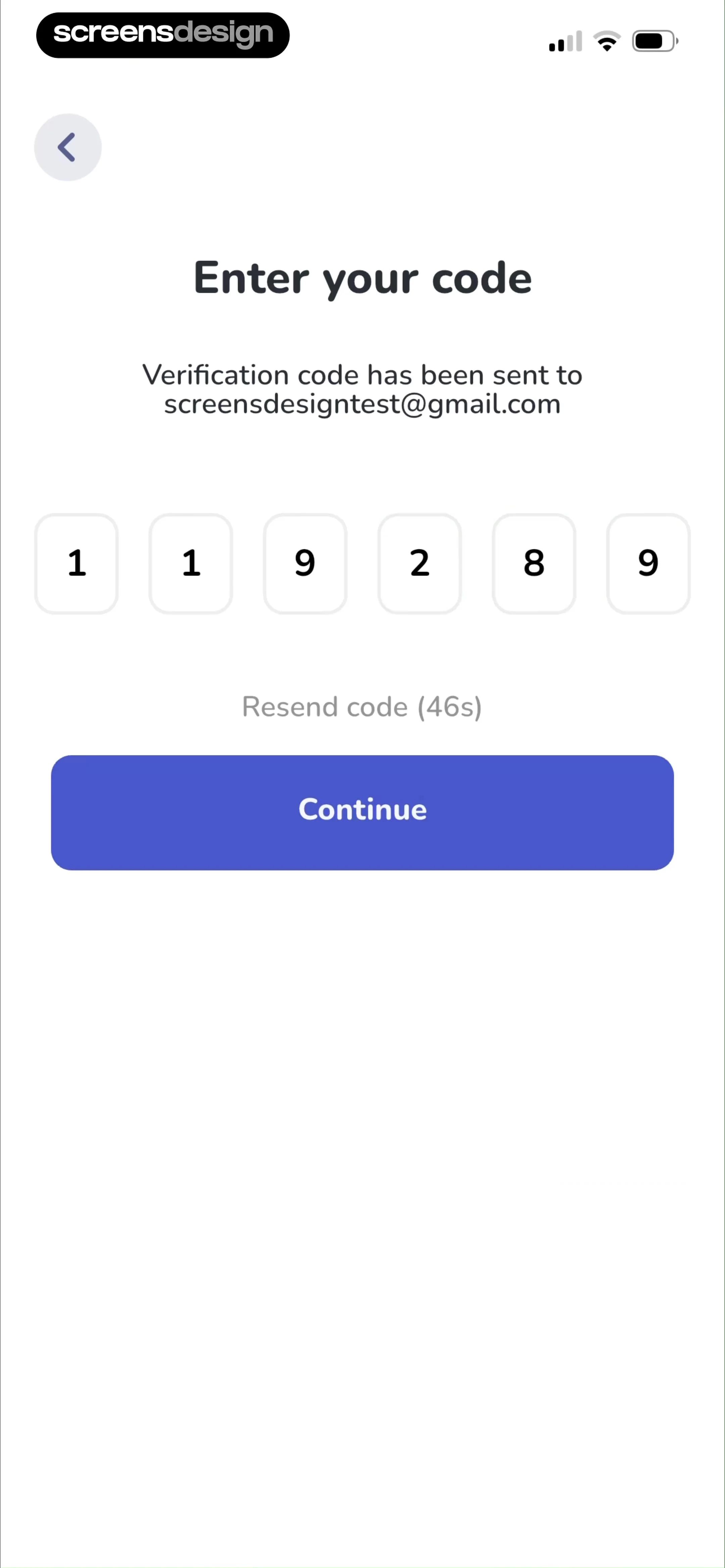
LightX: AI Generator & Editor opens this decision with “Verify OTP” and keeps “A One Time Password has been sent to [email protected].” in the same state. YayTalk: Learn & Speak English uses “Enter your code” with “Verification code has been sent to [email protected]” visible nearby. Looking at both recorded screens makes the tradeoff concrete: resend labels are most useful when they distinguish waiting, available, sending, sent, and rate-limited states. These are interface observations, not a claim that either treatment performs better.
Keep the timer secondary to code entry. When it reaches zero, replace it with an actionable Resend code control rather than leaving a disabled-looking label. A successful resend should confirm the destination and explain that earlier codes may no longer work. Repeated requests need a meaningful cooldown and support path.
Drive the countdown from a server timestamp so backgrounding, clock changes, and multiple devices do not desynchronize the UI. Make resend idempotent, throttle by account and destination, and return a retry-after value that the client can render accurately.

04. Delivery fallback
Offer another route when the message never arrives.
Spam folders, blocked texts, roaming, and carrier delays are ordinary failure cases.
PolyBuzz: Chat with Characters opens this decision with “Verification Code” and keeps “Verification code has been sent to” in the same state. ELSA Speak - English Learning uses “Verify email via OTP” with “Check the email for the 4 digit code” visible nearby. Looking at both recorded screens makes the tradeoff concrete: an alternate method is useful only when it is genuinely configured and does not weaken the challenge. These are interface observations, not a claim that either treatment performs better.
Place options such as Paste, Check spam, Call instead, use another account, or contact support after the primary wait period. Do not show channels that are unavailable for the current destination. If voice delivery or a provider login changes the security level, explain the change and require the correct backend challenge.
Instrument delivery provider status separately from user entry errors. A code marked sent is not proof of receipt. Preserve the same intended destination after switching channels, invalidate superseded challenges, and avoid revealing whether a destination belongs to an account.


05. Errors and expiry
Keep invalid, expired, and exhausted attempts distinct.
“Something went wrong” cannot tell a user whether to retype, resend, wait, or seek help.
Robokiller: Spam Call Blocker opens this decision with “Enter the code we sent to” and keeps “+1 (646) 538-6464” in the same state. Lisa AI: AI Dance Video Maker uses “Verification Code” with “Enter the code we sent to” visible nearby. Looking at both recorded screens makes the tradeoff concrete: verification copy should map each visible failure to one safe next action while keeping the entered destination recognizable. These are interface observations, not a claim that either treatment performs better.
An invalid code can preserve the digits for review or clear them depending on the threat model. An expired code should offer a fresh request. Too many attempts should state the wait or recovery route. Offline and server failures should preserve the challenge and avoid blaming the code. Use inline status plus an accessible announcement.
Model invalid, expired, already-used, superseded, rate-limited, locked, offline, and provider-unavailable responses explicitly. Never infer the state from free-form server text. Log outcome categories and latency, but do not record OTP values or complete destinations.


Implementation
Build verification as a resumable challenge, not a fragile modal.
The client and identity service need one shared state model for destination, issuance, entry, attempts, expiry, and recovery.
Create a server-side challenge with a bounded lifetime, hashed code material, destination reference, attempt counter, resend policy, and clear invalidation rules. Bind it to the intended account action so a code issued for signup cannot be replayed for a sensitive profile change.
On the client, retain the challenge through app switching because users commonly leave to read email or SMS. Restore focus and input state when they return, accept system autofill, and route a completed challenge back to the exact signup, login, checkout, or settings task that requested verification.
Model the page as explicit states rather than a single happy-path mockup. Include initial, loading, success, empty, partial, offline, permission-denied, validation, and server-error states where they apply. Preserve the user’s context across each transition, prevent duplicate submissions, and keep recovery close to the failed action.
Accessibility is part of the interaction contract. Test Dynamic Type, VoiceOver, keyboard focus, switch control, contrast, reduced motion, localization, right-to-left layouts, and touch targets. A visually compact pattern is not finished until the task remains understandable without color, animation, or perfect connectivity.
Recognize the destination
Show a safely masked email or phone number and a deliberate edit route.
Accept the whole code
Support typing, paste, autofill, deletion, and accessible focus as one input.
Recover delivery
Model resend, alternate channel, support, rate limits, and new challenges.
Finish the original task
After verification, resume the action that created the challenge exactly once.
Measurement
Measure verified task completion, not code submission.
A submitted code is only an intermediate event if the account action still fails.
Track challenge creation, delivery-provider acceptance, autofill or paste use where privacy-safe, locally complete entry, verification outcome, resend, destination edit, alternate channel, lockout, and successful return to the originating task. Segment by channel and platform version without logging codes or full contact details.
Useful diagnostics include time to first delivery, time to verification, resend rate, expiry rate, invalid attempts per challenge, background-return completion, provider failures, and support contacts. Compare these with downstream account creation or authentication completion so faster entry does not hide duplicate accounts or broken return routing.
Review qualitative evidence beside the event data. Watch moderated sessions, support conversations, replayed failures, accessibility testing, and open-ended feedback for confusion that a funnel cannot name. Define guardrails before release so an increase in one completion metric does not hide more accidental actions, privacy concerns, refunds, support work, or abandoned downstream tasks.
Review checklist
Review OTP as a complete security and recovery journey.
Test every state with real email and SMS delivery behavior.
Run the checklist on new installs, returning sessions, slow delivery, wrong destinations, backgrounded apps, and repeated attempts.
- The screen names the user’s current task in plain language.
- One primary action is visually dominant and accurately labeled.
- Secondary actions remain available without competing with the main decision.
- Input, selection, loading, success, and failure states are designed before implementation.
- Back and close behavior preserve the context that brought the user here.
- Errors explain a recovery action and never erase valid work unnecessarily.
- Sensitive information is minimized in both the interface and analytics.
- Large text and screen readers preserve the intended reading and focus order.
- Slow, offline, interrupted, and duplicated actions have deliberate outcomes.
- Analytics measure completion of the user’s real task, not only button taps.
- The pattern is tested inside the full journey, not as an isolated screenshot.
- Recorded examples are used as references, then adapted to the product’s own constraints.
Questions and answers
OTP verification screen questions
How many OTP boxes should a mobile app show?
Match the exact code length, but implement the boxes as one semantic input whenever possible. This supports paste, autofill, deletion, and screen readers more reliably than six independent fields.
Should an OTP submit automatically?
Automatic submission can reduce a tap when completion is unambiguous and errors remain recoverable. Keep a visible Verify action when the code may contain letters, users need review, or platform behavior is inconsistent.
Where should the resend timer appear?
Place it below or beside the code entry as a secondary status. Replace it with an enabled Resend code control at zero and confirm when a new code has been issued.
What should happen when the destination is wrong?
Provide an Edit route that preserves the intended account task, lets the person correct the address or number, and deliberately creates a new challenge while invalidating the old one.
How should OTP errors be written?
Distinguish invalid, expired, superseded, rate-limited, offline, and delivery failures. Pair each message with one safe recovery action without revealing whether another account exists.
What OTP data belongs in analytics?
Record challenge and outcome identifiers, channel, timing, resend, and categorized failures. Never record the code itself or unnecessary full email addresses and phone numbers.
Apps referenced in this page
Open the products behind the examples.
 Epsy: Seizure Log for EpilepsySeizure, Epilepsy, Medications
 Tai Chi Walking : GentleFitQigong & Tai Chi For Beginners
 Outlier: Smart Sports BettingProps, Stats, Odds & Analysis
 Mindflow AI: Overcome ADHD#1 Science-Based ADHD App
 LightX: AI Generator & EditorCrop Photo & Background Eraser
 YayTalk: Learn & Speak EnglishAI Language Learning Lessons
 PolyBuzz: Chat with CharactersMeet & Talk with AI Chatbot
 ELSA Speak - English LearningPractice Conversations with AI
 Robokiller: Spam Call BlockerStop 99% of Robocalls & Texts
 Lisa AI: AI Dance Video MakerPro Photoshoot Generator
2,805 apps in the top charts.Ask them anything.
Compare recorded OTP screens and the surrounding signup or login flows, then use ScreensDesign Pro to ask how top apps handle the exact verification problem in your product.